
Personal Access Token
Personal Access Tokens (PATs) in Collate let you authenticate and interact with the Collate API securely. Follow the steps below to generate a new personal access token.Prerequisites
- You have a valid Collate user account.
- You have access to the Collate UI.
Steps to Create a Personal Access Token
- Log in to Collate.
-
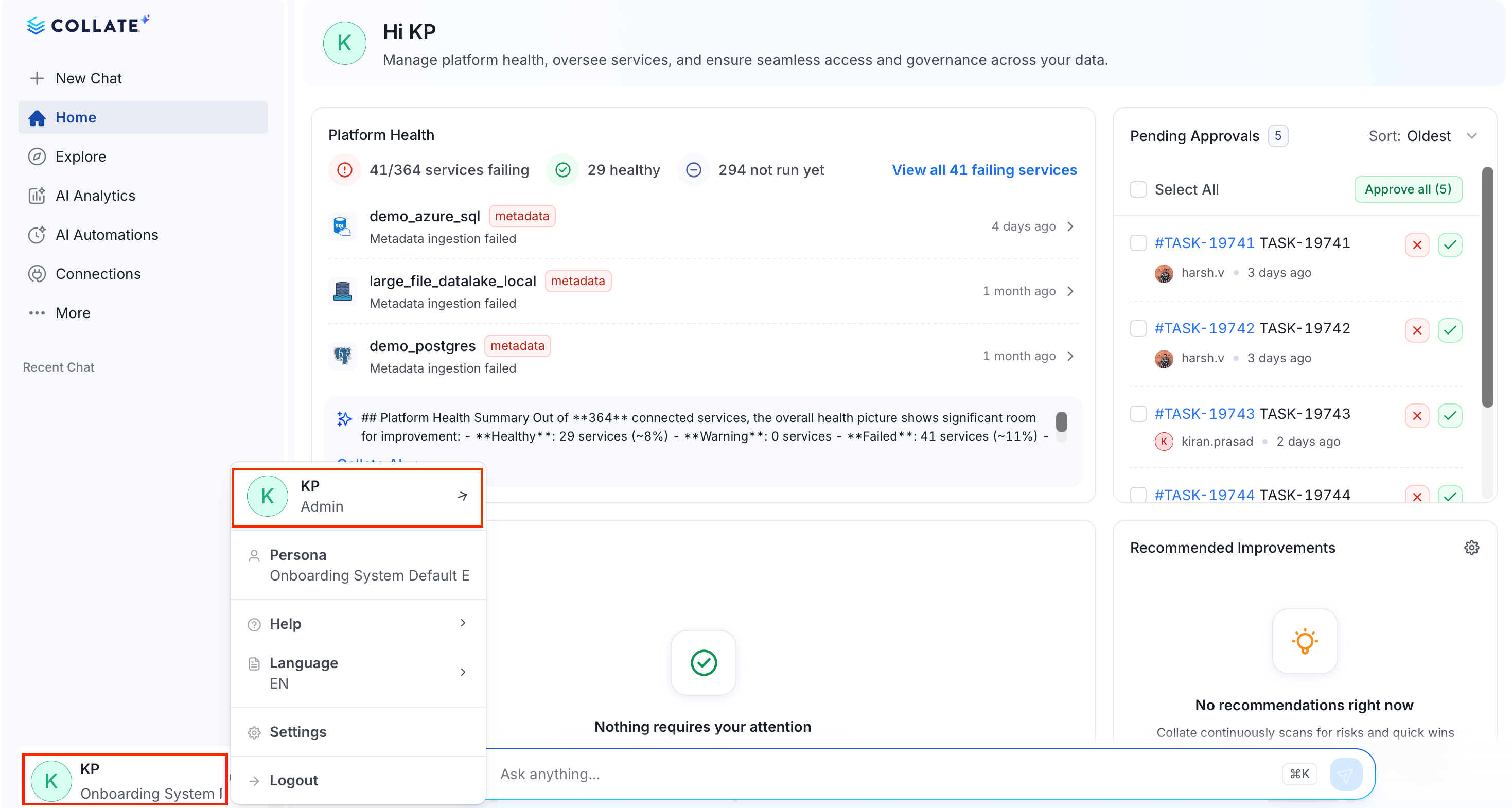
Click the Profile icon and select your user name.
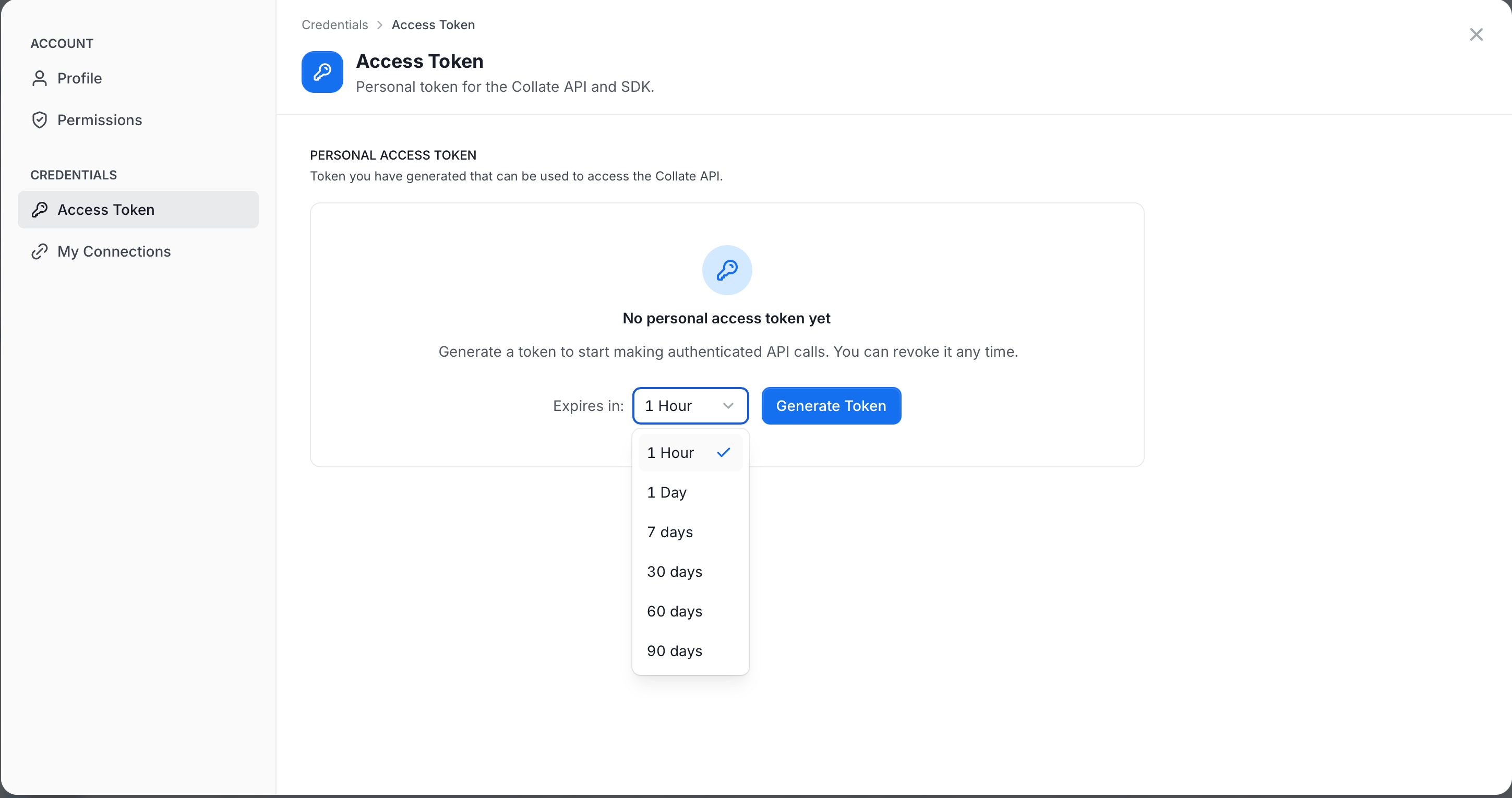
- In the Credentials group, click Access Token.
-
Set the expiry time and click Generate Token.
-
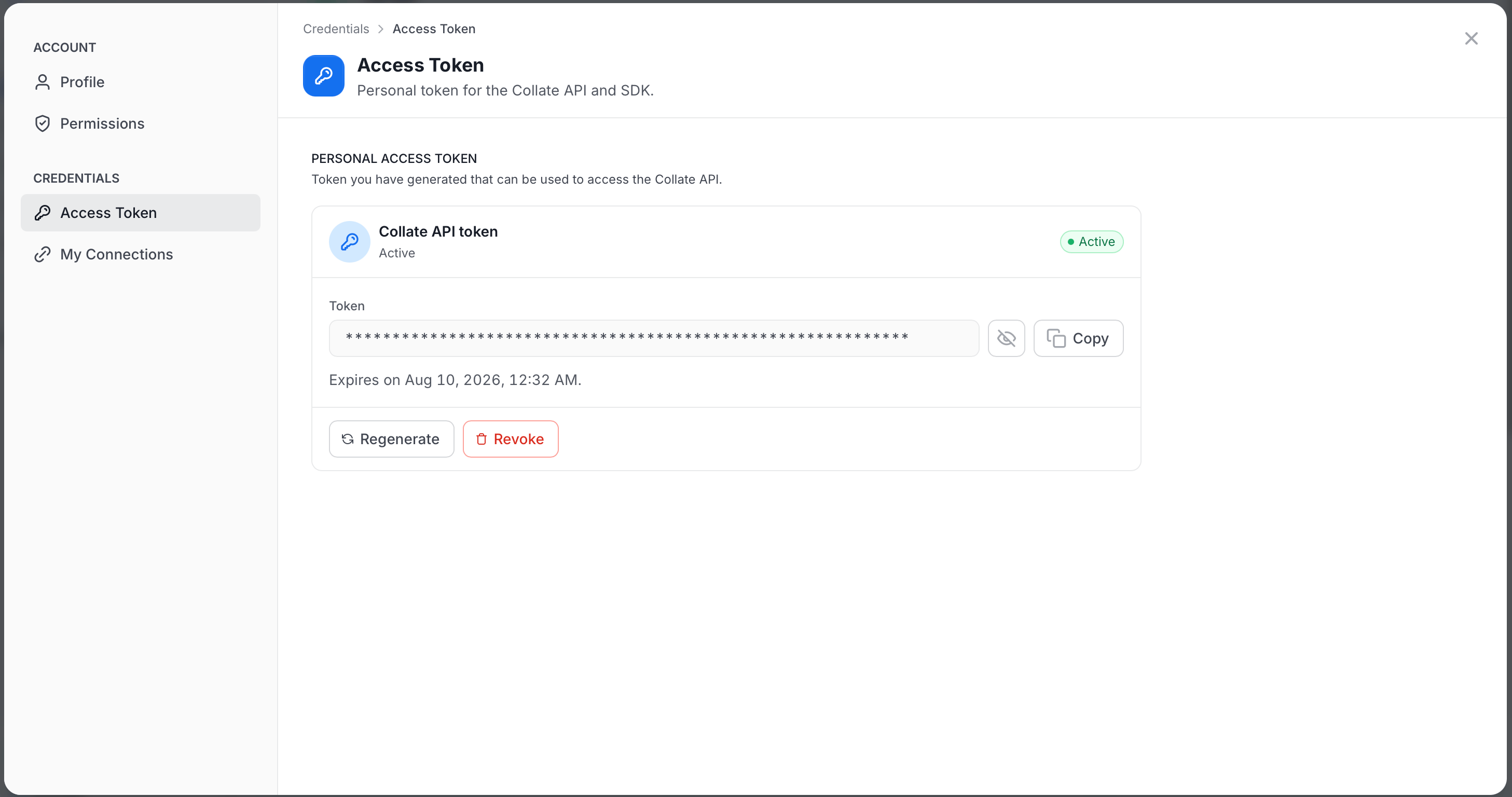
Copy and save it securely for later use.
 Note: By default, the token gives your AI agent the same role and access policy assigned to you in Collate. To scope your agent to different role-based access controls, create a dedicated user and generate the token from that account instead.