
Permission Debugger
The Permission Debugger lets administrators analyze and debug user permissions across roles, teams, and policies. This feature is critical for troubleshooting access issues, verifying policy behavior, and ensuring users have the correct level of access.How It Works
The Permission Debugger simulates permission checks for a given user on a selected resource and operation. It provides detailed insight into:- Which policies and rules were evaluated
- The final allow/deny decision
- Matching rule count
- Evaluation time
How to Use the Permission Debugger
1. Select a User
- Click the Profile icon and navigate to Settings > Access Control > Permission Debugger.
-
Search and select the user whose permissions you want to inspect.
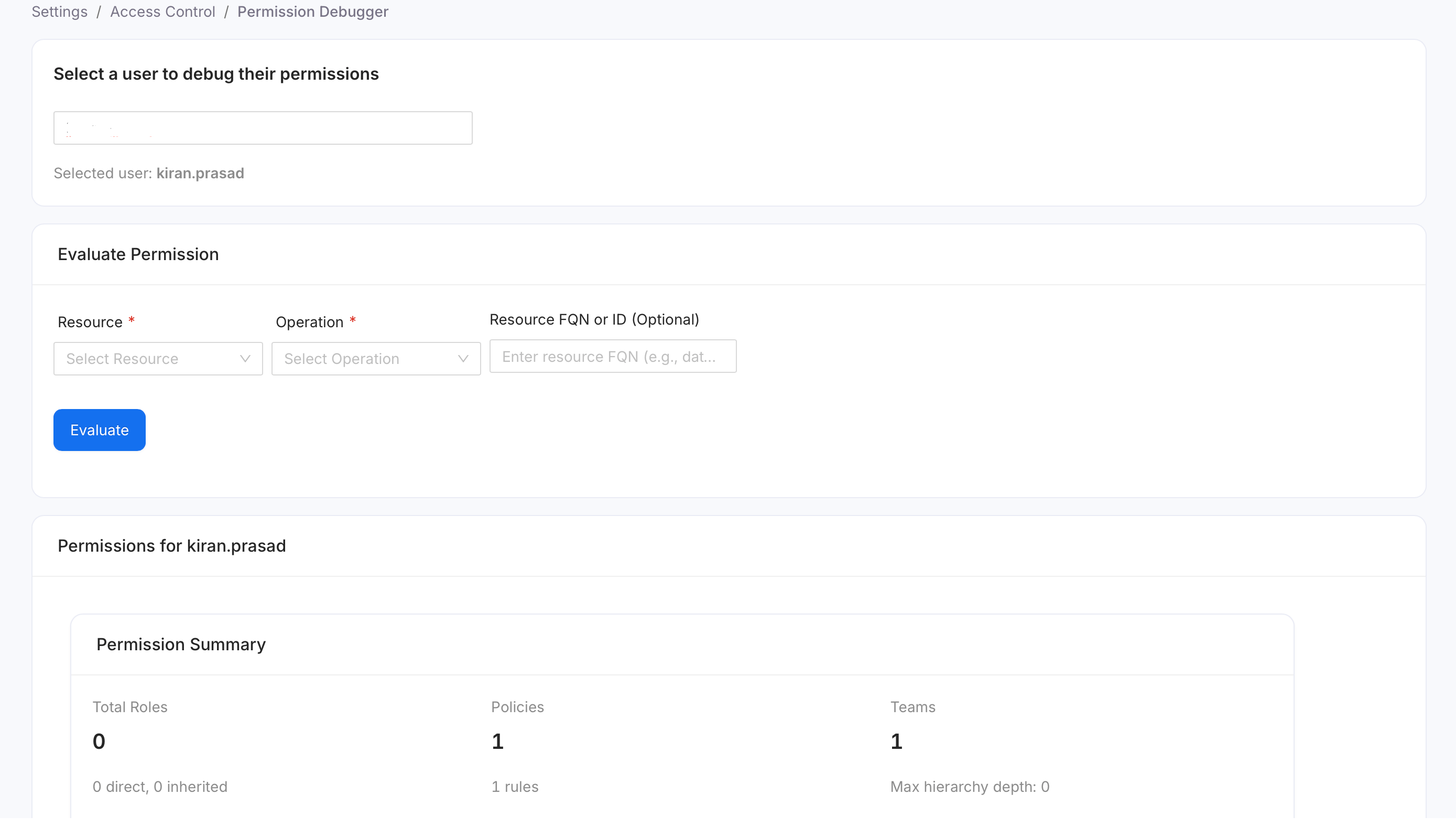
2. Define the Permission Check
-
Resource: Select a resource type.
- Options include:
user,team,table,database,glossary,tag,glossaryTerm,searchIndex,mlModel,container,topic,pipeline,dashboard,databaseSchema
- Options include:
-
Operation: Choose the operation to check against the selected resource.
- Examples:
ViewAll,EditAll,Deploy,Trigger,Kill,GenerateToken, etc.
- Examples:
- Resource FQN or ID (Optional): Provide a Fully Qualified Name (FQN) or unique ID of a specific resource if you want to debug at the resource instance level.
3. Evaluate Permission
Click the Evaluate button to perform the permission check.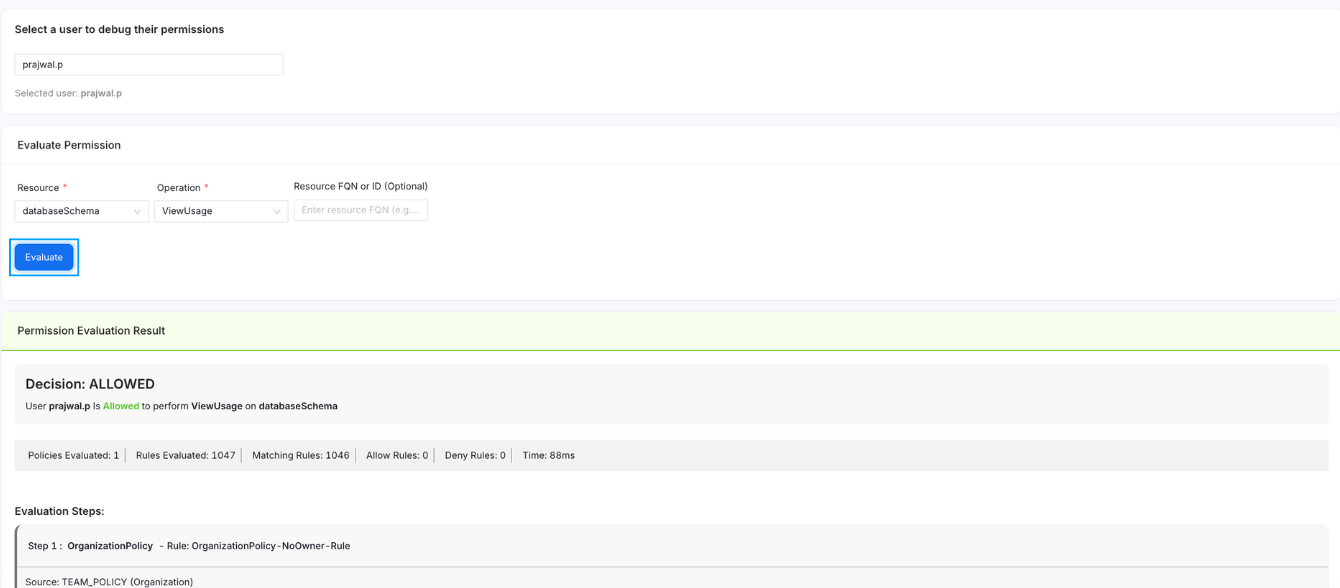
Example 1: DENIED (EditAll on Table)
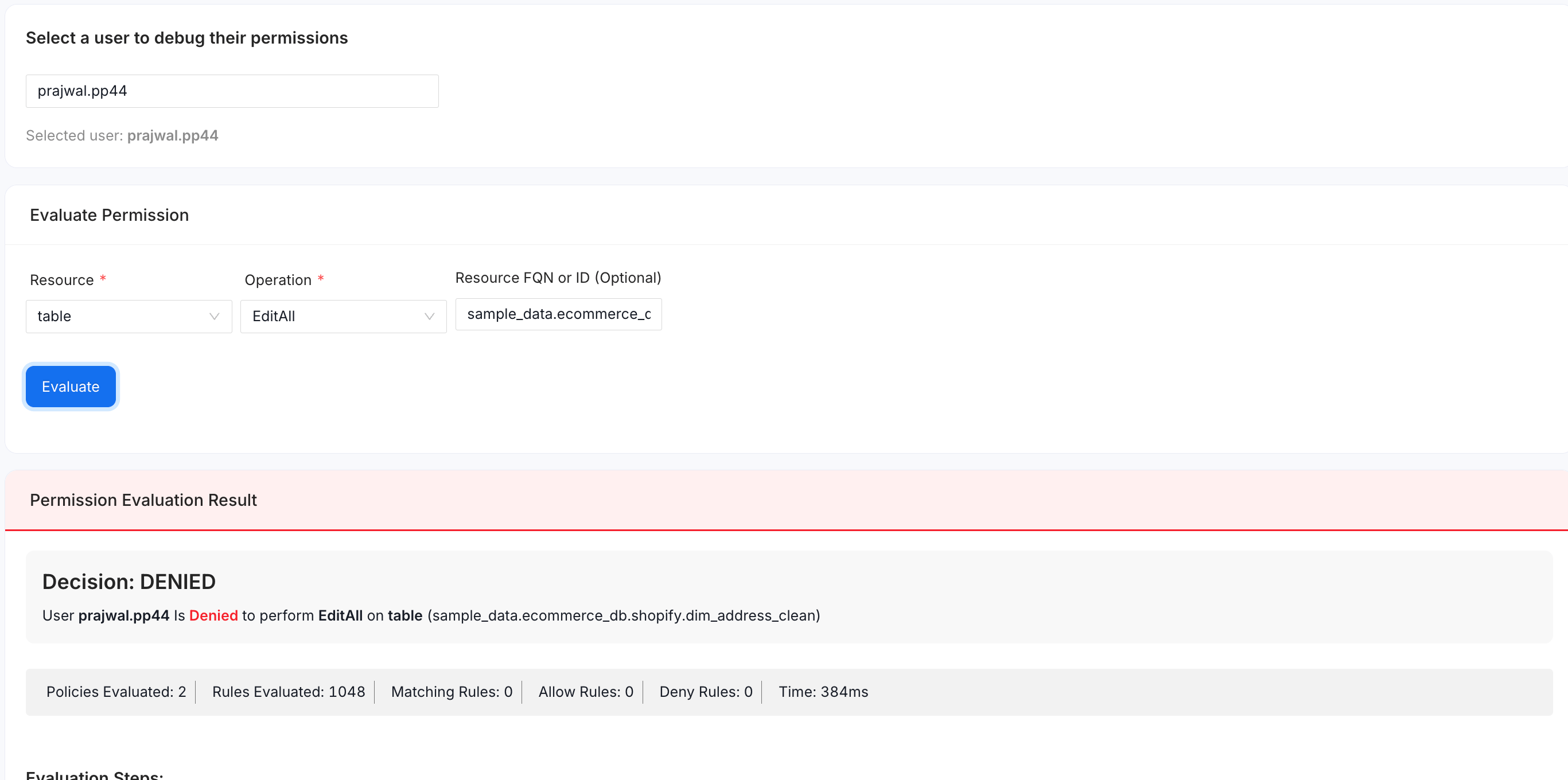
prajwal.pp44
Resource: table
Operation: EditAll
Resource FQN: sample_data.ecommerce_db.shopify.dim_address_clean
Result:
Decision: DENIED UserEvaluation Summary:prajwal.pp44is Denied to performEditAllontable (sample_data.ecommerce_db.shopify.dim_address_clean)
Example 2: ALLOWED (ViewAll on Table)
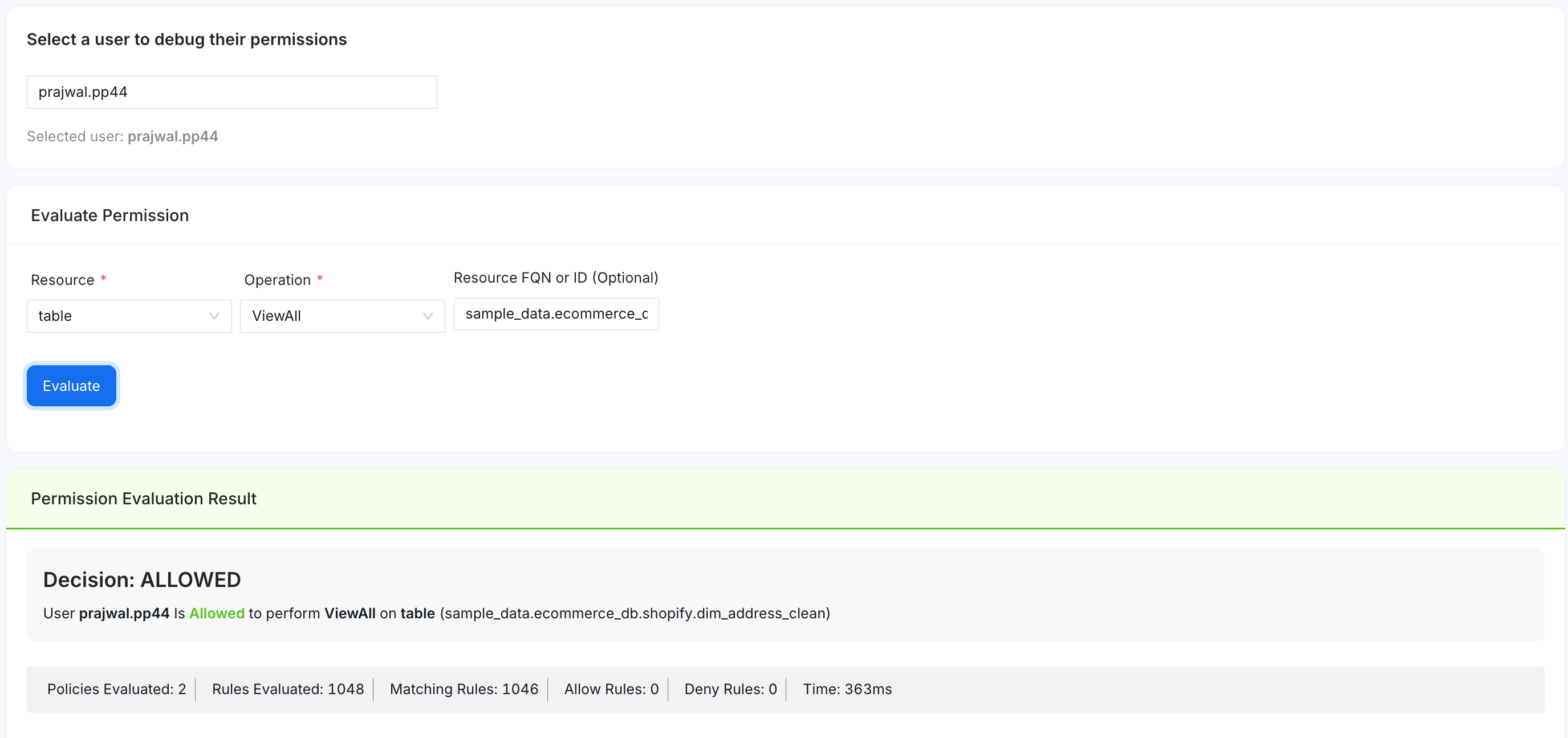
ViewAll operation.
Scenario
- User:
prajwal.pp44 - Resource:
table - Operation:
ViewAll - Resource FQN:
sample_data.ecommerce_db.shopify.dim_address_clean
Evaluation Result
Decision: ALLOWED Userprajwal.pp44is Allowed to performViewAllontable (sample_data.ecommerce_db.shopify.dim_address_clean)
Evaluation Summary
Use Cases
- Debug permission issues for a specific user.
- Validate that newly created policies are functioning as expected.
- Understand why a user has or doesn’t have access to specific resources.