Reindexing Search
Collate stores its searchable data in a separate search index (Elasticsearch or OpenSearch). Over time, this index can fall out of sync with your metadata. This can happen after an upgrade, a failed ingestion job, or a change to the search cluster. When that happens, search and the Explore page return wrong or incomplete results. Reindexing rebuilds the index from the metadata in the database, so search matches reality again. Reindex the search if you notice any of the following:- The counts shown for Data Assets don’t match the actual number of assets.
- Assets you know exist don’t appear in search results.
- Running a search returns an error such as
shards_exceptionfrom the search engine. - Searches return no results, only some results, or results that don’t match what you typed.
- The Explore page shows no assets even though metadata has been ingested.
- Upstream or downstream lineage is incomplete or missing for assets that should have it.
Reindex
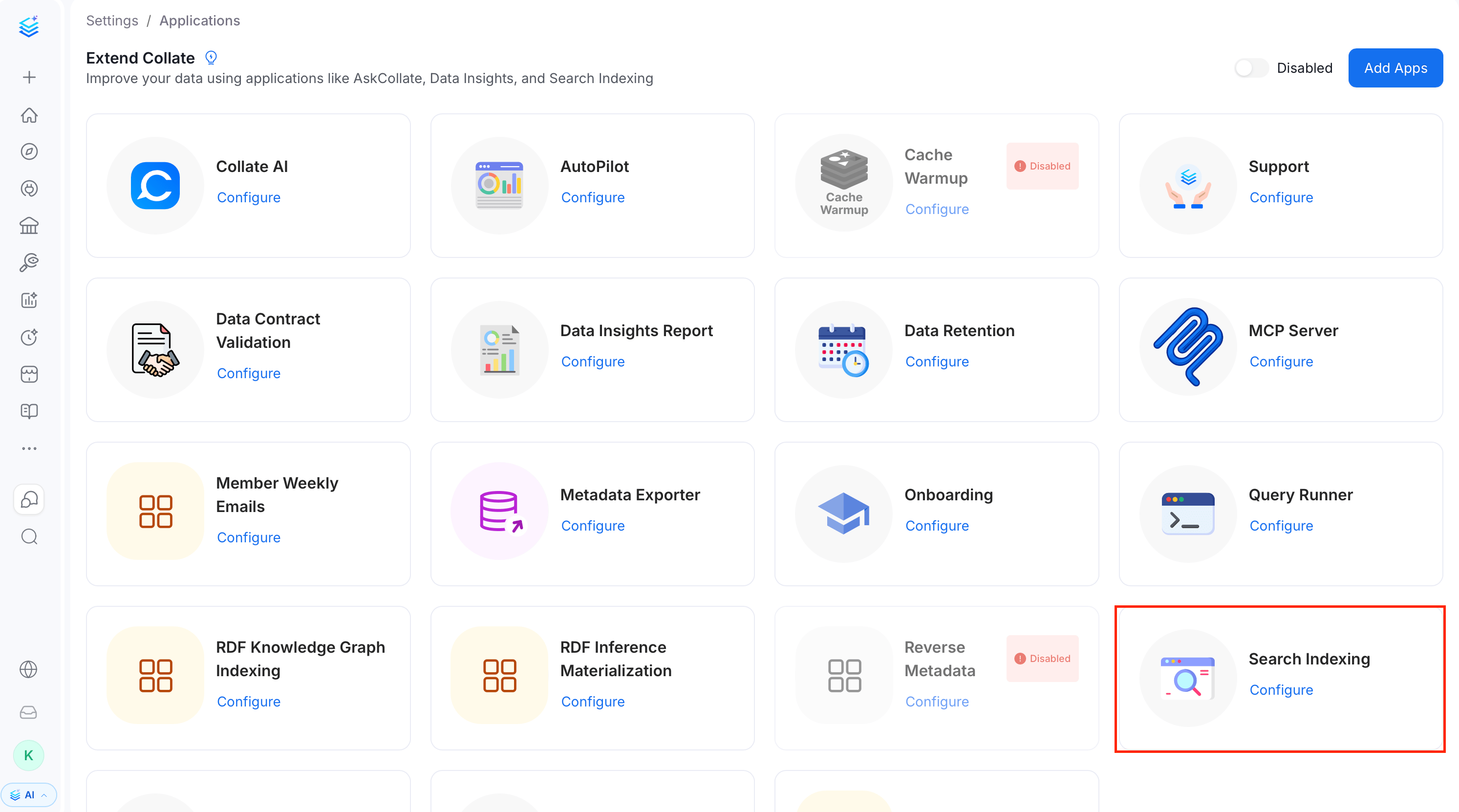
To reindex the search:- Click your profile icon and navigate to Settings > Applications.
-
Open Search Indexing.
- Select the Schedule tab.
-
Click Run now to start a reindex.
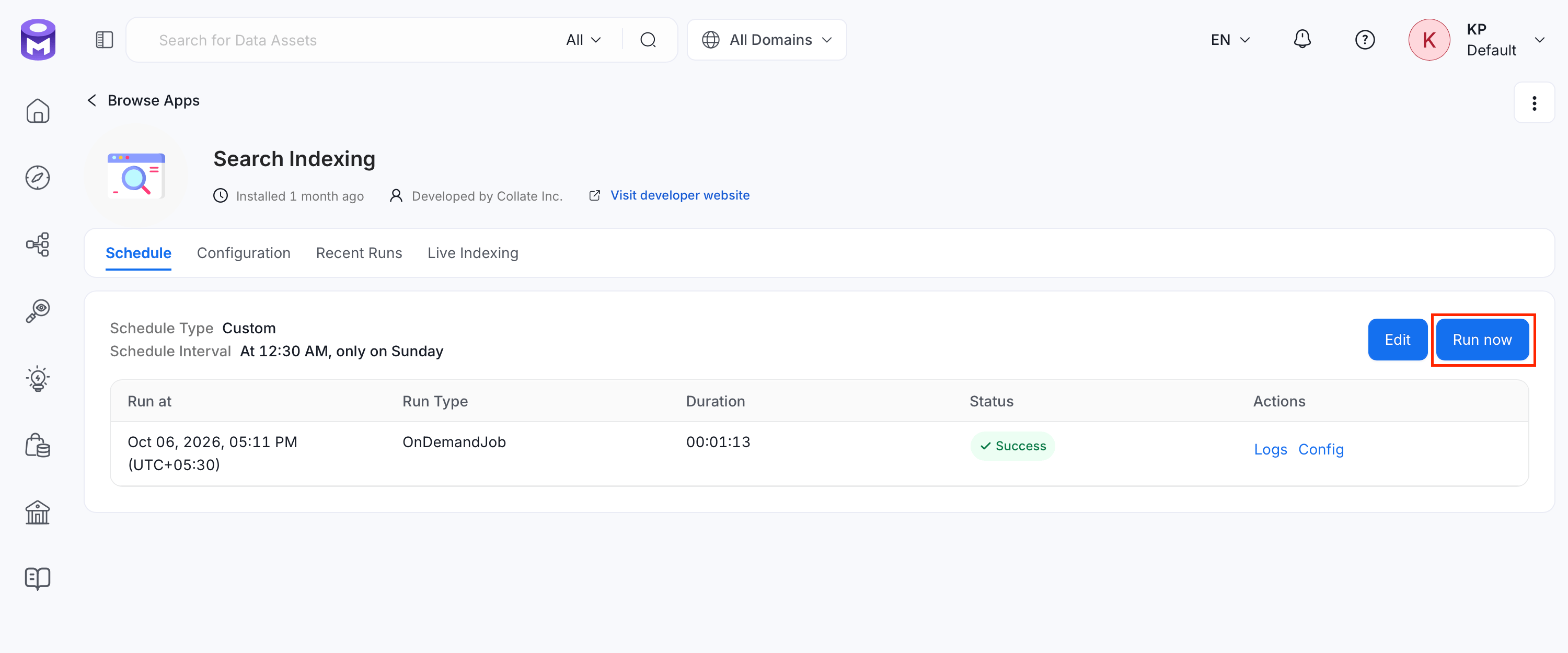
Starting with 2.0, every reindex rebuilds the search indexes from scratch, so no Recreate Indexes option exists. Running the app is enough.
- Open the Configuration tab.
- Edit the Entities field. It defaults to
All. For more information, see Entities. - Save the configuration.
- Return to the Schedule tab.
- Click Run now.
If you continue to experience issues, consider reinstalling the search application.
Configuration Parameters for Reindexing
This document provides detailed descriptions and best practices for configuring the reindexing process parameters. Proper configuration ensures efficient and reliable reindexing while minimizing potential system bottlenecks.In 2.0, reindexing always rebuilds the index from scratch. The earlier
recreateIndex option was removed, so no setting remains to toggle a full rebuild versus an incremental one. For more information, see Search Indexing app configuration fields removed.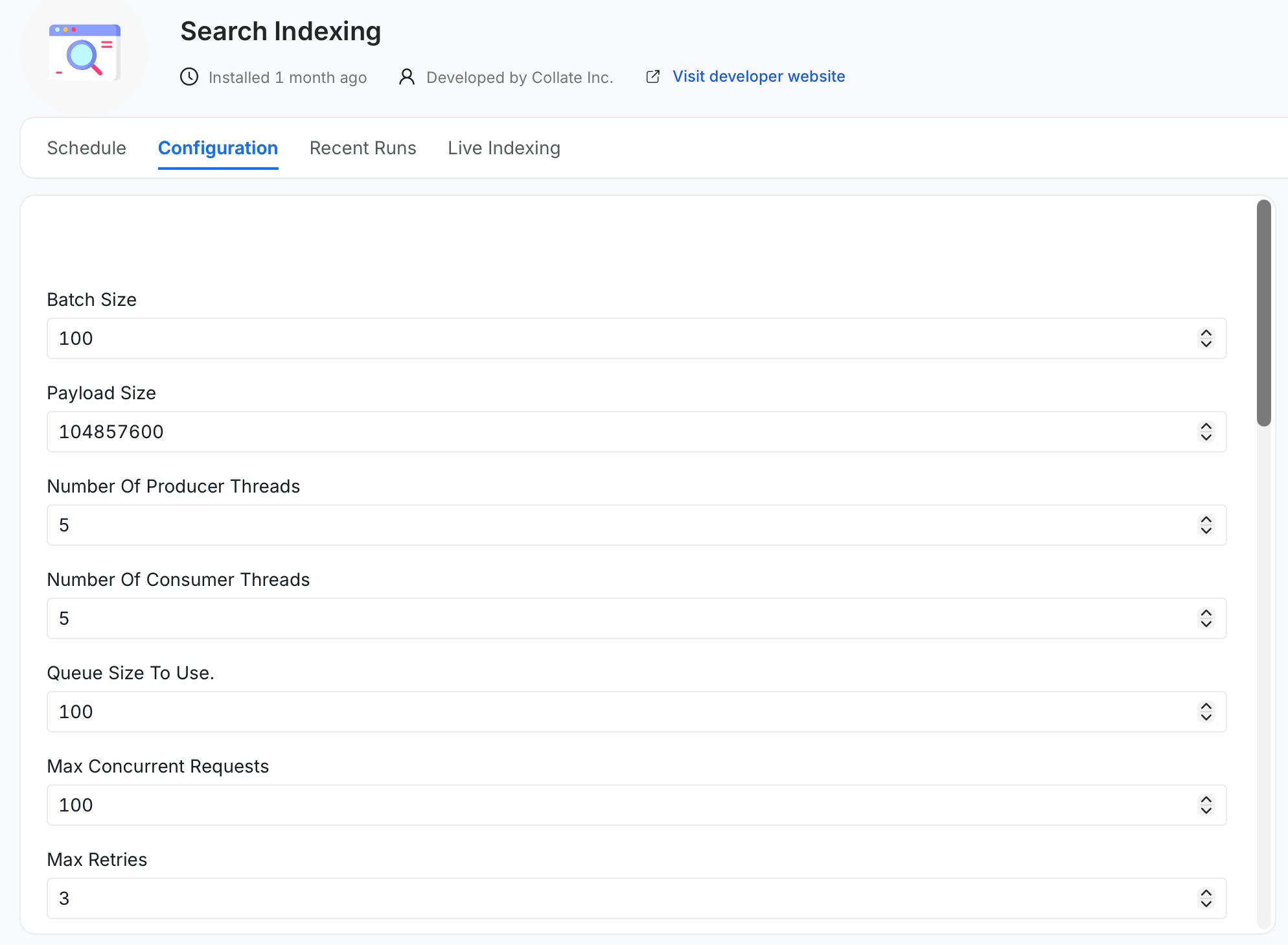
Batch Size
Description: Maximum number of events sent in a single batch during reindexing. Default:100.
Best Practice:
Adjust the batch size based on system capabilities and event size. A larger batch size improves throughput but may increase memory usage and processing time. Monitor performance and fine-tune accordingly.
Payload Size
Description: Maximum payload size, in bytes, for events sent in a batch. Default:104857600 (100 MB).
Best Practice:
Ensure the payload size is within your system’s handling capacity. If memory issues or timeouts occur, reduce this value to improve stability.
Number Of Producer Threads
Description: Number of producer threads used to read entities during reindexing. Default:1.
Best Practice:
Balance the number of threads with system CPU and I/O capacity. Increasing this number can improve throughput but may lead to contention if set too high.
Number Of Consumer Threads
Description: Number of consumer threads used to write entities to the search index during reindexing. Default:1.
Best Practice:
Raise this alongside the producer threads if the search index can absorb a higher write rate, keeping within CPU and I/O capacity.
Queue Size To Use
Description: Internal queue size used between the producer and consumer threads during reindexing, shown as the Queue Size To Use field in the UI. Default:100.
Best Practice:
Adjust the queue size based on expected load and available memory resources. A larger queue can handle spikes in processing but requires more memory.
Max Concurrent Requests
Description: Maximum number of concurrent requests sent to the search index at any given time. Default:100.
Best Practice:
Tune this value based on the indexing server’s capacity. Too many concurrent requests can overwhelm the server, leading to failures or slowdowns.
Max Retries
Description: Maximum number of retry attempts for a failed request. Default:3.
Best Practice:
Keep this value reasonable to avoid excessive load during failures. Analyze failure patterns to optimize this setting.
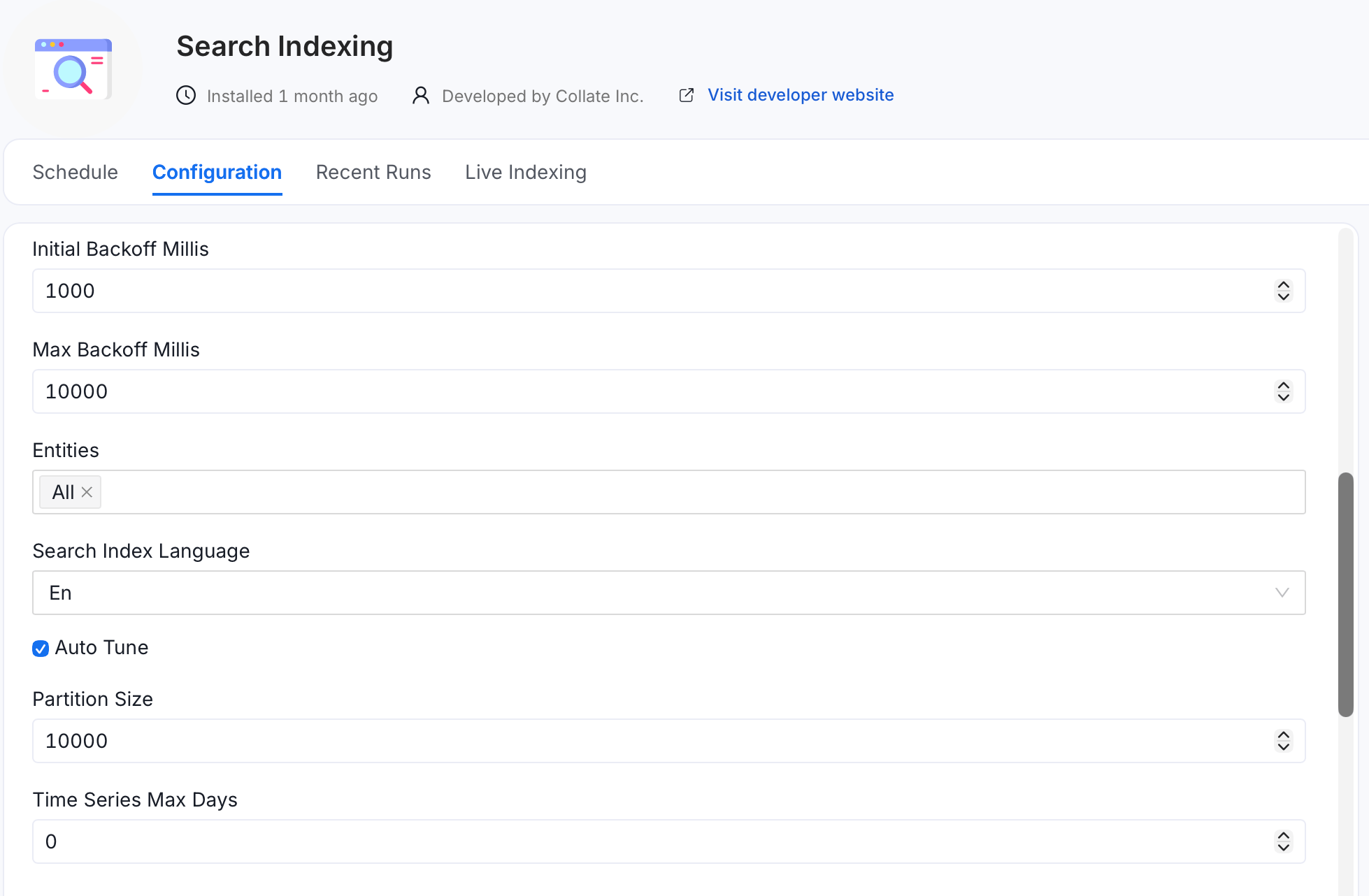
Initial Backoff Millis
Description: Initial backoff time, in milliseconds, before retrying a failed request. Default:1000 (1 second).
Best Practice:
Start with the default value. Increase it if failures occur frequently due to server overload or network issues.
Max Backoff Millis
Description: Maximum backoff time, in milliseconds, for retries. Default:10000 (10 seconds).
Best Practice:
Set this value to align with your application’s latency tolerance. A longer backoff can reduce system load during peak times but may slow recovery from errors.
Entities
Description: List of entities to reindex. Defaults toAll. Remove All and add individual entity types to reindex only a subset.
Best Practice:
Reindex All after an upgrade or a search-wide issue. Scope to specific entities for a faster, targeted rebuild.
Search Index Language
Description: Search index mapping language. Default:En.
Best Practice:
Change this only if your metadata is primarily in a non-English language that needs language-specific analysis. Changing it rebuilds the index mappings.
Auto Tune
Description: Enable automatic performance tuning based on cluster capabilities and database entity count. Default: off. Best Practice: Enable this to let Collate choose batch, thread, and index settings for your cluster size instead of tuning them by hand.Partition Size
Description: Number of entities per partition for distributed indexing. Smaller values create more partitions for better distribution across servers. Range:1000–50000. Default: 10000.
Best Practice:
Lower this when spreading a large reindex across multiple servers. Raise it for fewer, larger partitions on a single powerful node.
Time Series Max Days
Description: Maximum age, in days, for time series data during reindexing. Only records from the last N days are indexed. Default:0 (index all data).
Best Practice:
Set a positive value such as 15 to skip older time-series records and speed up reindexing.
Live Index Settings
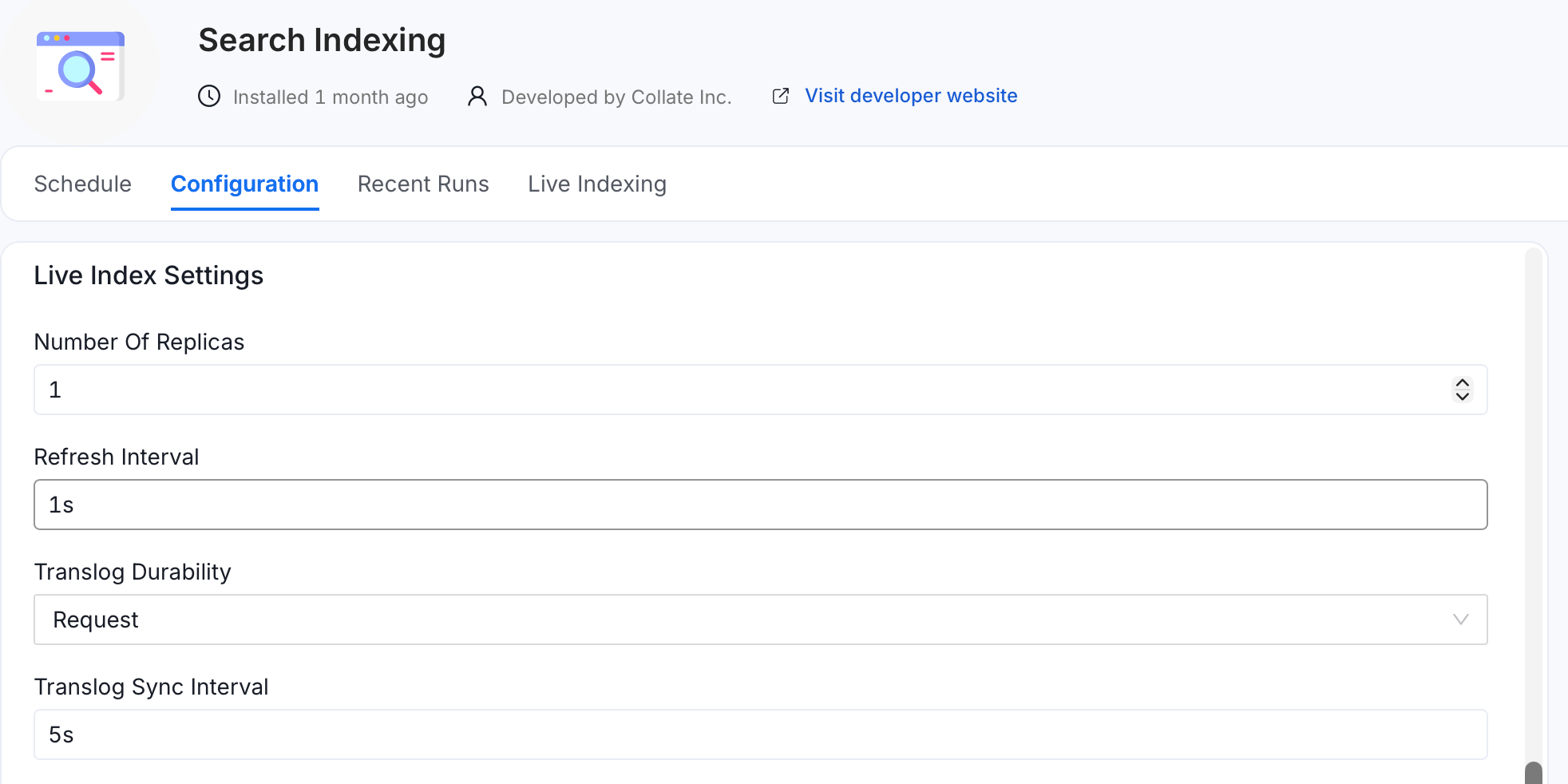
Number Of Replicas
Replica shard count. Use1 for high availability on multi-node clusters, or 0 for a single node. Default: 1.
Refresh Interval
How often new writes become searchable.1s is near-real-time. Keep it if users or agents read immediately after a write. Higher values reduce CPU use and frequent index-segment creation and merging but delay search visibility. Default: 1s.
Translog Durability
Request flushes each write to disk immediately, so no writes are lost on a crash. Async flushes to disk on an interval, which is faster but can lose less than one sync interval of writes on a crash. Default: Request.
Translog Sync Interval
How often the translog is flushed to disk when durability isAsync. Ignored when durability is Request. Default: 5s.
Bulk Index Settings (During Reindex)
These settings apply only while a reindex is running, then revert to the live settings. They trade durability for speed.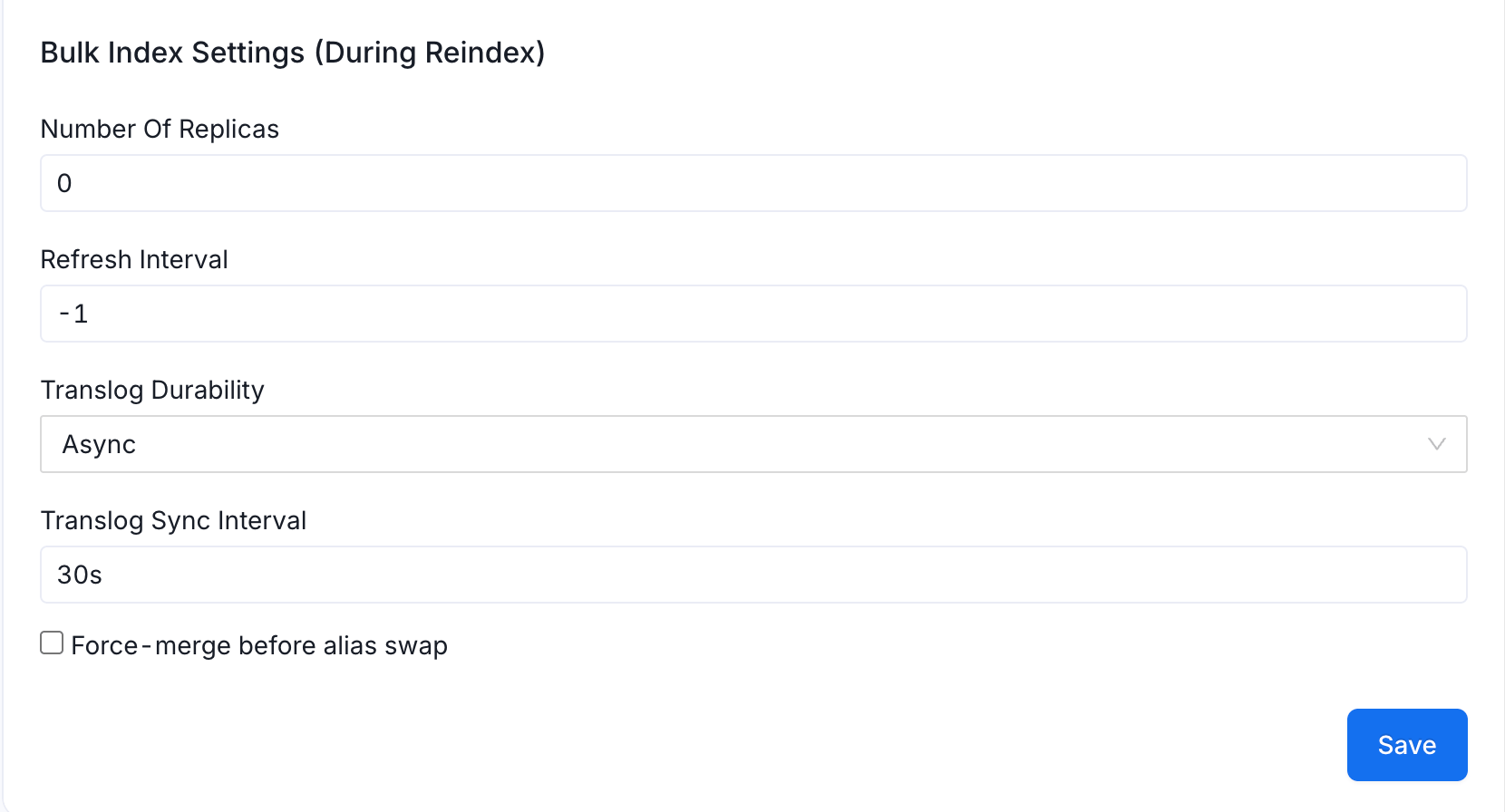
Number Of Replicas
Replica shard count during reindexing.0 speeds up the build by skipping replica writes. Default: 0.
Refresh Interval
-1 disables refresh during the build for maximum throughput. The index becomes searchable once the reindex completes. Default: -1.
Translog Durability
Async flushes to disk on an interval for faster bulk writes. Default: Async.
Translog Sync Interval
How often the translog is flushed to disk during the bulk build. Default:30s.
Force-Merge Before Alias Swap
Run a force-merge to create one segment before switching the search alias, the stable name that points to the active index, to the new index. Improves post-reindex query performance at the cost of longer build time. Default: off.Example Configuration for Best Practices
For high-performance systems, consider the following values as a starting point. The following example uses the configuration keys, not the UI labels:Recent Runs
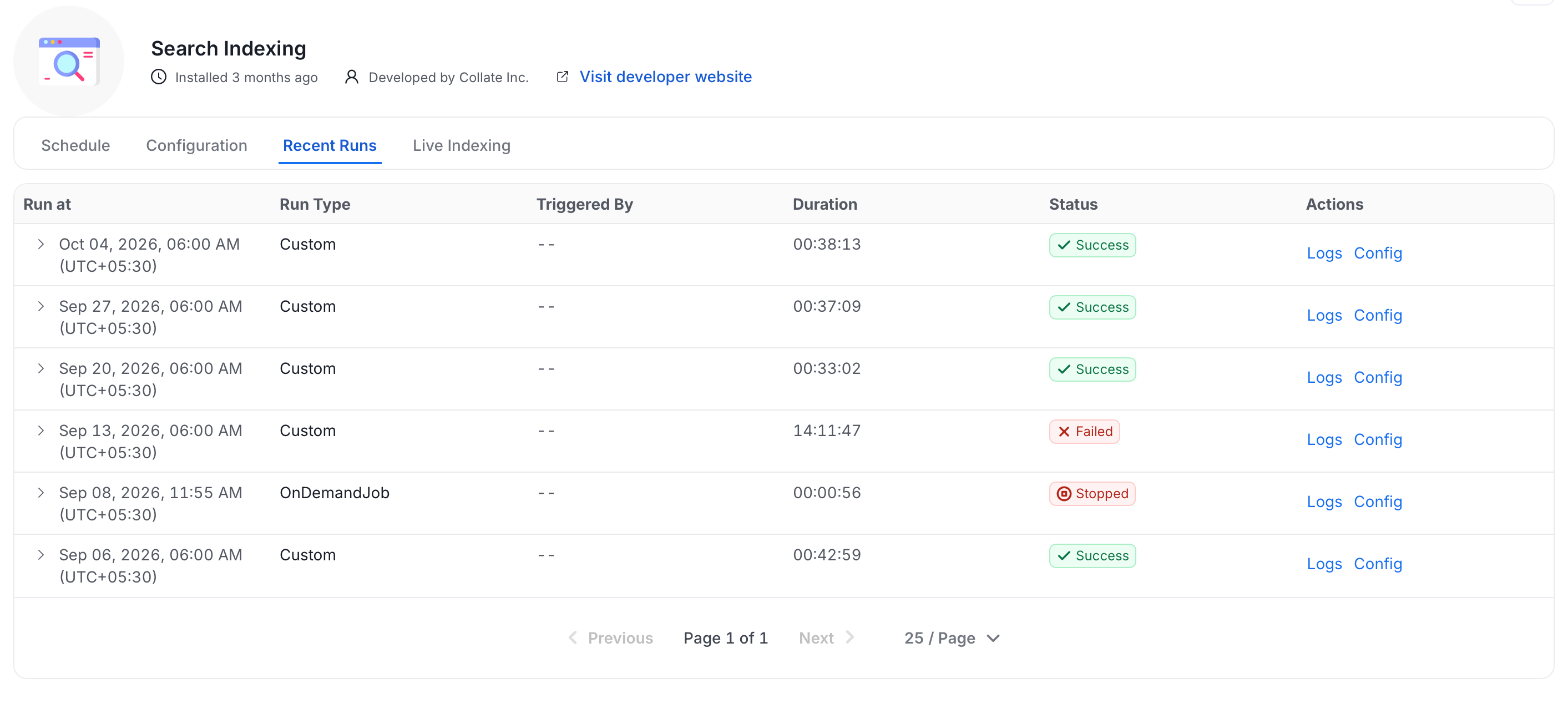
The Recent Runs tab lists the history of reindex jobs. Each run shows the following details:- Run at: When the run started.
- Run Type:
Customfor scheduled runs, orOnDemandJobfor a manual Run now. - Triggered By: The user or process that started the run.
- Duration: How long the run took.
- Status:
Success,Failed, orStopped.
Failed run, and Config to view the configuration that run used.
Live Indexing
The Live Indexing tab shows the status of real-time (live) indexing. Live indexing continuously syncs metadata changes to the search index as entities are created or updated, separate from the scheduled full reindex runs. The index behavior during live indexing is controlled by the Live Index Settings on the Configuration tab.Disable or Uninstall the Application
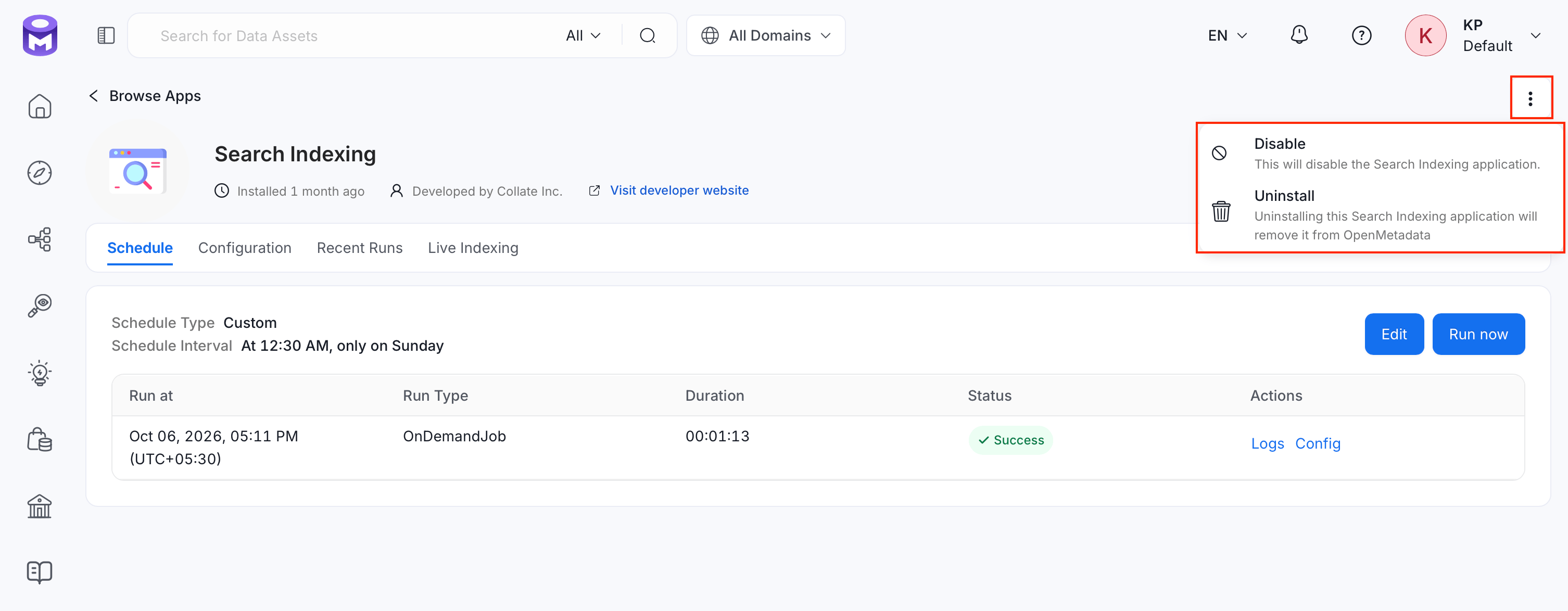
To manage the application, click the ⋮ menu and use the following options:- Disable: Turns the Search Indexing application off without removing it. Live and scheduled indexing stop until you re-enable it.
- Uninstall: Removes the Search Indexing application from Collate.