
Your Preferences
The Preferences section of your Profile page lets you personalize how Collate looks and behaves on your device. These settings apply to you only. They do not change the experience of other users.Open Your Preferences
- Click the Profile icon and select your user name.
-
In the Account group, click Preferences.
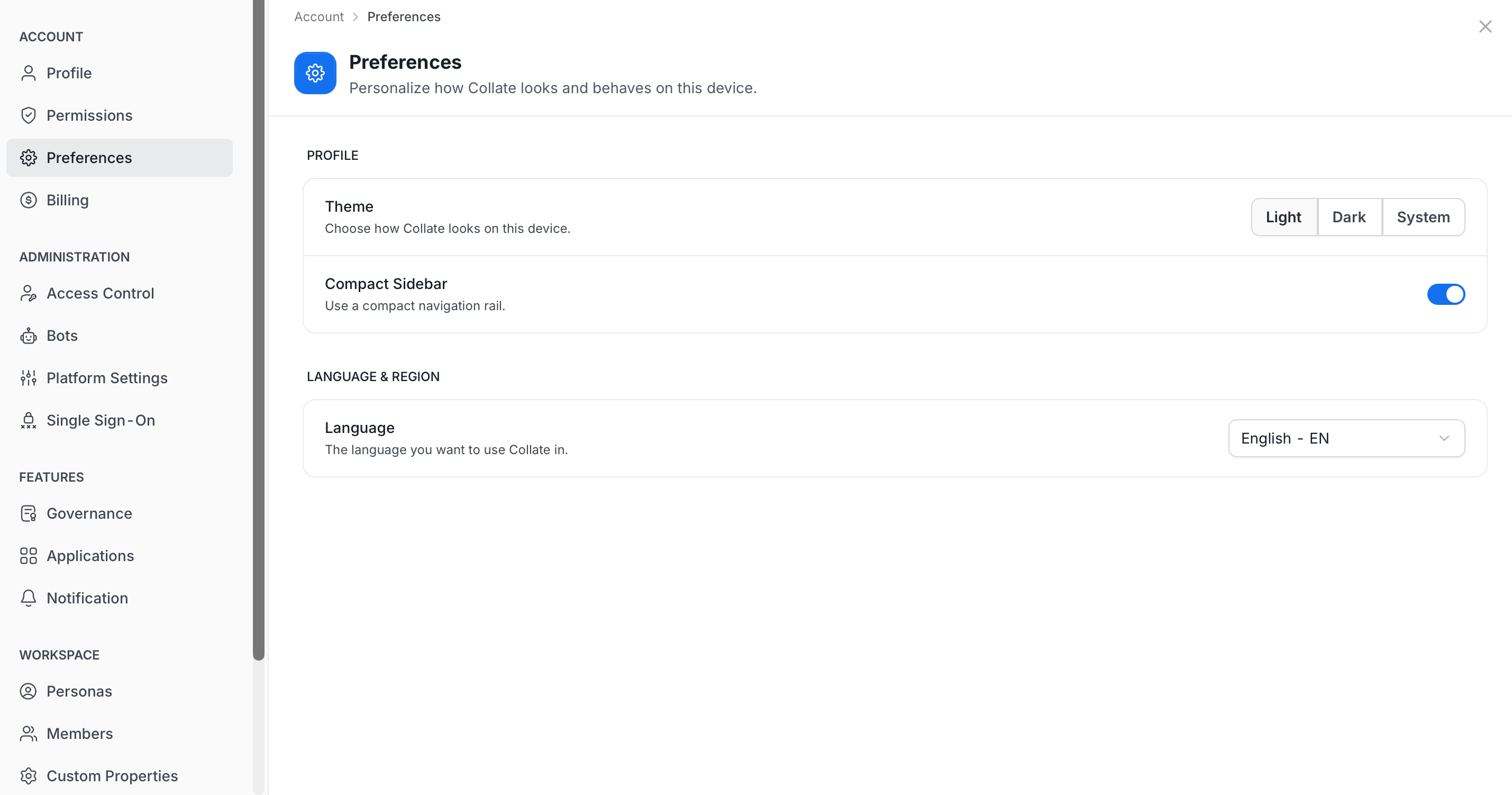
Available Preferences
- Theme: Choose how Collate looks on this device. Select Light, Dark, or System. System follows your device setting.
- Compact Sidebar: Turn on to use a compact navigation rail.
- Language: Choose the language you want to use Collate in, for example English - EN.
Admins set platform-wide behavior, such as the default app mode for new users, in Platform Settings. For more information, see Platform Settings.