
Add Users
Data is a team game and Collate is a platform to discover, collaborate, and get your data right. Collaboration works best when all the team members have access to a standard tool. Admins can send invitations and invite users to onboard to Collate.-
Select the Profile icon and navigate to Settings > Team & User Management > Users.
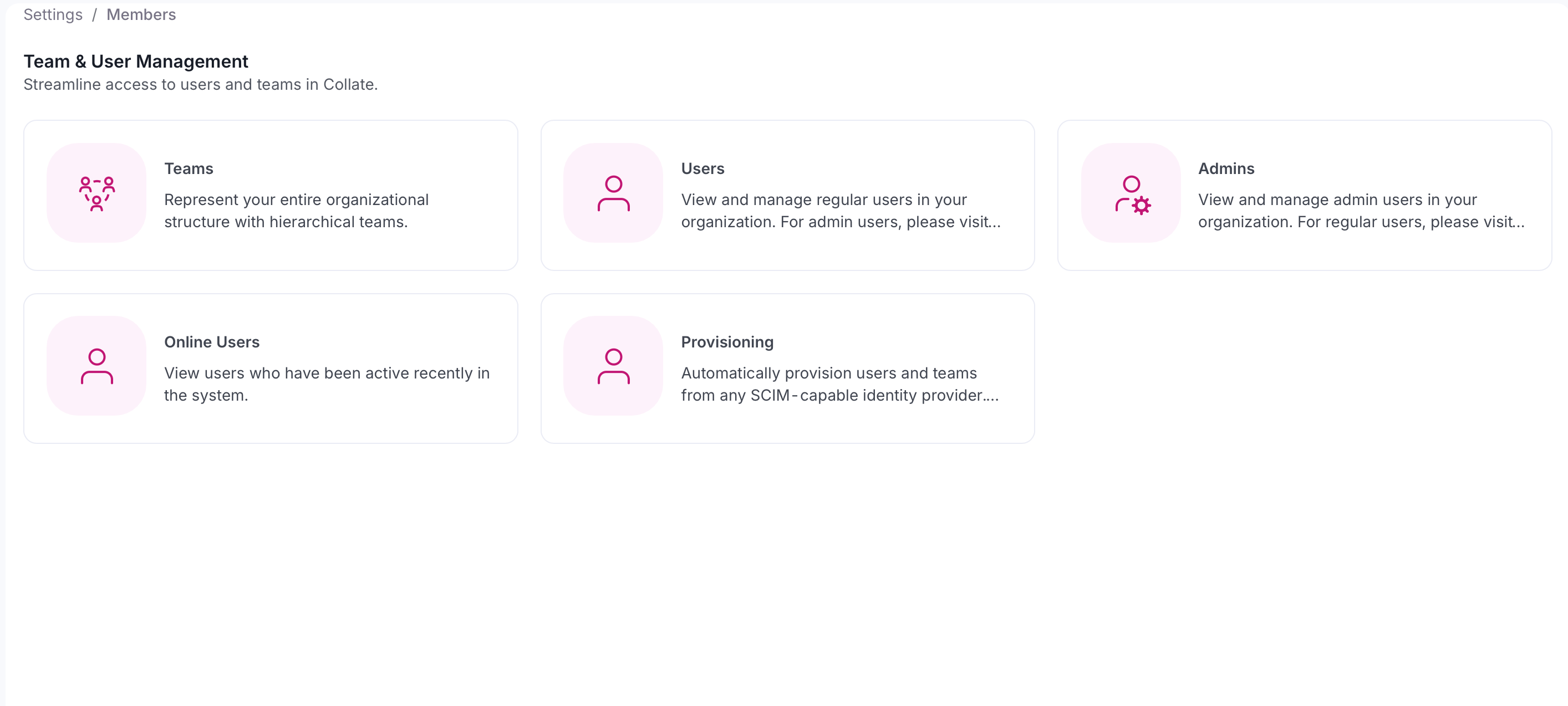
-
Click Add User.
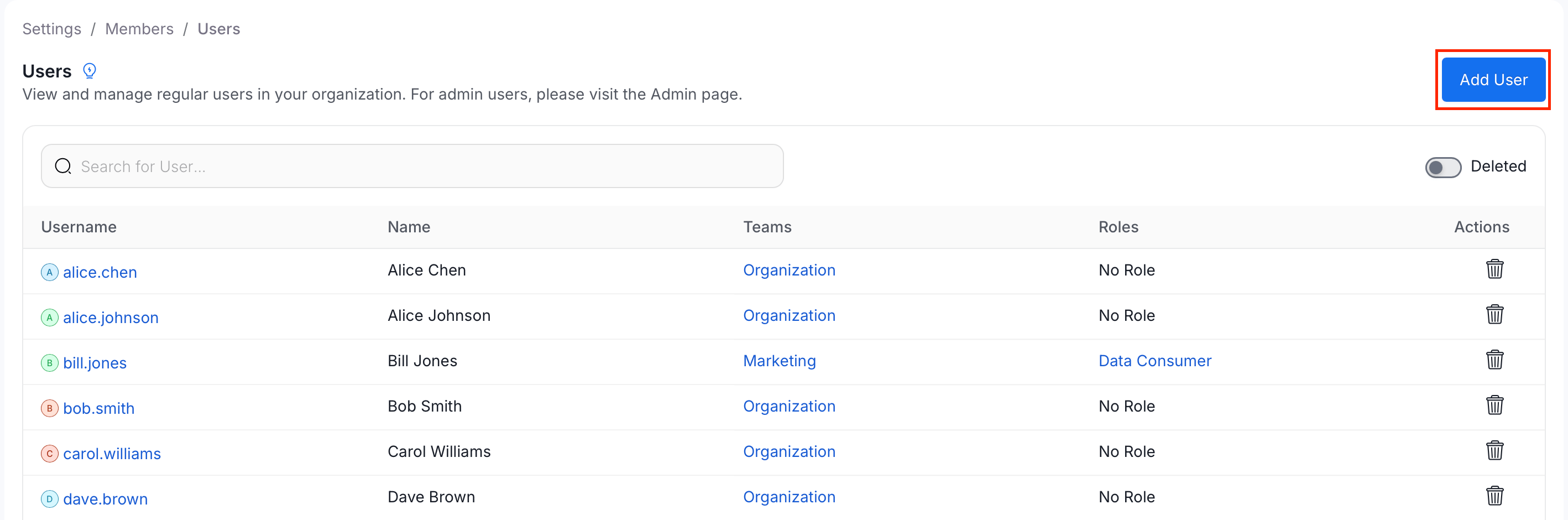
-
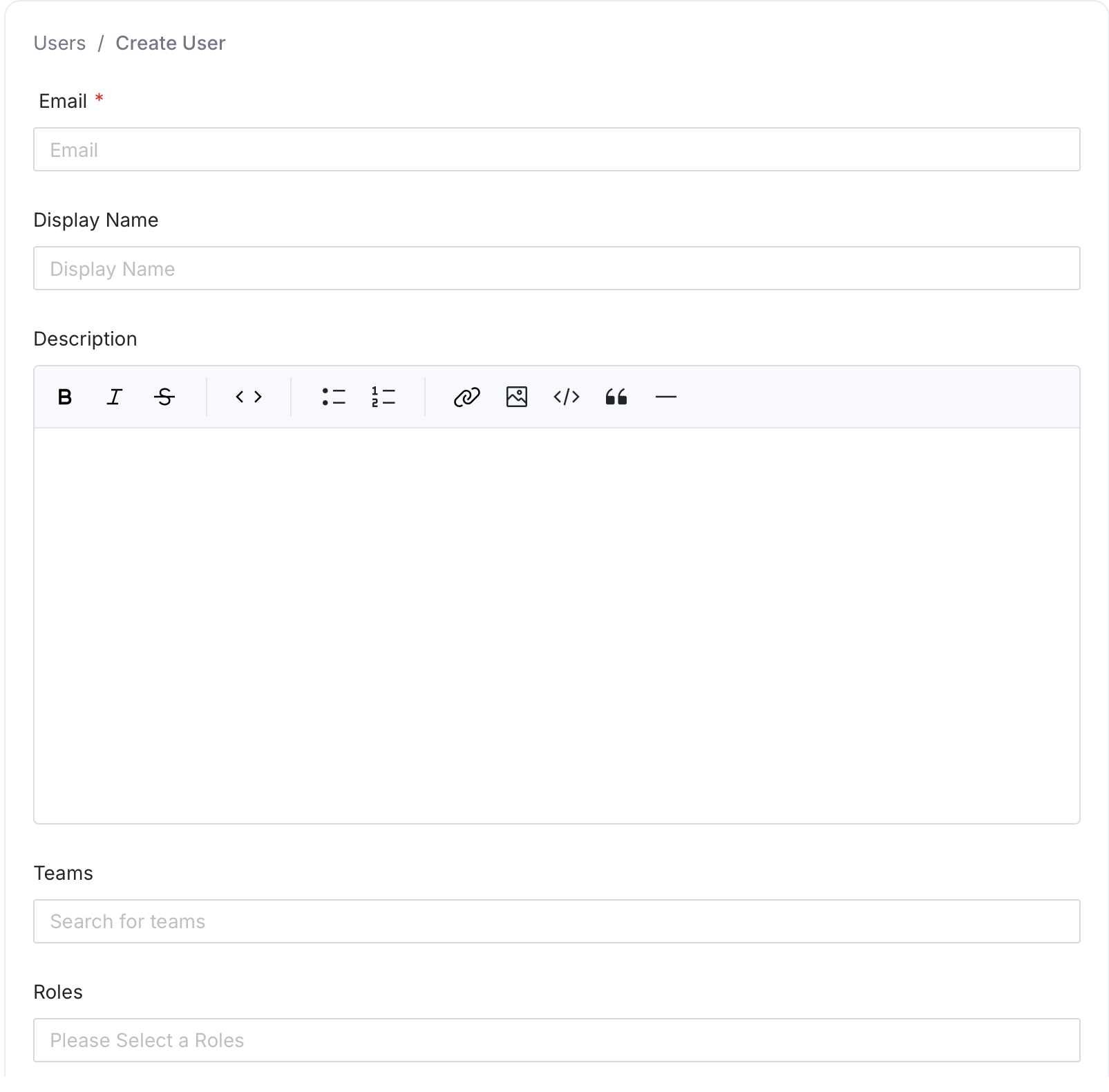
Fill in the following details and click Create:
- Email (required) — The user’s email address.
- Display Name (optional) — The name shown in the Collate UI.
- Description (optional) — Add context about the user’s role or responsibilities.
- Teams (optional) — Search and select one or more teams to assign the user to.
- Roles (optional) — Select one or more roles to assign directly to the user.
- Admin (optional) — Toggle on to grant the user full admin access.
How to Add Users to Teams
Add users to the relevant teams or sub teams.