
Add Teams
Before creating a team, select the team type that fits your use case. For information about each team type, see Team Structure in Collate. To add a team:-
Select the Profile icon and navigate to Settings > Team & User Management > Teams.
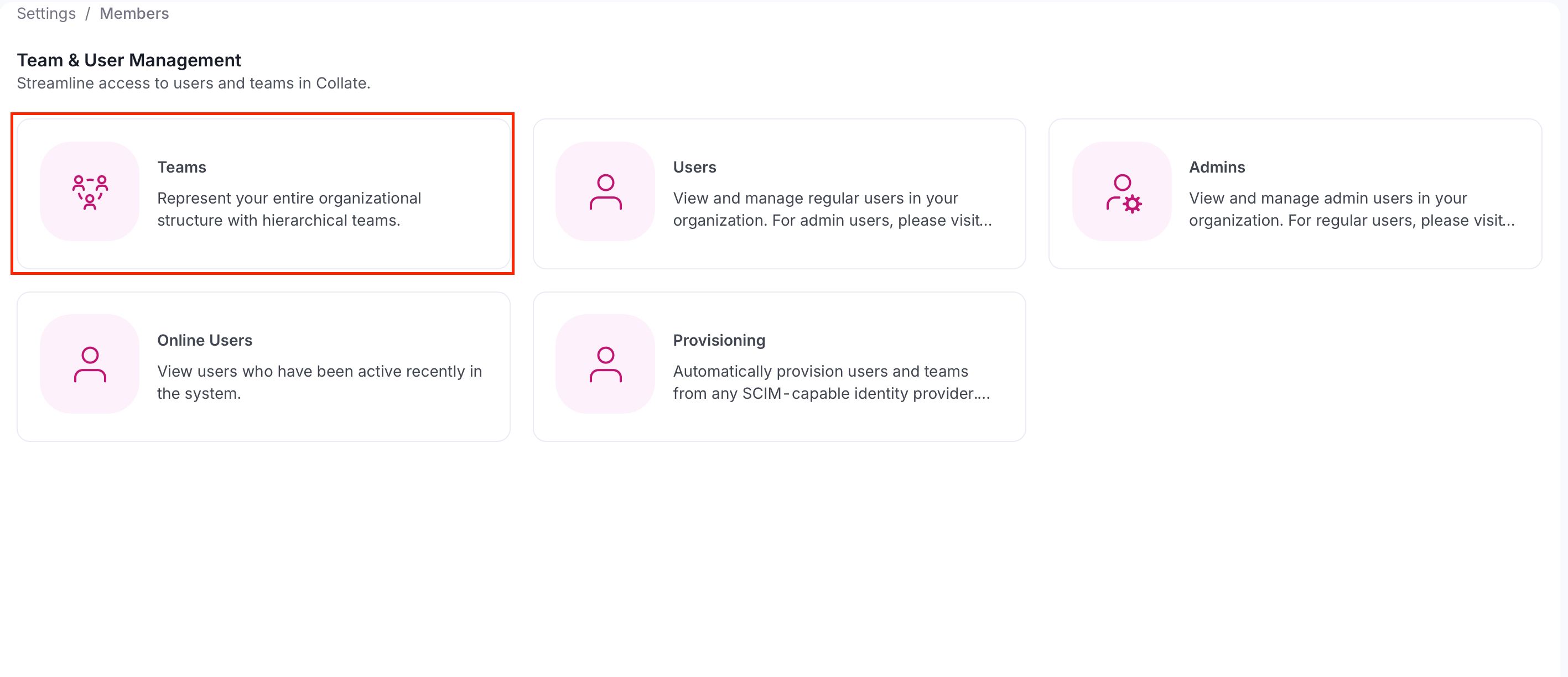
-
Click Add Team.
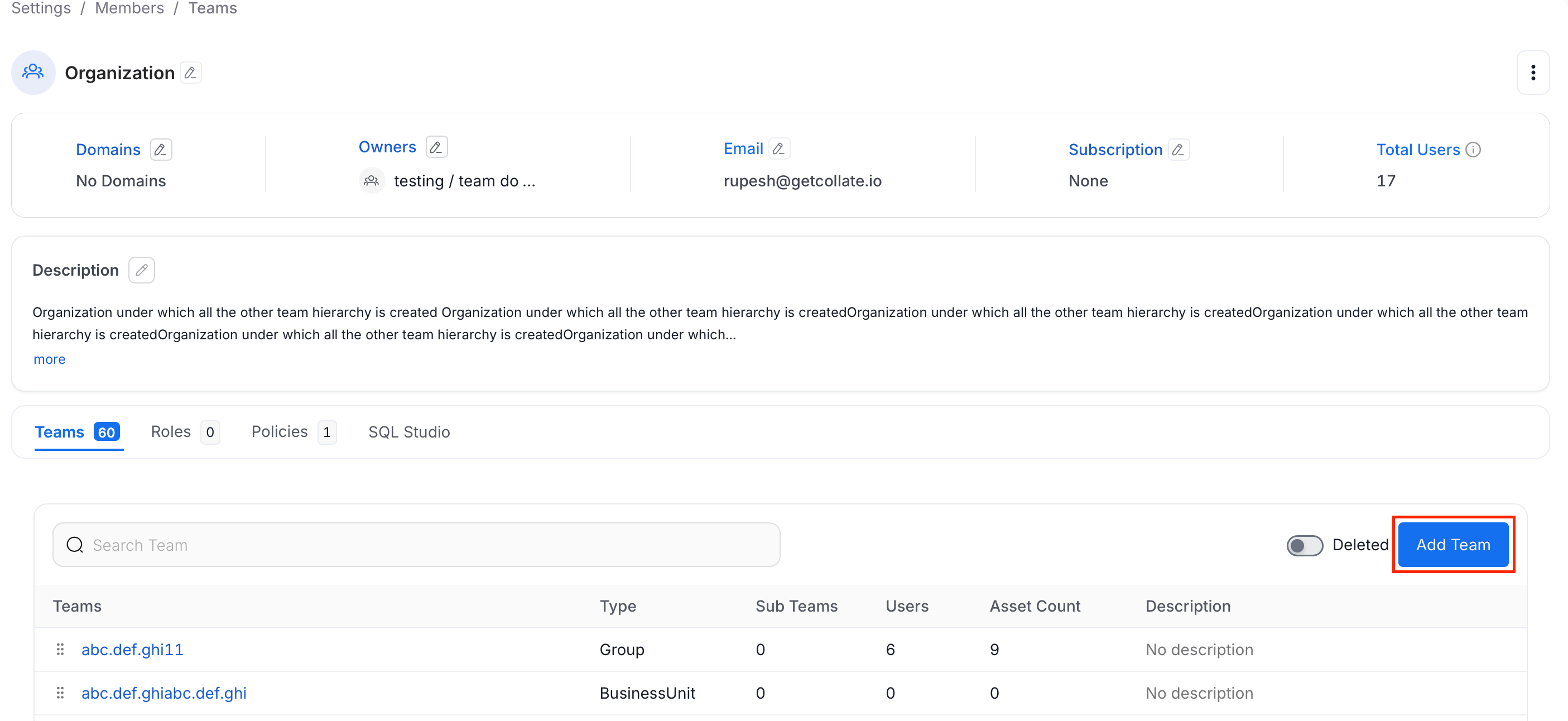
-
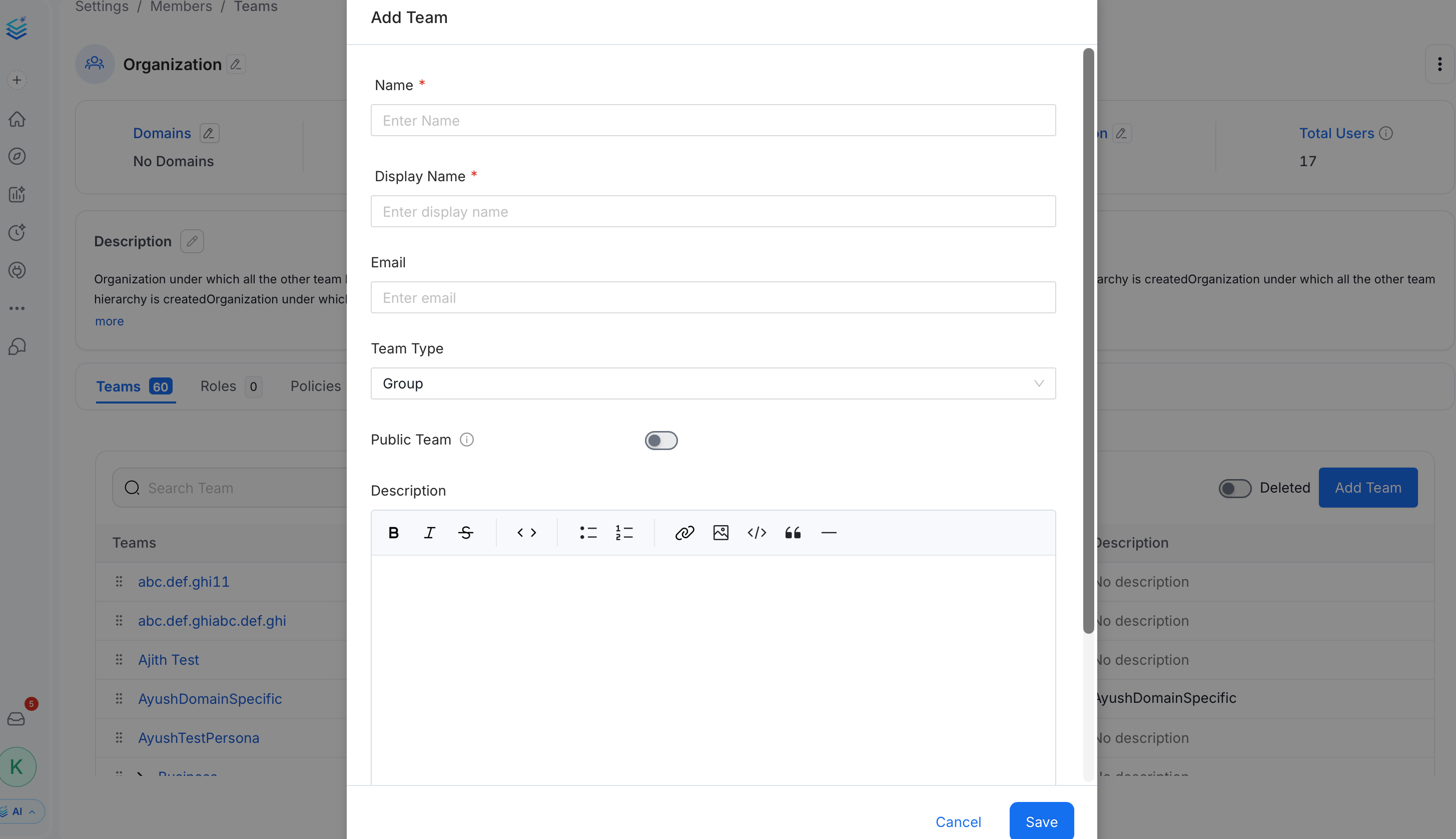
In the Add Team panel, fill the following details and click Save:
- Name (required) — A unique identifier for the team.
- Display Name (required) — The human-readable name shown in the Collate UI.
- Email (optional) — A contact email address for the team.
- Team Type — Select the type that matches this team’s role in your hierarchy. The available options depend on the parent team’s type. See Team Structure in Collate.
- Public Team — Toggle on to allow anyone in the organization to join, view data, and collaborate without an explicit invitation.
- Description (optional) — Add context about the team’s purpose.
How to Invite Users to Collate
Data is a team game. Admins can invite other users.