Weekly Impact
On the Billing & Usage page, click View weekly impact to open the Weekly Impact digest: a summary of everything your team did on the platform for a chosen week, covering growth, requests, conversations, and who’s driving that activity.Weekly Summary
Four cards at the top of the page summarize the selected week: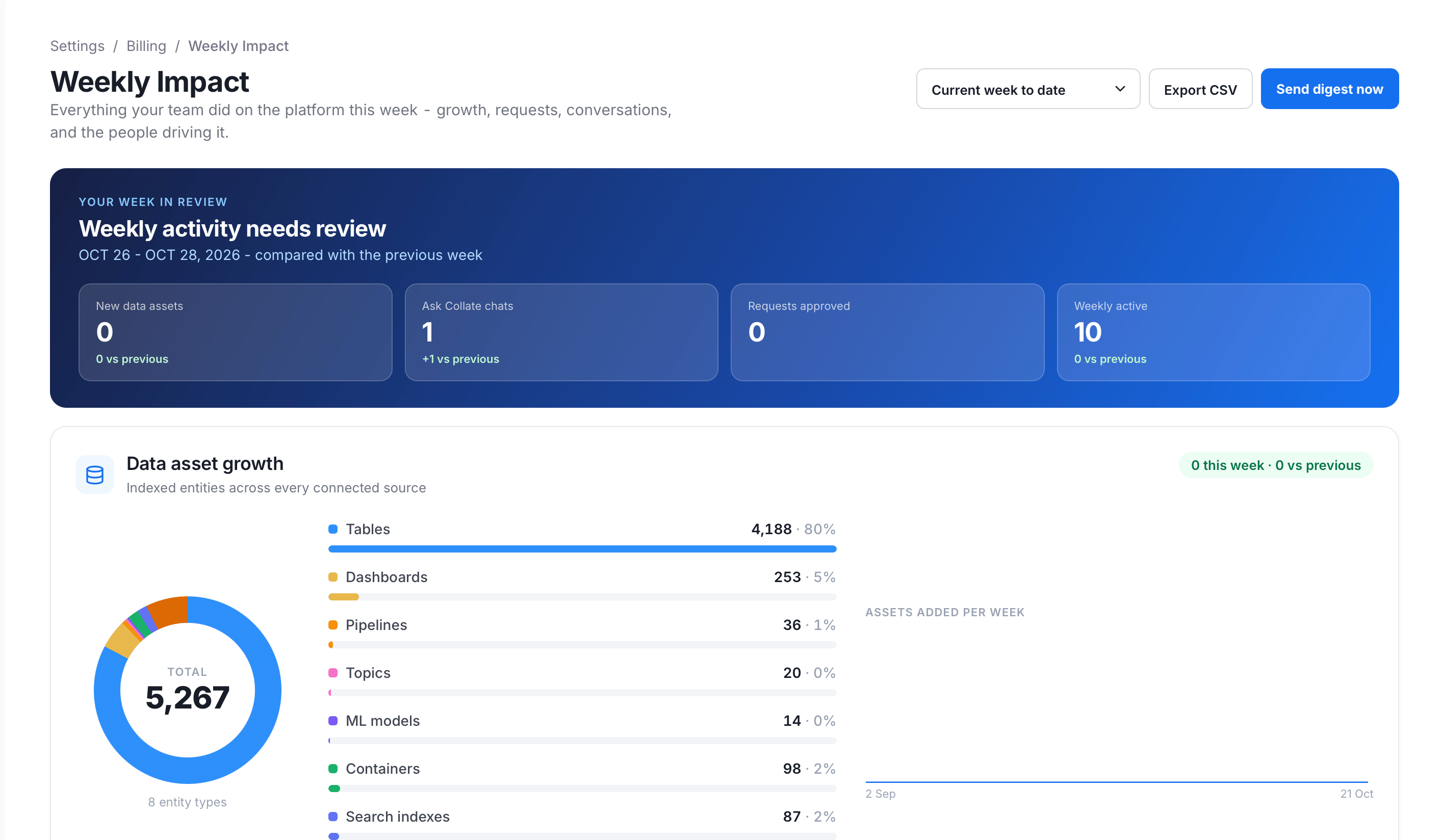
- New data assets: How many data assets were newly indexed during the selected period, compared against the previous period.
- Collate AI chats: How many Collate AI conversations were started during the selected period, compared against the previous period.
- Requests approved: How many access requests were approved during the selected period.
- Weekly active: The weekly active user count for the period, the same figure shown on the User Adoption page, compared against the previous period.
Data Asset Growth
This section shows how many data assets Collate has indexed:- A donut chart of total indexed assets, broken down by entity type (tables, dashboards, pipelines, topics, ML models, containers, search indexes).
- An Assets Added Per Week trend chart.
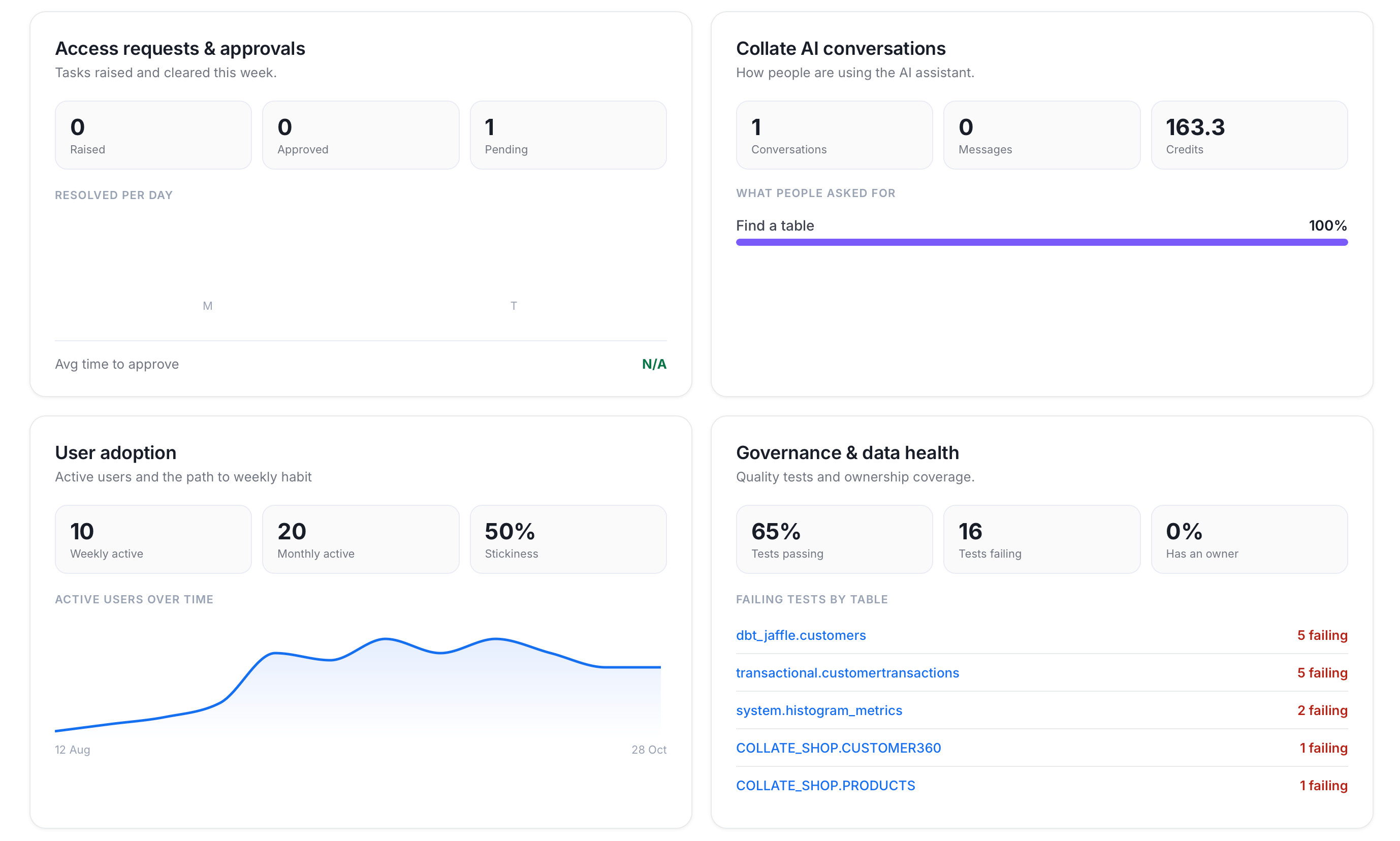
Access Requests and Approvals
This section tracks access requests for the week:- Counts of requests Raised, Approved, and Pending this week.
- A Resolved Per Day chart.
- The Avg time to approve.
Collate AI Conversations
This section shows how people use Collate AI this week:- Conversations, Messages, and Credits consumed through Collate AI this week.
- A What People Asked For breakdown.
User Adoption
This section summarizes active users:- Weekly Active and Monthly Active user counts.
- Stickiness, the weekly-to-monthly active ratio.
- An Active Users Over Time chart.
Governance and Data Health
This section summarizes data quality tests and ownership:- Tests Passing as a percentage, and Tests Failing as a count.
- The share of assets that Has an Owner.
- A Failing Tests by Table list.
Data Quality Health
This section shows how your data quality tests are performing:- The overall test success rate.
- A breakdown by dimension: Accuracy, Completeness, Uniqueness, and Validity.
Open Incidents
This section lists active observability alerts:- Each alert shows how long ago it opened and whether it’s assigned.
- A link opens all incidents in Observability.
Top Contributors
This leaderboard shows the people who moved the platform forward this week, ranked by documented assets, approvals, and queries.Needs Your Attention
This section lists items that need follow-up, such as access requests pending more than 24 hours, open incidents, and failing data quality tests. Each item links to the page where you take action.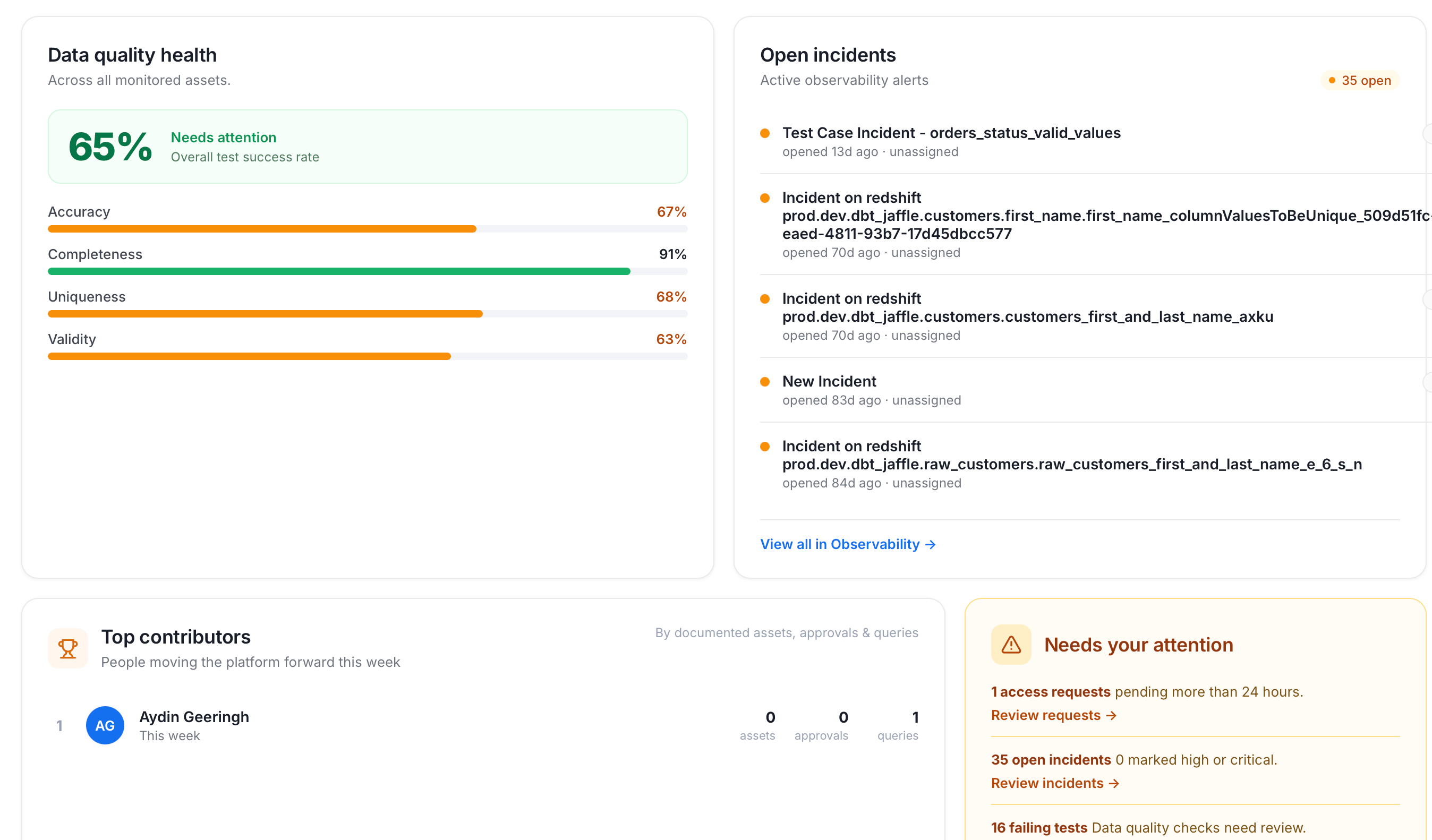
Filter and Share
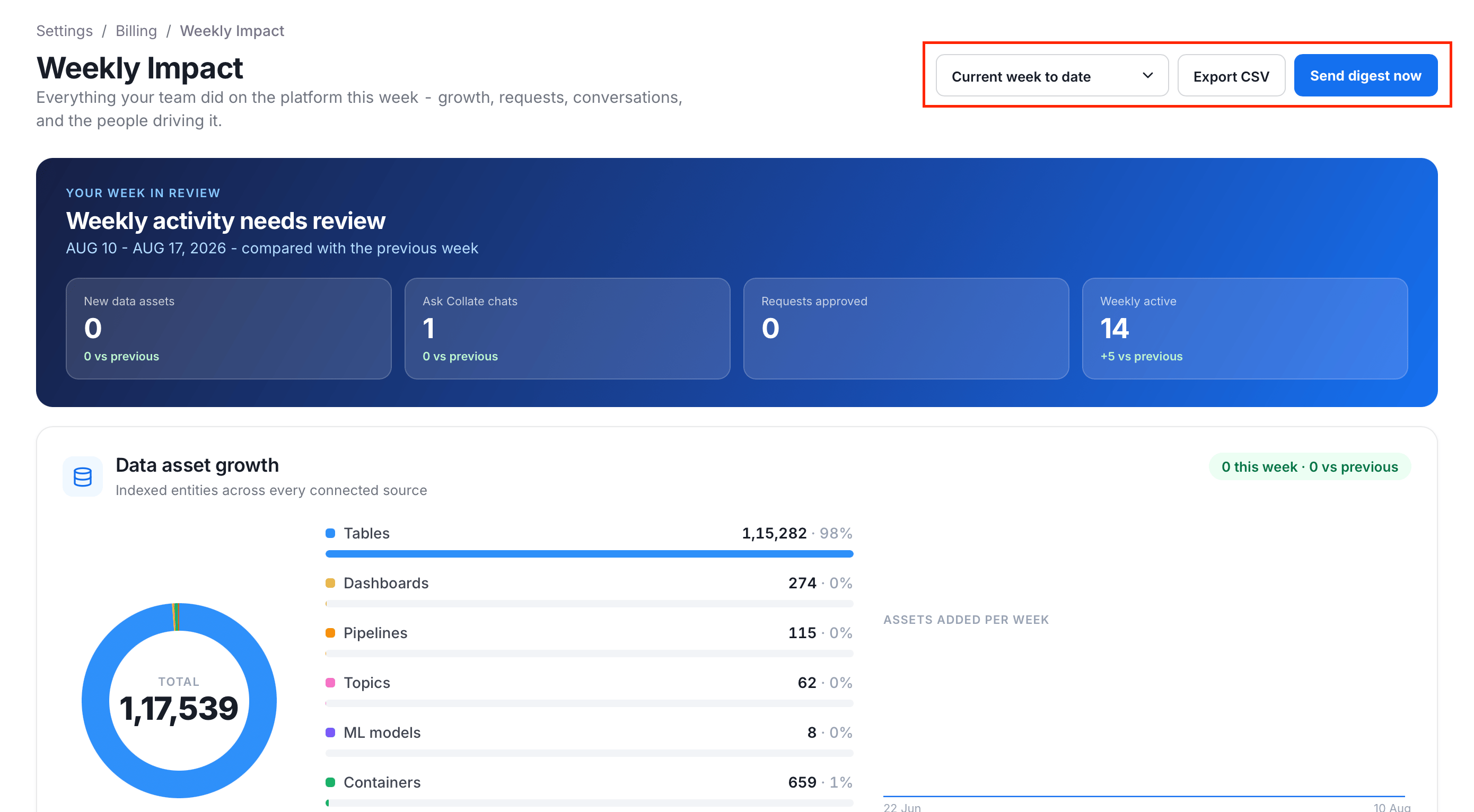
Use the controls at the top of the page to change the period and share the digest:- Week selector: Choose which period to review: Current week to date, Previous complete week, or Two weeks ago.
- Export CSV: Downloads the underlying data for the selected period.
- Send digest now: Immediately emails this same summary to every active admin who has an email address, rather than waiting for its next scheduled run. Email (SMTP) must be configured.