User Adoption
The User Adoption page shows how actively your organization is using Collate.Adoption Summary
The cards at the top of the page summarize adoption: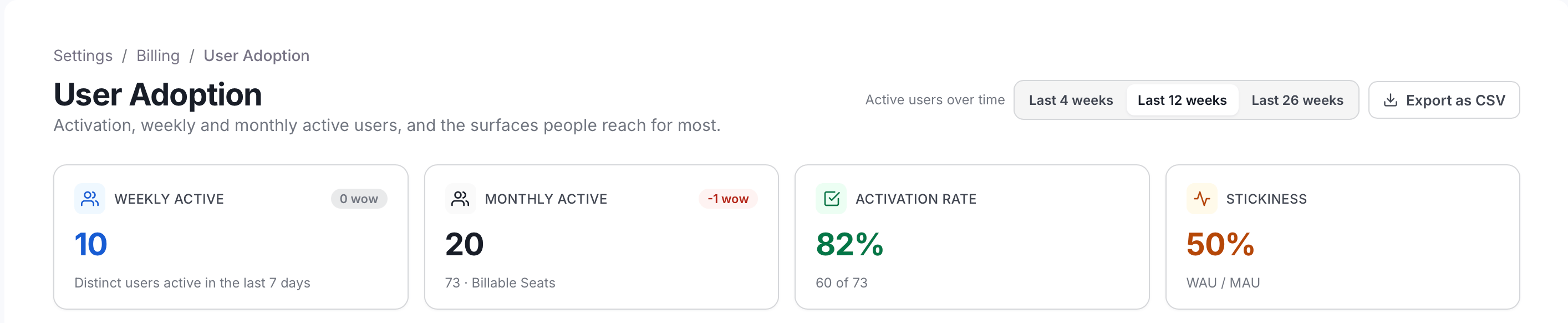
- Weekly Active and Monthly Active: Distinct billable users with any recorded activity in the rolling 7 days and 30 days ending on the latest day, each compared with the previous week.
- Activation Rate: The share of provisioned seats that have been activated. A seat is activated once the user has logged in or has any recorded activity.
- Stickiness: Weekly active users divided by monthly active users, capped at 100%. A higher value means people return more often.
Active Users Over Time
This chart plots weekly and monthly active users from telemetry. Use the range selector at the top of the page (Last 4 weeks, Last 12 weeks, or Last 26 weeks) to change the period it shows.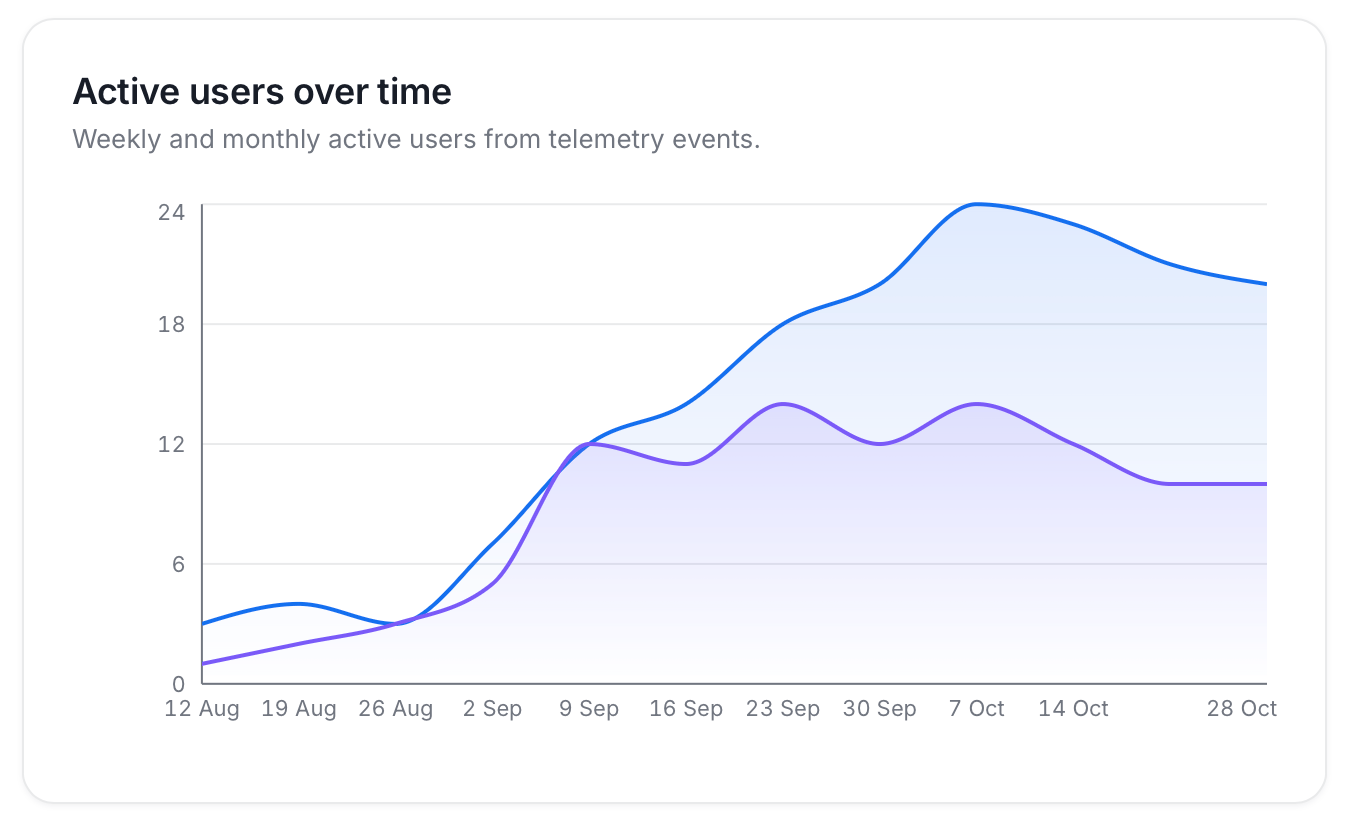
Adoption Funnel
The funnel shows how many seats were provisioned, how many were activated, and how many are monthly and weekly active. Each stage appears as a bar.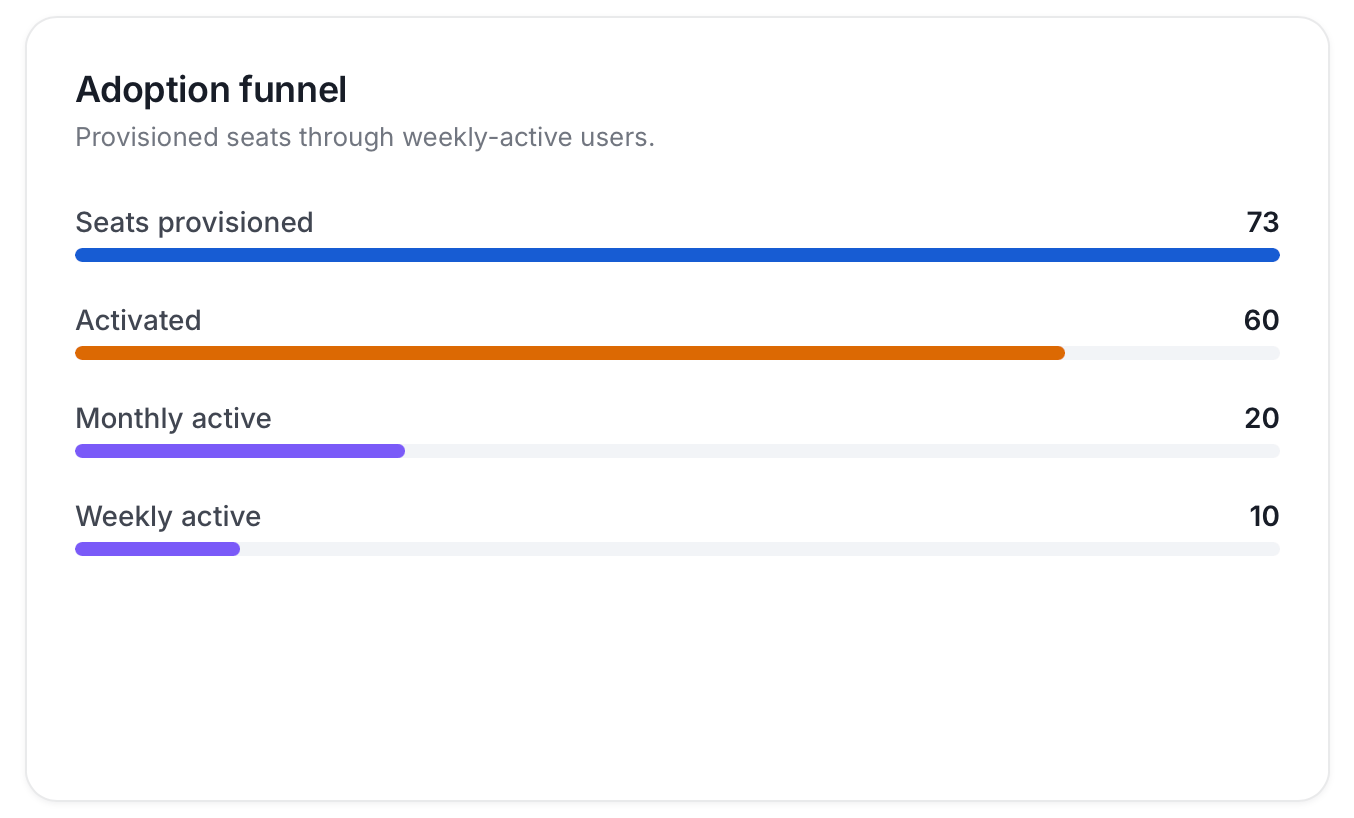
Daily Active Users
A daily bar chart shows distinct active users for the last 30 days.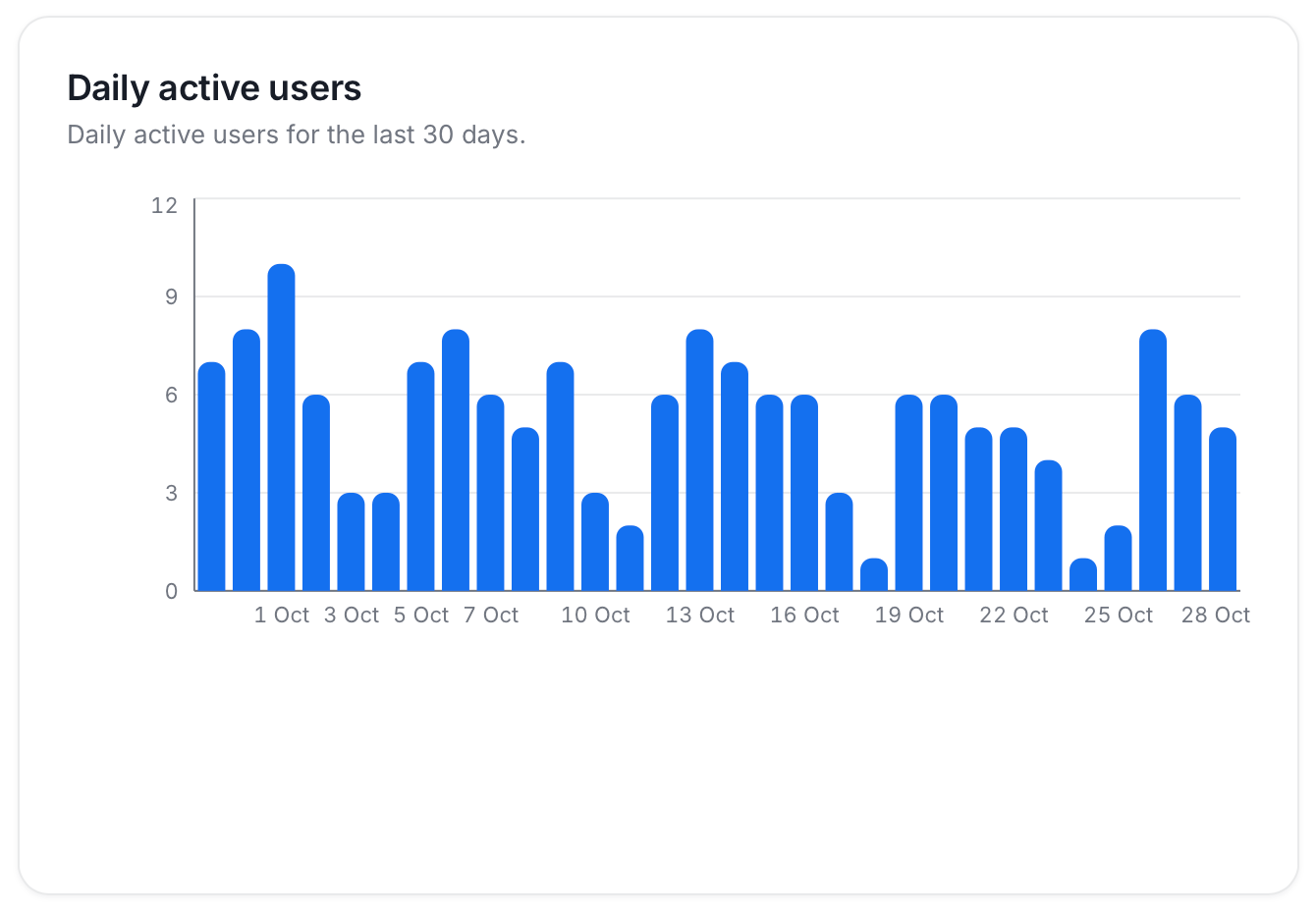
Feature Adoption
This chart shows which product surfaces people use, counted as distinct users over the last 30 days. The surfaces are Collate AI, Search & Explore, Governance, Glossary/Docs, Data Quality, Lineage, SQL Studio, and MCP/API. A surface that no user reached in that period doesn’t appear. Collate assigns each surface from the pages users visit in the web app, their Collate AI chats, and their MCP calls.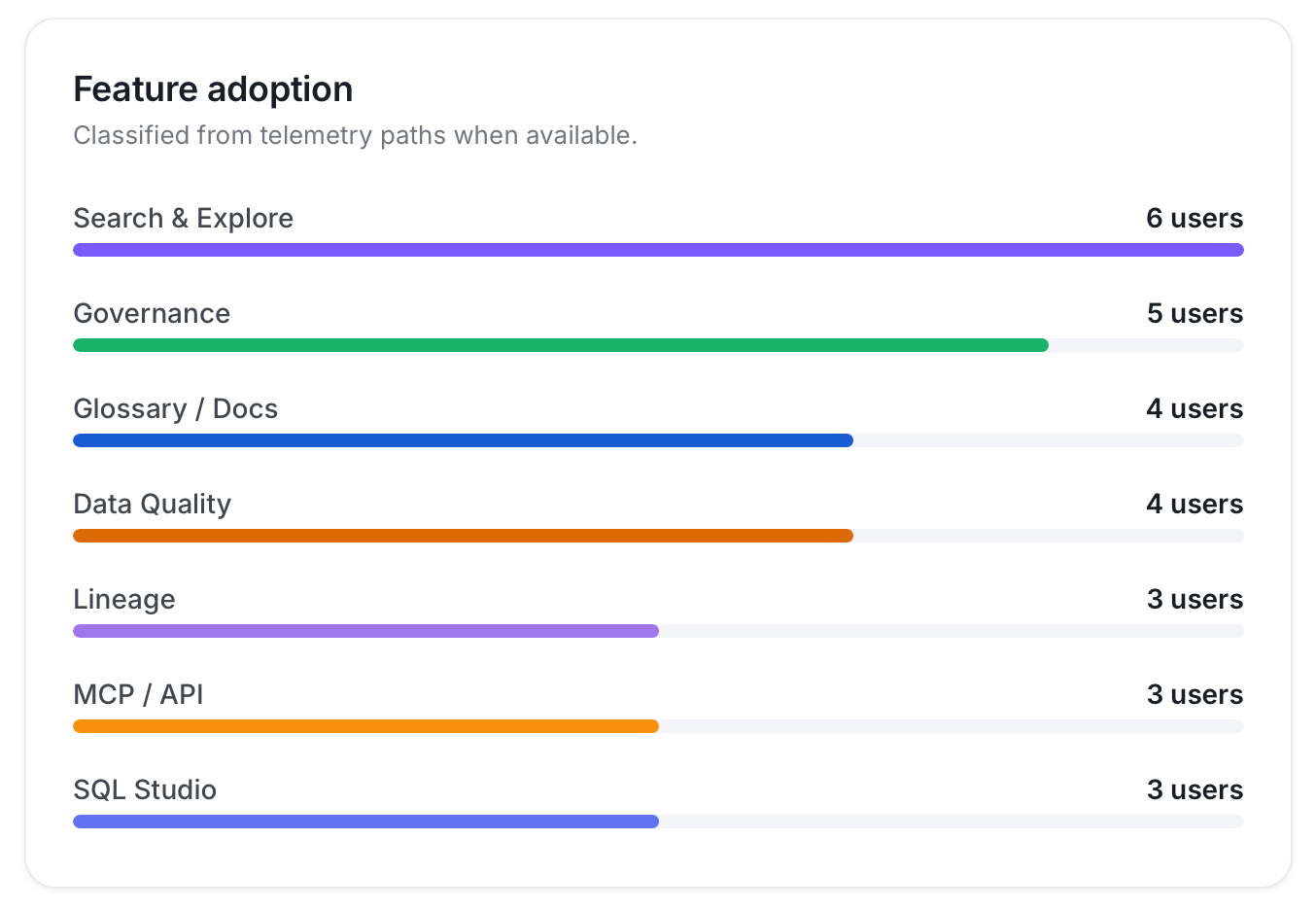
Users Table
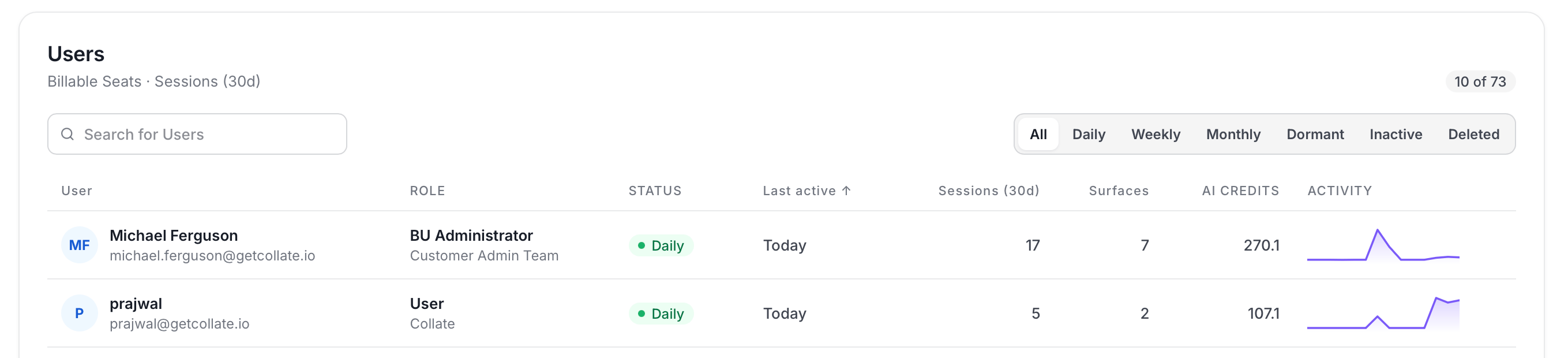
The table lists every billable seat. Search by name, filter by status, and use Export as CSV to download the table. Each row shows:- Role: The user’s primary role and team.
- Status: Daily, Weekly, Monthly, Dormant, Inactive, or Deleted, based on how recently the user was active:
- Daily: Active in the last day.
- Weekly: Last active 2 to 7 days ago.
- Monthly: Last active 8 to 14 days ago.
- Dormant: Last active 15 or more days ago.
- Inactive: Has never logged in.
- Deleted: The user is soft-deleted.
- Last active: The most recent of the user’s login or recorded activity in the web app, Collate AI, MCP, or the API.
- Sessions (30d): The number of distinct web app sessions and Collate AI conversations in the last 30 days. MCP and API calls don’t count as sessions, so a user can show recent activity with 0 sessions.
- Surfaces: The number of distinct product surfaces the user used in the last 30 days.
- AI Credits: The credits the user consumed in the last 30 days.
- Activity: The user’s activity trend over the last 14 days.