
AI Credits
The AI Credits page is where you monitor the shared credit pool, over a selectable date range.Credit Pool
The top of the page shows how much of the pool you have used: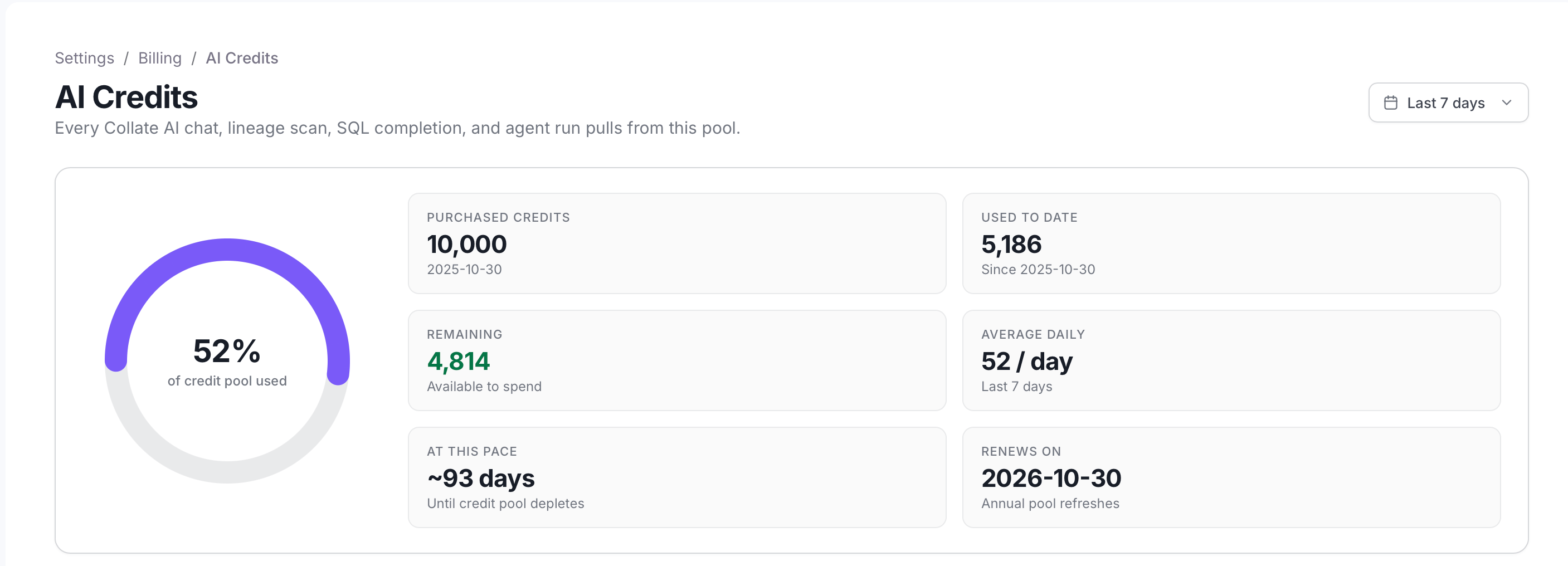
- A gauge showing the percentage of the credit pool used to date.
- Credit facts:
- Purchased Credits: The size of your credit pool, with the start date of the current cycle.
- Used to Date: The credits used since that start date.
- Remaining: The credits still available to spend.
- Average Daily: The average credits used per day over the last 7 days, whatever range you select.
- At This Pace: The remaining credits divided by the average daily usage, an estimate of the days until the pool is depleted. It isn’t shown if usage has exceeded the pool.
- Renews On: The next annual refresh date of the pool.
Credit Usage Over Time
This chart shows day-to-day burn across all agents and channels.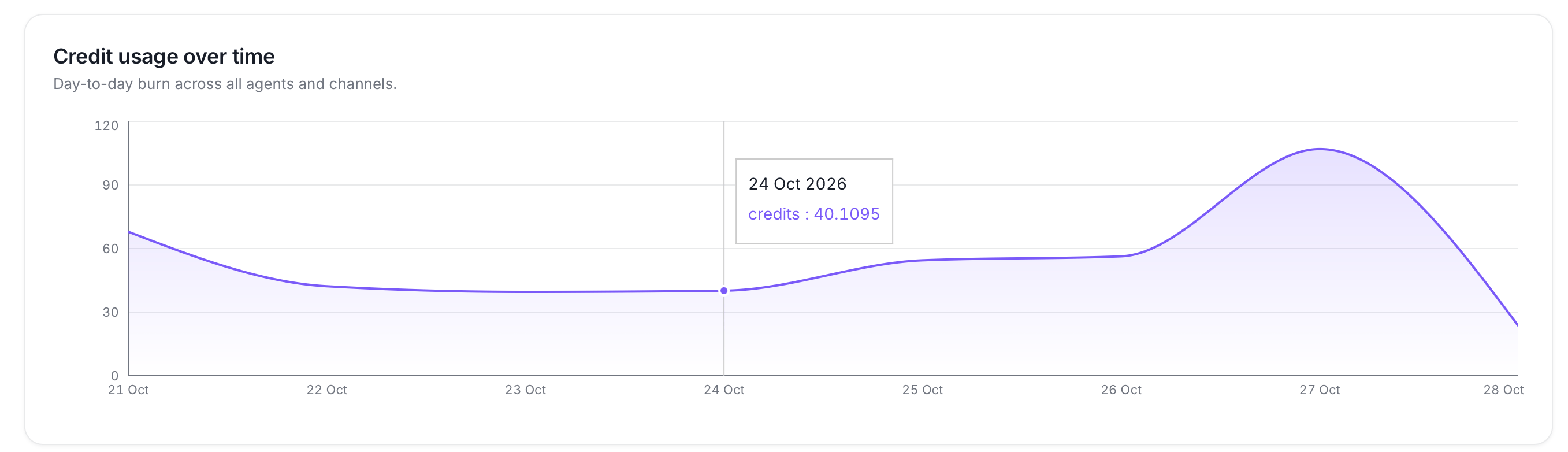
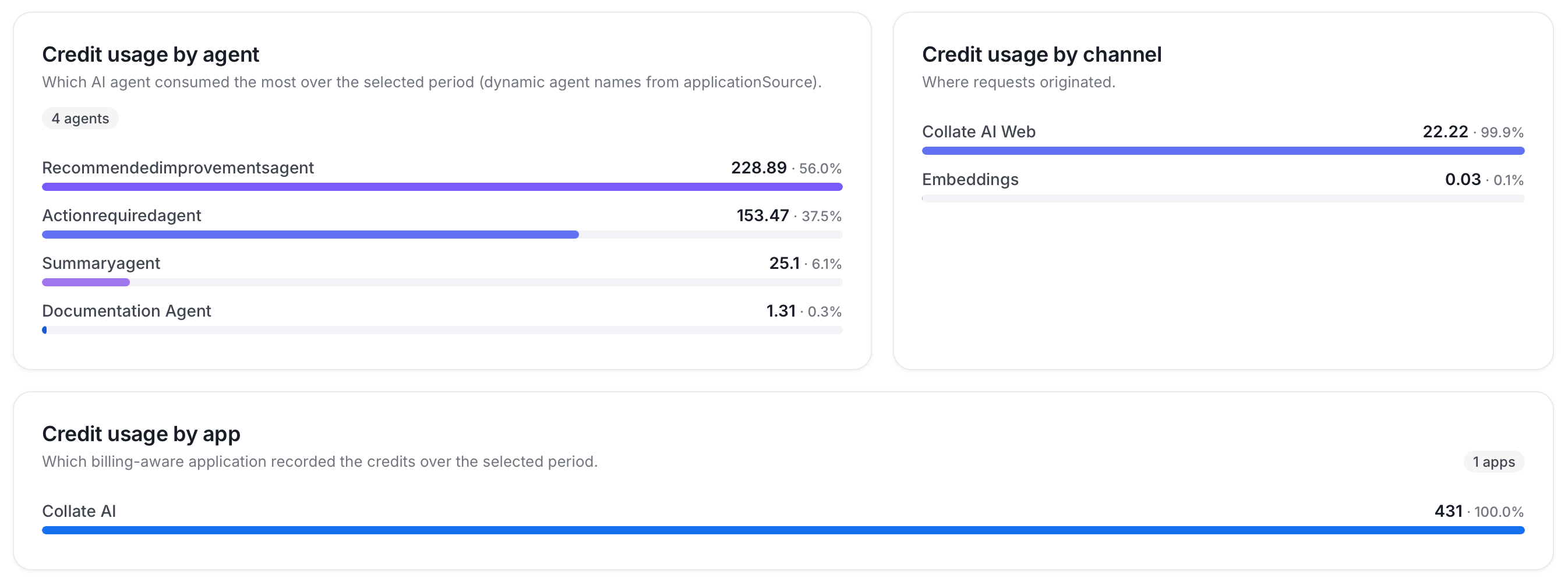
Credit Usage by Agent, Channel, and App
Three sections show where credits go in the selected period:- Credit Usage by Agent: Which AI agent consumed the most credits.
- Credit Usage by Channel: Where requests originated (for example, Collate AI Web).
- Credit Usage by App: Which billing-aware application recorded the credits.
Per-User Credit Usage
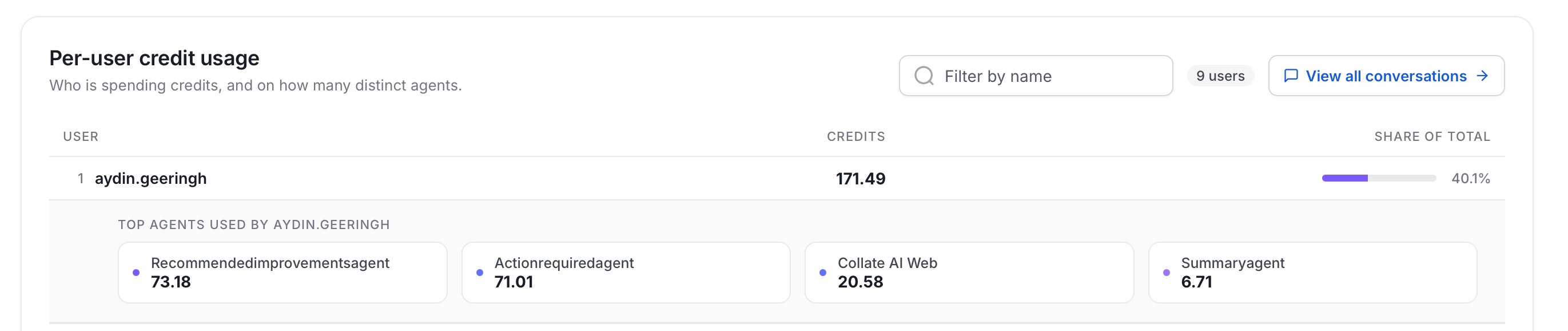
This searchable table shows who is spending credits. Each row shows the User, their Credits, and their Share of total. Expand a user’s row to see the top agents behind their credits. Select View all conversations to open the Conversations page.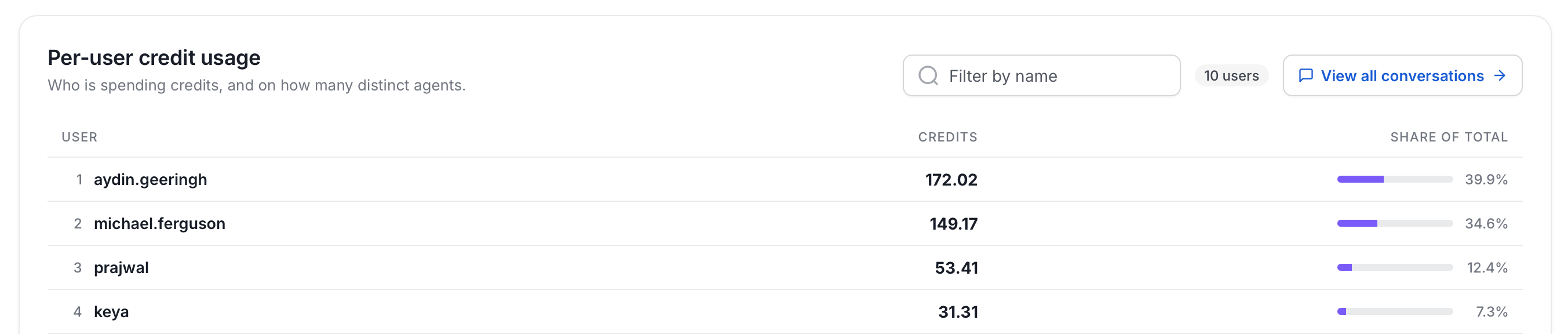
Conversations
The Conversations page lists every Collate AI chat across your organization, over a selectable date range (for example, Last 30 days). Open it from View all conversations on the AI Credits page. It’s visible to administrators only.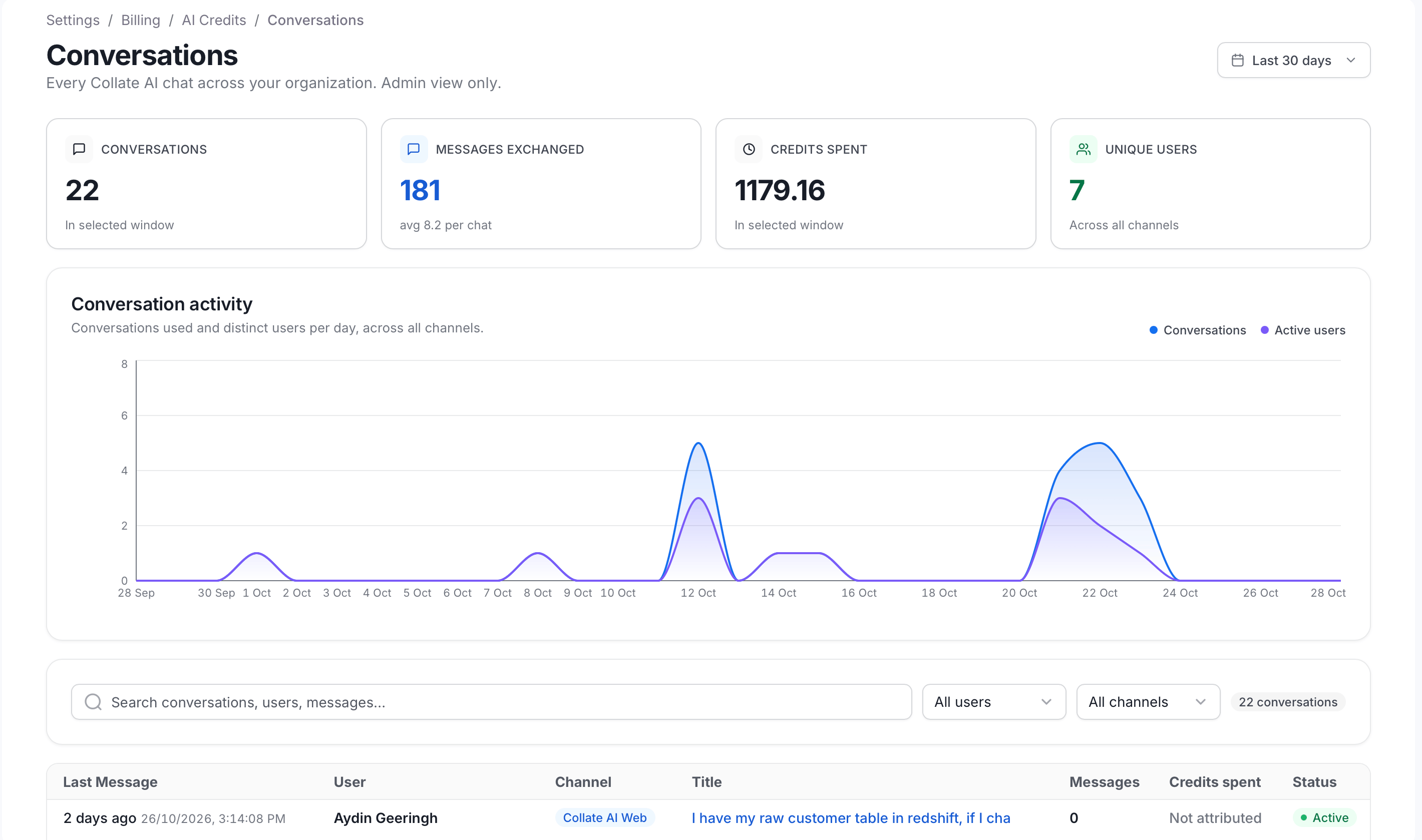
- Summary cards:
- Conversations: The number of conversations in the selected range.
- Messages Exchanged: The messages users sent in these conversations, with the average per chat. Replies from Collate AI aren’t counted.
- Credits Spent: The AI credits spent in the selected range. When a filter is applied, it shows the spend for the matching conversations only.
- Unique Users: The number of distinct users who held conversations, across all channels.
- Conversation Activity: A chart of conversations and distinct active users per day, across all channels.
- Filters: Search by title, summary, or user name, and filter by user or channel. A count shows how many conversations match. The summary cards also update to match the filters.
- Conversations table: One row per conversation, with:
- Last Message: When the most recent message was sent.
- User: Who held the conversation.
- Channel: Where it started, for example Collate AI Web, Collate AI Slack, or Collate AI MS Teams.
- Title: The conversation title. Select it to open the conversation.
- Messages: The number of messages users sent in the conversation.
- Credits spent: The credits the conversation cost, or Not attributed when no cost was recorded for it.
- Status: Active, Processing, or Deleted.