
Roles and Policies
Roles and Policies are Collate’s access control framework: policies define which actions each resource permits, and roles bundle policies together to assign to users and teams. Combined with Collate’s team hierarchy, they let you enforce fine-grained permissions, ownership, and governance across your organization. Rules can apply company-wide or scope down to a single team or individual.Users and Teams
Collate uses a hierarchical team structure that mirrors your organization’s setup, so administrators can recreate their real-world org chart directly in the platform. There are five team types, ordered from broadest to narrowest:- Organization: The root of the hierarchy, representing the entire company. It can contain Business Units, Divisions, Departments, Groups, and standalone Users. For example, if your company is Facebook, the Organization represents Facebook as a whole — encompassing every department, from Engineering and Sales to Finance and Marketing.
- Business Unit: Sits one level below Organization and can contain other Business Units, Divisions, Departments, and Groups. For example, Engineering could be a Business Unit within the Organization, containing its own nested Business Units and Groups.
- Division: Sits below Business Unit and can contain Divisions, Departments, and Groups. For example, a Product Development Division under the Engineering Business Unit might include Software Division, Hardware Division, and QA Division.
- Department: Sits below Division and can contain other Departments and Groups. For example, a Data Engineering Department might include specialized teams like Infrastructure, Data Science, and Platform.
- Group: The narrowest tier in the hierarchy. It contains only Users, representing the smallest, most specific teams in your organization — such as a single project squad.
Note: Only Groups can own data assets in Collate.
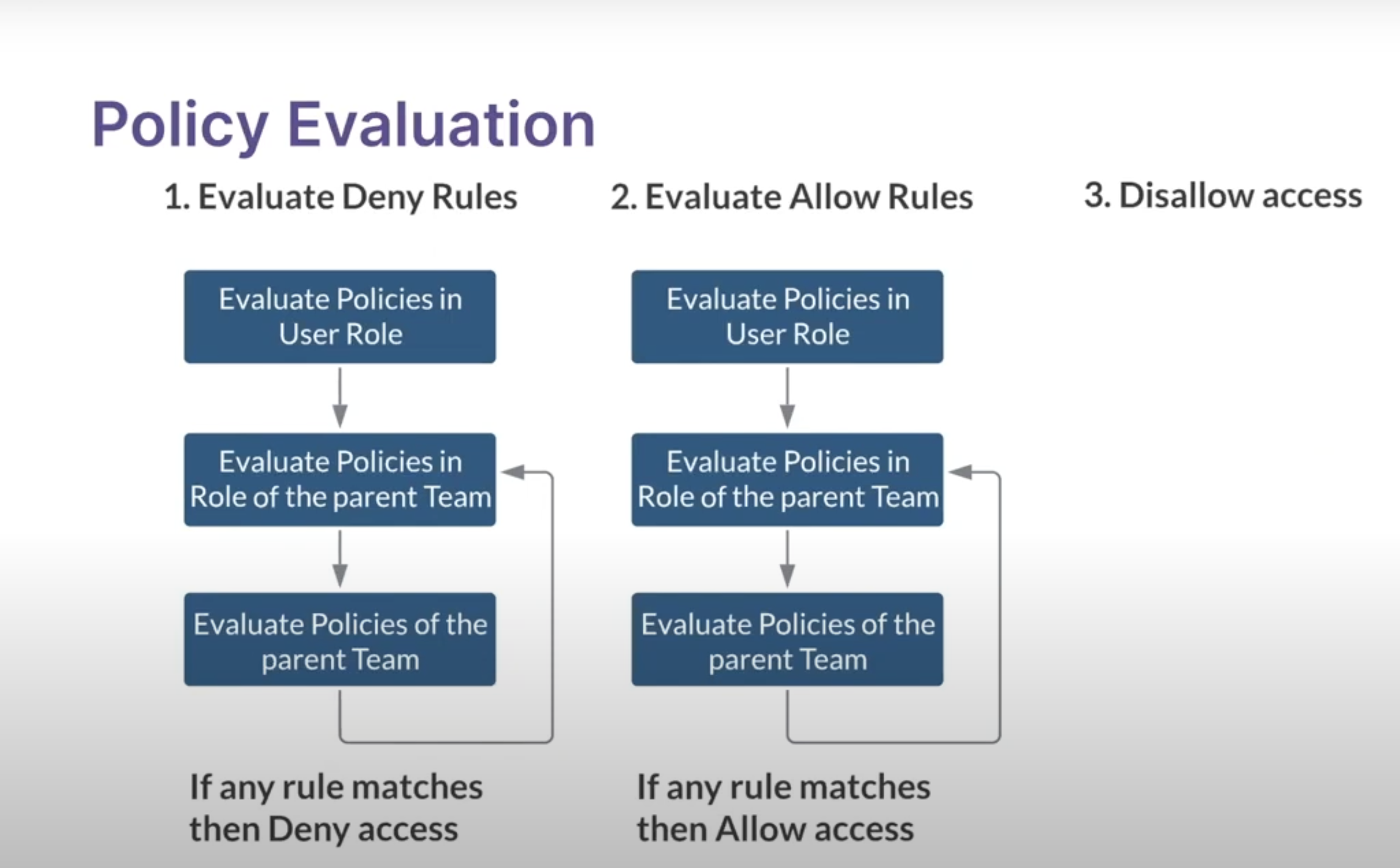
Access Control Design: Roles and Policies
- Authentication with SSO Integration: Collate seamlessly integrates with various Single Sign-On (SSO) providers, including Azure AD, Google, Okta, Auth0, OneLogin, and more. This ensures a unified and secure authentication experience for users.
- Team Hierarchy: Collate offers a structured team hierarchy that mirrors your organization’s structure, enhancing manageability and granularity in access control.
- Roles and Policies: Policies and Roles are pivotal in determining who can access what resources and perform what actions. These policies are based on a combination of user attributes, roles, and resource attributes.
- User and Bots Authentication: Collate accommodates human users and automated applications (bots). For human users, logging into the Collate UI mandates SSO authentication. Upon successful authentication, a JSON Web Token (JWT) is issued.
Authentication Flow
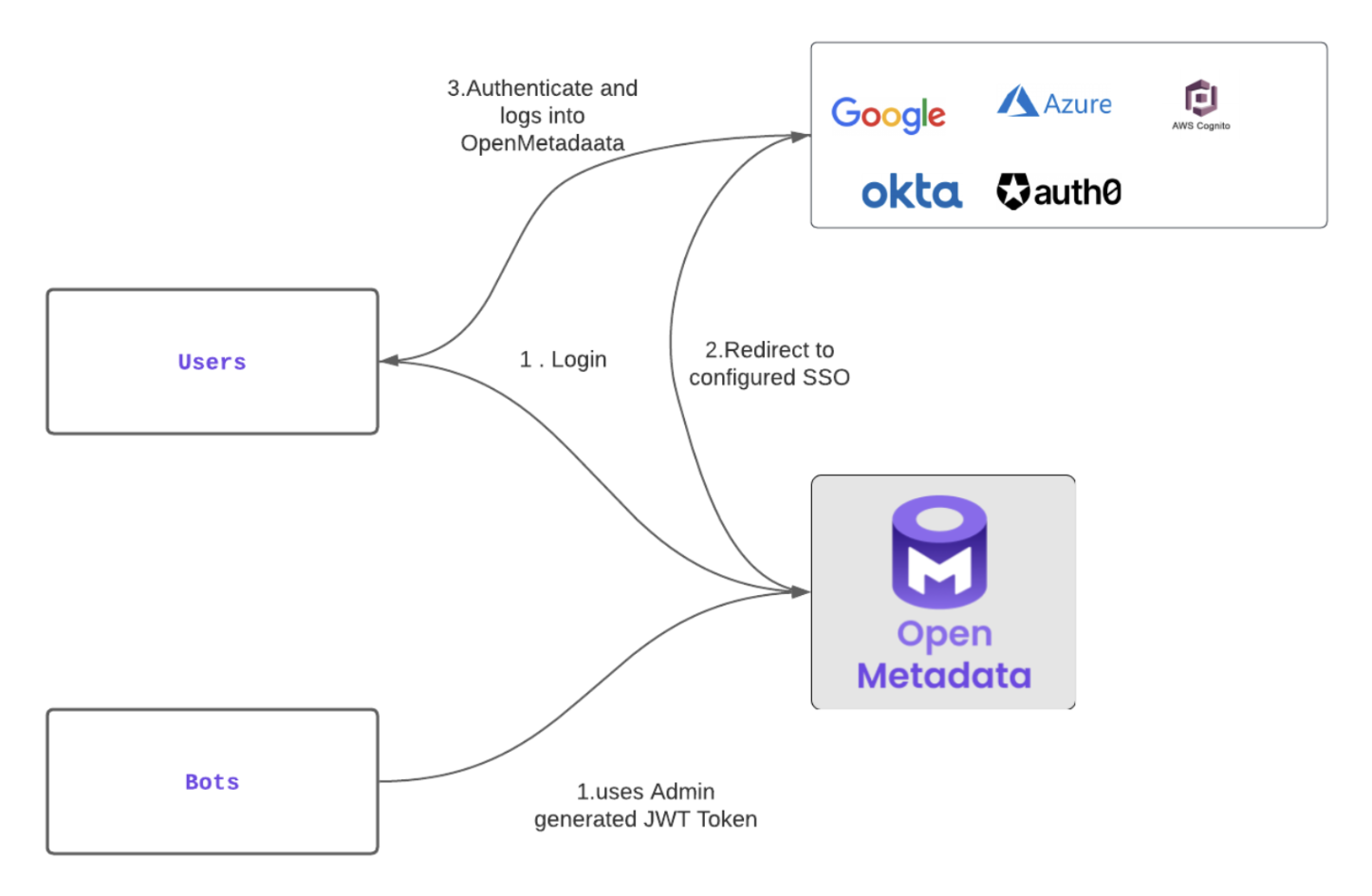
- User Authentication: When users access the Collate UI, they authenticate with their SSO provider. Upon successful authentication, a JWT token is generated. This token validates the user’s session and permits them to authenticate requests to the Collate server.
- Bot Authentication: Automated applications like the ingestion connector are equipped with a pre-generated JWT Token. Collate, with its configured SSL Certificates, authenticates the JWT token, establishing the bot’s identity. This token authorizes the bot to interact with Collate server APIs.
Authorization Framework
Collate’s authorization is a result of evaluating three crucial factors:
- Who is the User (Authentication): The authentication process determines this – whether it is a user or a bot – ensuring that only authorized entities access the system.
- What Resource (Resource Attributes): Based on the API calls being made, Collate identifies the target resource and its associated attributes.
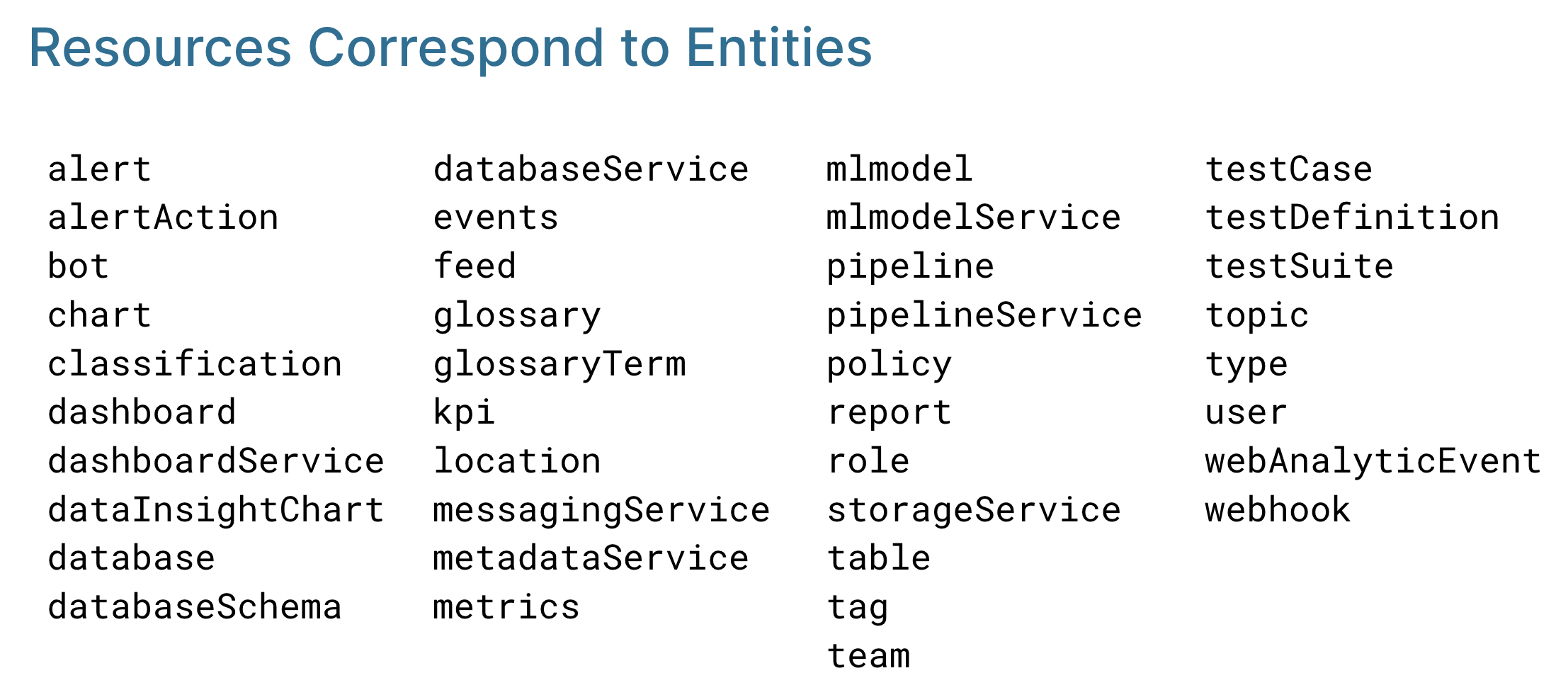
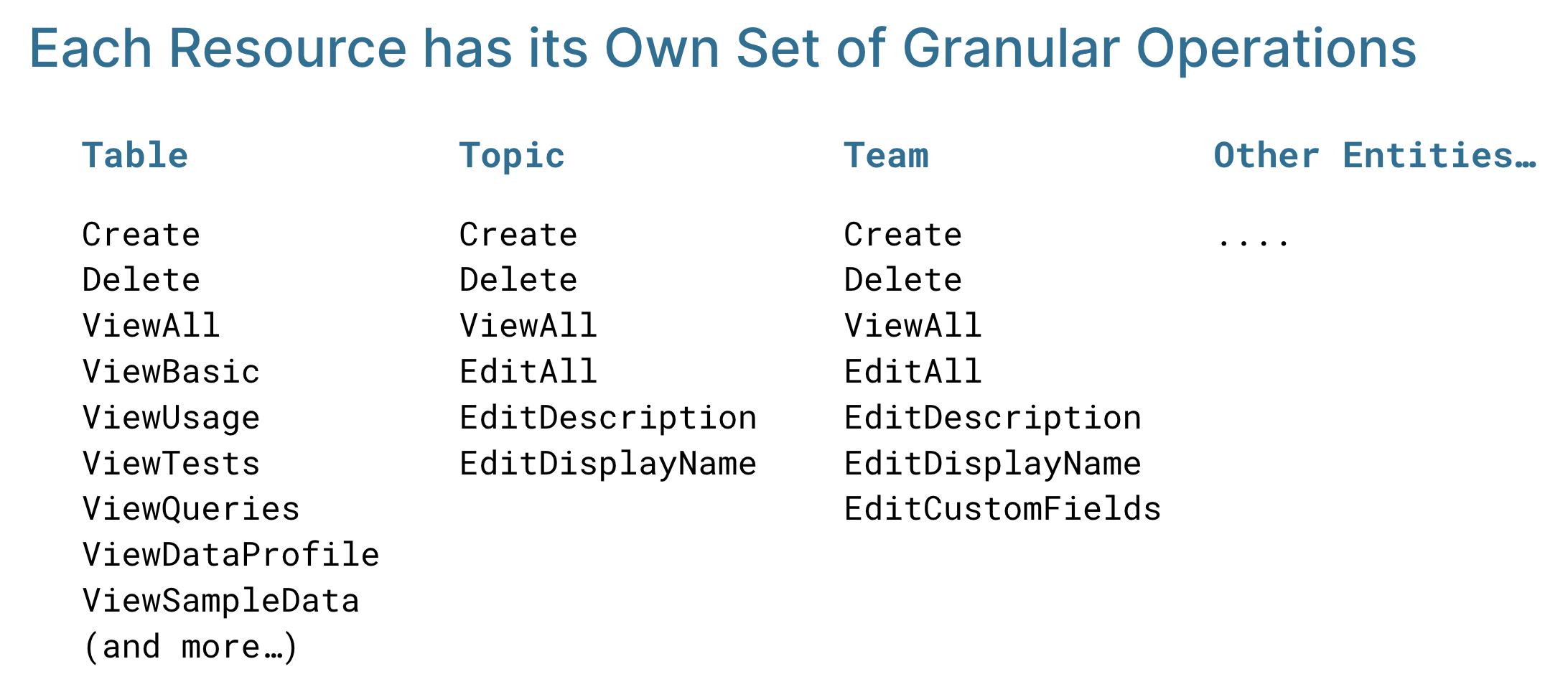
- What Operation (API Call): Each API call maps to a specific operation, such as editing descriptions, deleting tags, and changing ownership. Common operations – Create, Delete, and ViewAll – apply to all resources. Each resource can also have its own specific operations, such as ViewTests and ViewQueries for Table.
Resource Scope Reference
The table below maps every resource category to the real-world access it controls. Use this when designing policies – start by identifying which categories are relevant to the role, then add only the operations needed.Note: Tables are the most critical data asset resource. Over-permissioning here has the widest blast radius, as many downstream queries, dashboards, and pipelines depend on them.
Key Scope Principles
- Service resources (Database Service, Pipeline Service, and so on) control the connection itself – granting Edit on a service gives access to all assets in that service.
- User & Access Control resources are the most sensitive category. EditPolicy and EditRole changes affect the entire permission model.
- AI/Agent resources govern automated execution paths. Restrict Agent Execution and Dynamic Agent to roles that actively need to run workflows.
- Data Governance resources (Tags, Glossary Terms, Domain) may seem low-risk but misuse can cause incorrect PII labelling with compliance consequences.
Difference Between ViewBasic and ViewAll in Collate
The operations ViewBasic and ViewAll in Collate differ in the level of detail they provide access to. The following explains each in detail:ViewBasic
- Provides access to the basic details of an asset.
- Includes information such as:
- Description
- Tags
- Owner
- Fundamental metadata
- Excludes more detailed information, including:
- Profile data
- Sample data
- Data profile
- Tests
- Queries
ViewBasic: Key Points
- Suitable for viewing foundational asset metadata.
- Limited access for users who do not require in-depth technical details.
ViewAll
- Provides access to all details of an asset.
- Includes everything available in ViewBasic, along with:
- Profile data
- Sample data
- Data profile
- Tests
- Queries
ViewAll: Key Points
- Designed for users who need a complete view of the asset.
- Offers comprehensive insights and detailed metadata.
Summary Table
Overview
- ViewBasic: Focused on essential metadata.
- ViewAll: Provides a complete view, including advanced details.
For a curated reference of common operations and resource types, see Resource scope and operations reference.
Quick Guide: Which Role Should I Start With?
Use this table when onboarding a new user to determine which base role to assign first.Building Blocks of Authorization: Rules, Policies, and Roles
Learn all the details of Rules, Policies, and Roles
Use Cases: Creating Roles & Policies in Collate
Tailor your policies to meet your organizational and team needs.