Customize Persona UI
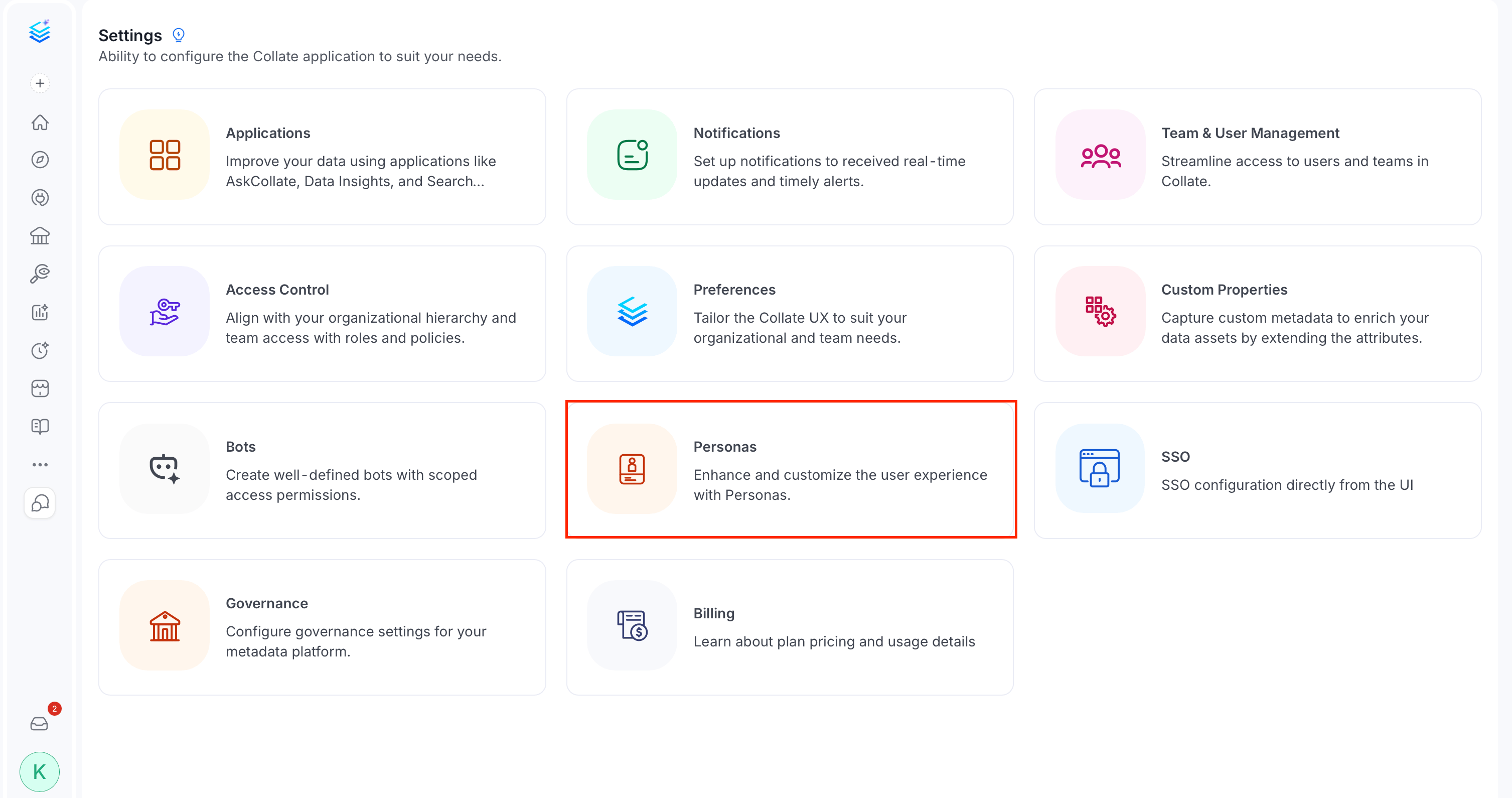
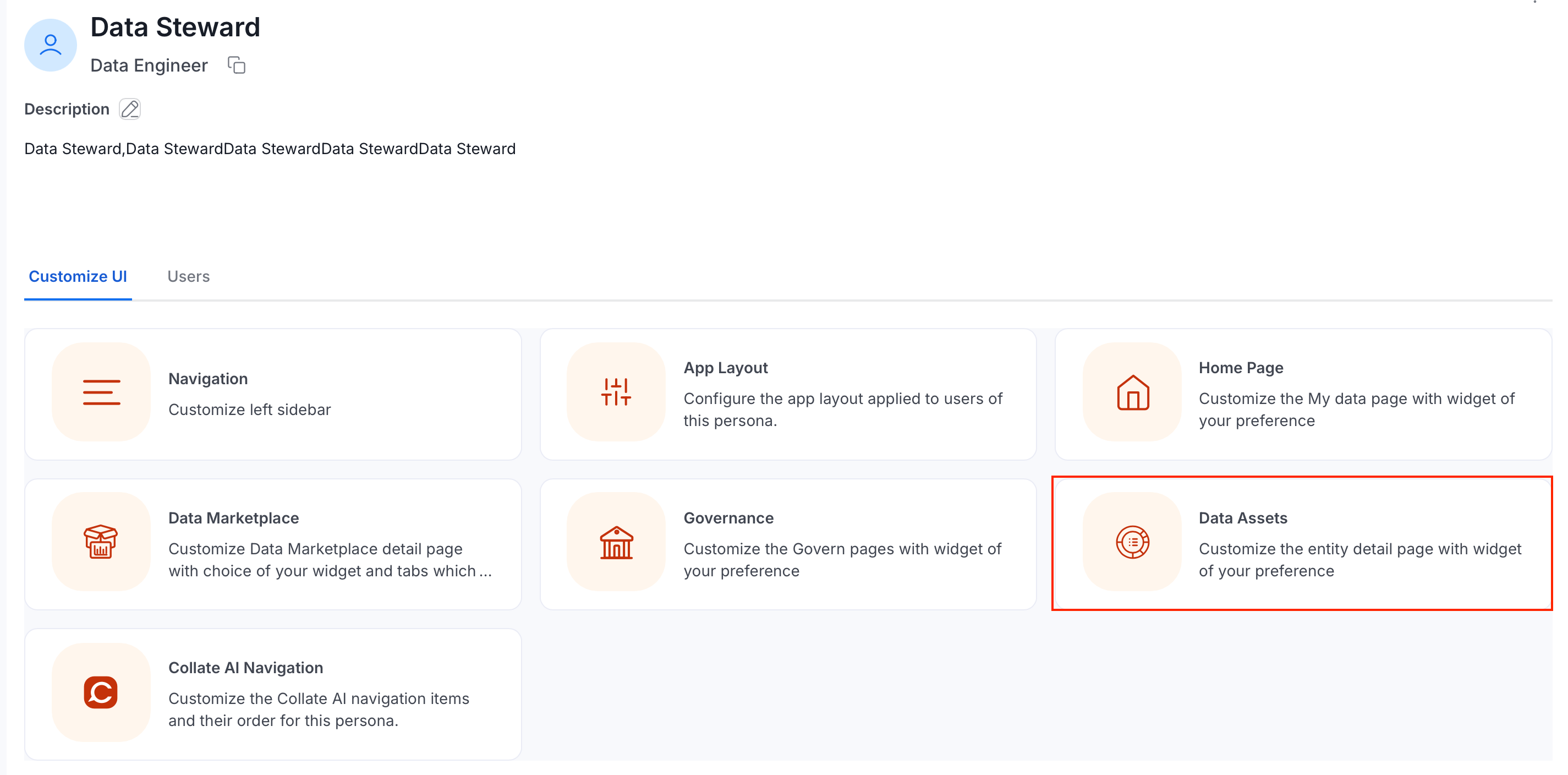
The Customize UI tab on a persona’s detail page gives admins seven ways to tailor the Collate interface for that persona. Changes apply to every user assigned to the persona. To open these settings:- Click the Profile icon.
-
Navigate to Settings > Personas.
- Select a persona.
-
Click the Customize UI tab.
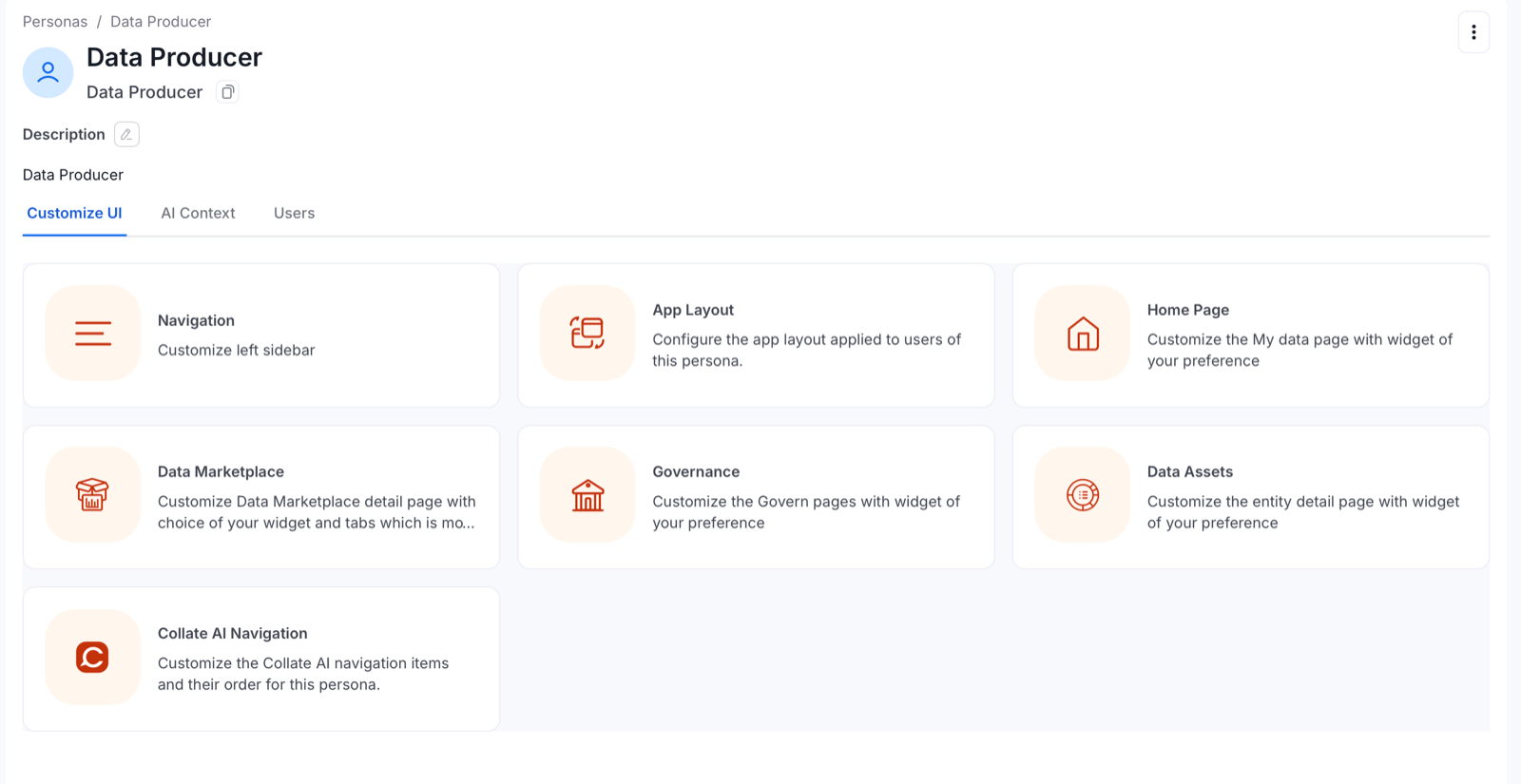
App Layout
The App Layout card opens the Customize App Layout page. It has three settings for this persona: App Mode, Default Landing Page, and View Mode. After you change a setting, click Save. Click Reset to discard your changes.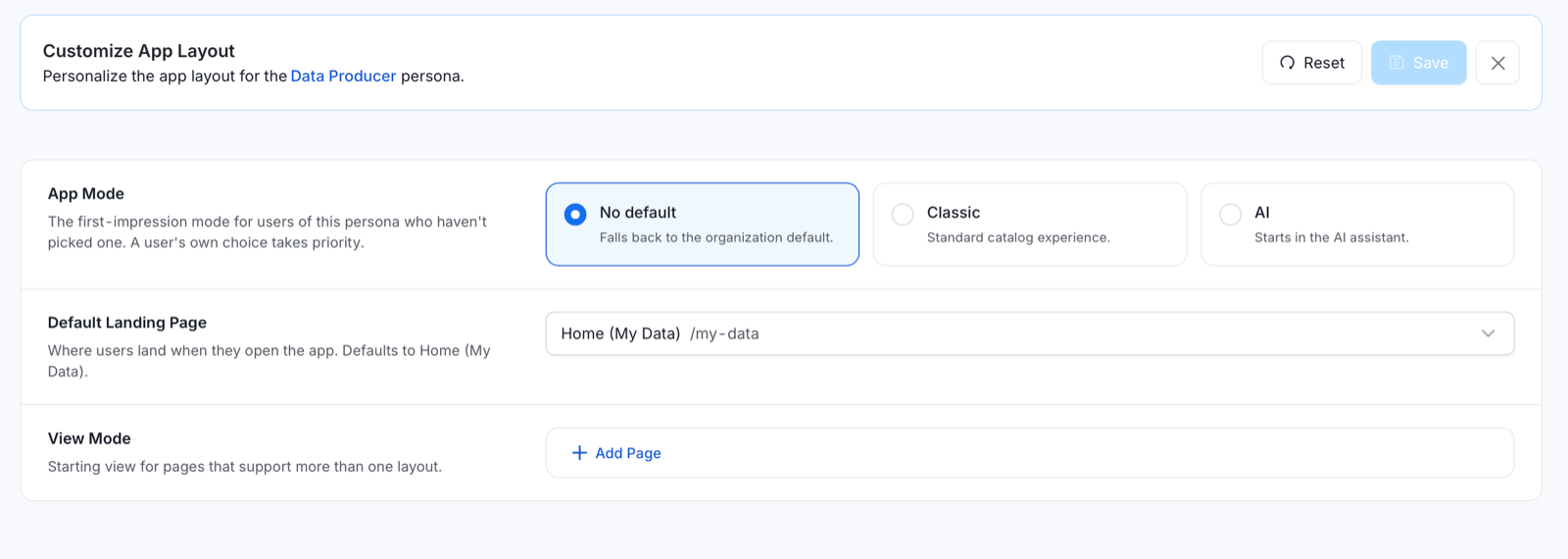
App Mode
Choose the default experience users of this persona see when they log in. A user’s own app mode choice takes priority over the persona setting.- No default: Falls back to the organization default.
- Classic: The standard catalog experience, with a My Data, Domain, and My Tasks home page. Use this when a team prefers the pre-2.0 experience or relies on Classic-only widgets.
- AI: Starts in the AI assistant, with the Collate 2.0 home page and AI-powered dashboard: Platform Health, Action Required, Recommended Improvements, Pending Approvals, and more. Recommended for most personas in Collate 2.0.
Default Landing Page
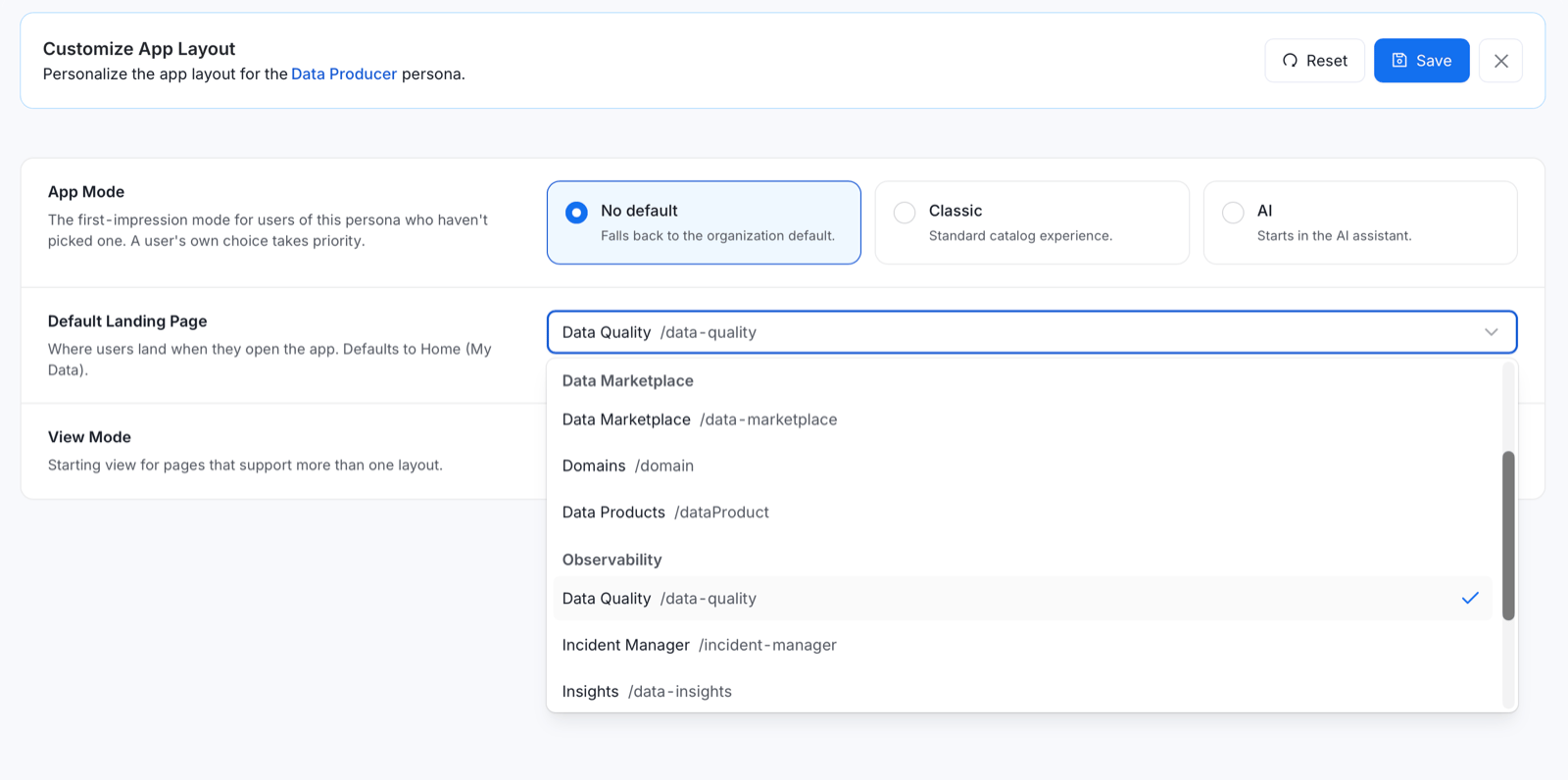
Use Default Landing Page to choose where users of this persona land when they open the app. The default is Home (My Data). Select one of the following pages from the dropdown:- General: Home (My Data), Explore, and Lineage.
- Data Marketplace: Data Marketplace, Domains, and Data Products.
- Observability: Data Quality, Incident Manager, and Insights.
- Govern: Glossary, Classification, and Metrics.
View Mode
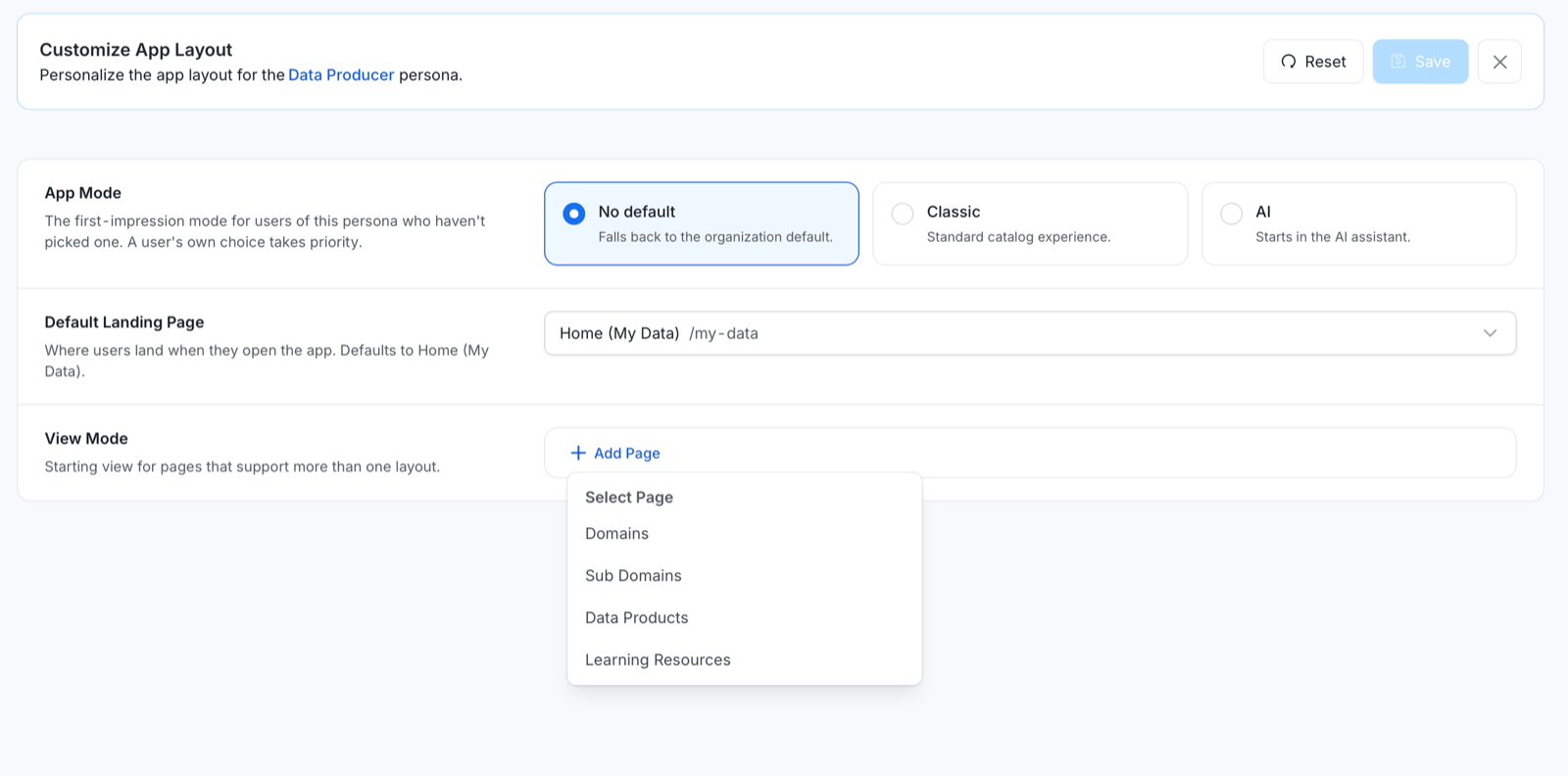
Use View Mode to set the starting view for pages that offer more than one layout. Pages without a setting open in Table view. To set a starting view, click Add Page, select a page, and choose its view:- Domains: Table, Grid, or Tree.
- Sub Domains: Table or Grid.
- Data Products: Table or Grid.
- Learning Resources: Table or Grid.
Navigation
Customize which items appear in the left sidebar for this persona, and in what order. Remove sections that aren’t relevant to the role to reduce clutter and keep the user focused on what matters.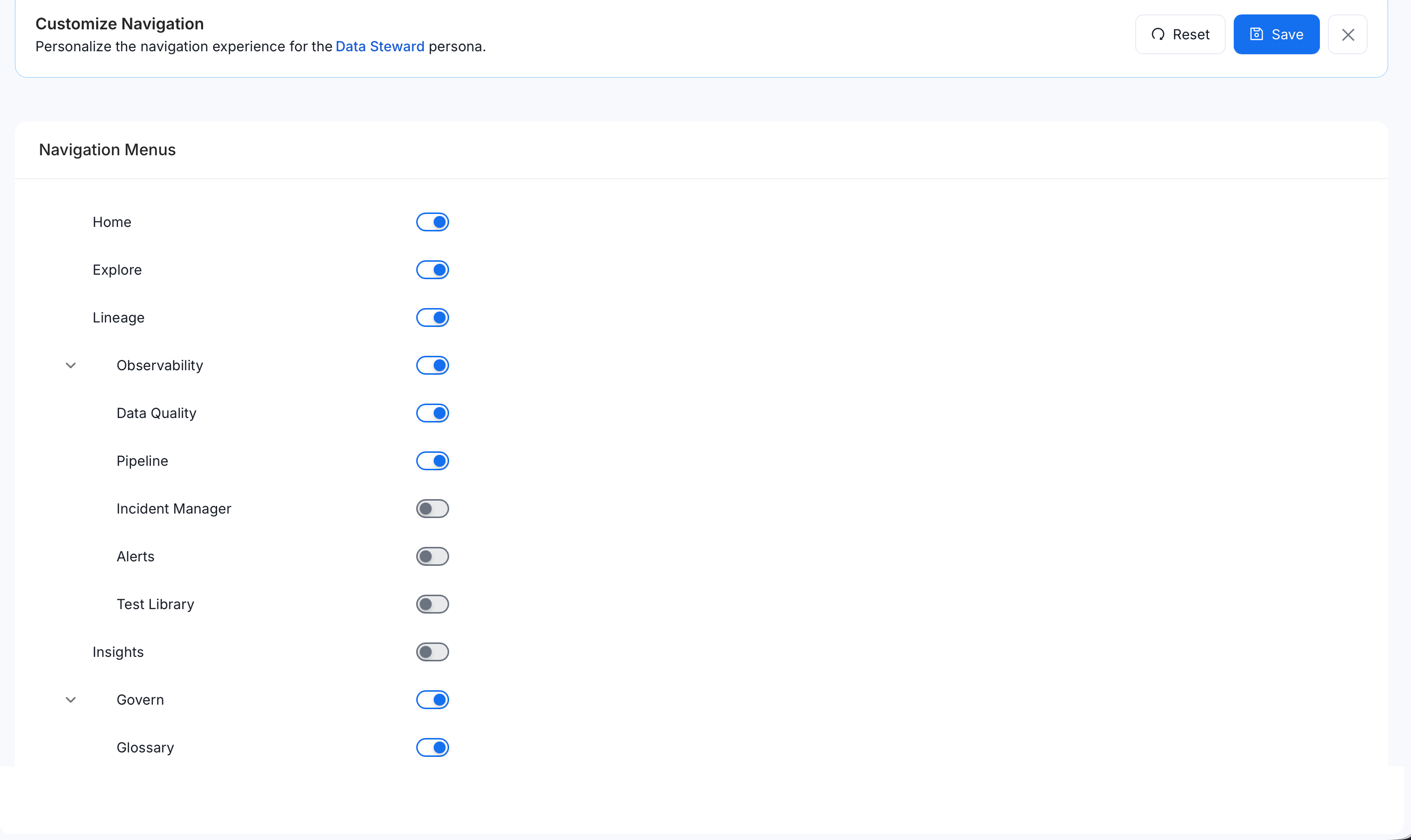
Home Page
Customize the My Data page with the widgets of your choice for this persona.Data Marketplace
Customize the Data Marketplace detail page for this persona — choose which tabs and widgets appear, and in what order. Useful when the persona primarily uses the Marketplace for access requests or asset discovery.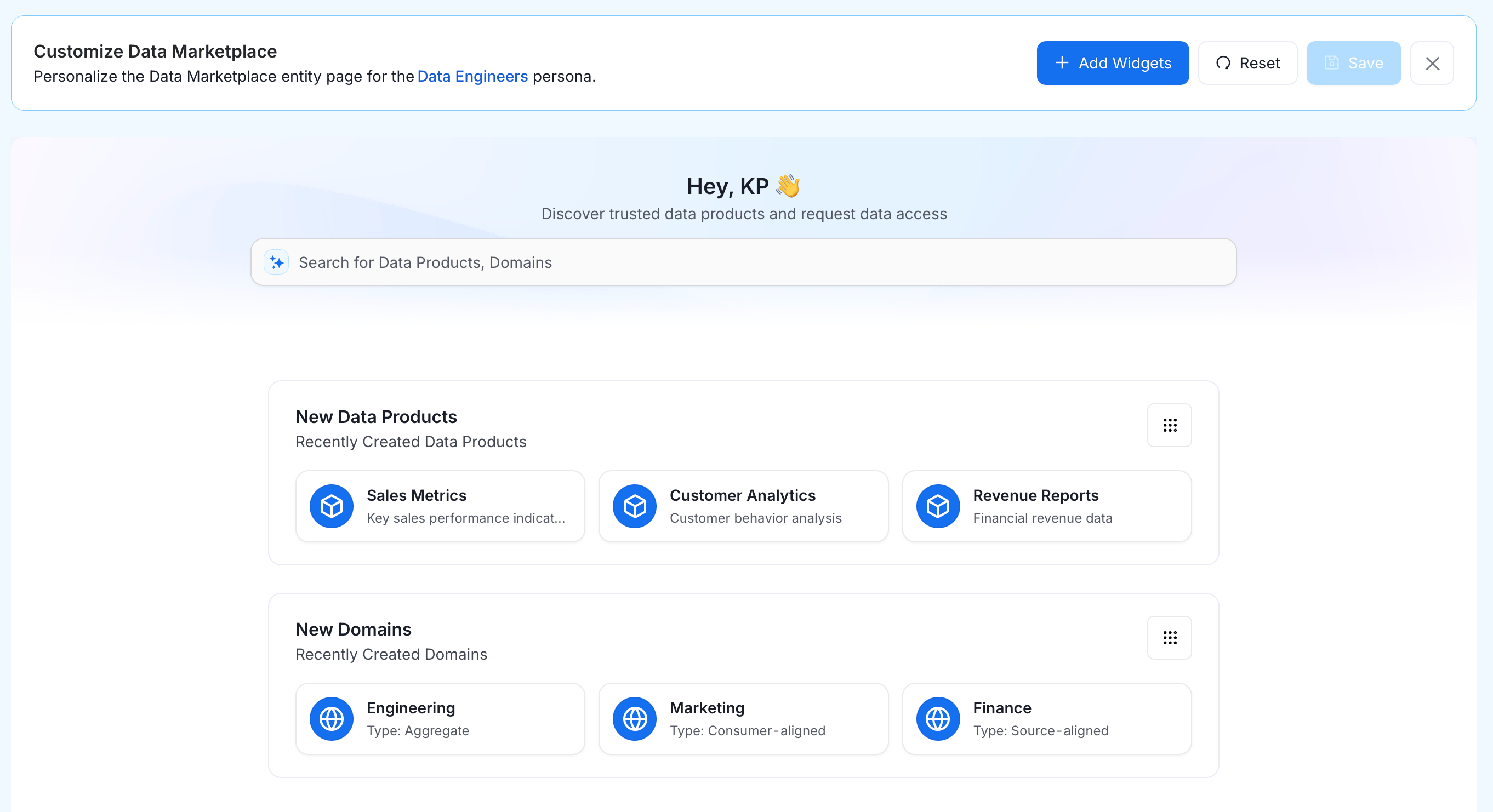
Governance
Customize the layout of Govern pages for this persona. Each governance entity type is configured independently: Data Product, Domain, Glossary, and Glossary Term. For each, choose which widgets and tabs appear on its detail page and in what order.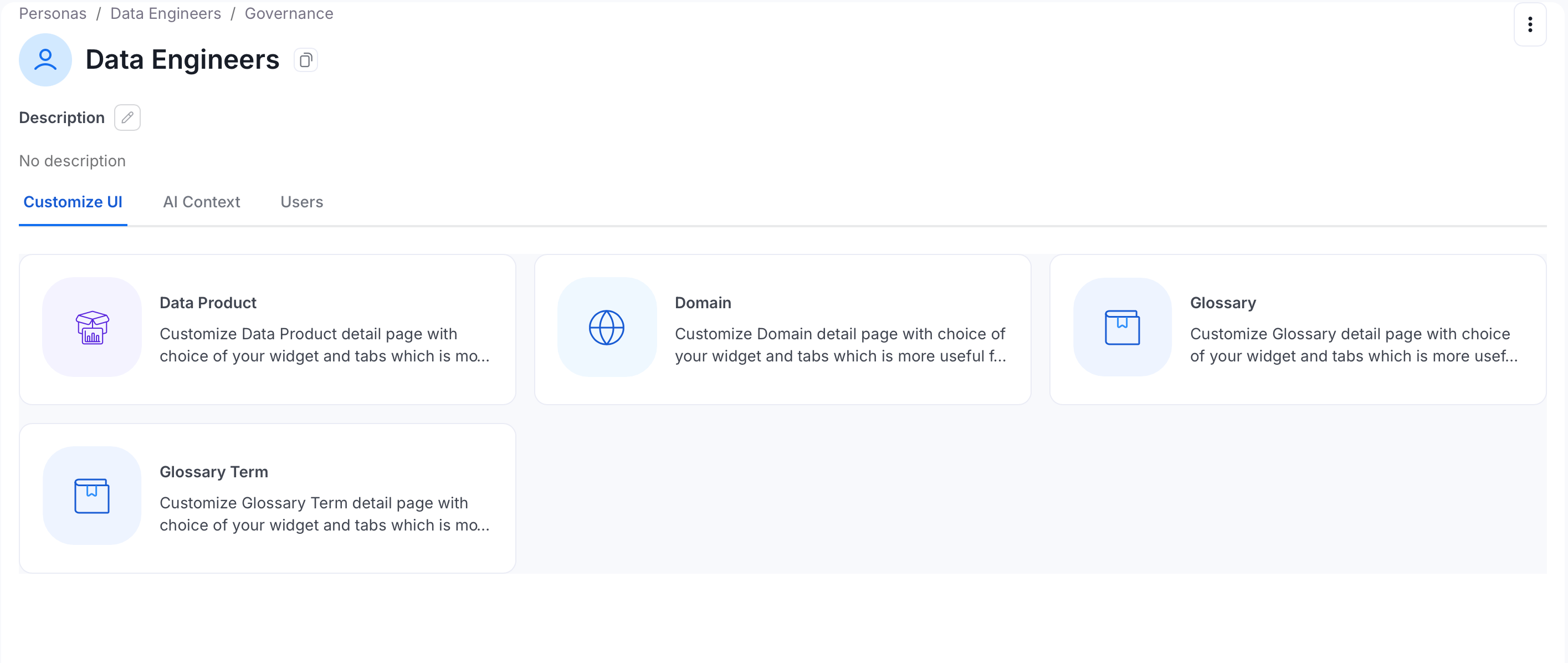
Data Assets
Customize the entity detail page layout for this persona. Each asset type is configured independently — choose which panels and tabs appear when a user opens that asset type.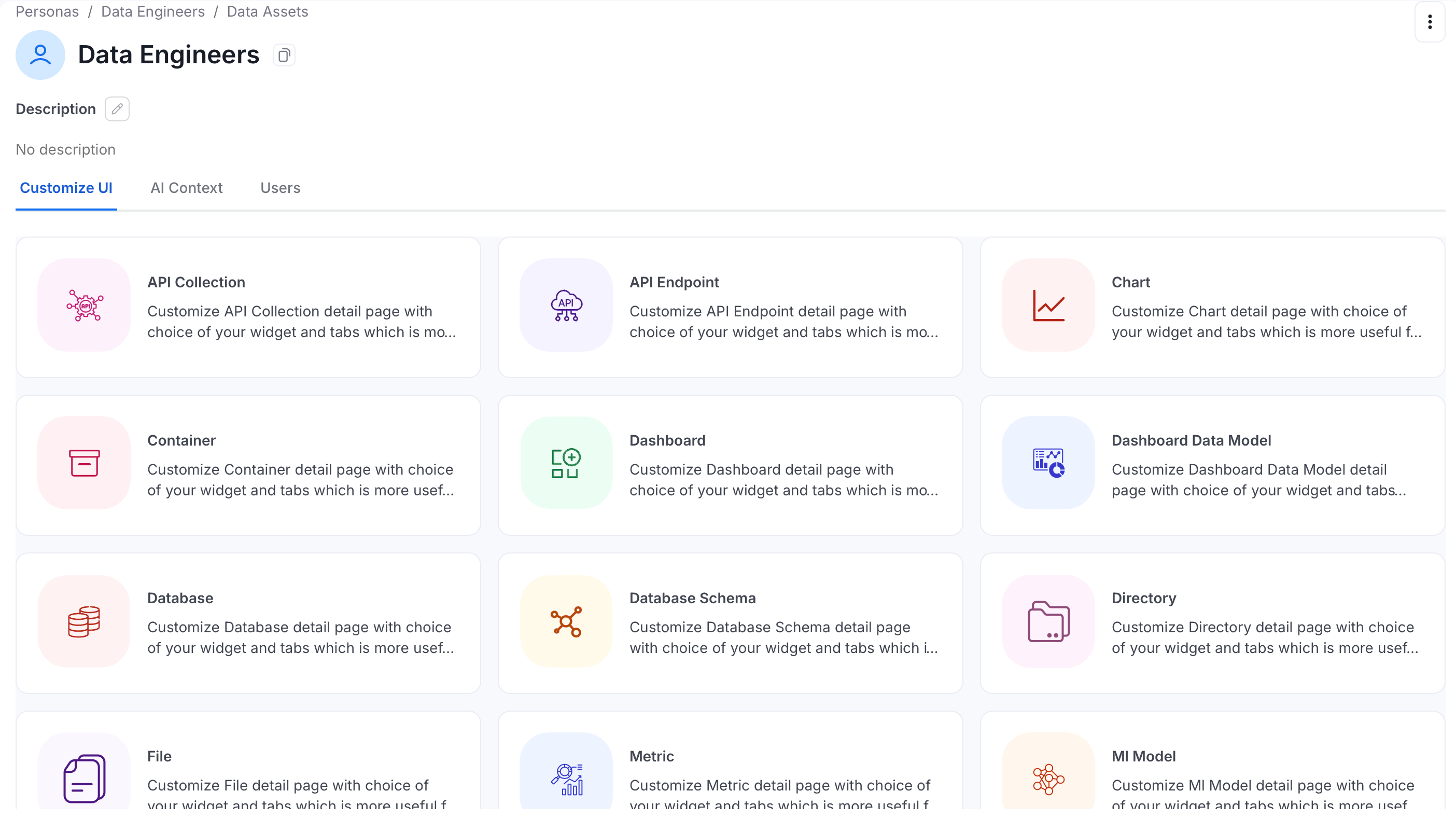
Customize the Custom Properties Tab
Each persona can decide which custom properties appear on the Custom Properties tab of an asset, and how large each one is. For example, show only a few key properties to a data steward persona.- Click the Profile icon and navigate to Settings > Personas, then select the persona.
-
On the Customize UI tab, click the Data Assets card.
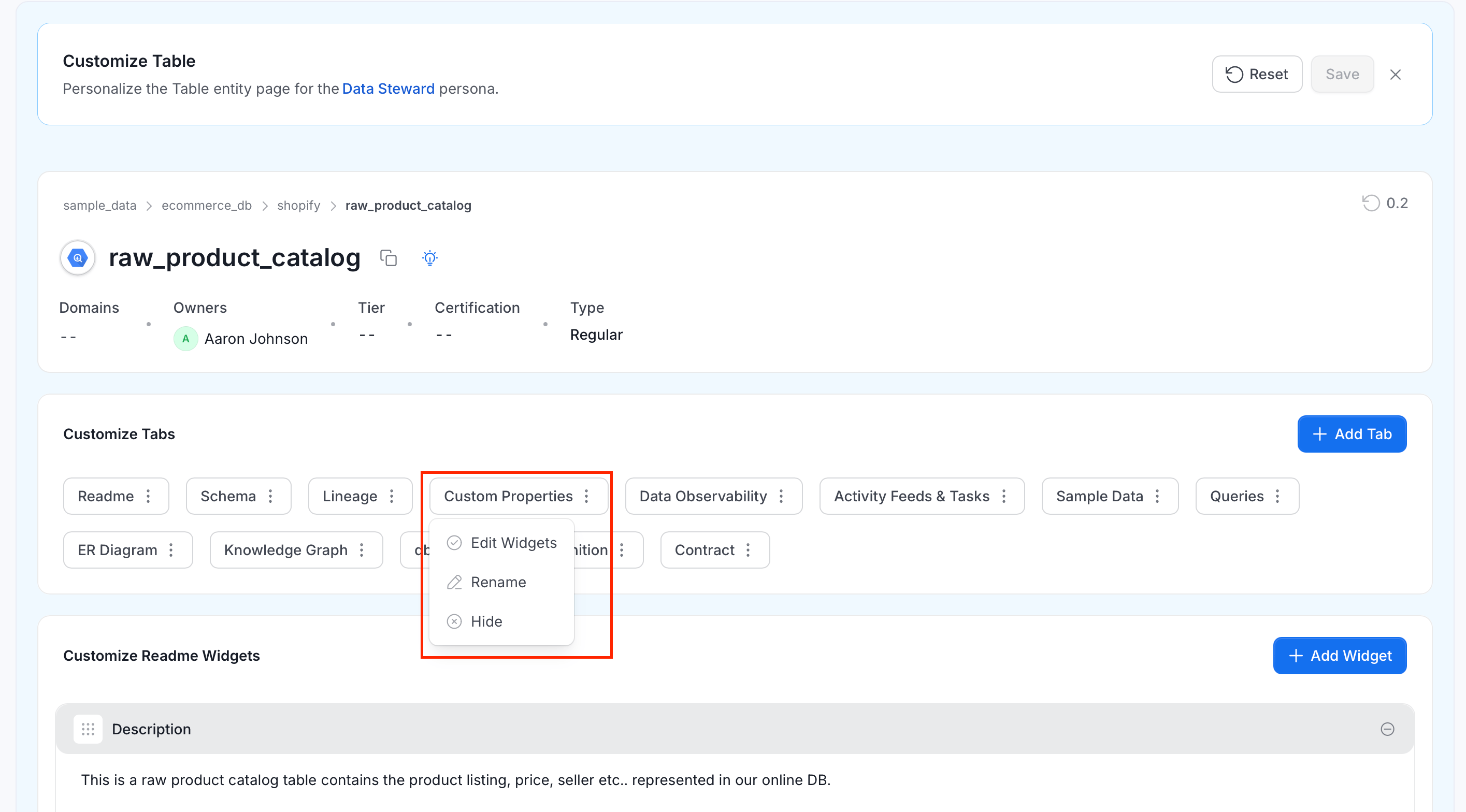
- Select the asset type, for example Table. The Customize Table page opens with the message “Personalize the Table entity page for the persona”. Use Reset to discard your changes, and Save to apply them.
-
Under Customize Tabs, click the ⋮ icon on the Custom Properties tab. The menu has three options:
- Edit Widgets: Customize the properties shown on this tab.
- Rename: Change the tab’s label for this persona.
- Hide: Hide the tab for this persona.
-
Select Edit Widgets. The Customize Custom Properties Widgets section shows one card for each property of the asset type. Each card shows the property name, its type, and its description.
- Move: Drag a card by its handle to change its position.
- Size: Choose Small or Large. Small cards take half a row, and large cards take the full row.
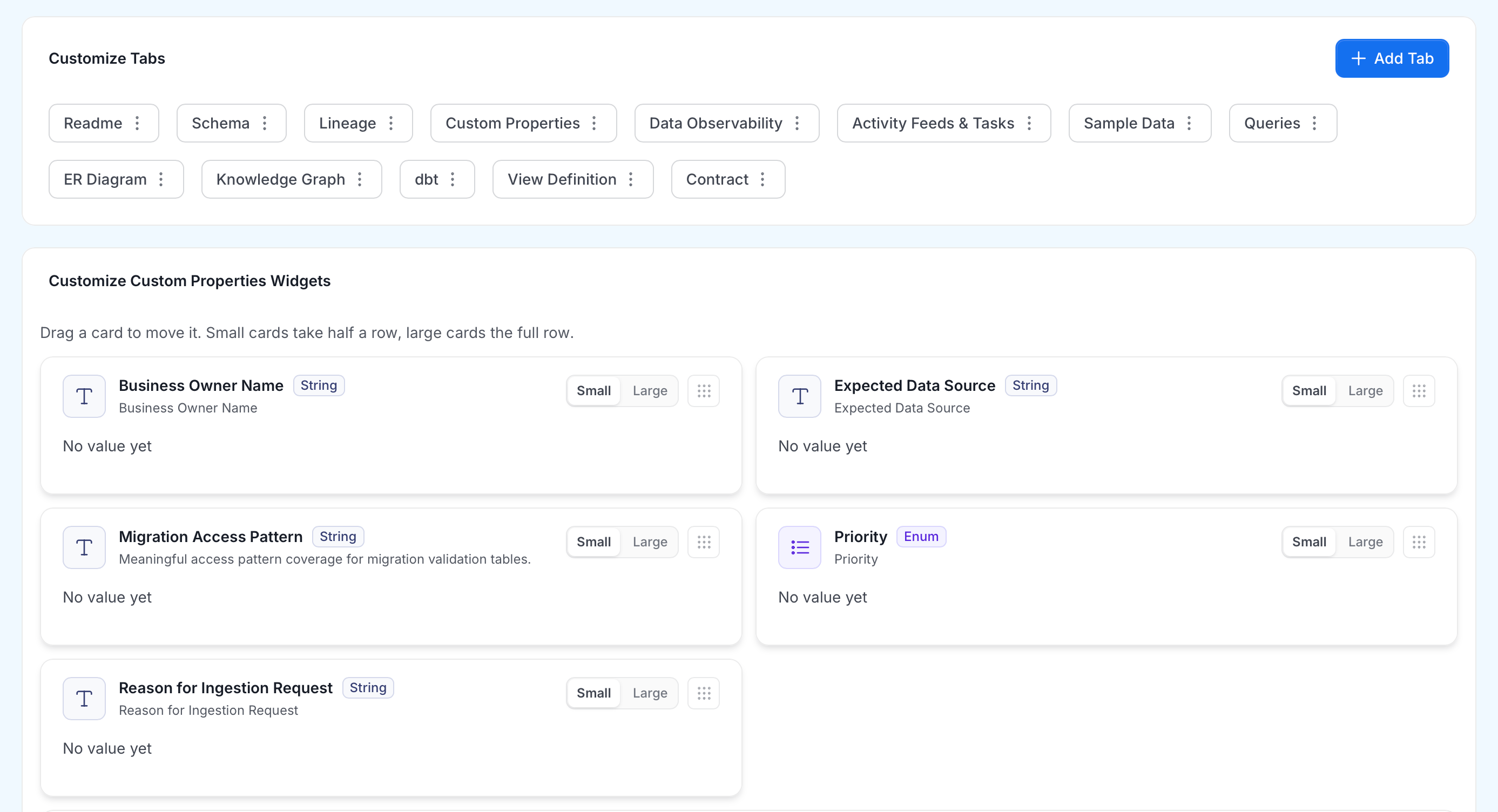
- Click Save.
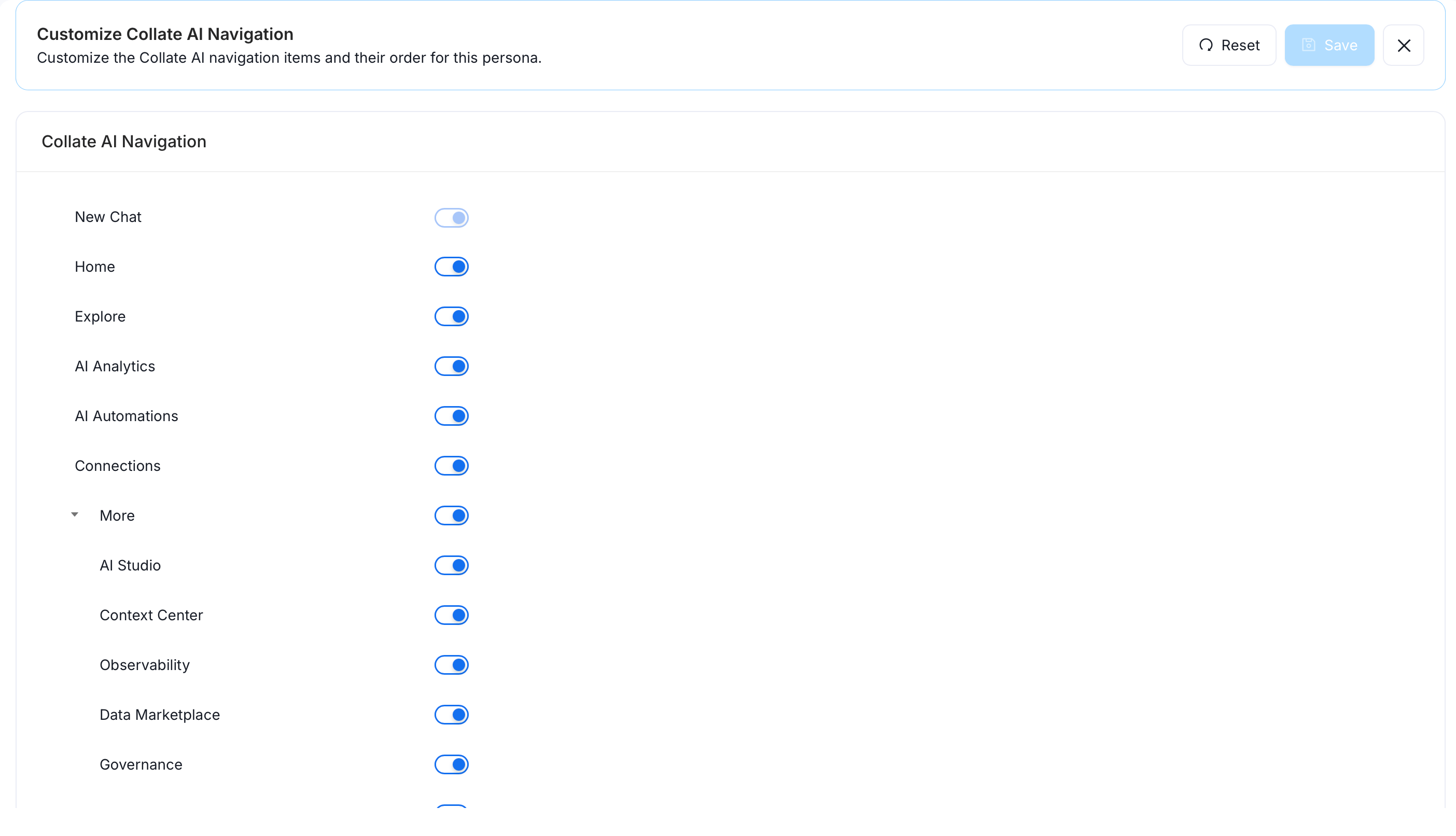
Collate AI Navigation
Customize which items appear in the Collate AI navigation for this persona, and in what order. Toggle each item on or off using its switch.