
Domains & Teams
Note: Audit Hub is currently a Beta feature.
Group the Scores
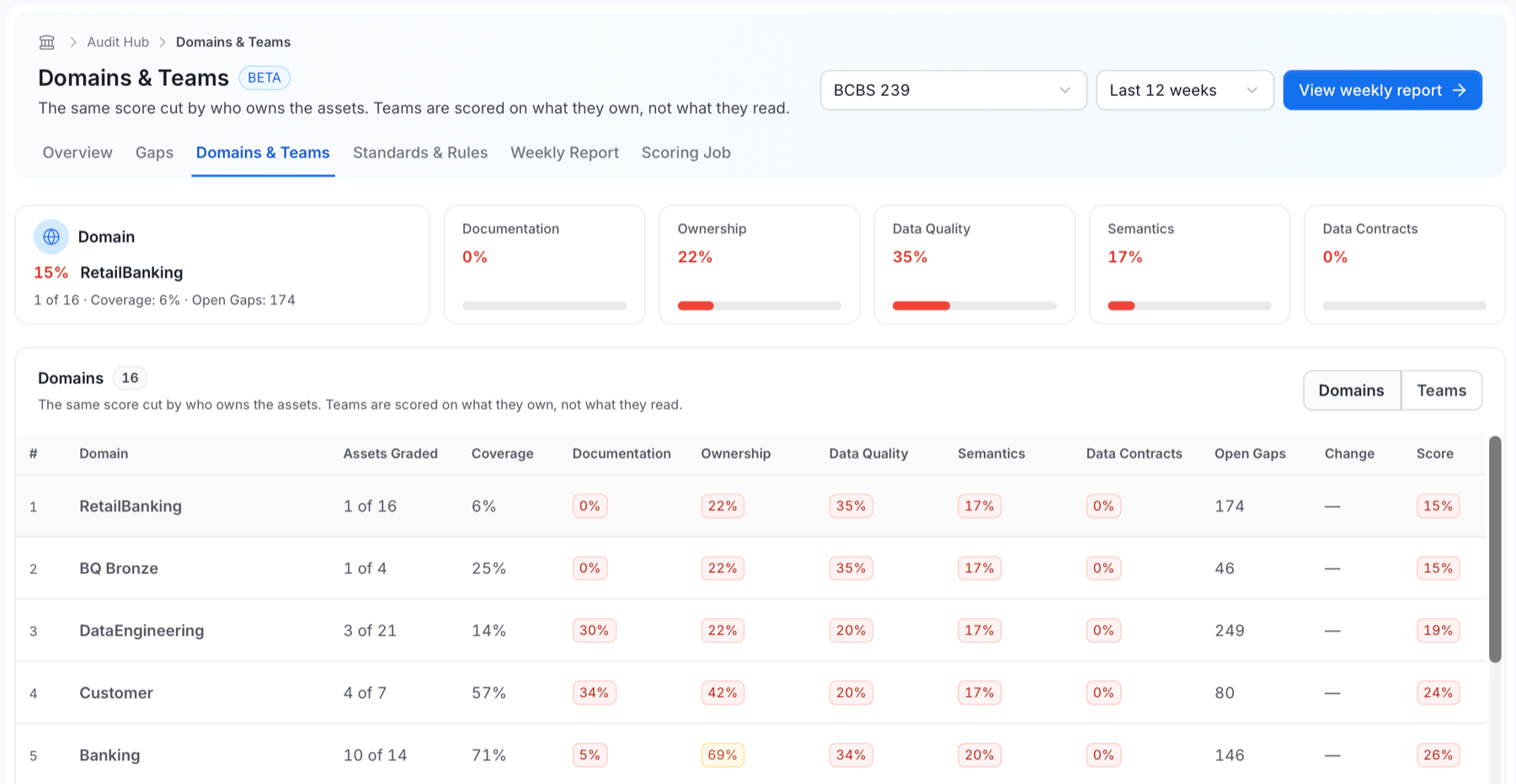
Use the Domains and Teams buttons in the table header to switch the grouping. The tab shows one grouping at a time. Domains and teams are independent groupings, so a team isn’t nested under a domain. The selected group and the selected row are stored in the URL. Share the URL to give someone a specific view.Ranked Table
The table is titled with the grouping and the number of groups, for example Domains 16. It lists every domain or team, ranked from the lowest score to the highest so that the groups that need work appear first. A group with no measured score appears after all measured groups. An unmeasured score isn’t treated as zero.
Select a row to show a summary card above the table. By default, the lowest-ranked group is selected. The summary card shows the group name and score, the graded assets out of the total, the coverage, and the open gaps, with one tile for the score in each dimension.
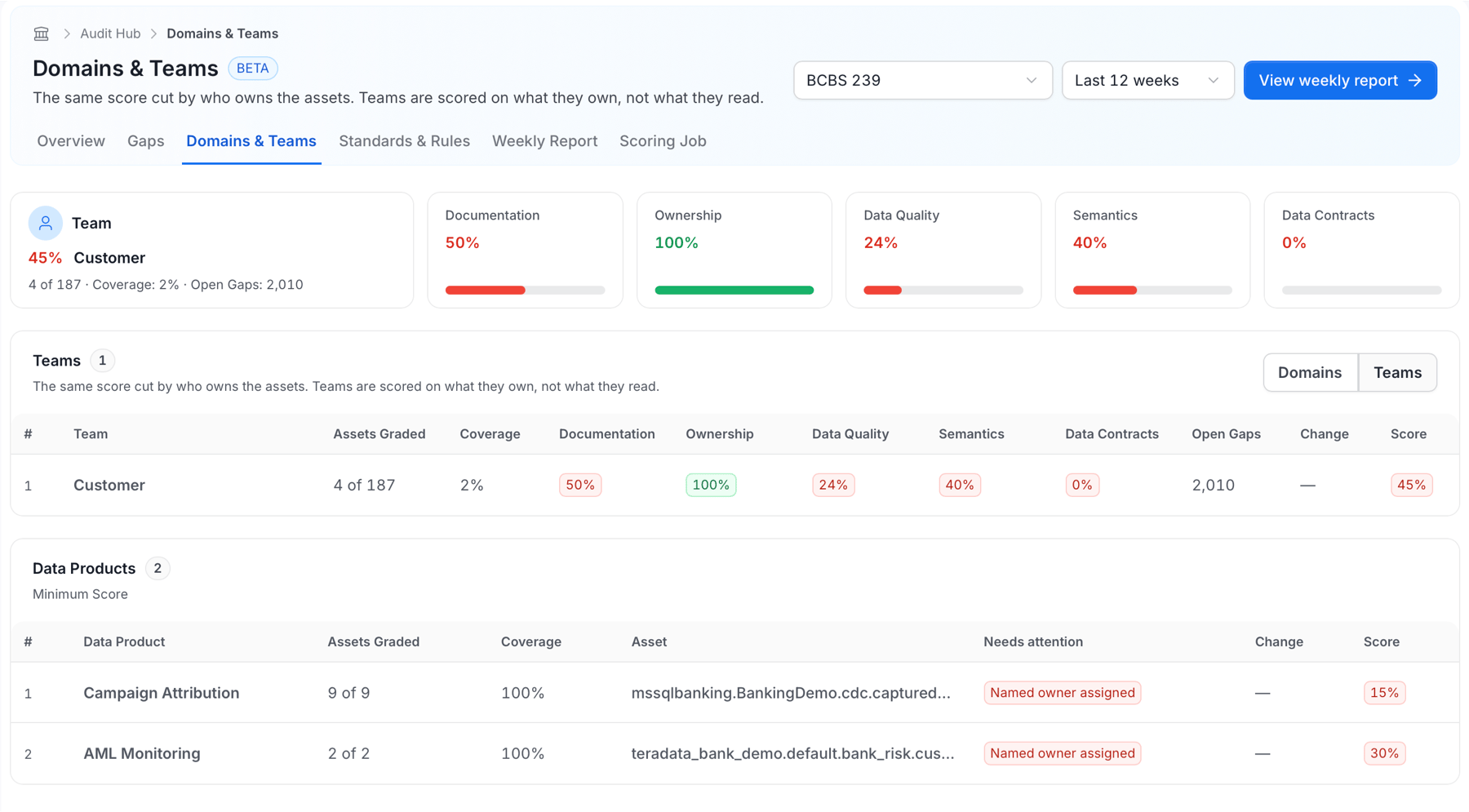
Data Products
The Data Products table appears below the ranked table. It lists data products that contain graded assets, ranked from the lowest score to the highest.Empty States
The tab shows one of these messages until scores are available.- No domain scores yet: Domains appear after graded assets are mapped to them. Run a scoring job to see how each domain is tracking.
- No team scores yet: Teams appear after graded assets that they own exist. Each team is scored on the assets it owns.
- No data product scores yet: Data products appear after graded assets belong to one.
- No scoring runs yet: Domain and team scores appear after the first scheduled run completes. An administrator can also start a run from the Scoring Job tab.