Column Bulk Operations
Overview
Modern data platforms collect data from many systems. APIs generate application data. Databases such as MySQL, PostgreSQL, and Oracle store operational records. Data warehouses such as Snowflake or BigQuery power analytics. Files land in storage systems like S3. Search indexes also hold structured data. Across all these systems, many columns represent the same concept. For example:customer_idcustomer_emailaddressorder_id
How Column Bulk Operations Works
The feature groups columns by their name across the entire metadata platform. For example, a column namedcustomer_id might appear in:
- MySQL tables
- PostgreSQL tables
- Snowflake warehouse tables
- Data lake tables
- Search indexes
Accessing Column Bulk Operations
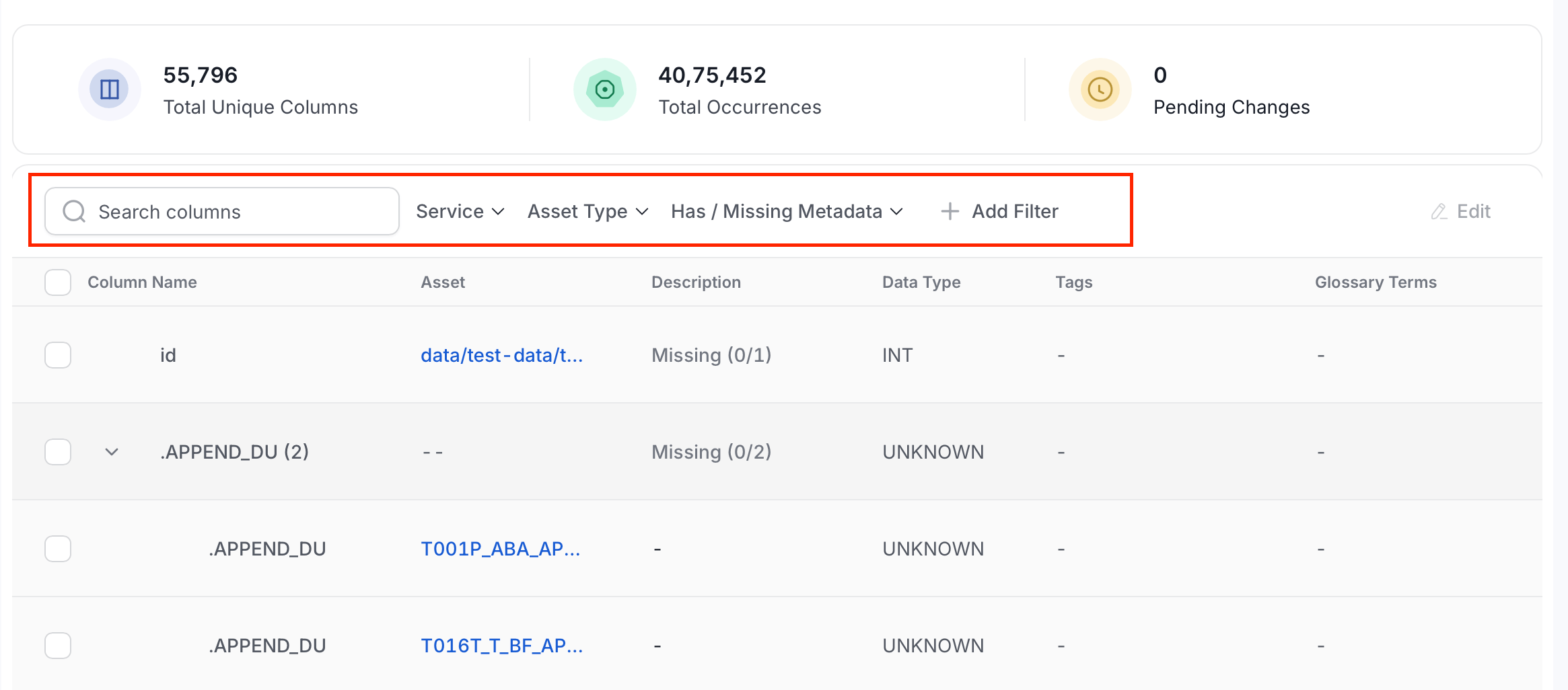
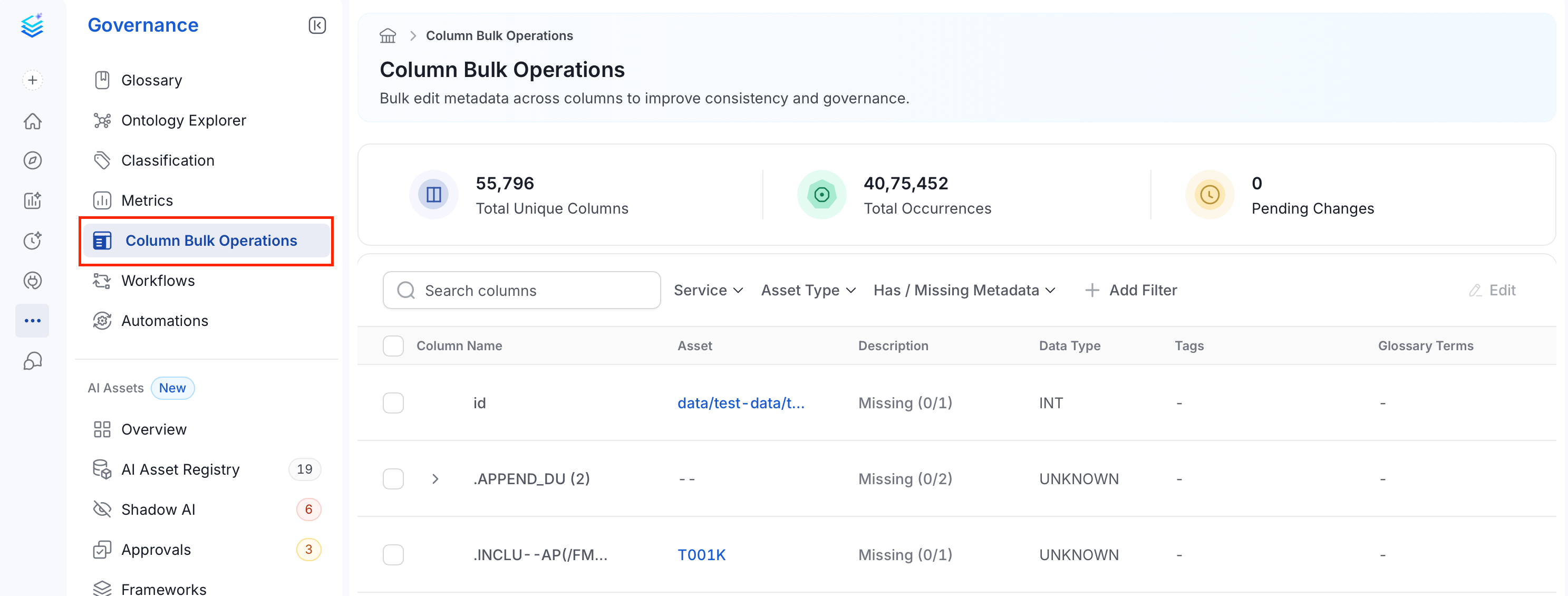
From the left navigation bar, select Governance > Column Bulk Operations. This page provides a centralized view of all unique columns along with:- Number of occurrences
- Metadata completeness
- Governance metadata
Updating Columns in Bulk
Instead of editing columns one table at a time, you can apply governance metadata across all occurrences of a column in a single update.- From the left navigation bar, navigate to Governance > Column Bulk Operations.
-
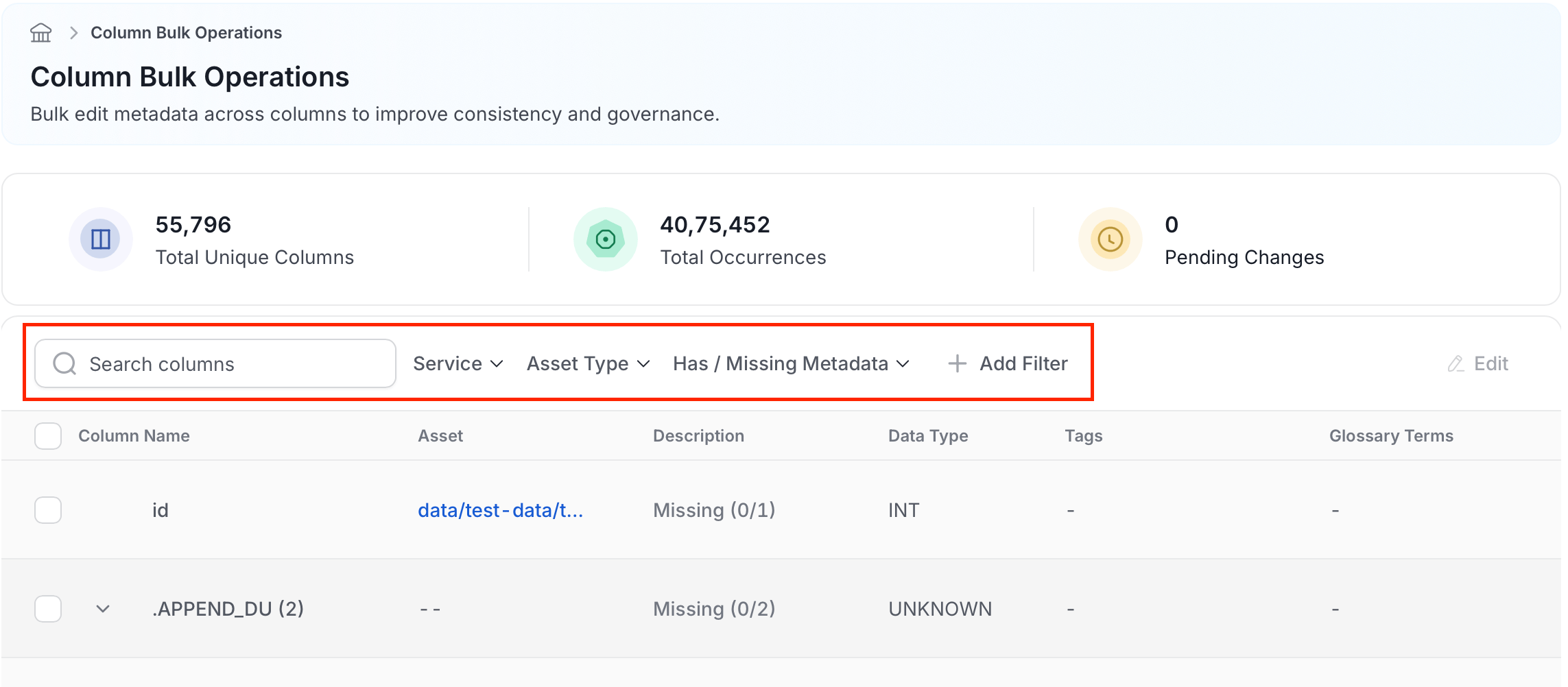
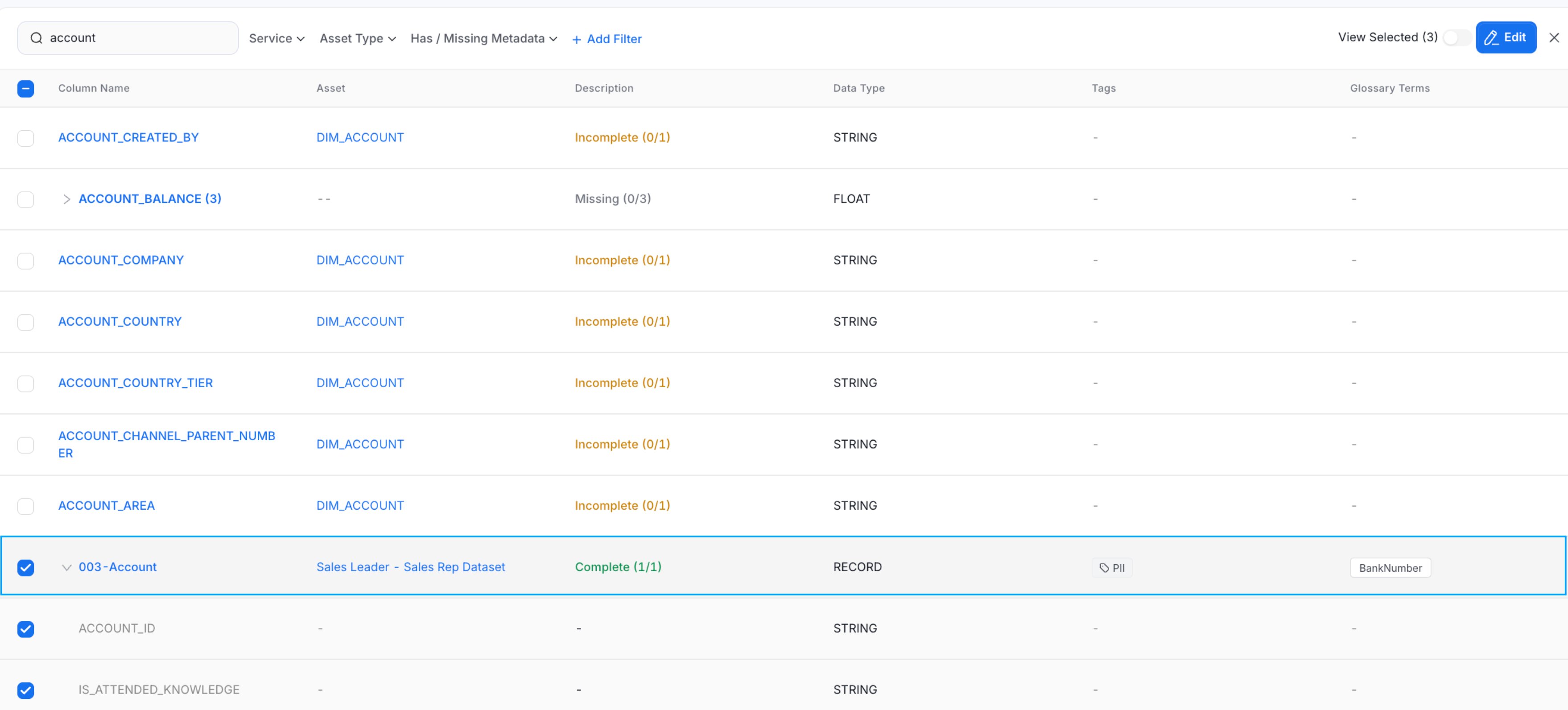
Use the Search columns bar to find a column by name, or use the Service, Asset Type, or Has / Missing Metadata filters to narrow the list.
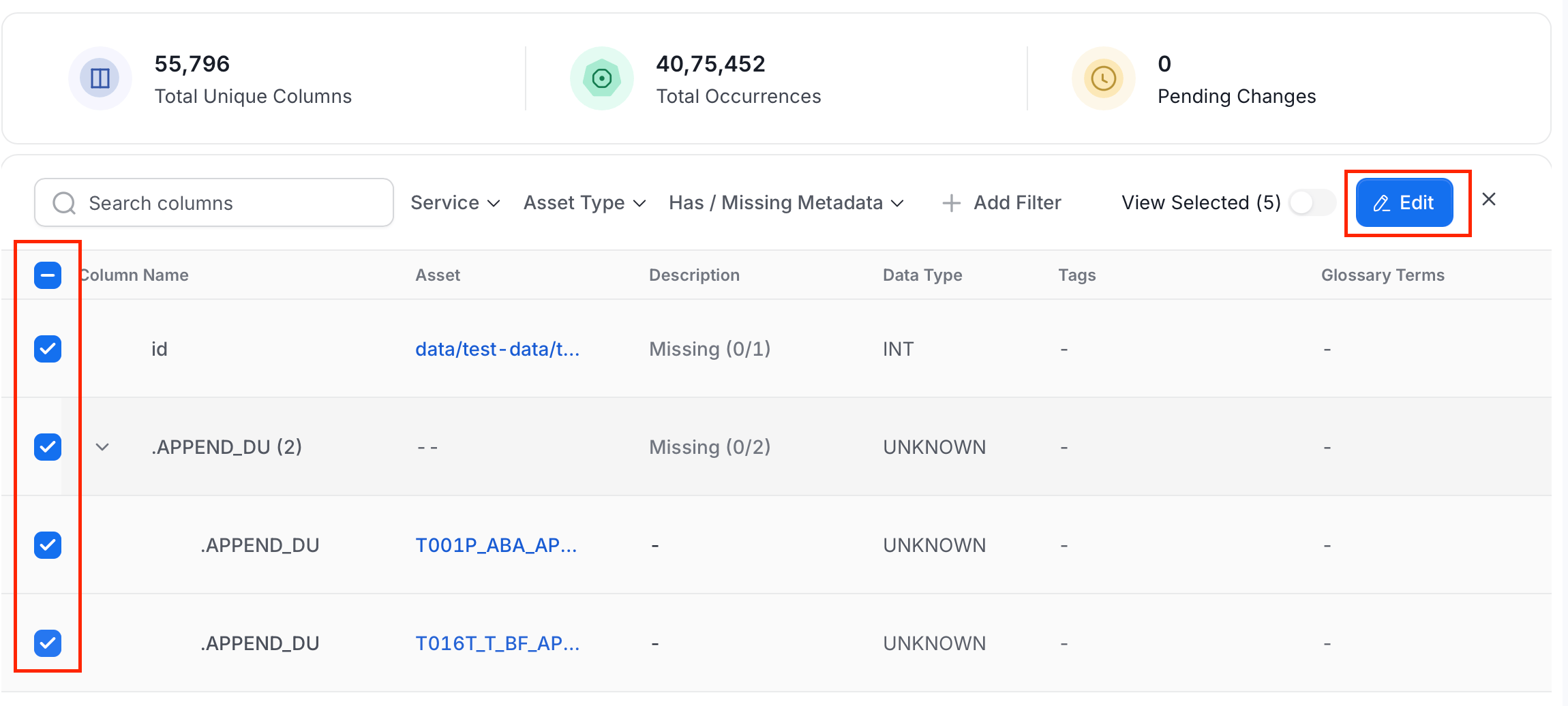
- Expand a column group to view individual occurrences across assets, then select the rows you want to update using the checkboxes.
-
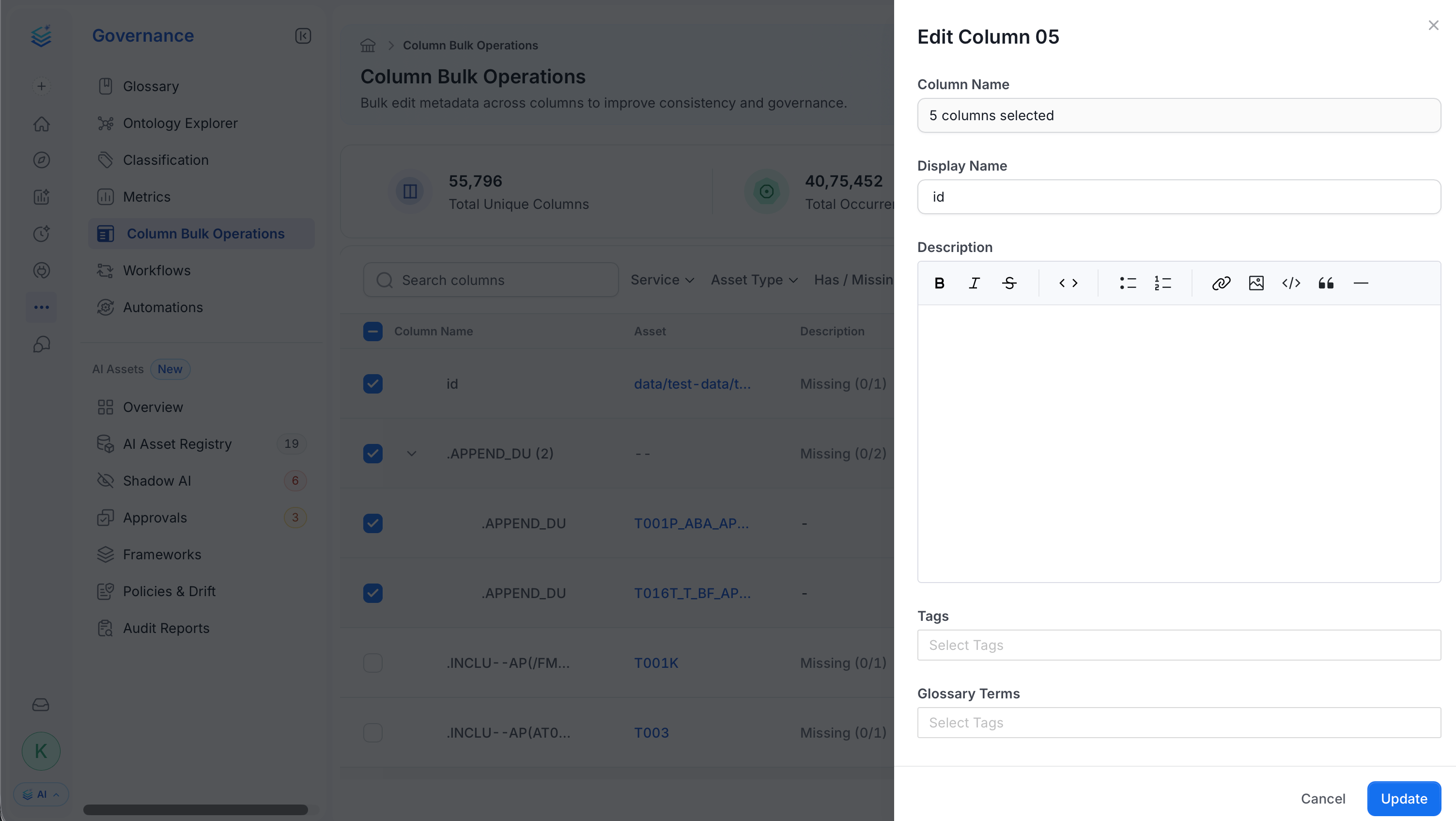
Click Edit (top right) to open the edit panel.
-
Fill in the following fields:
- Display Name: Enter a human-readable name for the column.
- Description: Provide a consistent business definition.
- Tags: Apply classification labels such as PII or Sensitive.
- Glossary Terms: Link the column to business concepts.
-
Click Save. Collate applies the update to every selected occurrence.
Metadata You Can Update
Column Bulk Operations supports the following governance updates:- Display Name: Standardize a human-readable label across all occurrences.
- Description: Provide a consistent business definition.
- Tags: Apply classification labels such as PII or Sensitive.
- Glossary Terms: Connect columns to business concepts.
Metadata Status
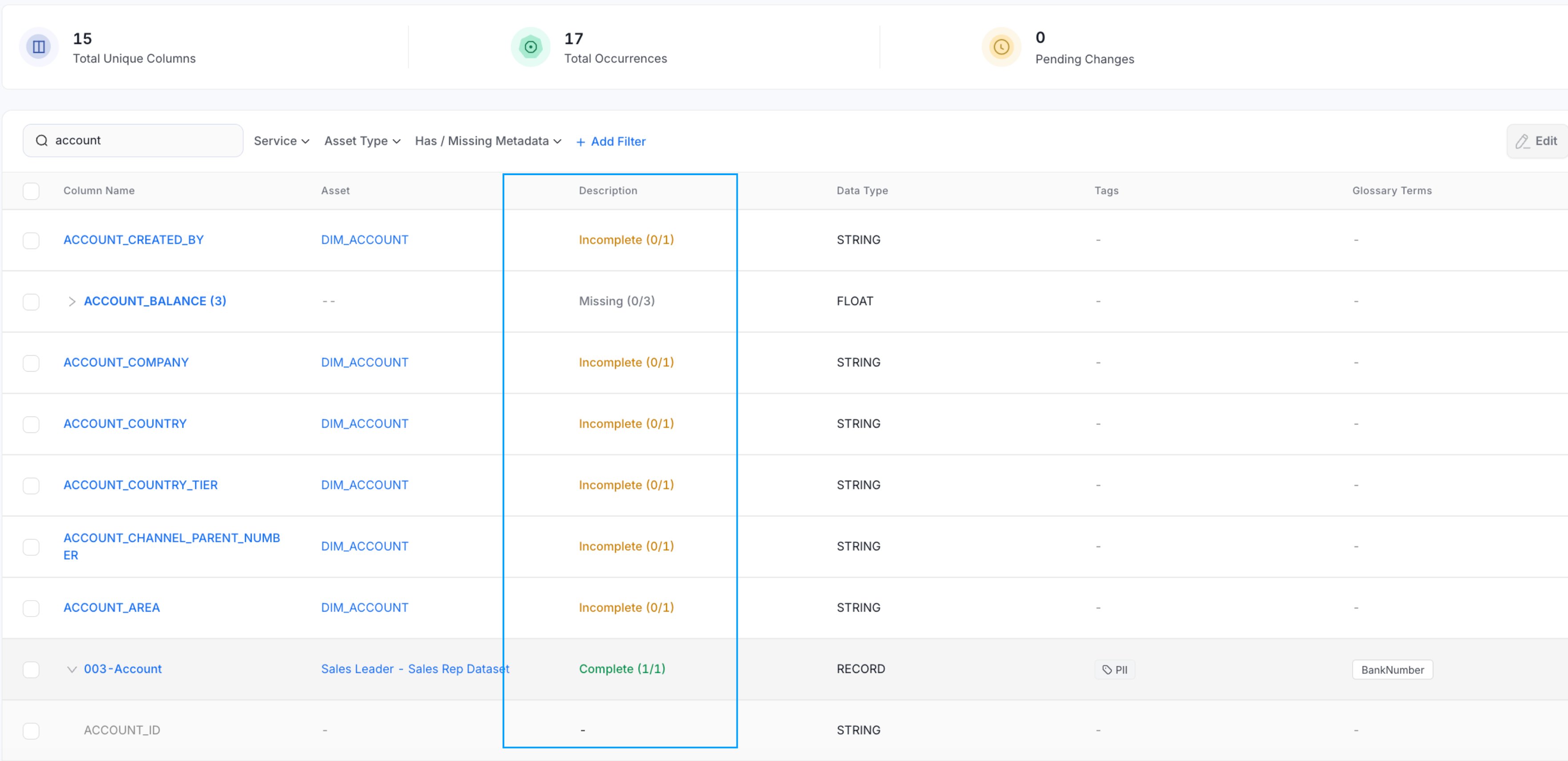
Use the Has / Missing Metadata filter to narrow columns by their metadata quality. The available statuses are:- Missing: Columns with no description, tags, or glossary terms across any occurrence.
- Incomplete: Columns where some occurrences have metadata but others do not.
- Inconsistent: Columns where metadata differs across occurrences — for example, different descriptions or tags.
- Complete: Columns where all occurrences have consistent metadata.
Columns Filters
Use filters to narrow the scope of governance work. You can filter by:- Service: Narrow to a specific connected service such as Snowflake or BigQuery.
- Asset Type: Filter by entity type such as Table, Topic, or Container.
- Has / Missing Metadata: Filter by metadata status — Missing, Incomplete, Inconsistent, or Complete.
- Add Filter: Add additional filters by Domain, Tags, or Glossary Terms.