Ingest Glossary from dbt
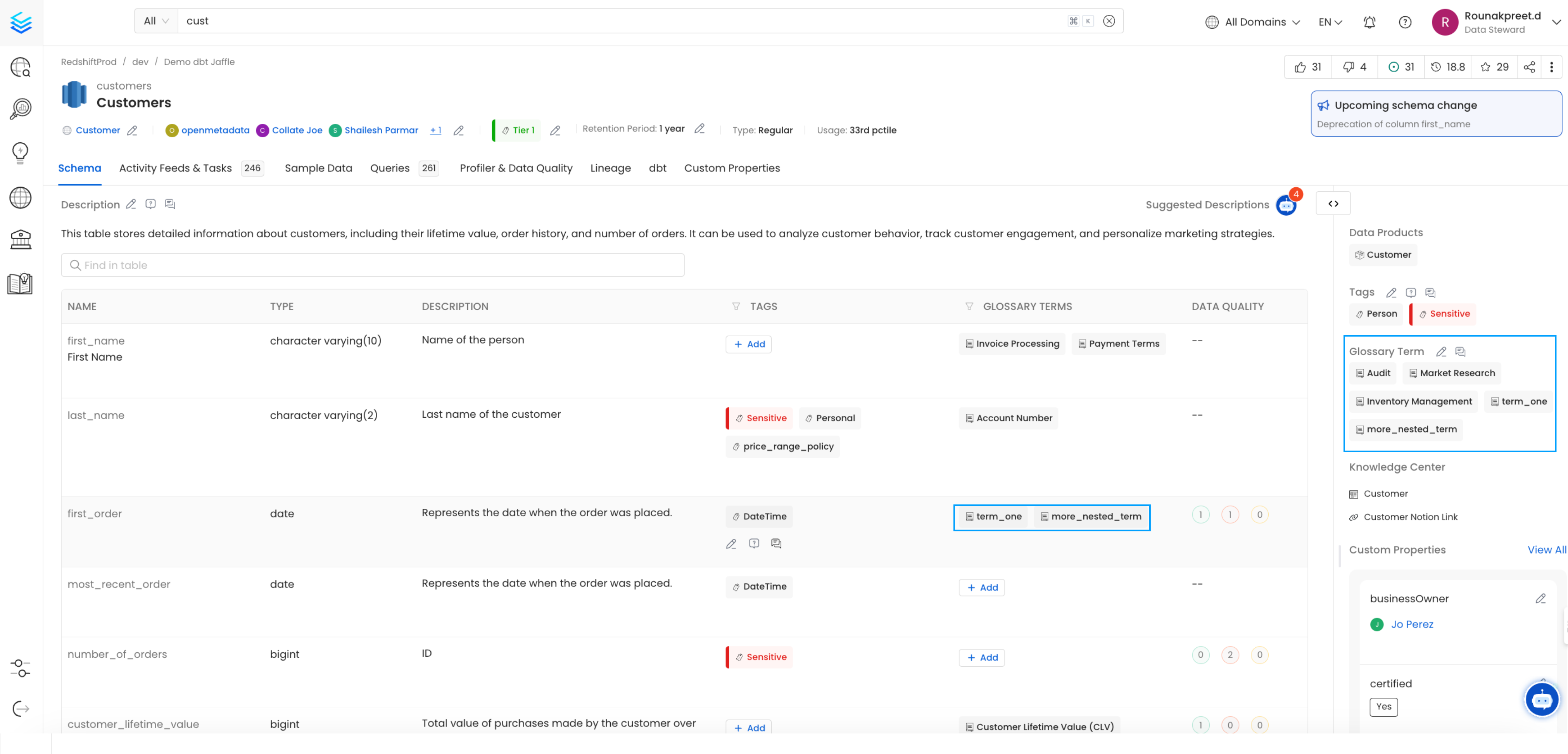
Collate reads table-level and column-level glossary term assignments from your dbtmanifest.json file and links them to the matching assets in Collate.
How to Assign Glossary Terms from dbt
Follow these steps to link glossary terms from dbt to your tables and columns in Collate.Step 1: Create or Select a Glossary Term in Collate
Make sure the glossary terms you want to assign already exist in Collate before running ingestion. A glossary term is a preferred name for a concept. You can add tags, synonyms, related terms, and reference links to build a semantic graph. Collate also supports nested terms — for example,Test_Glossary.term_two.nested_term.more_nested_term.
For details on creating glossary terms, see Create Glossary Terms.
To view existing terms:
- Navigate to Governance > Glossary.
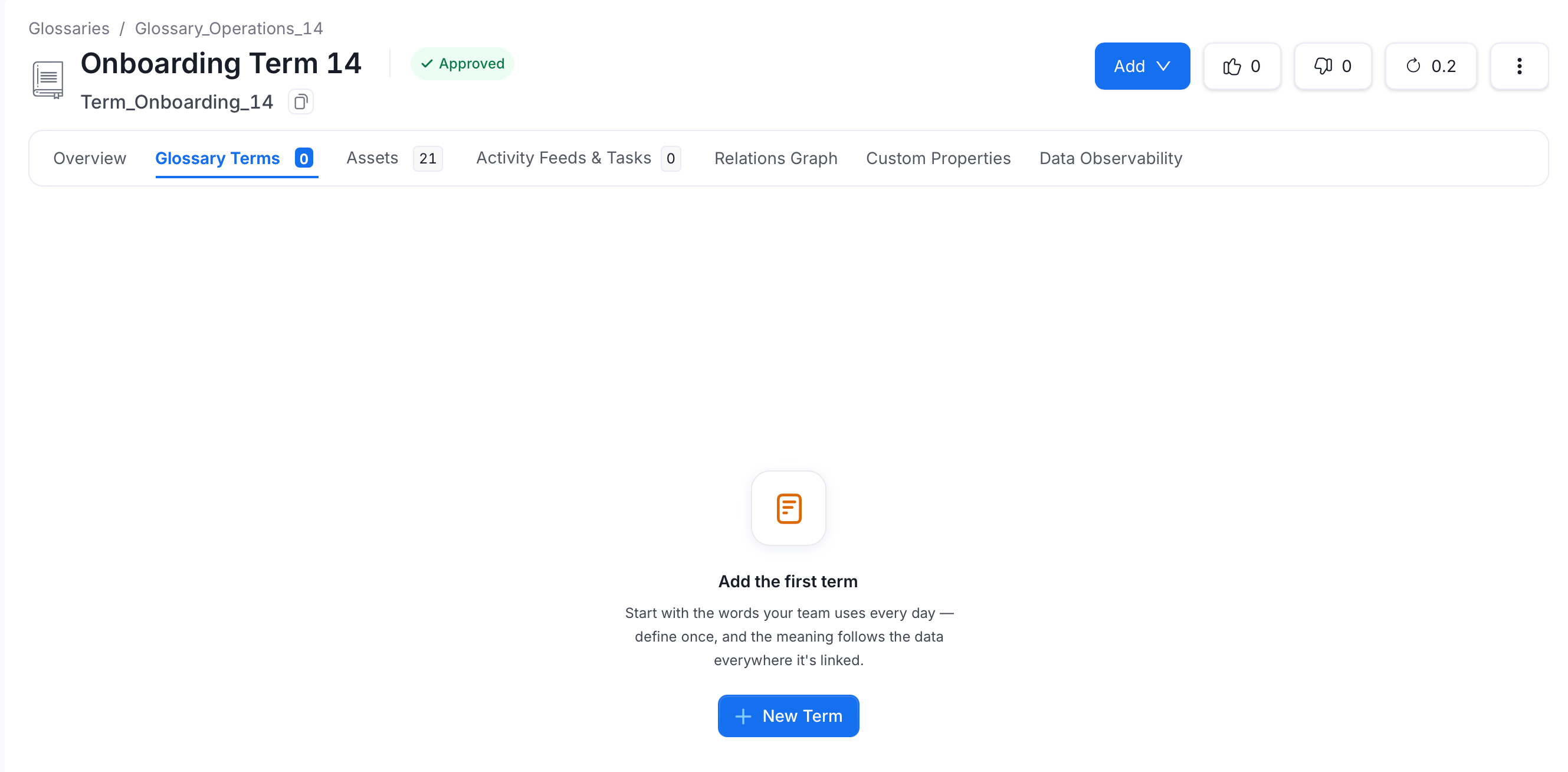
- Open the glossary and click the term under Terms column.
-
Navigate to the Glossary Terms tab and view the glossary terms listed there.
Step 2: Add Glossary Terms at the Table Level
Tell dbt which glossary terms apply to each table by adding their FQNs to yourschema.yml.
Finding a glossary term FQN: Navigate to the term in Collate (Govern > Glossary) and copy the FQN from the page URL. For example:
-
Test_Glossary.term_one→ URL path ends in/glossary/Test_Glossary.term_one -
Test_Glossary.term_two.nested_term.more_nested_term→ URL path ends in/glossary/Test_Glossary.term_two.nested_term.more_nested_term

model → meta → openmetadata → glossary in your schema.yml. For more details on the dbt meta field, see the dbt meta configuration reference.
manifest.json will include the glossary FQNs under node_name → meta → openmetadata → glossary:
Step 3: Add Glossary Terms at the Column Level
Assign glossary terms to individual columns by adding their FQNs under the column definition inschema.yml.
Add the FQNs under columns → [column name] → meta → openmetadata → glossary:
manifest.json will include the column-level FQNs under node_name → columns → [column name] → meta → openmetadata → glossary:
Step 4: Verify
Confirm the glossary terms appear on the table and column pages after ingestion completes.