
Ingest Tags from dbt

Collate reads table-level and column-level tags from your dbt manifest.json file and applies them to the matching assets in Collate. To add tags to your dbt project, see the dbt tags configuration reference.
Tip: If a tag doesn’t already exist in Collate, Collate creates it automatically under the DBTTags category.

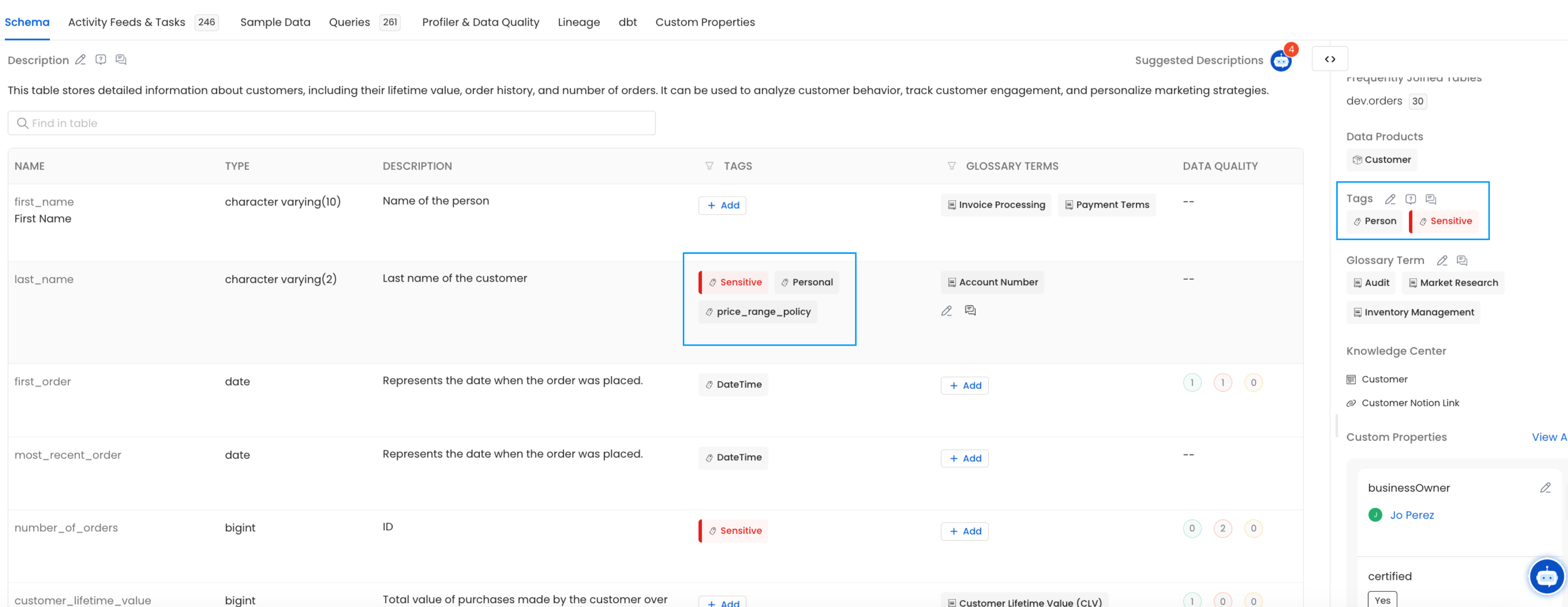
Where Collate Reads Tags From

Step 1: Table-Level Tags

Collate reads table-level tags from manifest.json under node_name → tags. Here’s an example of what that looks like:

Step 2: Column-Level Tags

Collate reads column-level tags from manifest.json under node_name → columns → column_name → tags. Here’s an example:

Step 3: Verify

After ingestion completes, you can view the tags directly on the table and column pages in Collate. dbt tags on table entity