
Ingest Owner from dbt
Collate reads owner information from your dbtmanifest.json or catalog.json artifacts and links it to the corresponding table entities in Collate. The owner can be a user or a team.
When ingestion runs, Collate looks for the owner field under node_name → metadata → owner. It first searches for a matching user; if none is found, it falls back to a matching team.
Prerequisites
dbt Side
Theowner field must be present in your dbt artifact files before ingestion runs. To add or update the owner in your dbt project, see the dbt meta configuration reference.
-
Owner in
manifest.json— undernode_name → metadata → owner: -
Owner in
catalog.json— same location undernode_name → metadata → owner:
Collate Side
The user or team named in the dbt artifact must already exist in Collate before ingestion runs. Collate will not create owners automatically.Add a User in Collate
-
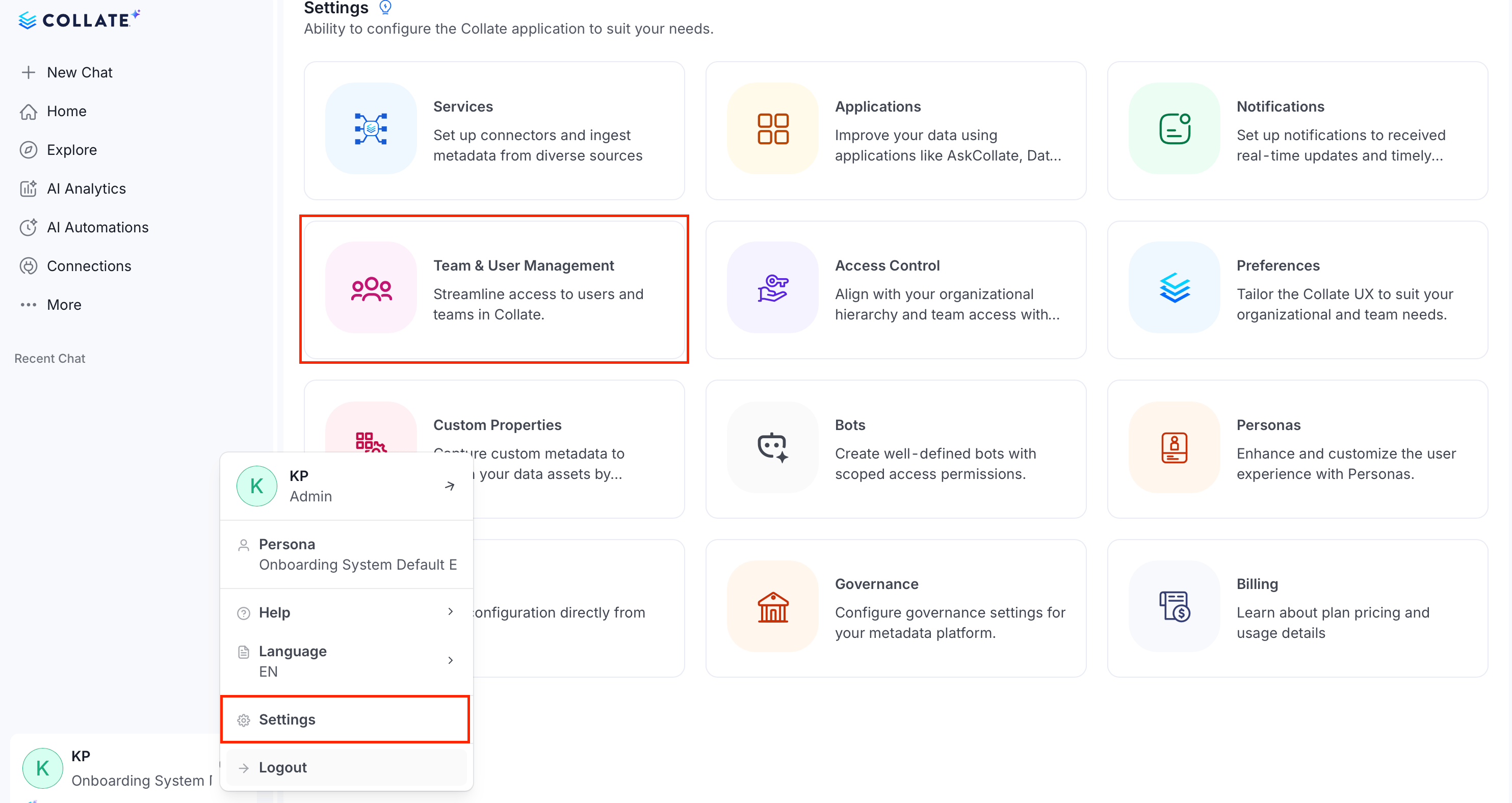
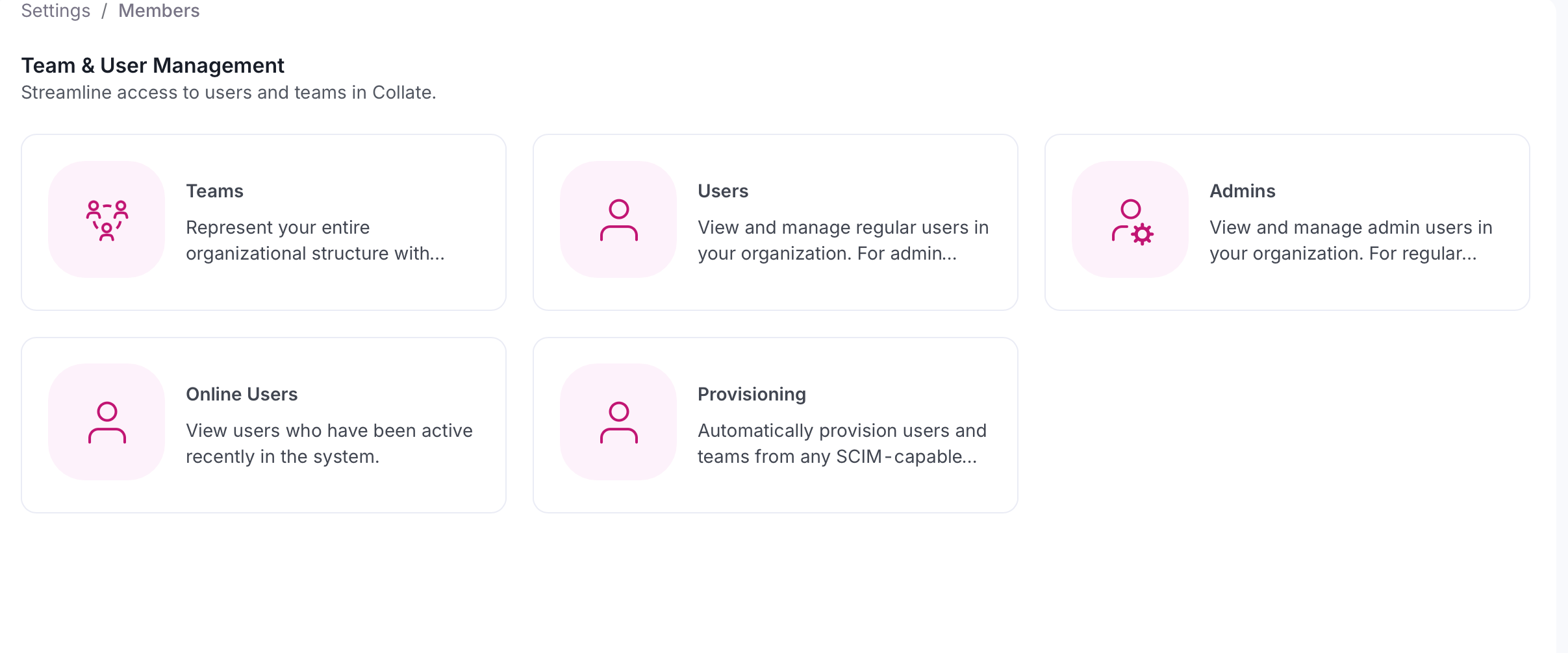
Click the Profile icon and navigate to Settings > Team & User Management > Users.
-
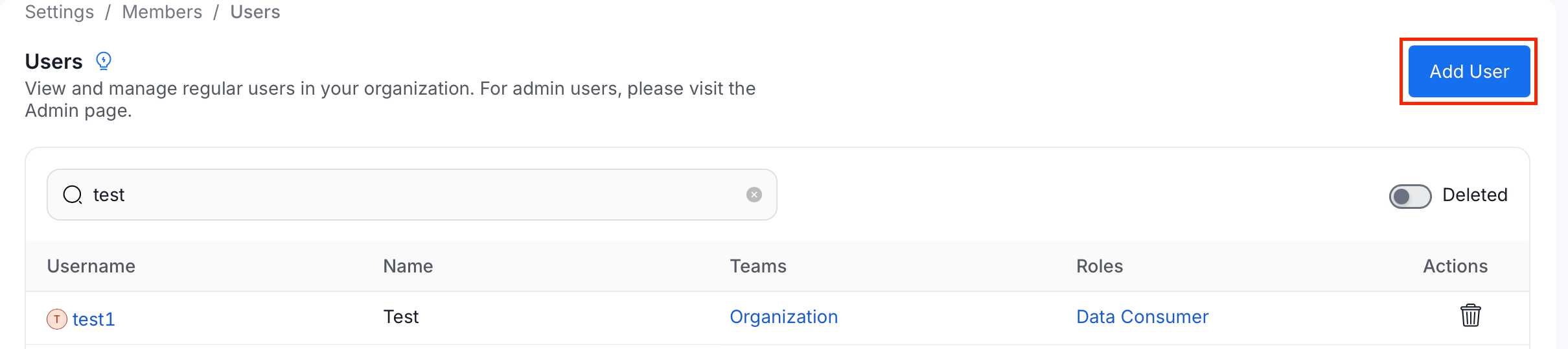
Click Add User.
-
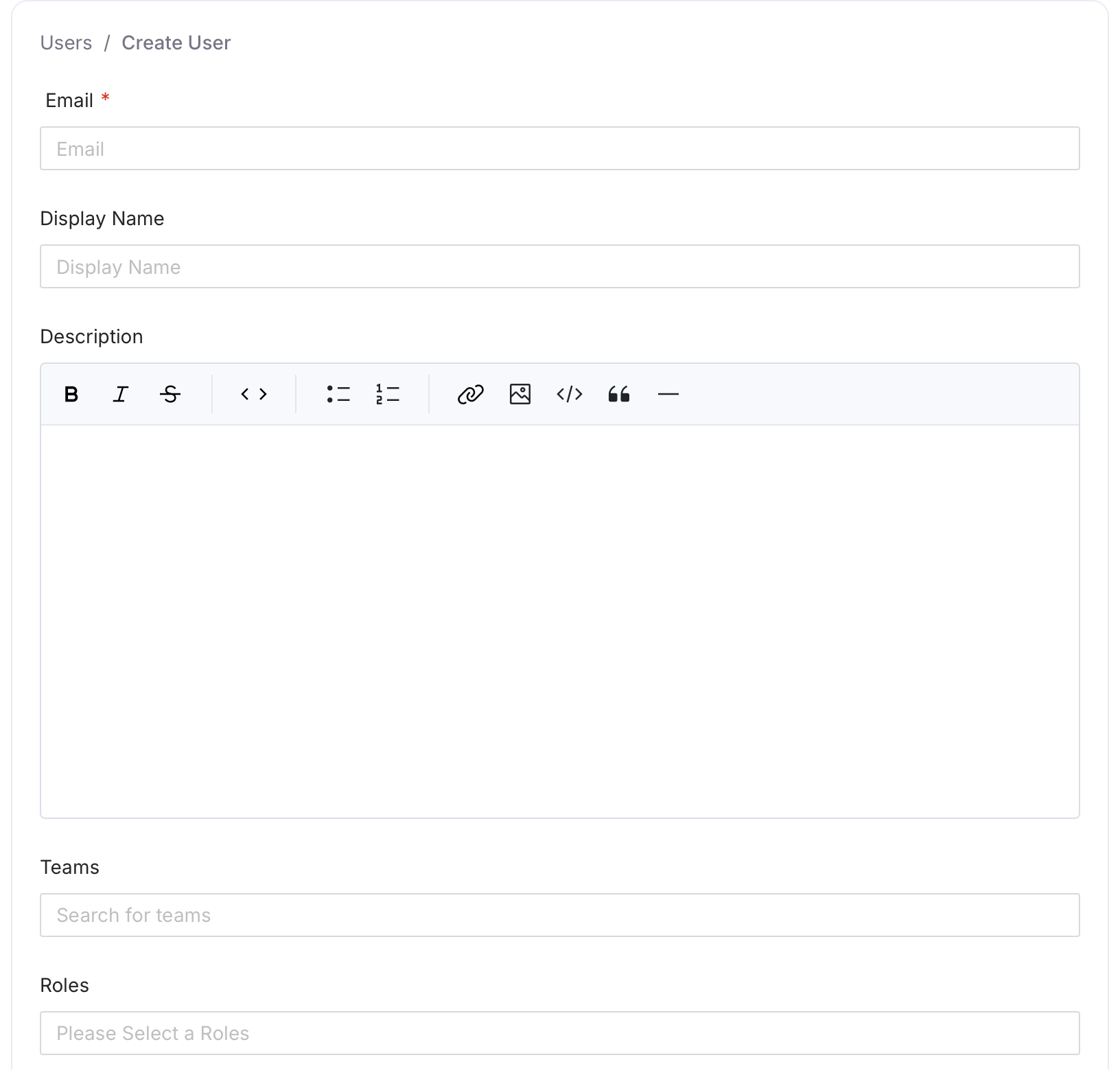
Fill the user details and click Create.
Add a Team in Collate
-
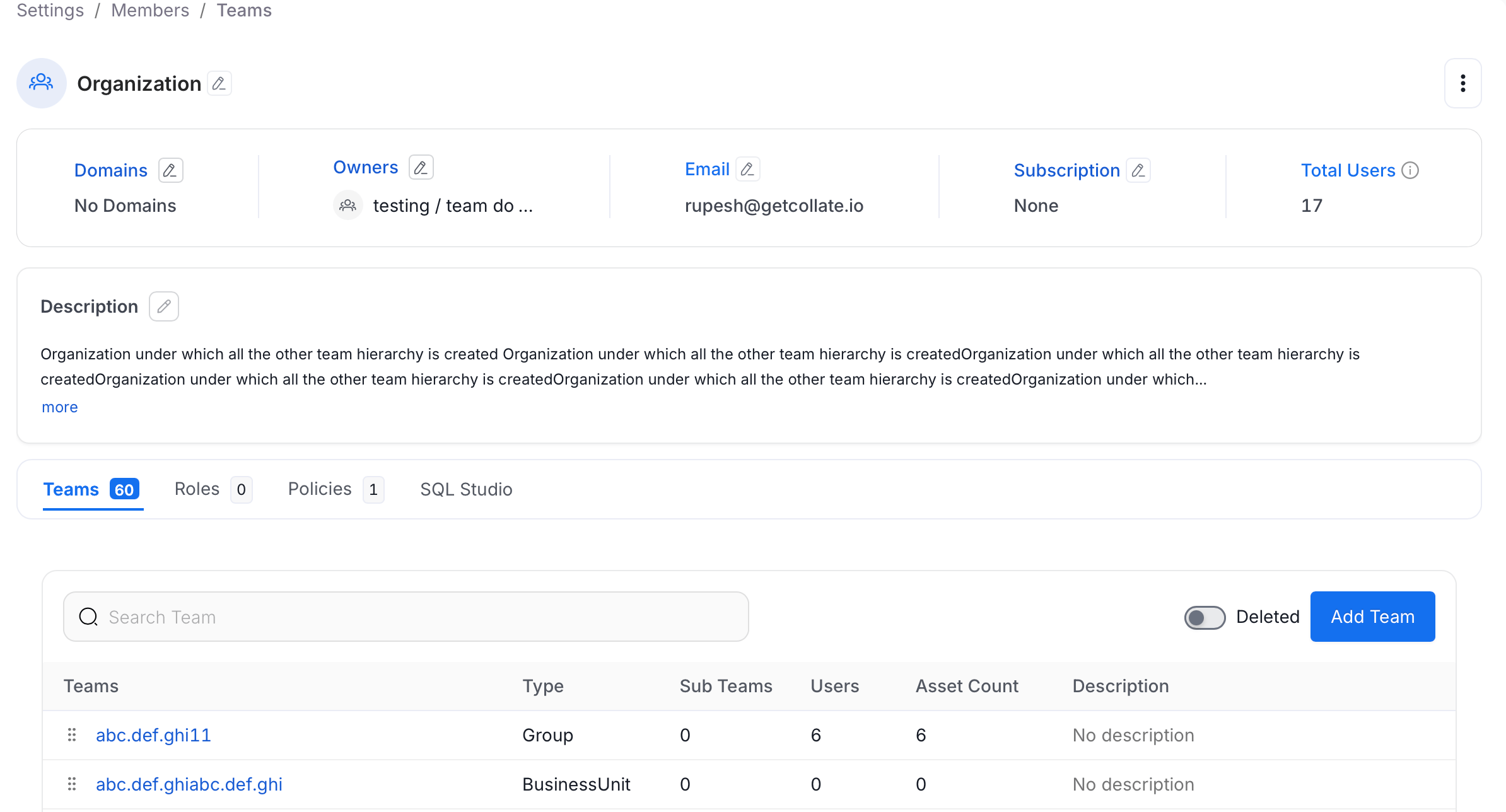
Click the Profile icon and navigate to Settings > Team & User Management > Teams.
-
Click Add Team.
-
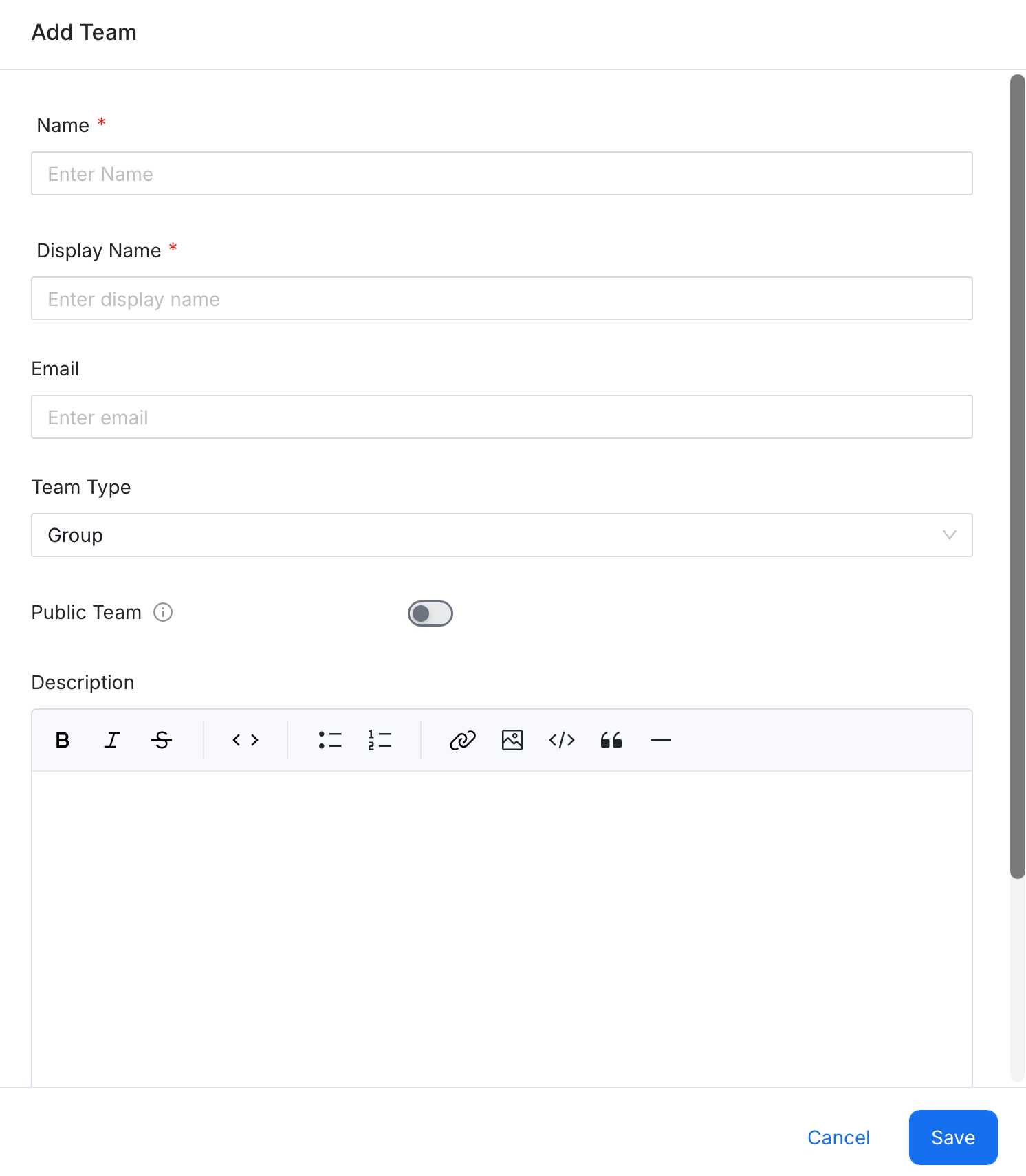
Fill the team details and click Save.
Multiple Owners
Collate supports multiple owners per dbt model through theowner field under meta.openmetadata in your schema.yml:
- owner: A list of user names or email addresses. Each must exist in Collate as a valid user or team entity.
- dbtUpdateOwners: Controls whether this list overwrites existing owners or applies only to unowned assets. See Override Existing Owners below.
Override Existing Owners
When the Update Owners toggle is enabled in the dbt ingestion configuration, Collate overwrites any existing table owners with the values from dbt. When disabled, dbt owners are only applied to tables that currently have no owner in Collate — existing owners are left unchanged.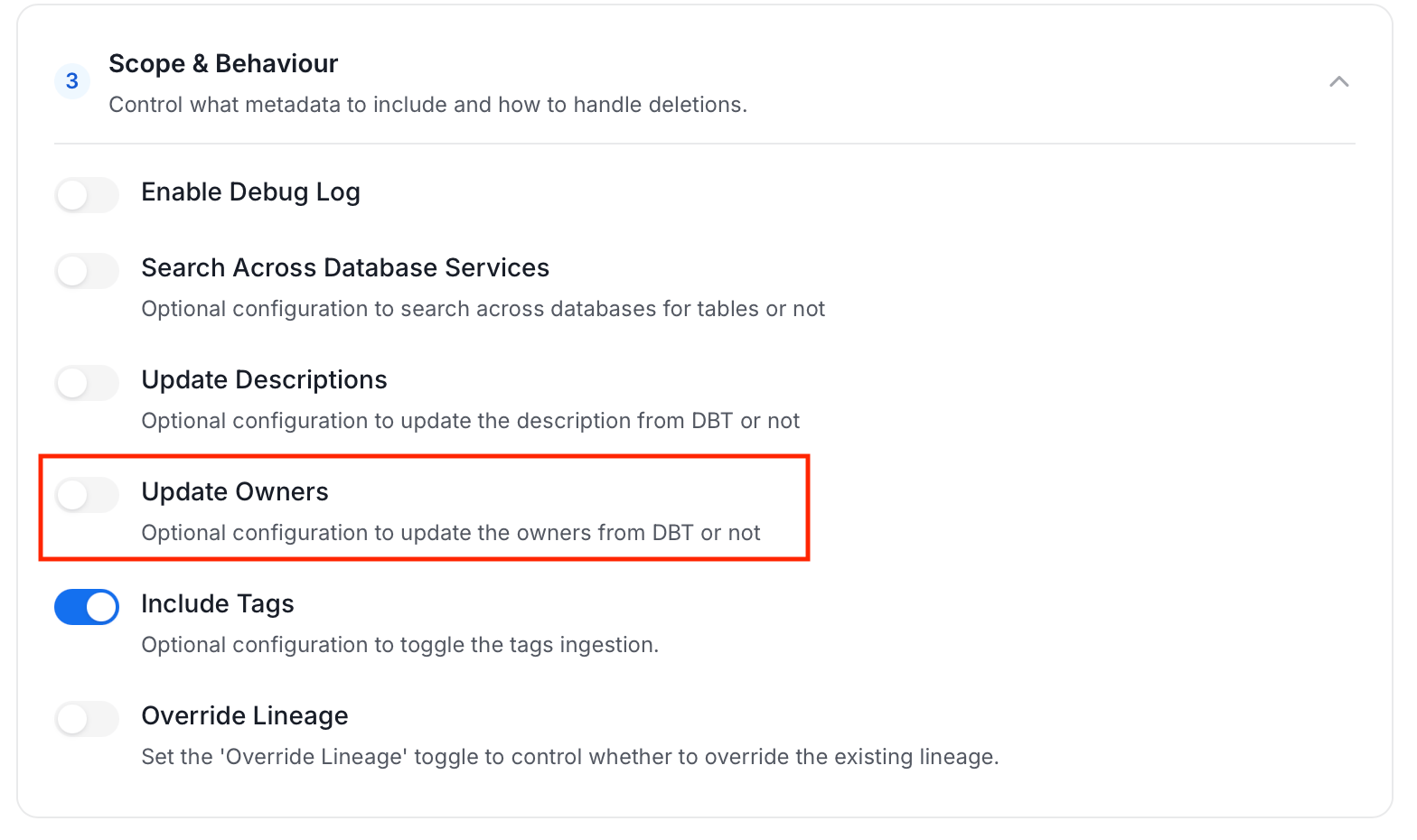
Verify
After the ingestion workflow completes, the linked owner appears on the table entity page.