Shadow AI
Shadow AI is AI usage that was never registered through the AI Asset Registry, but that Collate detected some other way, such as an unrecognized SaaS connector, a single sign-on (SSO) login to an AI tool, or unusual outbound API traffic. The Shadow AI page lists these detections for you to review and bring under governance.Why It Matters
Most organizations don’t know about the AI tools their teams have already adopted on their own. The Shadow AI page turns that gap into a worklist:- Detection without manual audits: Collate surfaces unregistered AI usage from signals it already has, such as connector audits, SSO logs, and outbound API traffic, instead of relying on someone to notice and report it.
- Risk signals up front: Each detection is flagged with why it matters, for example whether it touches personal data without a data processing agreement (DPA) on file, or has no assigned owner.
- A clear next step for every detection: Register a real finding to route it into the normal approval flow, or dismiss a false positive, all from one screen.
Access Shadow AI
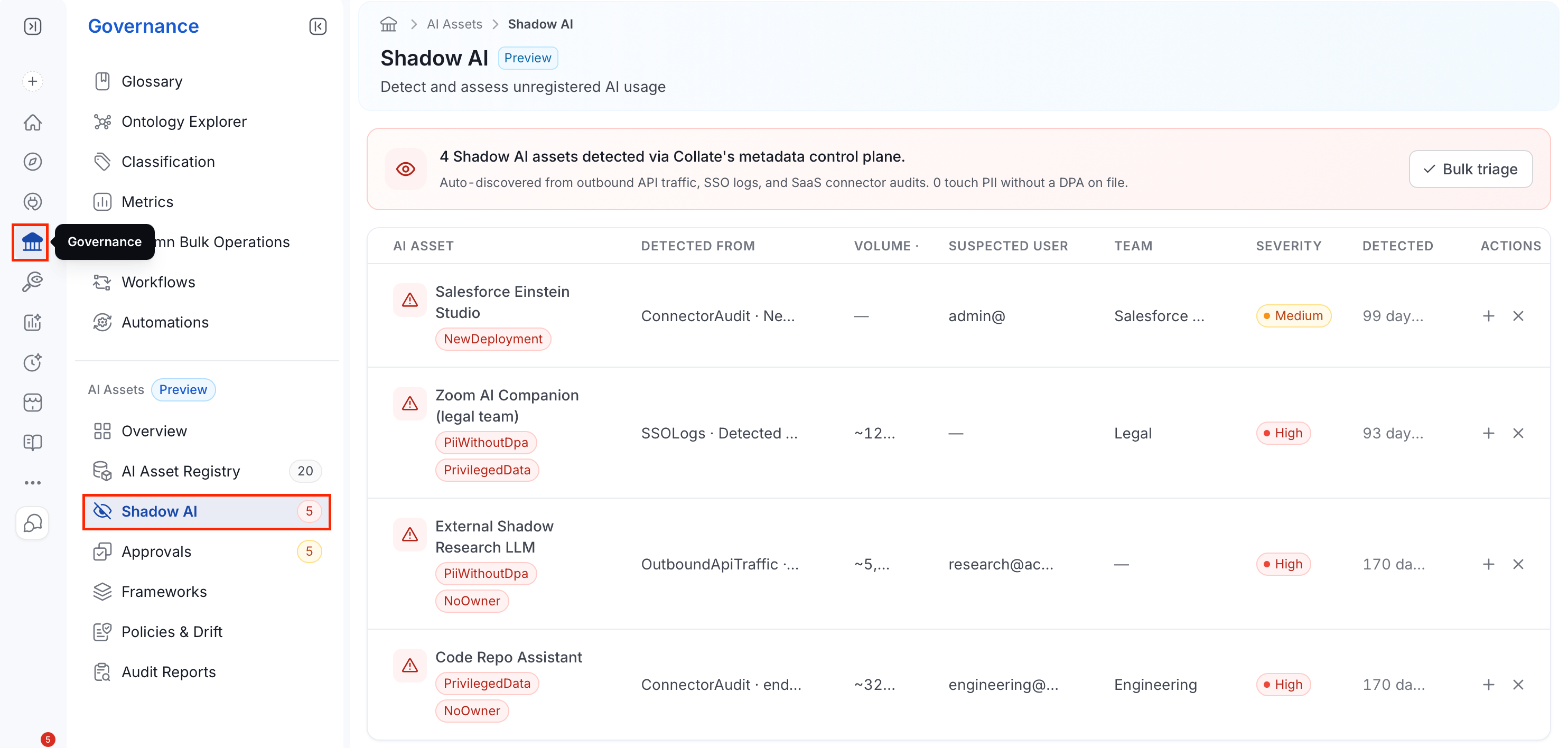
- In the left navigation bar, select Governance.
-
Under the AI Assets section, select Shadow AI.
Reviewing Detections
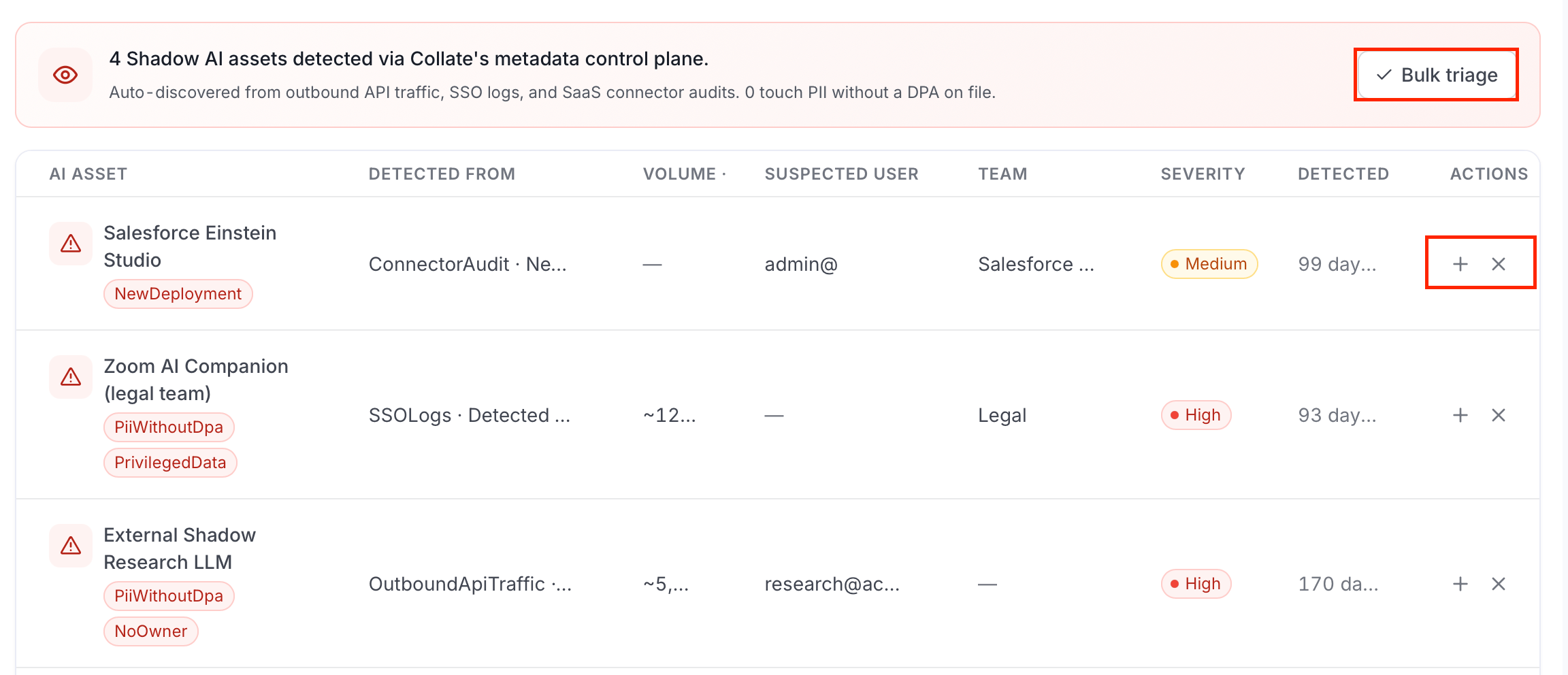
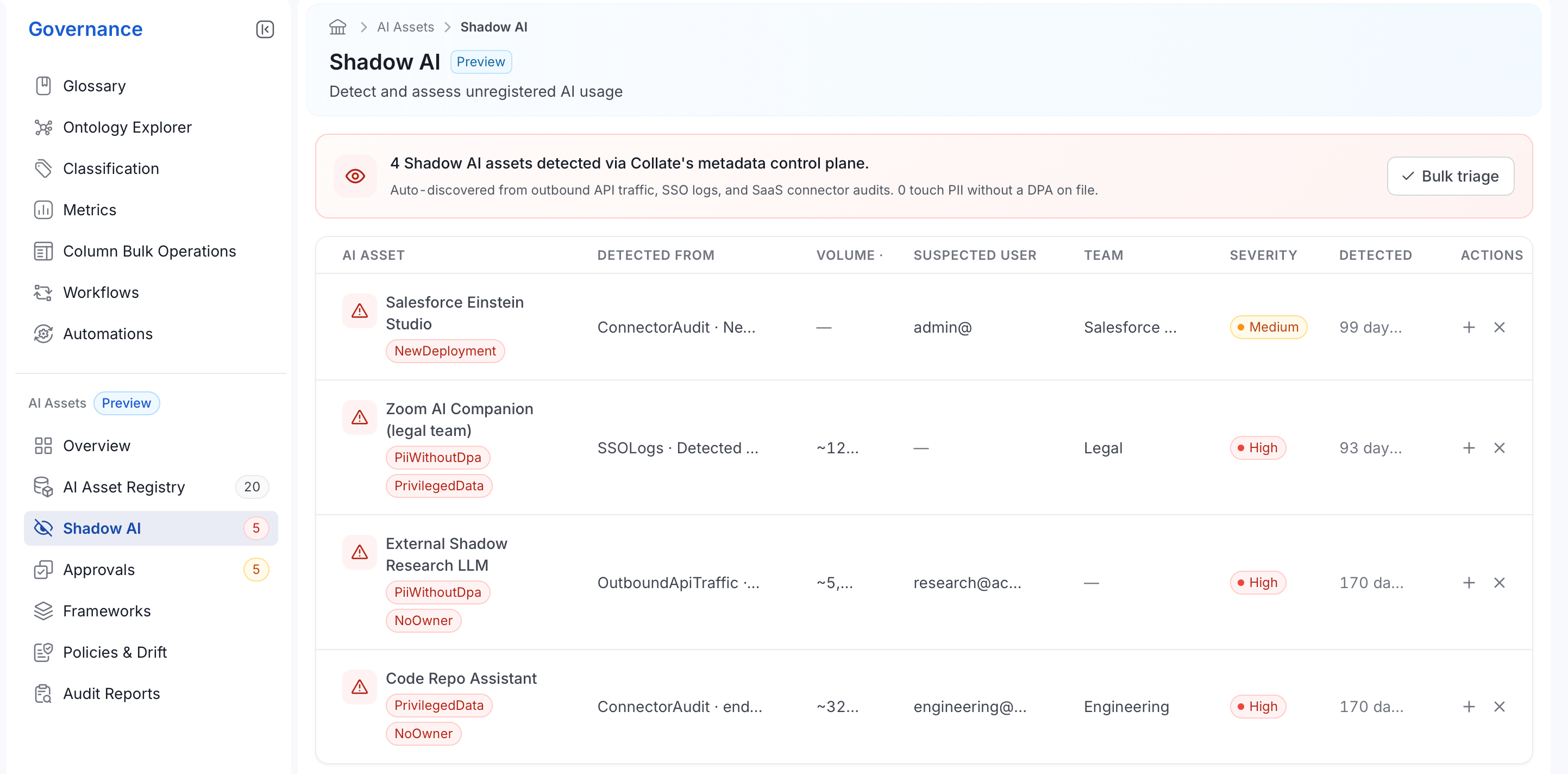
The banner at the top summarizes the current backlog: how many Shadow AI assets were detected, which signals found them, and how many touch personally identifiable information (PII) without a DPA on file. Below it, the table lists each detection:-
AI Asset: The detected asset’s name, with any risk flags shown underneath it:
-
Detected From: The signal that surfaced it, plus a short detail of what was observed:
- Volume: How much usage was observed over the detection window.
- Suspected User: The user account associated with the usage, if one was identified.
- Team: The team associated with the usage, if one was identified.
- Severity: High, Medium, or Low, based on the risk flags present.
- Detected: How long ago Collate first found this usage.
Detections Triage
Triaging a detection means deciding whether it’s a real, unregistered AI asset that needs governance, or a false positive that can be dismissed. Each row has two actions:- Select + to register the detection. This creates an AI Application entry from the detection and moves it to Pending Approval, adding it to the Approvals queue like any other registration.
- Select ✕ to dismiss the detection as a false positive.
- To triage several detections at once, click Bulk triage.