
How to Add Users to Teams
If the user does not already exist in Collate, then invite the user to Collate. While creating the new user, you can add them to the relevant Team as well as assign them the relevant Roles.Note: You can add a User to multiple Teams when creating a New User.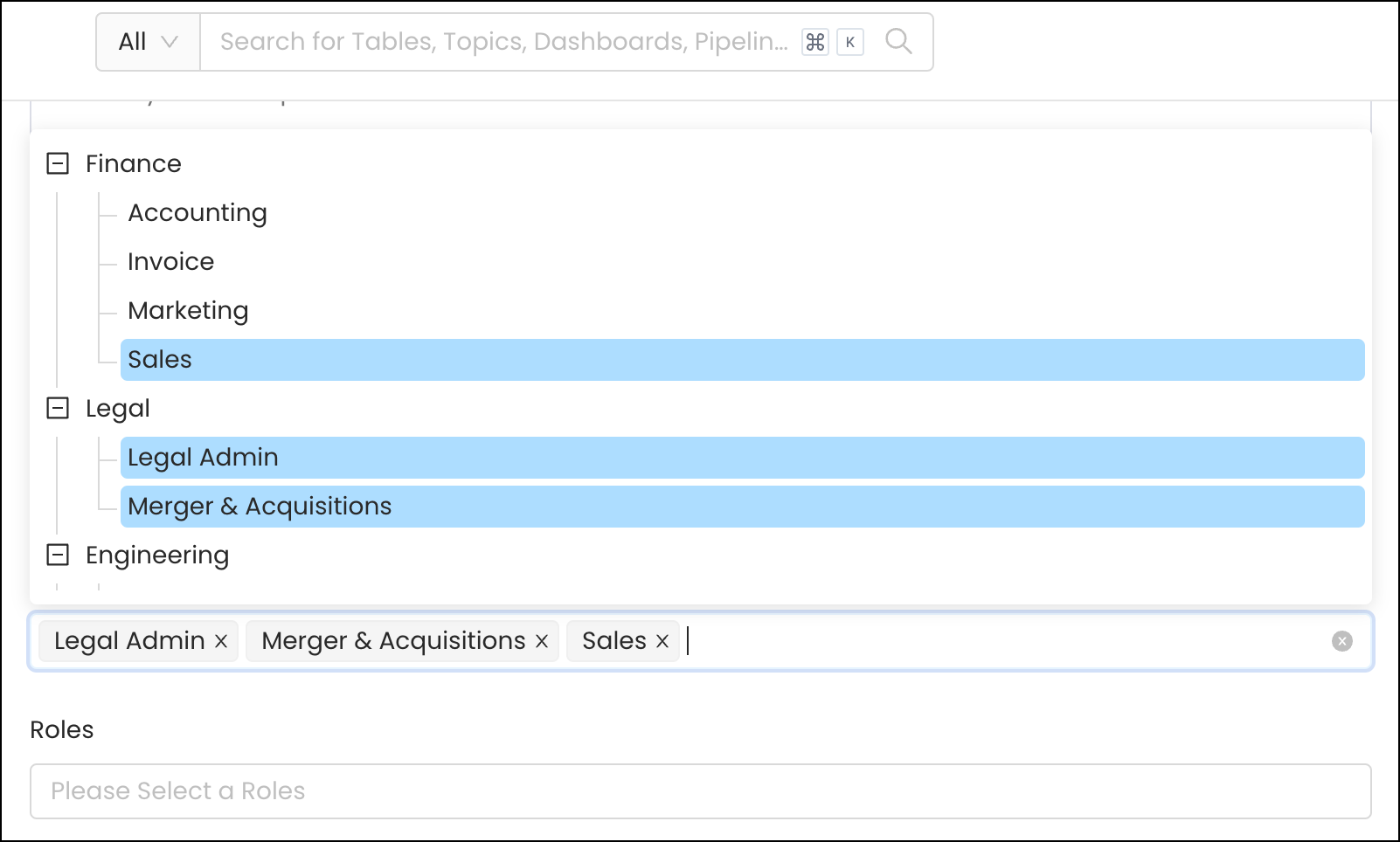
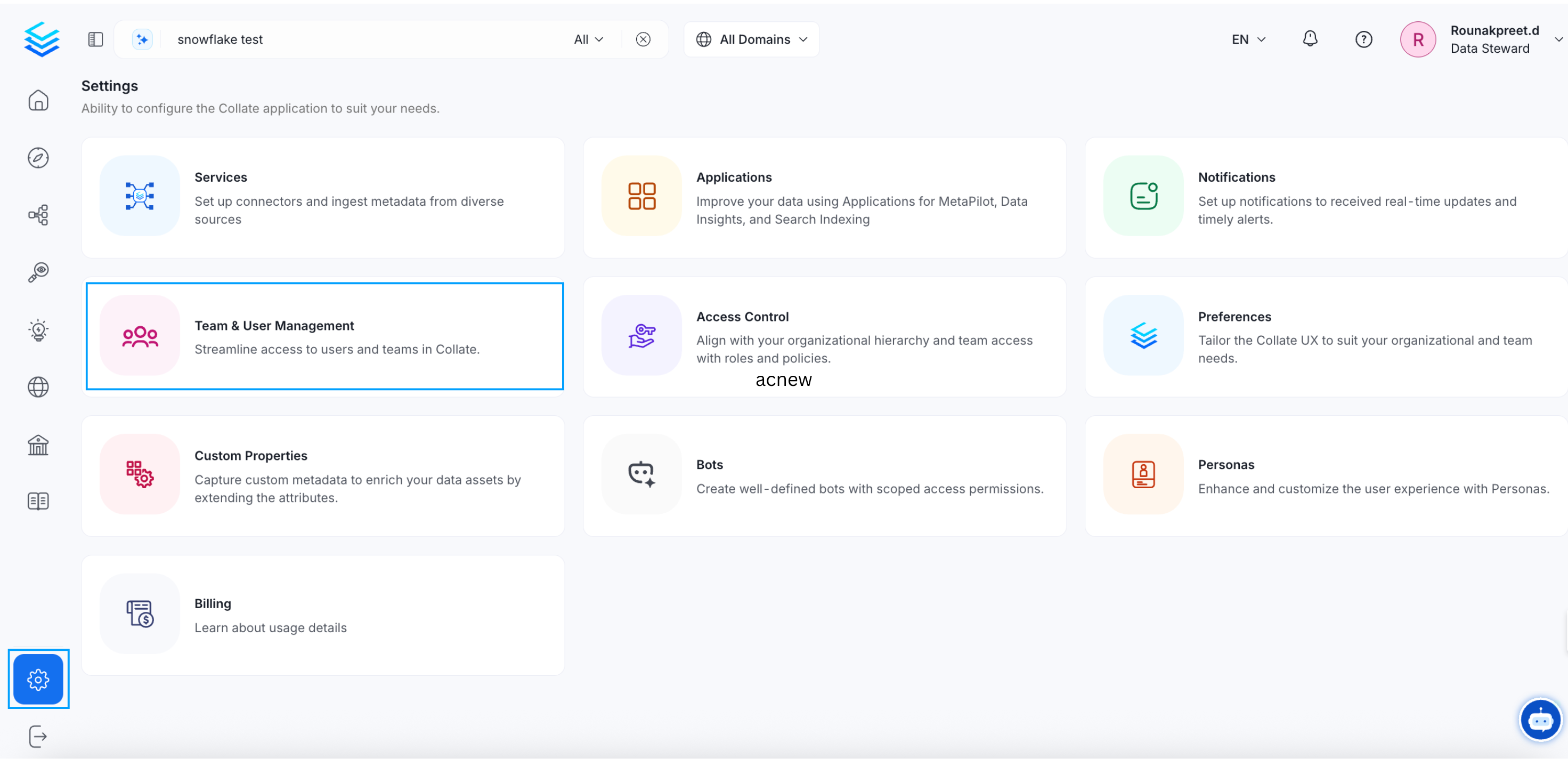
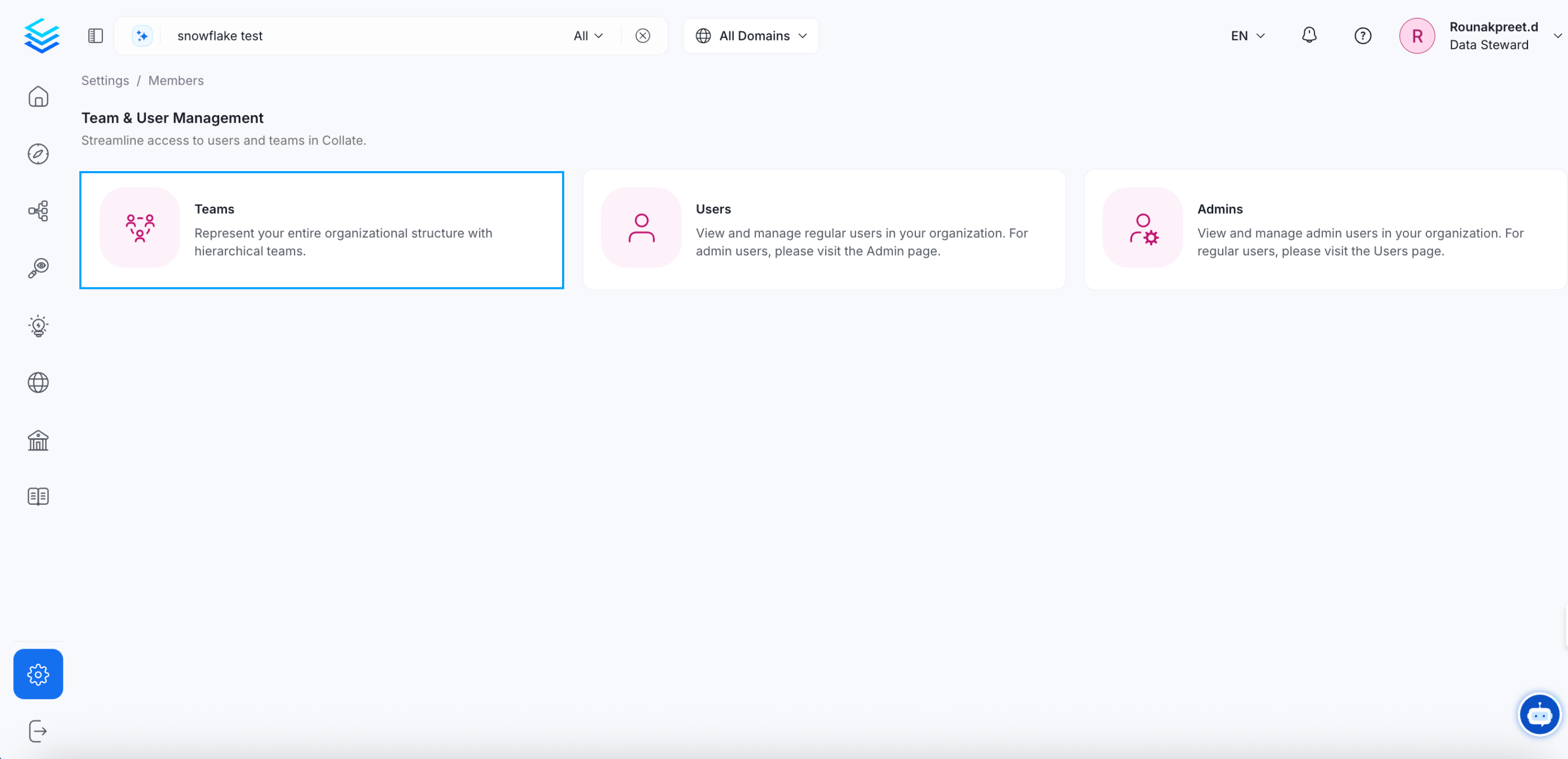
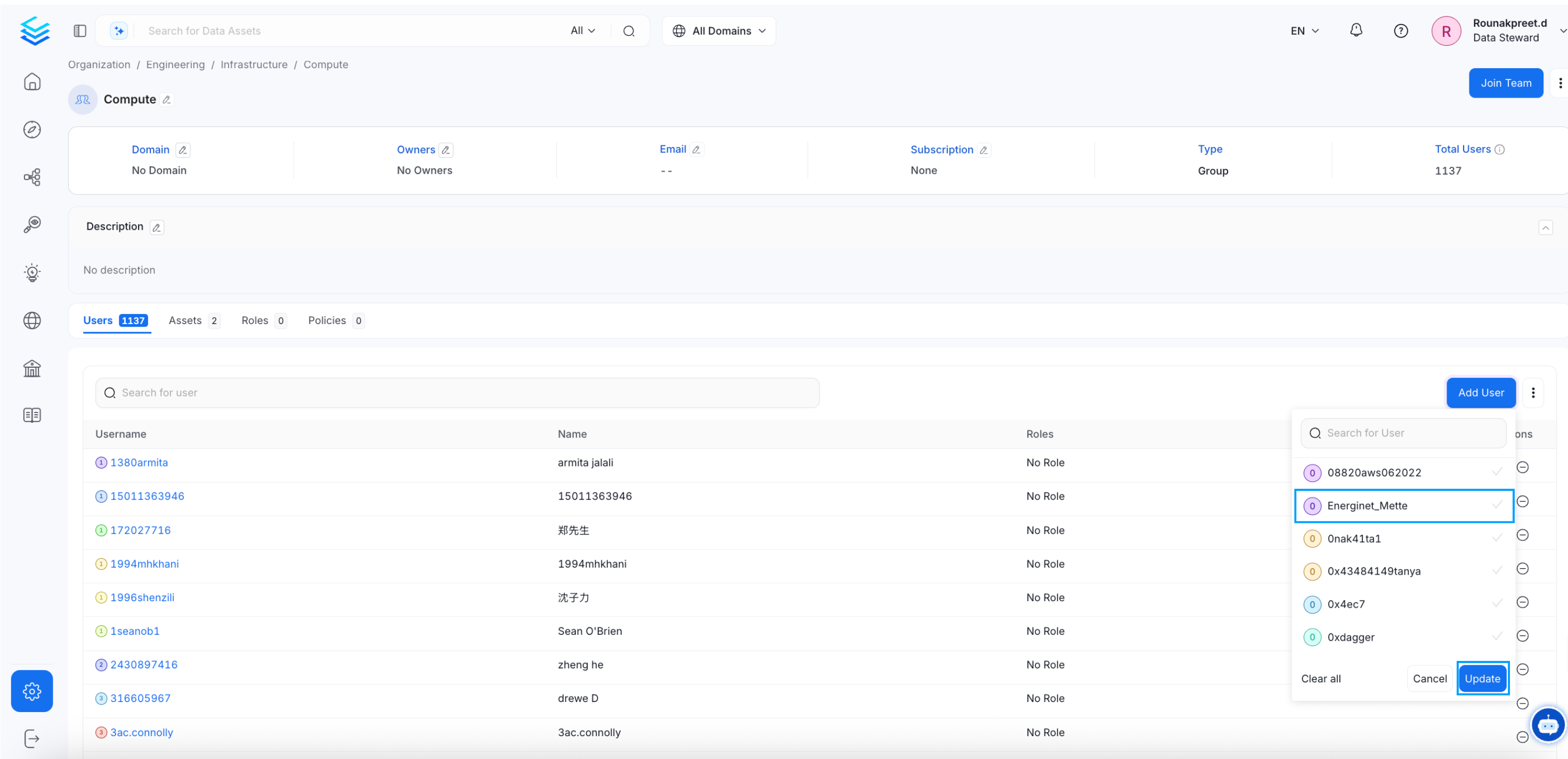
- Go to Settings >> Team & User Management Teams >> Users Tab
- Select the specific team you would like to add a user to. A team may have further sub teams. Select the required sub team.
- Click on Add User.
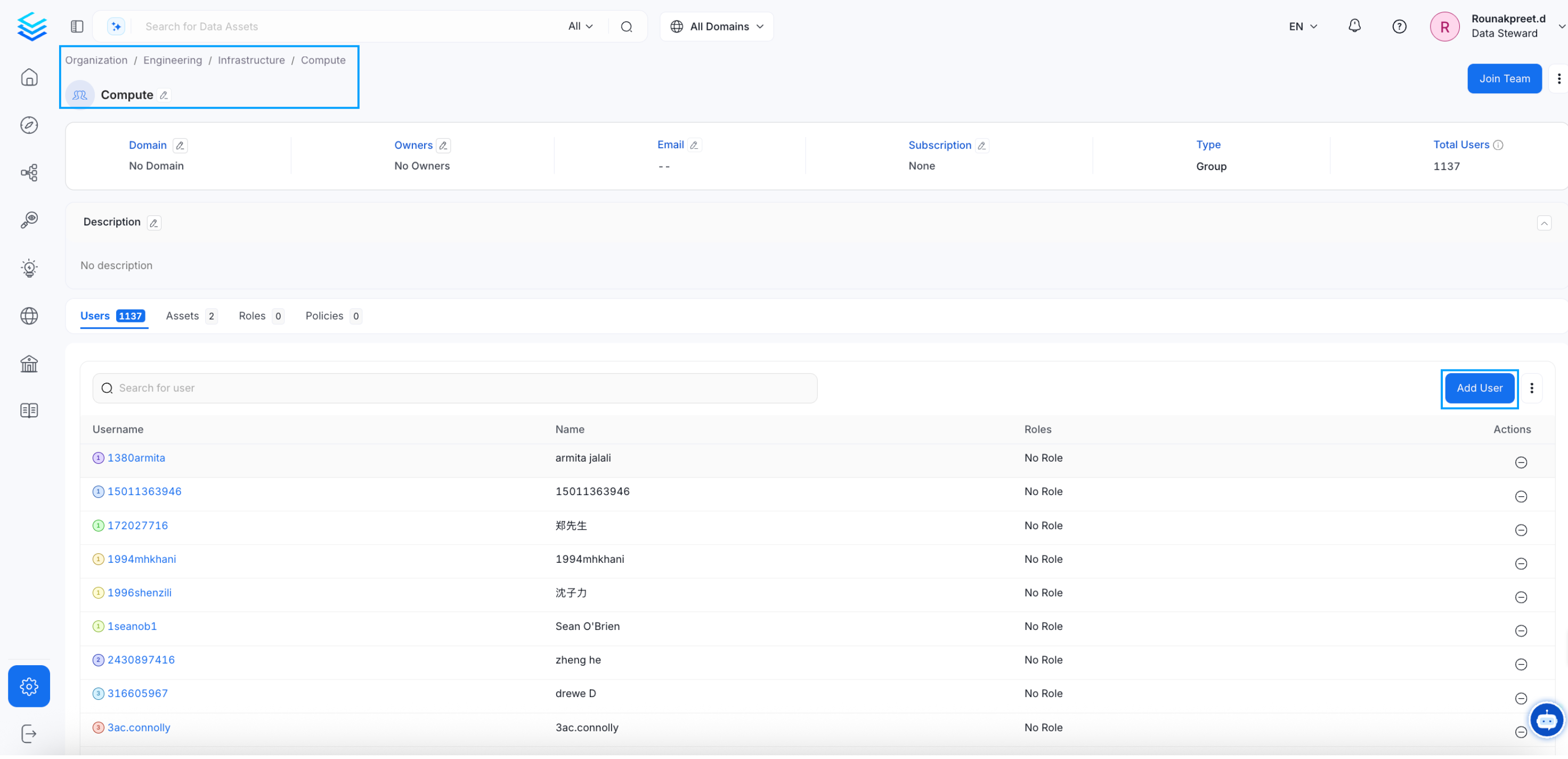
- Search for the user, select the checkbox, and click on Update.
How to Change the Team Type
Change the team type to change the hierarchy.