
Metadata Exporter Application
The Metadata Exporter application enables organizations to export all metadata from Collate into downstream analytical or data storage systems such as Snowflake, BigQuery, Databricks, and Trino. This includes:- Entity metadata — Asset definitions, descriptions, tags, and ownership
- Test case results — Data Quality (DQ) pass/fail flags, rule IDs, asset metadata, and timestamps
- Profiler stats data — Column-level statistics and profiling metrics
Overview
This capability supports:- Feeding downstream dashboards (Power BI, Tableau).
- Triggering alerting and remediation workflows.
- Historical tracking and versioning of data quality scores (DQI).
Key Features
- Supports Snowflake, Databricks, BigQuery, and Trino destinations.
- Manual or scheduled export runs.
- Selective export of entity metadata, data quality events, or profiler stats.
How to Access
- Go to Settings > Applications > Metadata Exporter.

- Review available tabs: Schedule, Configuration, Recent Runs.

Configuration Options
Ingestion Runner
Defines the agent responsible for executing the ingestion pipeline.- Example:
Collate SaaS Agent
Connection Configuration
Establishes connectivity to your export destination (Snowflake, BigQuery, Databricks).
Snowflake Configuration
Advanced Option
- Client Session Keep Alive: Useful for long-running exports.
USAGEon the warehouseUSAGEon the databaseUSAGEon the schemaCREATE TABLEon the schema
INSERT, MERGE, ALTER and DROP all work through ownership with no further grants.
BigQuery Configuration
Databricks Configuration
Requirements
- The token must have workspace-wide read/write access.
- The cluster must have access to the target database or mount location.
Trino Configuration
Available from version 1.12.3
Authentication Options
- Basic Auth: Username and password
- JWT Auth: Provide JWT token for authentication
- Azure: Client ID, Client Secret, Tenant ID, and Scopes for Azure AD authentication
Export Range
Defines the temporal scope of the data to be exported.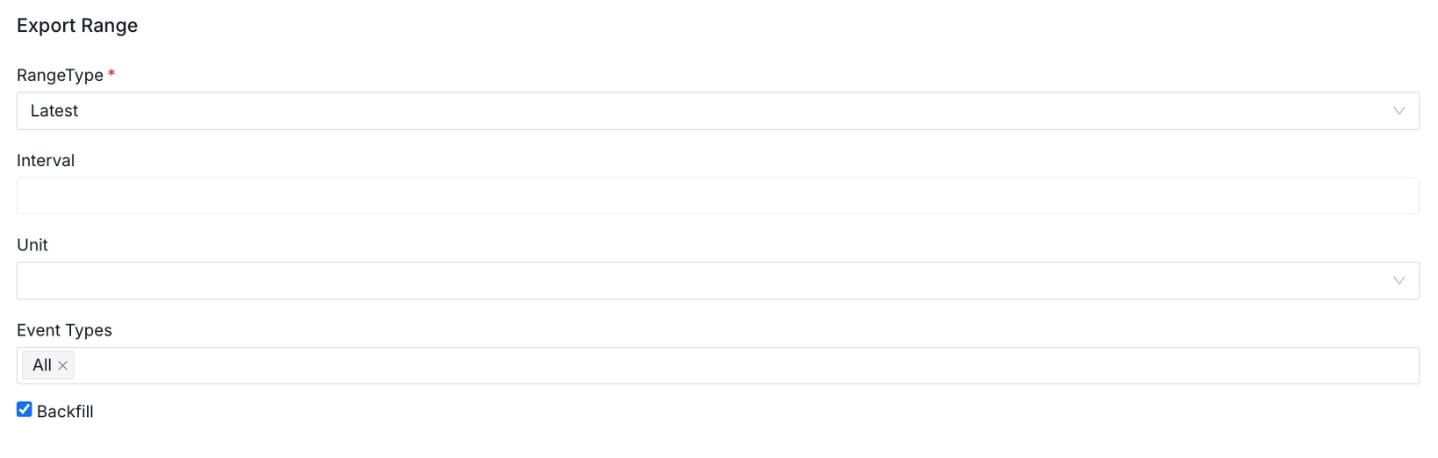
Table Configuration
Specifies the target table where exported metadata will be written.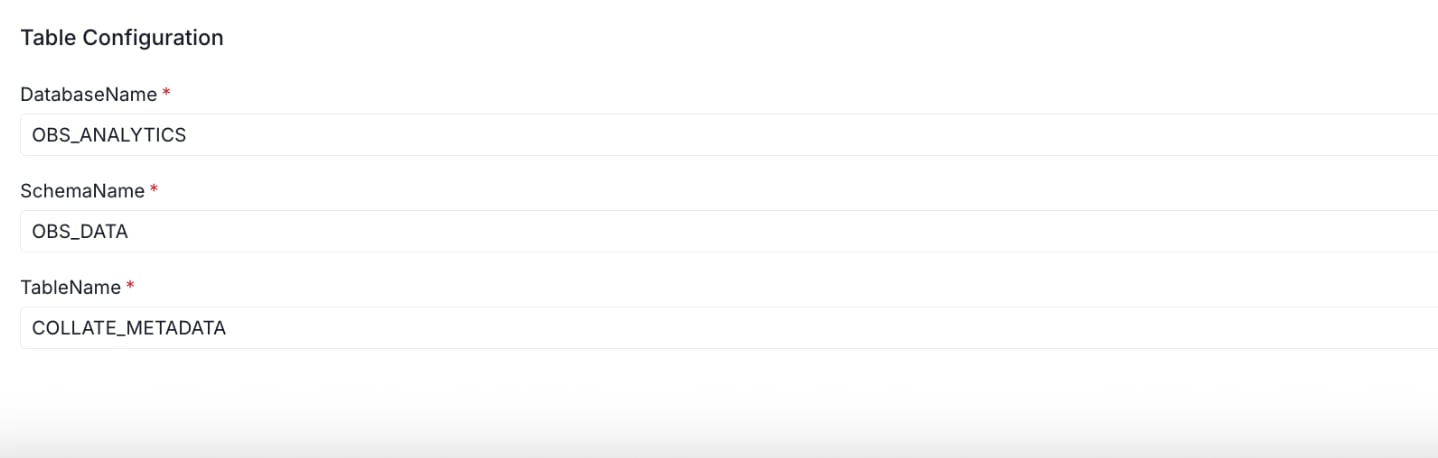
Scheduling
Configure how often the metadata export runs:- Manual: Click
Run Nowon the Schedule tab. - Scheduled: Set up periodic exports (feature roadmap).
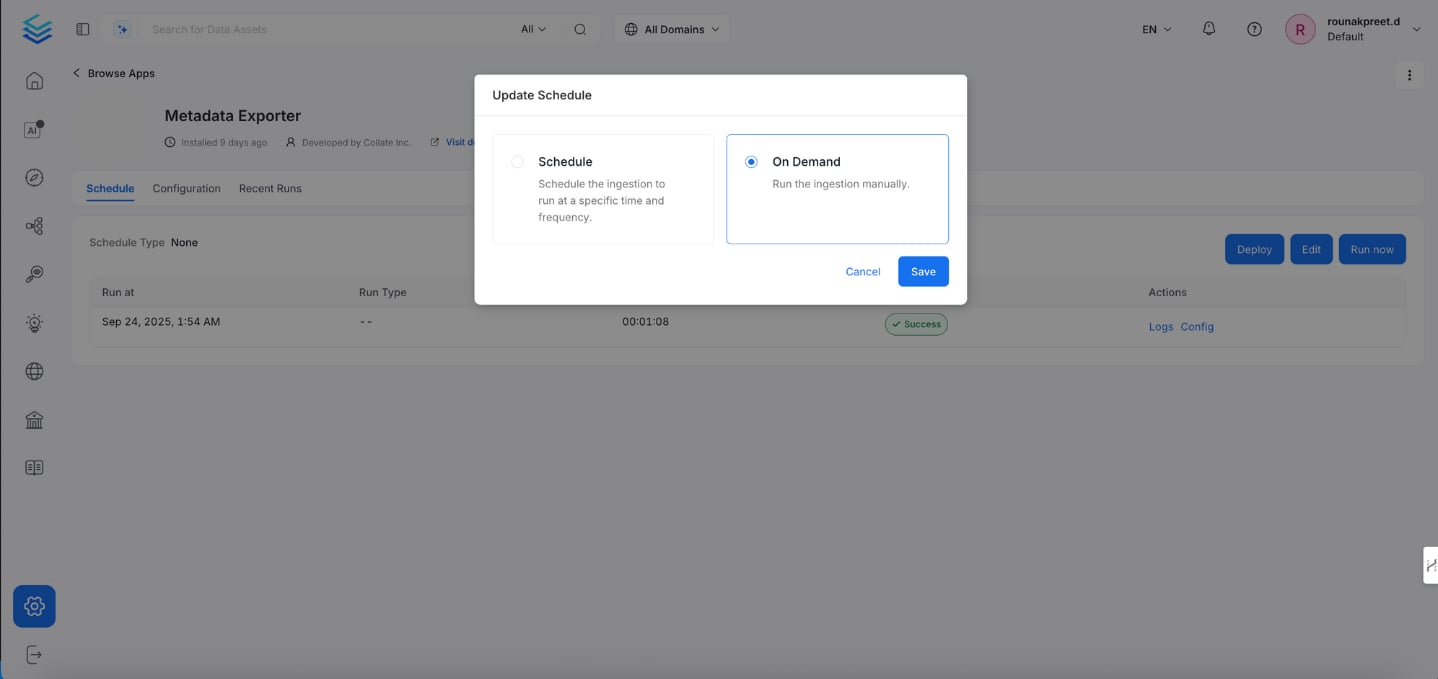
Monitoring Runs
Under the Recent Runs tab:- View status: Success or Failed.
- Check run time, duration, logs, and the configuration used.
