
Data Retention Application
The Data Retention application in Collate automates the cleanup of the internal database to maintain long-term performance and prevent data bloat. It provides administrators with an efficient mechanism to define retention policies for event-related records, ensuring scalability and compliance with data management practices.Overview
As Collate processes events related to metadata changes and pipeline executions, it stores these events in internal tables. Over time, these tables can grow significantly and affect system performance. The Data Retention application enables automated and scheduled cleanup of outdated records. Beyond routine housekeeping, the app also repairs data integrity issues that build up over time. When a parent entity (for example, a database or a test suite) is deleted, some child records can be left behind without a valid reference back to a live entity. This includes relationships, tags, and test cases. The Data Retention application finds and removes this orphaned, stale data so it doesn’t accumulate or surface in search and lineage.Key Features
- Automated cleanup of outdated internal records.
- Removes orphaned relationships, tags, and test cases left behind when a parent entity is deleted.
- Configurable retention periods for different data categories.
- Helps maintain system performance and database efficiency.
- Supports compliance with organizational data retention policies.
Cleanup Targets
The app deletes old or orphaned records from these key internal tables:- change_event: Stores metadata change event logs, cleaned up based on retention period.
- entity_relationship: Stores relationships between entities (containment, ownership, lineage, tests). Orphaned rows removed when a parent entity is deleted.
- tag_usage: Tag assignments on entities. Orphaned entries removed when the tagged entity no longer exists.
- test_case: Data quality test cases. Orphaned entries removed when their parent test suite or linked entity is deleted.
- data_quality_data_time_series: Historical test case results, cleaned up based on retention period.
- audit_log_event: System audit log entries, cleaned up based on retention period.
Implementation Details
- Schedule: Runs weekly by default.
- Cron:
0 0 * * 0(every Sunday at midnight). - Batch Processing: Cleans up records in batches of 10,000.
- Triggering: Can be executed manually or allowed to run on schedule.
- Application Class:
org.openmetadata.service.apps.bundles.dataRetention.DataRetention - Permission Requirement: Requires admin privileges to configure or trigger.
How to Access
-
Navigate to Settings > Applications and then click on Add apps.

-
Click the Data Retention application and install it.

-
Configure the following retention periods in days:
- Change Event Retention Period: The number of days to retain change event records. Default value is 7.
- Activity Threads Retention Period: The number of days to retain activity feed records. Default value is 60.
- Test Case Results Retention Period: The number of days to retain test case results. Default value is 1440.
- Profile Data Retention Period: The number of days to retain column and table profiling data. Default value is 1440.
- Audit Log Retention Period: The number of days to retain audit log entries. Default value is 90.

-
Schedule or select On Demand to run the application manually.
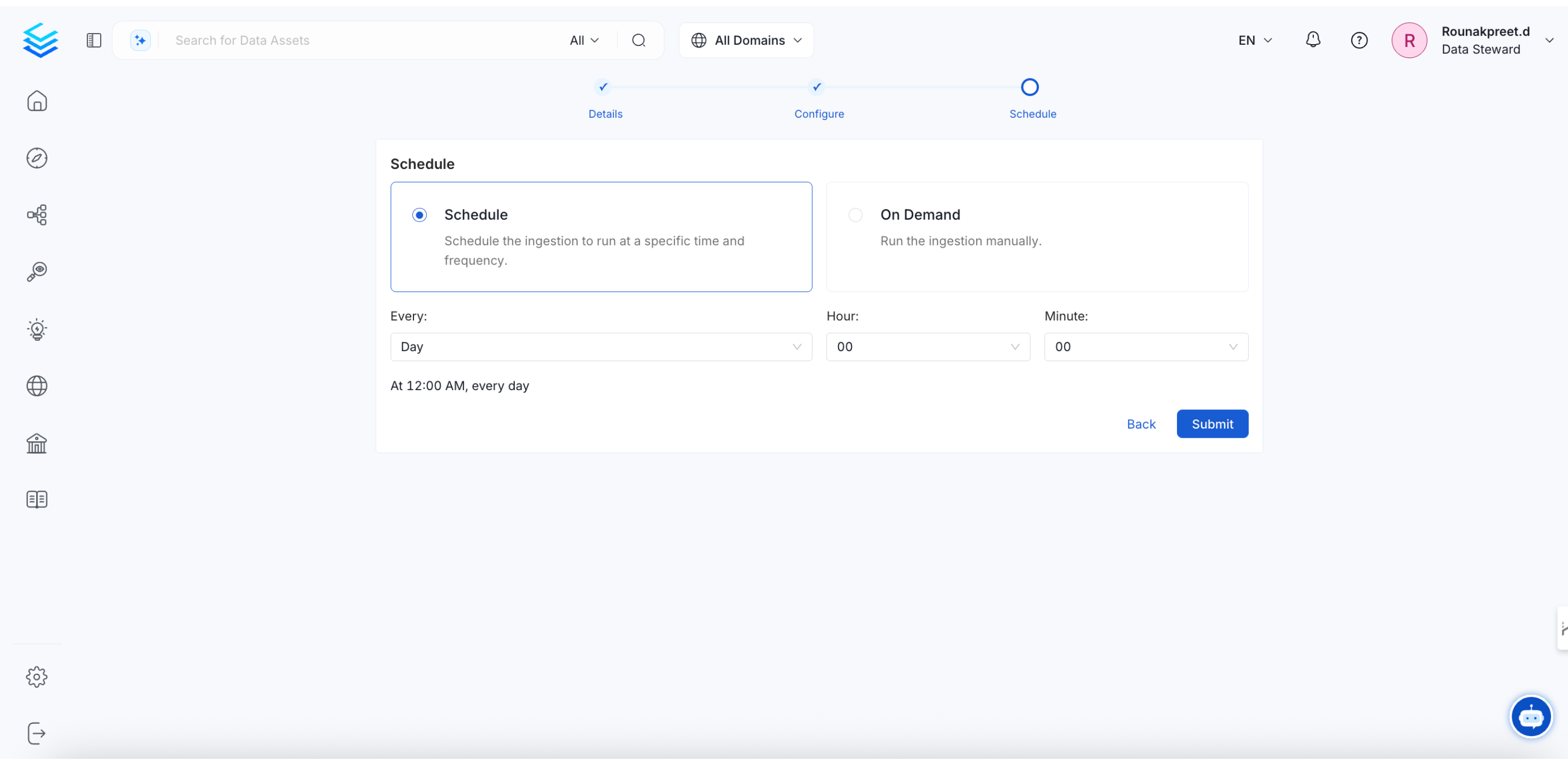
Configure Automation Workflow Retention
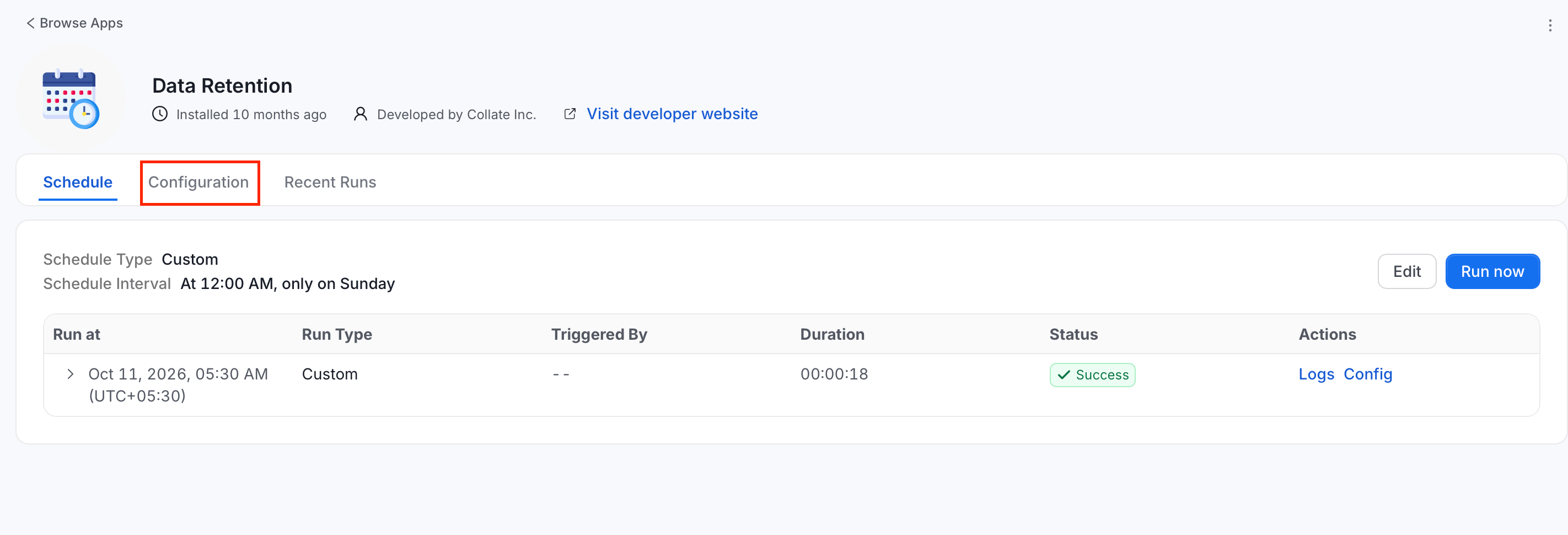
You need administrator access to configure and run the Data Retention application.- Go to Settings > Applications > Data Retention.
-
Click Configuration.
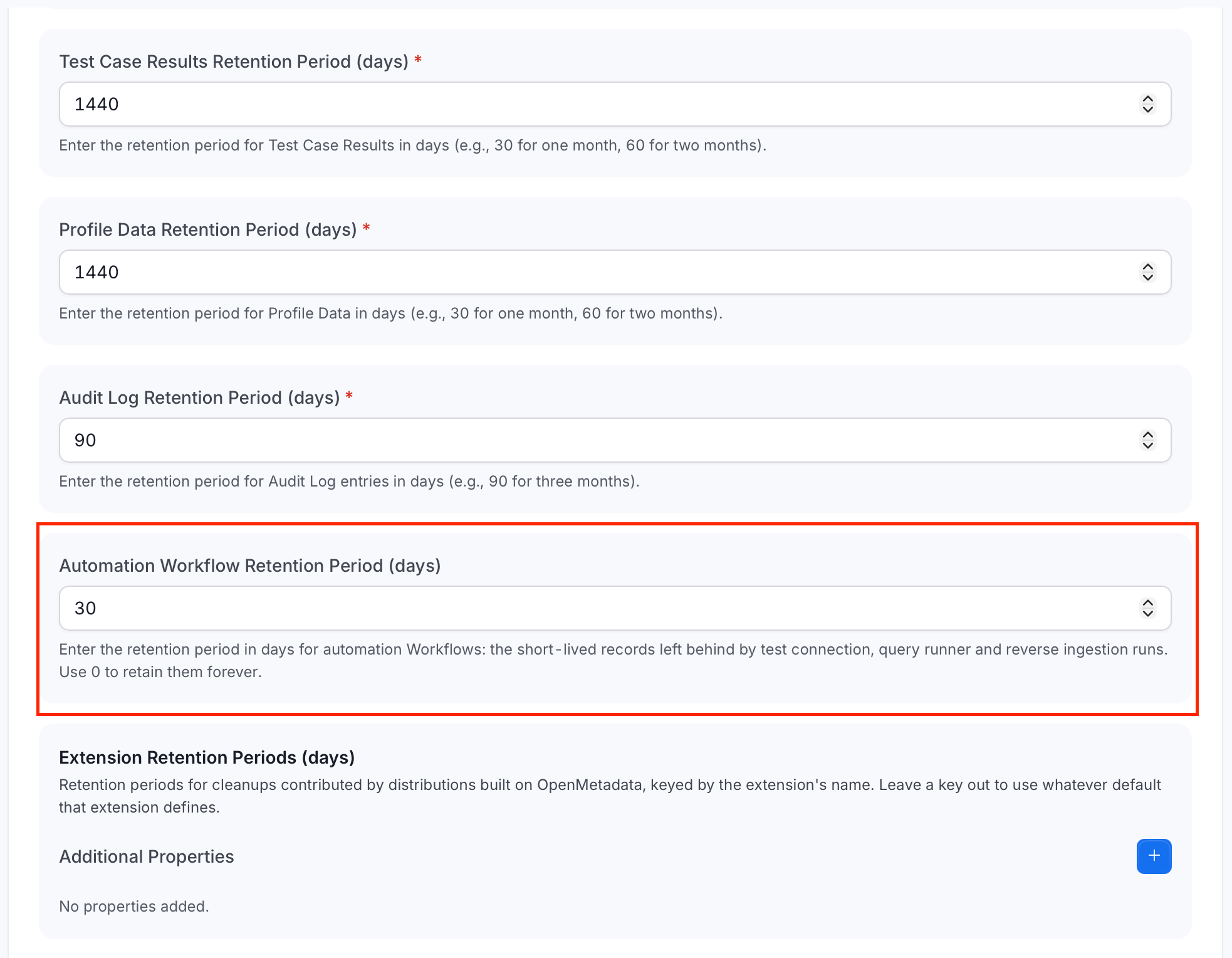
- Scroll to Automation Workflow Retention Period (days).
-
Set the retention period:
- Enter a positive integer to delete Automation Workflow records older than that many days.
- Enter
0to retain Automation Workflow records indefinitely.
- Save the configuration.
- Return to the Data Retention application details.
- Optional: To apply the policy without waiting for the next scheduled run, select Run Now.
30 days. Cleanup uses each Workflow record’s last-updated time, so a record that has remained in Pending or Running beyond the retention period is also eligible for deletion.
Removing these records does not delete the service that a workflow used. Collate also cleans up the Workflow’s related ownership records and stored connection secrets.
One application run deletes at most 100,000 Automation Workflow records. Run the application again when an older installation has a larger backlog.