
Context Center
Overview
Context Center is a shared knowledge base of company context—Articles, Memories, and Documents—that Collate AI Chat references alongside your metadata when answering questions. Open Context Center from the left sidebar to browse, create, and manage this content. Context Center holds your organization’s own knowledge. To connect external tools like Notion, Slack, GitHub, or Google Drive as additional context sources instead, see Plugins.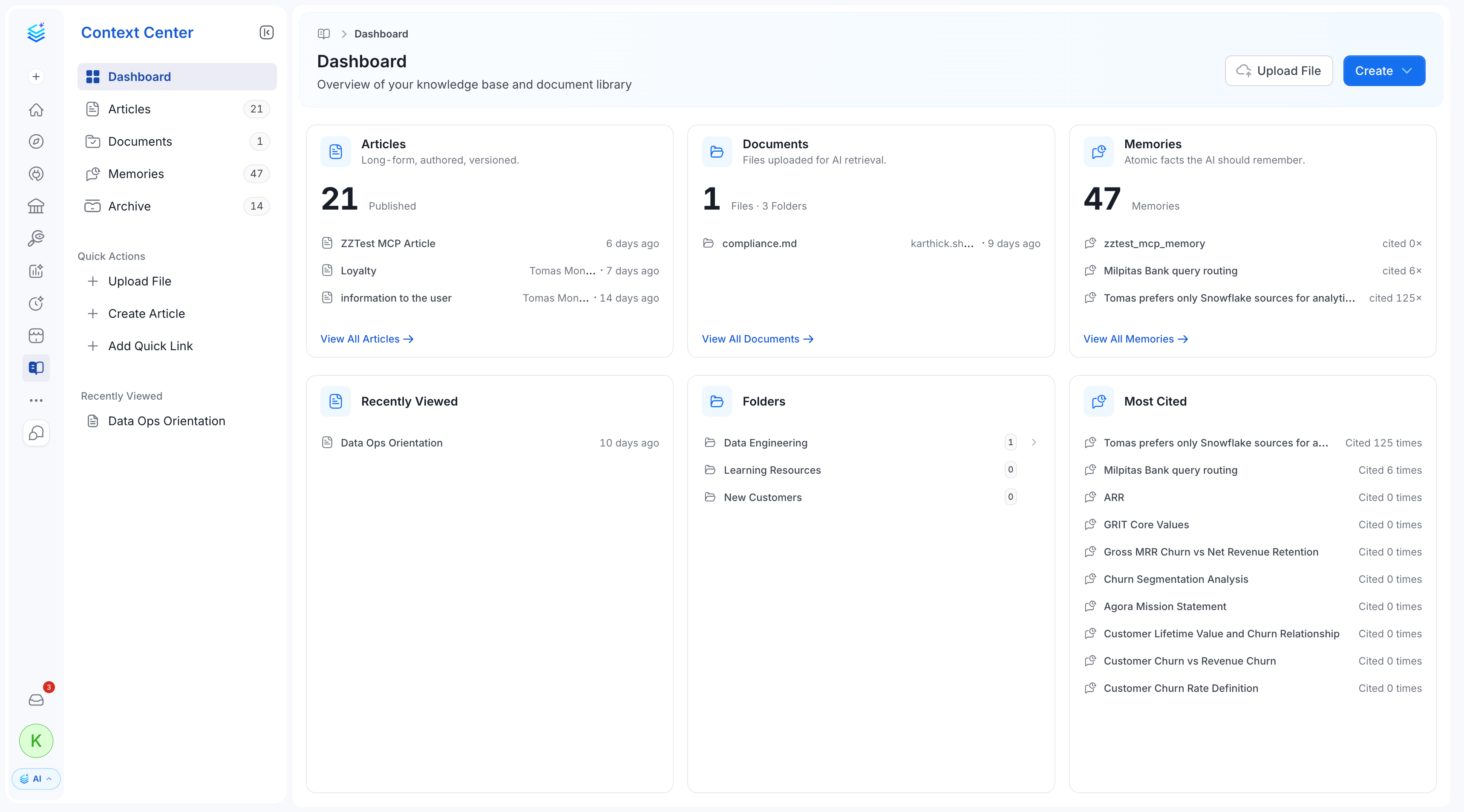
Purpose
Without Context Center, Collate AI Chat can only answer questions using what’s in your data catalog—table schemas, column descriptions, lineage, and so on. But a lot of what teams actually need to know lives outside the catalog: a written data governance policy, a runbook for handling a recurring incident, an internal definition of a business metric, or a preference one person has for how they like answers formatted. Context Center gives that knowledge a home Collate AI Chat can search, so answers can draw on company-specific context, not just table metadata.How to Use
Context Center holds three kinds of content, each suited to a different kind of knowledge:- Articles: Long-form pages your team writes and maintains—policies, playbooks, internal documentation.
- Memories: Short, atomic facts—preferences, runbook steps, FAQs—created either by Collate AI Chat during a conversation or manually by a user.
- Documents: Files uploaded so their content becomes searchable by Collate AI Chat, organized into folders.
When to Use
- Writing or maintaining a policy, standard, or how-to guide that people (and Collate AI Chat) should be able to find and reference: use an Article.
- Capturing a quick fact, preference, or answer to a recurring question that doesn’t need a full page: create a Memory.
- Making an existing file—a PDF report, a spreadsheet, a compliance audit—searchable by Collate AI Chat without rewriting its contents as an article: upload it as a Document.
Choose Where Documentation Lives
Collate AI Chat reads content that Collate holds and content that a plugin fetches for an agent. MCP clients read only content that Collate holds. Use the following guidance to decide where each kind of documentation belongs:- Short, stable definitions: Keep business definitions, policies, and FAQs in Collate as Articles or glossary terms, so that people, Collate AI Chat, and MCP clients can all find them. Articles keep a version history.
- Long documents that change often: Keep them in the system that owns them, and connect that system as a plugin. Agents in Collate read the current version, and you maintain only one copy. Plugin content isn’t available to external MCP clients.
- Files that you want in Collate: Upload them as Documents. A Document is a copy, and Collate doesn’t sync it with the original. When the original changes, upload the new version and delete the old one. For more information, see Documents and Archive.
- Links to external pages: A Quick Link in Articles bookmarks a URL. Collate AI and MCP don’t read the content behind the link.