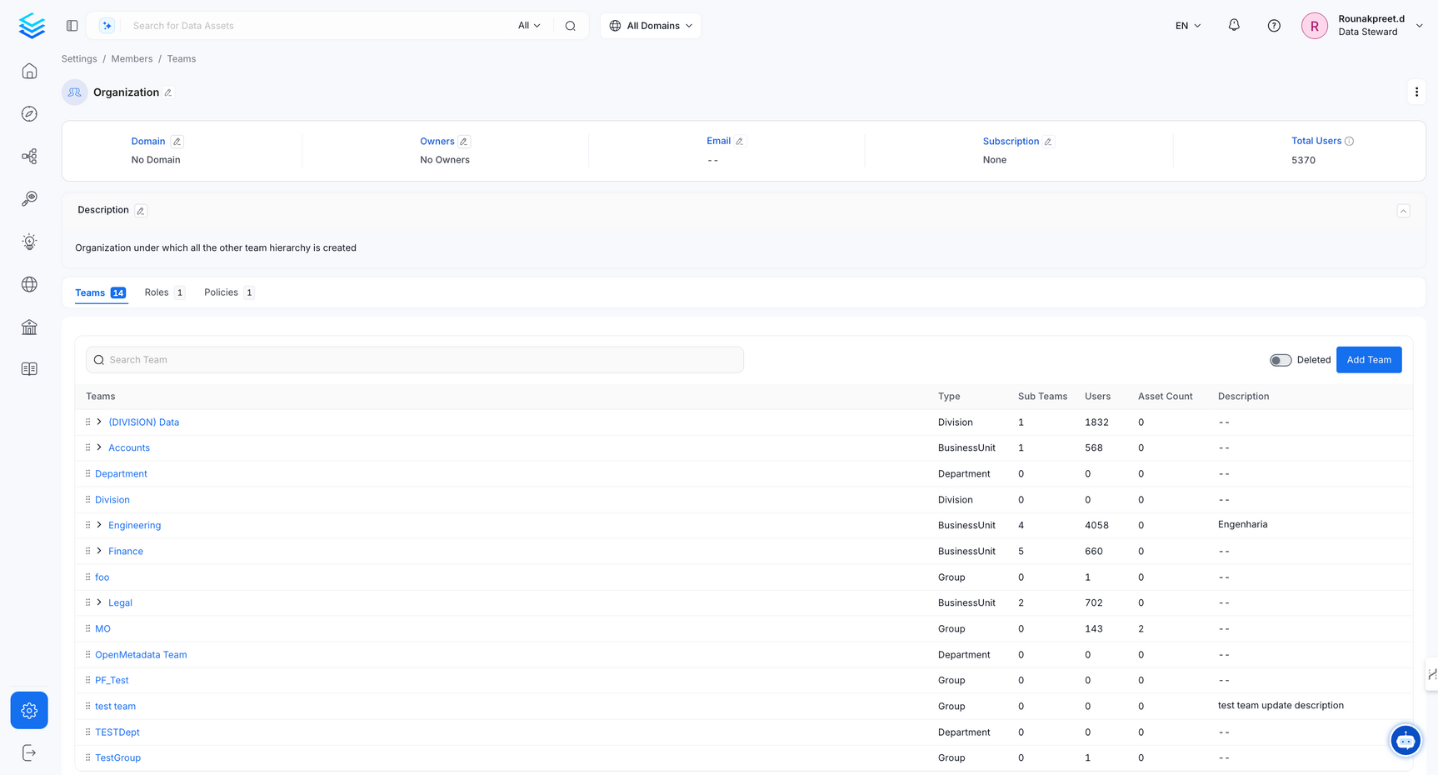
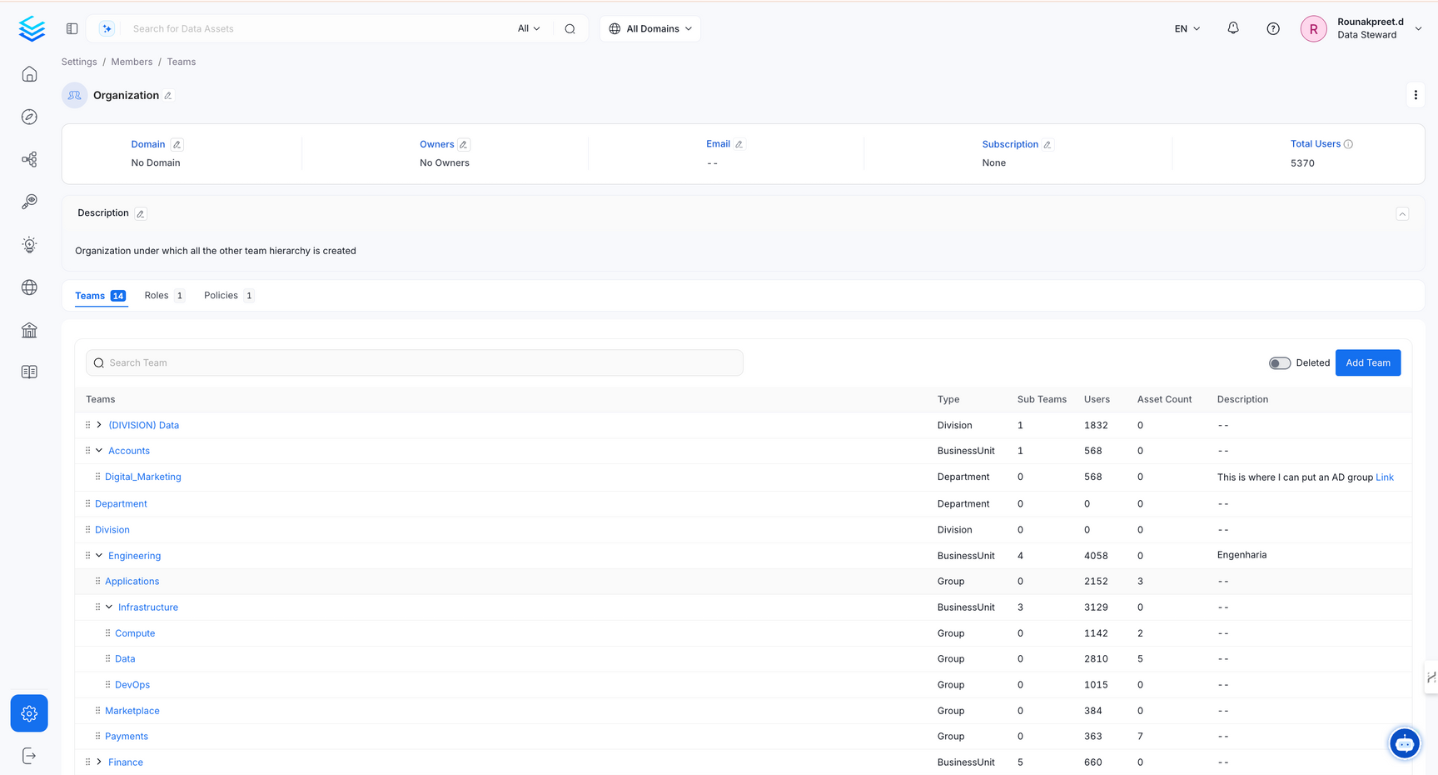
Collate introduces a versatile hierarchical team structure that aligns with your organization’s setup. Administrators can mirror their organizational hierarchy by creating various team types.Organization serves as the foundation of the team hierarchy representing the entire company. Under Organization, you can add Business Units, Divisions, Departments, Groups, and Users. For instance, if your company is Facebook, then the Organization represents entire Facebook itself, which further houses diverse teams like Engineering, Sales, Finance, and Marketing.BusinessUnit is positioned one level below the Organization and can contain other Business Units, Divisions, Departments, and Groups. To illustrate, the Engineering Business Unit could be one of the top-tier Business Units in the Organization. It contains other teams like Groups and additional Business Units.Division is positioned below Business Unit and can include Divisions, Departments, and Groups. For example, a Division named ‘Product Development’ under the Engineering Business Unit. It can have teams like ‘Software Division,’ ‘Hardware Division,’ and ‘QA Division.’Department is positioned below Division and can include other Departments and Groups. For example, a ‘Data Engineering Department’ could include specialized teams like ‘Infrastructure,’ ‘Data Science,’ and ‘Platform.’Group represents the final tier in this hierarchy. It contains a group of users that reflect finite teams within your organization.
Note: Only Groups have the privilege of owning data assets within the Collate platform.
This structured hierarchy enhances your control over team management and resource ownership. By creating a dynamic model mirroring your organization’s functions, Collate empowers you to effortlessly manage permissions, access controls, and data ownership at different levels of granularity.
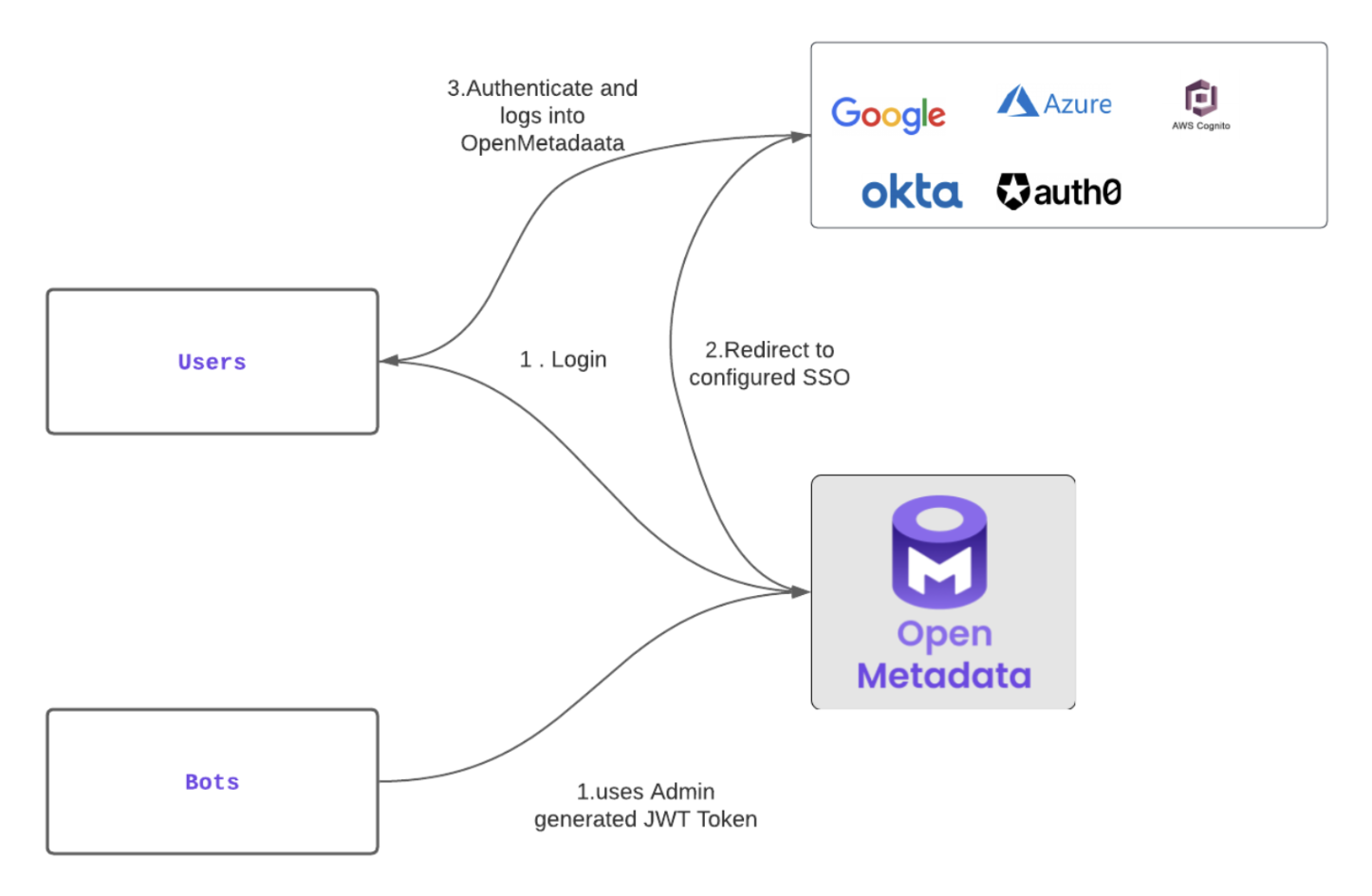
Collate incorporates a robust Access Control framework that merges Role-Based Access Control (RBAC) with Attribute-Based Access Control (ABAC) in a powerful hybrid model. This security design is reinforced by:Authentication with SSO Integration: Collate seamlessly integrates with various Single Sign-On (SSO) providers, including Azure AD, Google, Okta, Auth0, OneLogin, and more. This ensures a unified and secure authentication experience for users.Team Hierarchy: Collate offers a structured team hierarchy that mirrors your organization’s structure, enhancing manageability and granularity in access control.Roles and Policies: Policies and Roles are pivotal in determining who can access what resources and perform what actions. These policies are based on a combination of user attributes, roles, and resource attributes.User and Bots Authentication: Collate accommodates human users and automated applications (bots). For human users, logging into the Collate UI mandates SSO authentication. Upon successful authentication, a JSON Web Token (JWT) is issued.Bots, on the other hand, are equipped with a JWT token generated based on SSL certificates. This token serves as their identity and authorization mechanism when interacting with the Collate server APIs.
User Authentication: When users access the Collate UI, they authenticate with their SSO provider. Upon successful authentication, a JWT token is generated. This token validates the user’s session and permits them to authenticate requests to the Collate server.Bot Authentication: Automated applications like the ingestion connector are equipped with a pre-generated JWT Token. Collate, with its configured SSL Certificates, authenticates the JWT token, establishing the bot’s identity. This token authorizes the bot to interact with Collate server APIs.
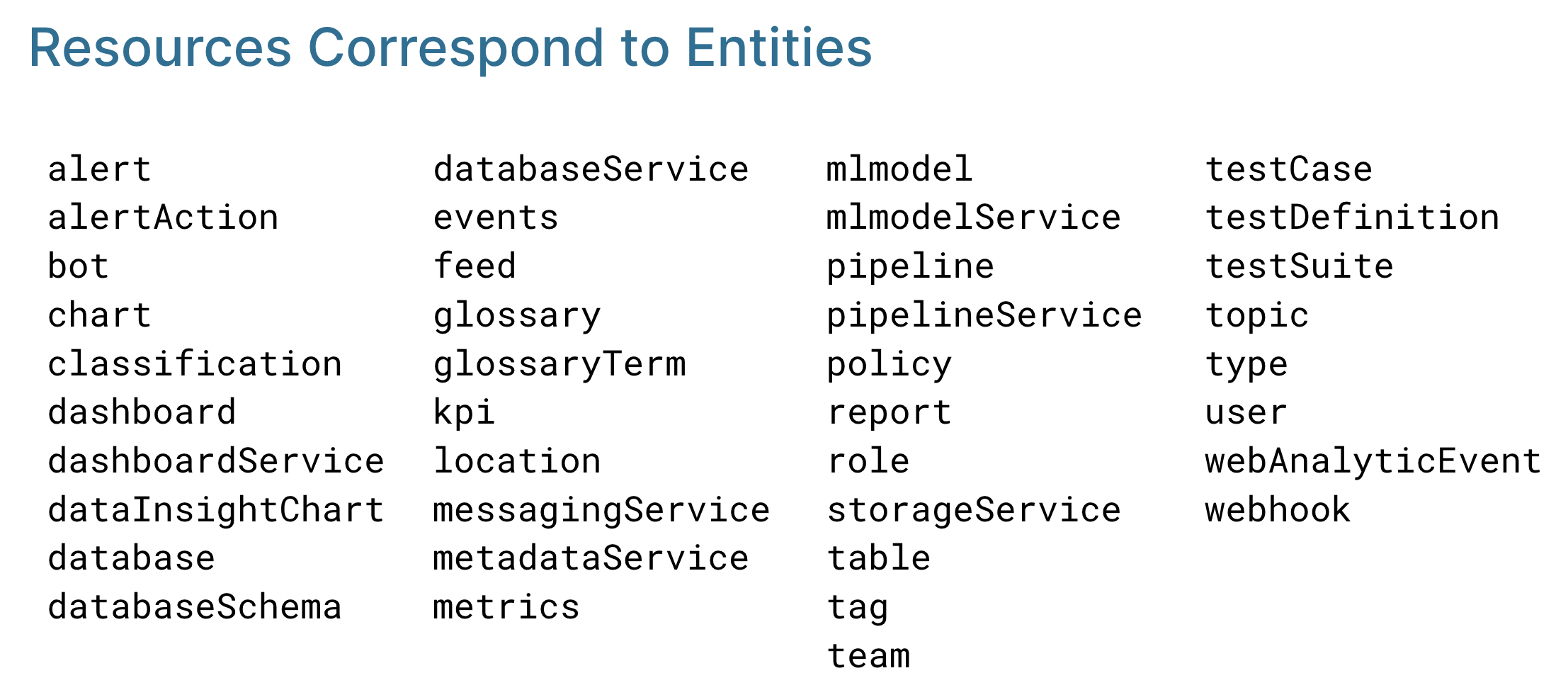
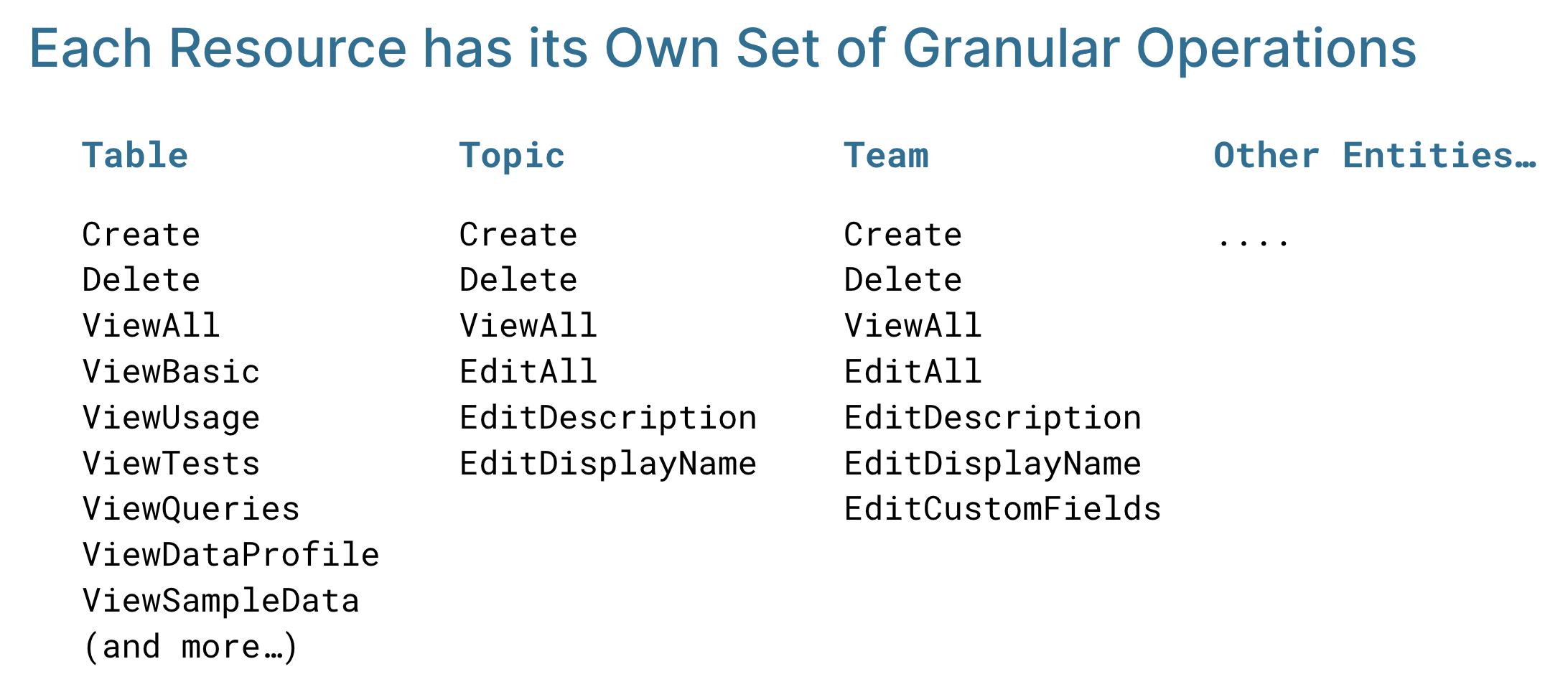
Collate’s authorization is a result of evaluating three crucial factors:Who is the User (Authentication): The authentication process determines this – whether it is a user or a bot – ensuring that only authorized entities access the system.What Resource (Resource Attributes): Based on the API calls being made, Collate identifies the target resource and its associated attributes.The following resources correspond to entities such as Table, Topic, and Pipeline:What Operation (API Call): Each API call maps to a specific operation, such as editing descriptions, deleting tags, and changing ownership.Common operations – Create, Delete, and ViewAll – apply to all resources. Each resource can also have its own specific operations, such as ViewTests and ViewQueries for Table.
The table below maps every resource category to the real-world
access it controls. Use this when designing policies – start by
identifying which categories are relevant to the role, then add
only the operations needed.
Note: Tables are the most critical data asset resource. Over-permissioning here has the widest blast radius, as many downstream queries, dashboards, and pipelines depend on them.
Every object in Collate belongs to a resource category — from core data assets like Tables and Databases, to governance resources like Glossary Terms and Tags, to admin resources like Users, Roles, and Policies. For a reference overview of resource categories, the resources each includes, and risk levels, see Resource scope and operations reference.
Service resources (Database Service, Pipeline Service, and so on) control
the connection itself – granting Edit on a service gives access to all
assets in that service.
User & Access Control resources are the most sensitive category.
EditPolicy and EditRole changes affect the entire permission model.
AI/Agent resources govern automated execution paths. Restrict Agent
Execution and Dynamic Agent to roles that actively need to run workflows.
Data Governance resources (Tags, Glossary Terms, Domain) may seem
low-risk but misuse can cause incorrect PII labelling with compliance
consequences.
ViewAll: Provides a complete view, including advanced details.
Choose the appropriate operation based on the level of access required.
Permission
What it adds over the level below
ViewBasic
Baseline – see entity name, type, and owner. Safe for all authenticated users.
ViewAll
Adds full schema, lineage, tags, glossary terms, and metadata fields.
ViewDataProfile
Adds column-level profiling statistics (null %, value distributions).
ViewUsage
Adds query frequency and who accessed the asset and when.
ViewQueries
Adds the actual SQL text of executed queries.
ViewSampleData
Adds actual row-level data – treat as data access, not just metadata access.
ViewTestCaseFailedRowsSample
Adds data rows that failed quality tests – often contains production data.
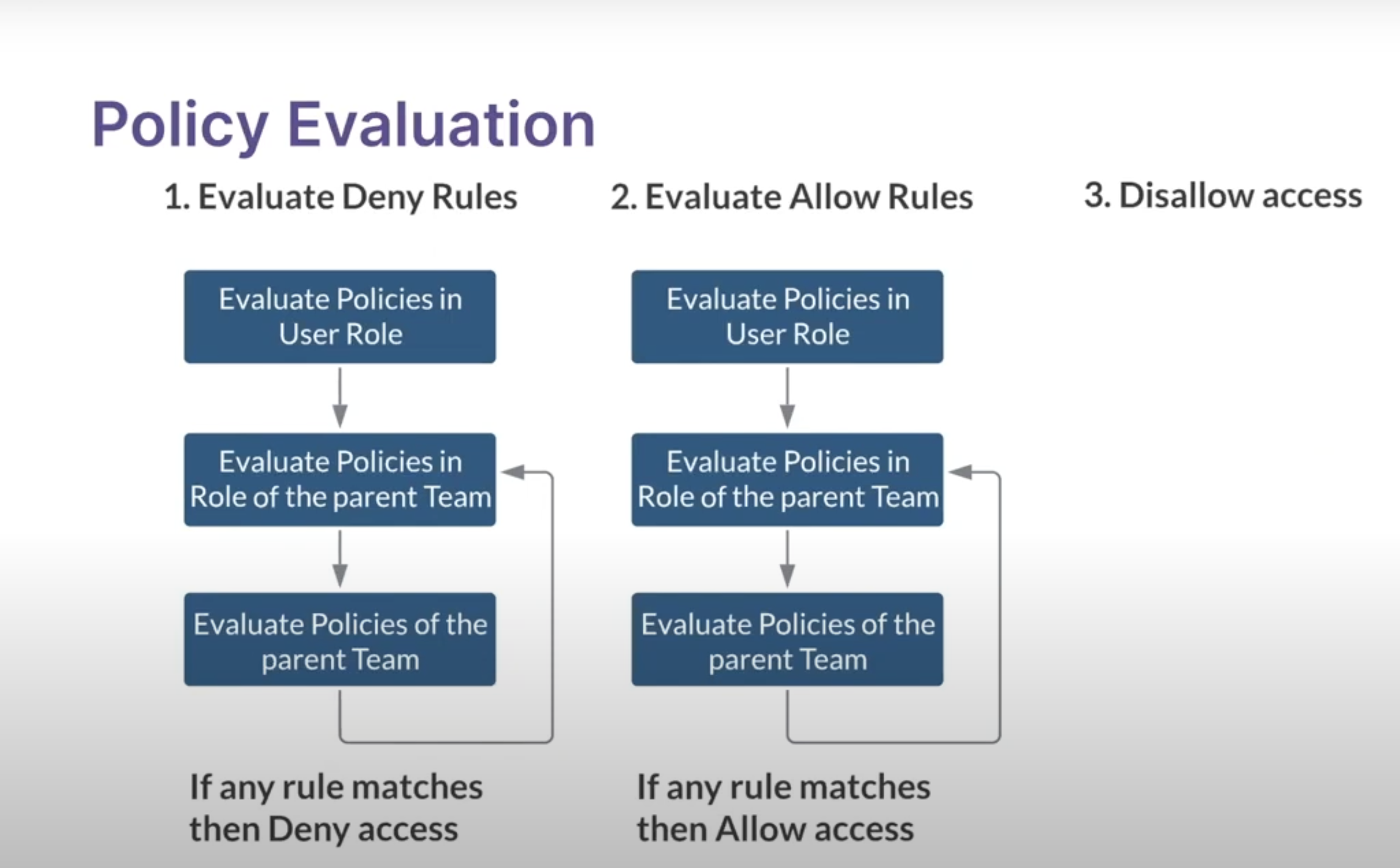
For a curated reference of common operations and resource types, see Resource scope and operations reference.By synthesizing these components, Collate dynamically determines whether a user or bot can perform a particular action on a specific resource. This fusion of RBAC and ABAC in the hybrid model contributes to a robust and flexible access control mechanism, bolstering the security and control of your Collate environment.