
Collate Browser Extension
The Collate Browser Extension lets you view metadata for any data asset directly in your browser, without leaving the tool you’re working in.Installing the Extension
- Open the Chrome Web Store and search for Collate, or go directly to the Collate extension page.
- Click Add to Chrome.
- Pin the extension to your Chrome toolbar for quick access.
Getting Started
-
Click the Collate icon in your Chrome toolbar.
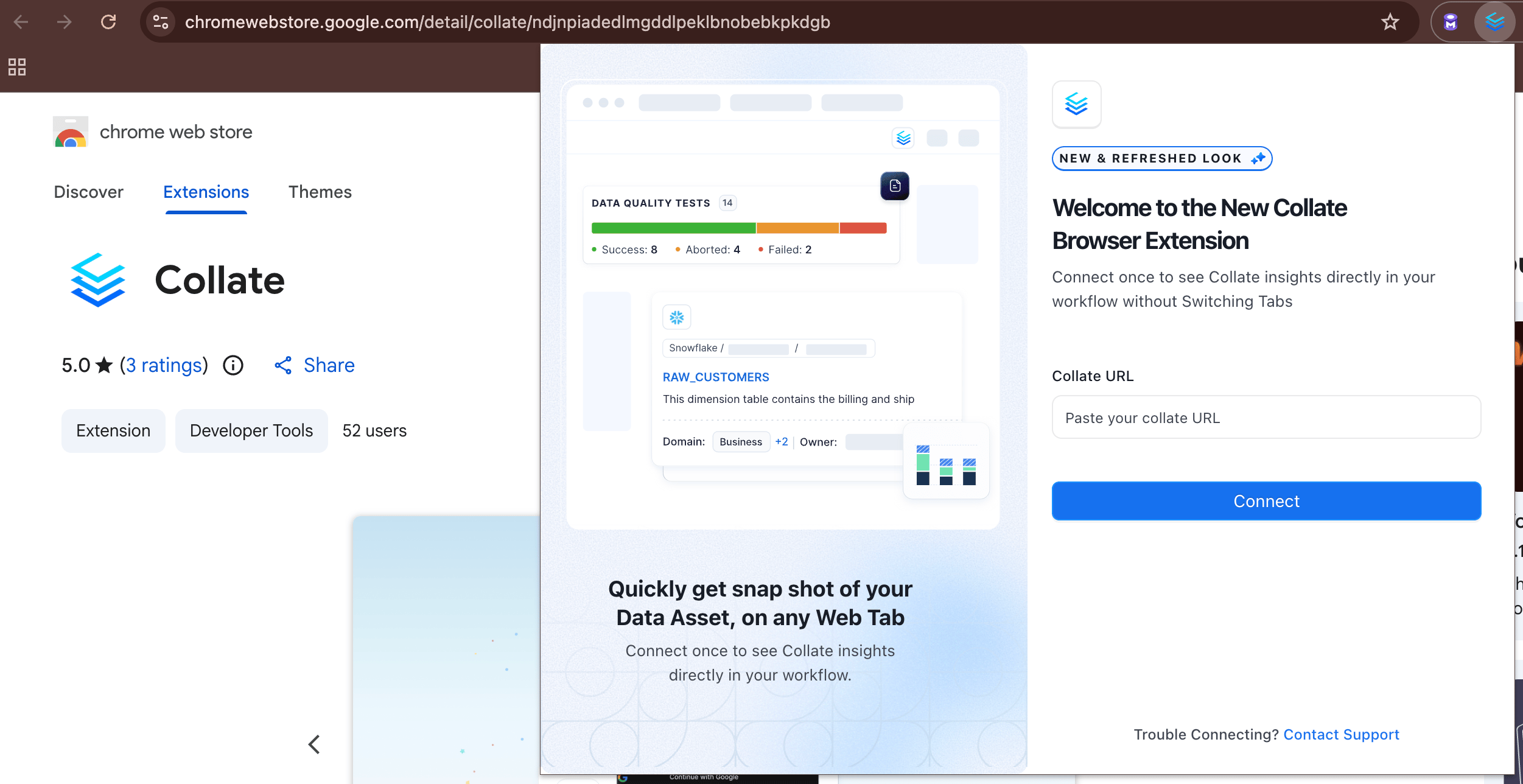
- Enter the base URL of your Collate instance.
- Sign in — your Activity Feeds from the My Data page will load automatically.
What You Can See
While working in any third-party tool integrated with Collate, click the extension to instantly view metadata for the asset you’re on:- Ownership — Who owns the data asset
- Description — What the asset is and how it’s used
- Tags — Classification labels applied to the asset
- Glossary Terms — Business definitions linked to the asset
- Schema — Column names, types, and structure
- Lineage — Upstream and downstream data dependencies
- Custom Properties — Any additional metadata your organization has defined
Single Sign-On (SSO) Configuration
If your Collate instance uses Single Sign-On (SSO), the extension’s redirect URI must be registered as a trusted redirect URI. Collate validates login redirects against an exact-match allowlist, so any URI that isn’t registered is rejected with a400 Bad Request and the extension can’t complete sign-in.
-
The redirect URI follows this pattern, where
<extension-id>is the ID of your installed extension:https://<extension-id>.chromiumapp.org/auth0 -
For the Collate Chrome Extension published on the Chrome Web Store, this is:
https://ndjnpiadedlmgddlpeklbnobebkpkdgb.chromiumapp.org/auth0
Option 1: Configure in the UI
-
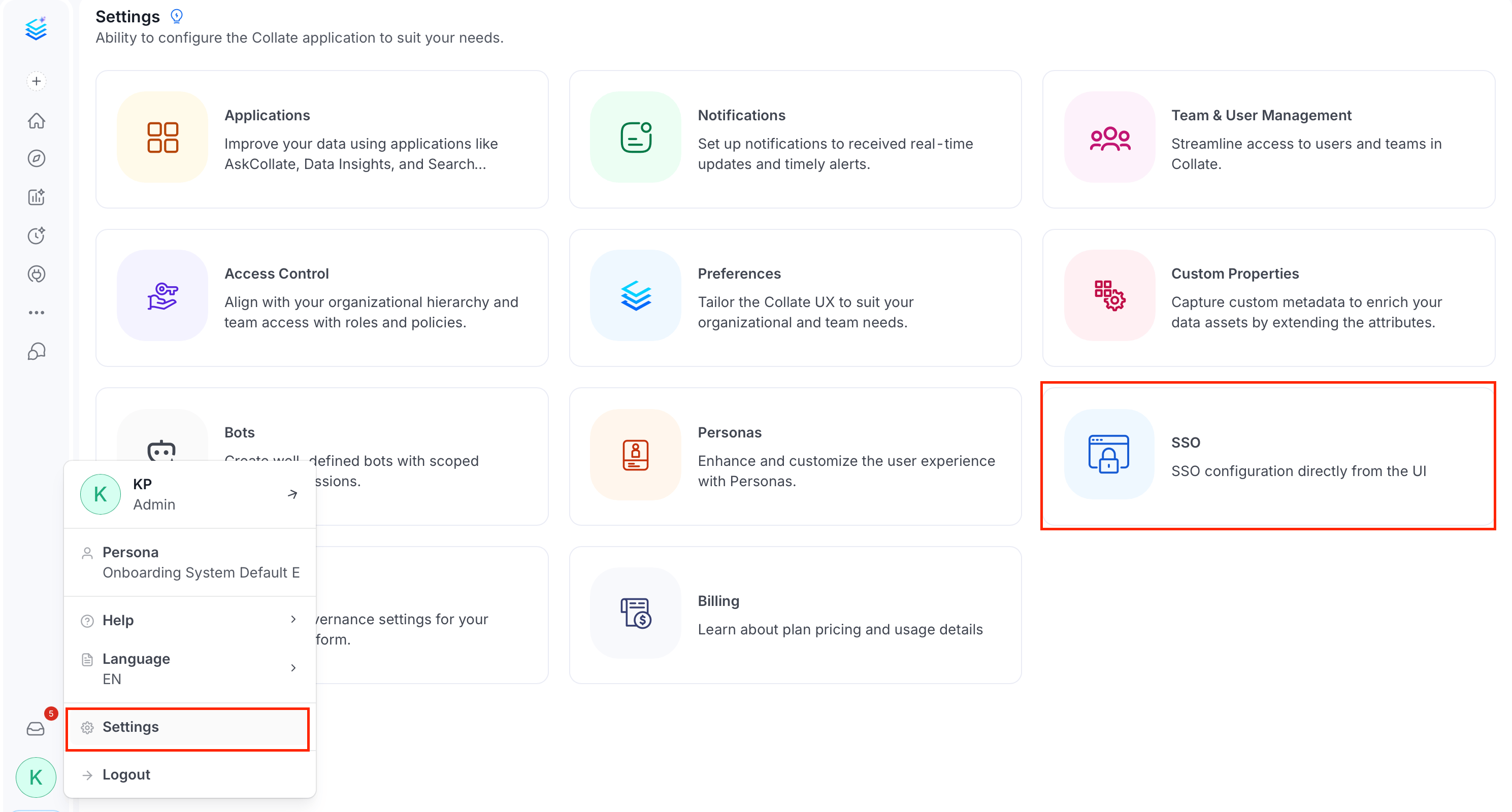
Click the Profile icon and navigate to Settings > SSO.
-
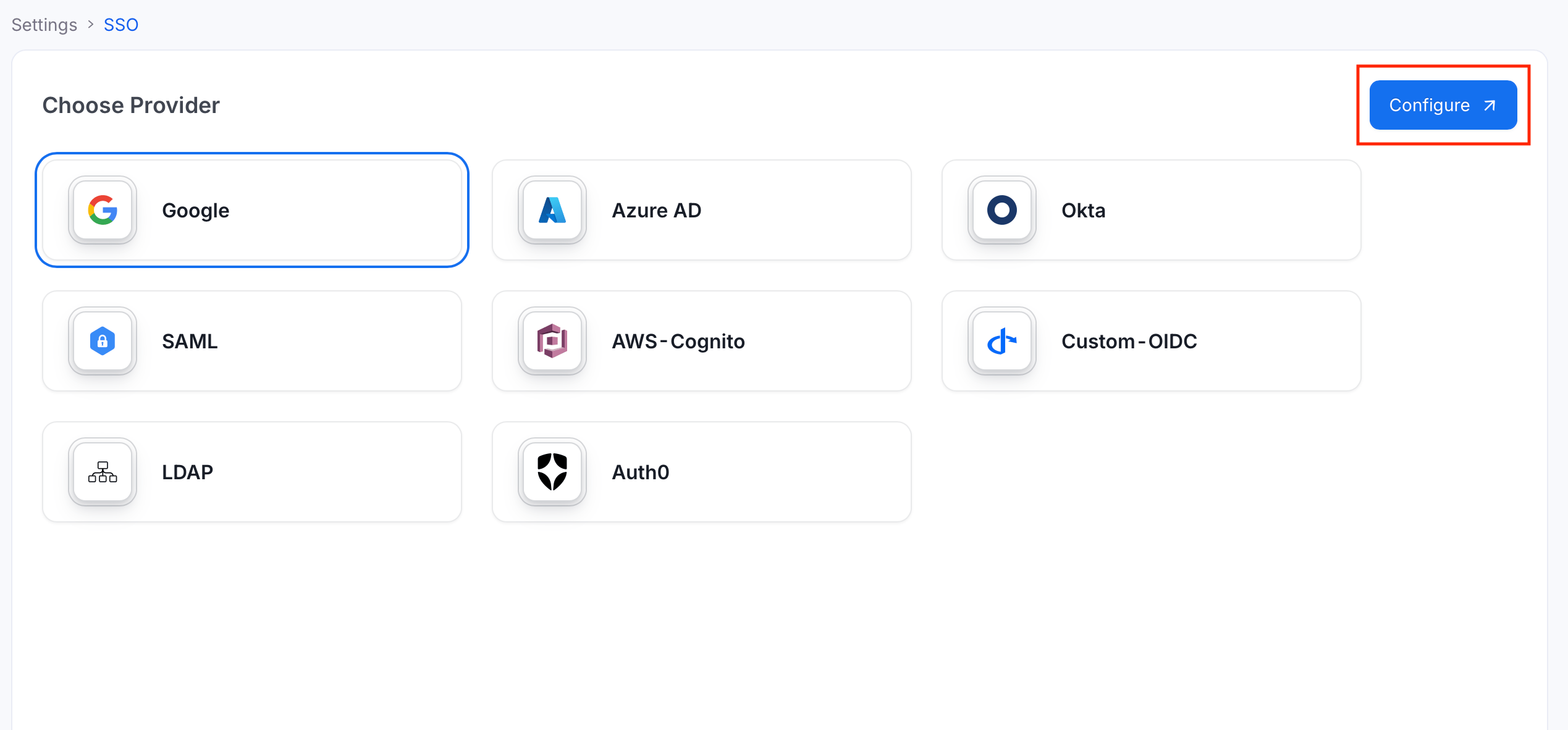
Select your provider and click Configure.
-
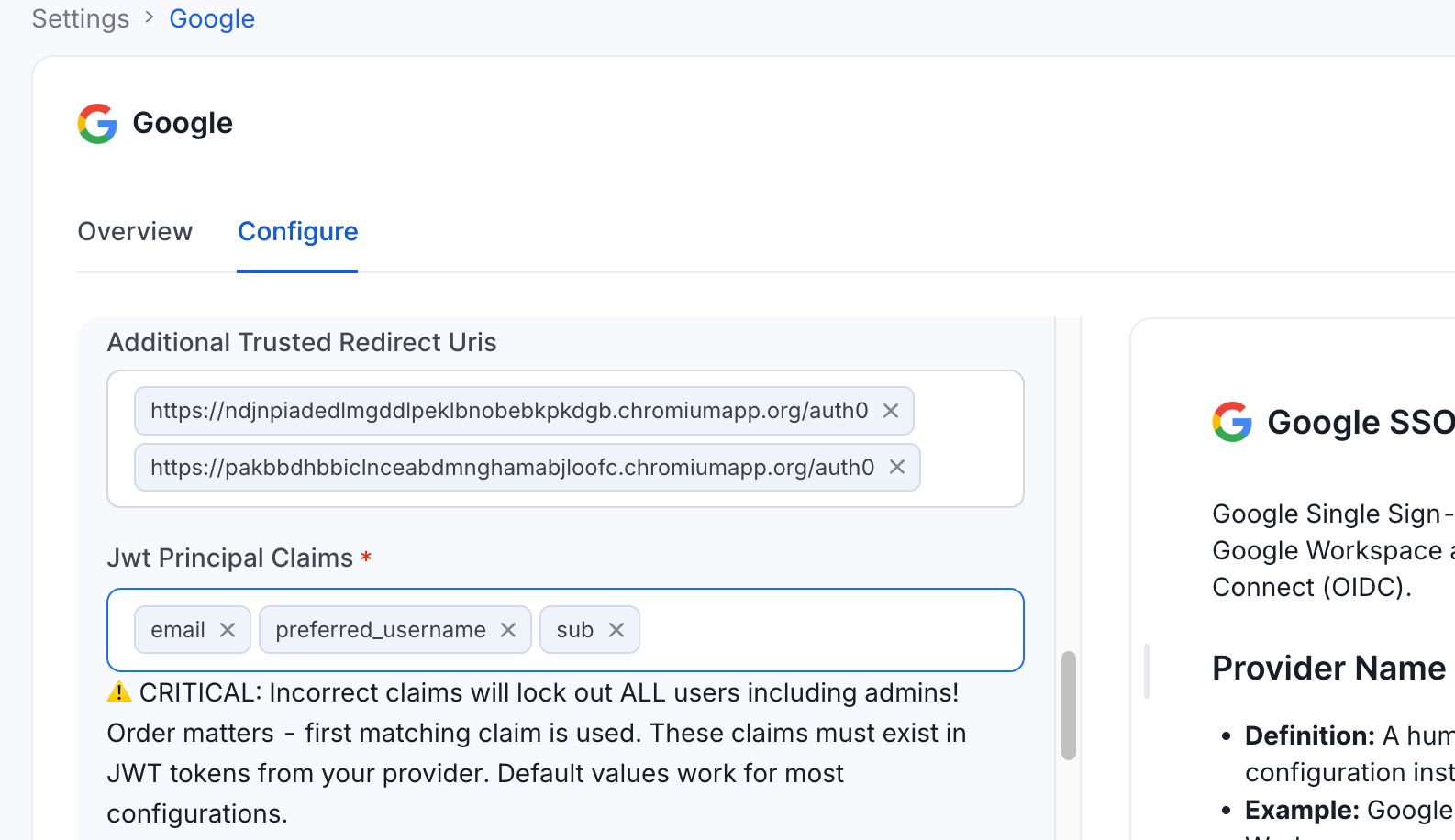
In the Additional Trusted Redirect Uris field, add the extension redirect URI.
Option 2: Configure via Environment Variable
Set theAUTHENTICATION_ADDITIONAL_TRUSTED_REDIRECT_URIS environment variable to a JSON array of redirect URIs:
authenticationConfiguration.additionalTrustedRedirectUris in the server configuration. It applies to both OpenID Connect (OIDC) and SAML login flows, and no database migration is required.
For more information about SSO and redirect configuration, see SSO Configuration.
Matching is exact—scheme, host, port, path, and query must all match. Wildcard hosts (for example,
*.chromiumapp.org) are not supported by design, because that would let any browser extension receive a Collate token. The list defaults to empty ([]), so existing deployments are unchanged until you opt in.