
Deploy a Lineage Workflow
Collate gives you three ways to build lineage for your data assets — automatically through metadata ingestion, through a dedicated Lineage Agent that reads query logs, or manually through the UI. The lineage workflow is supported for all major database connectors, including BigQuery, Snowflake, Redshift, MSSQL, Clickhouse, PostgreSQL, Databricks, Athena, MySQL, Oracle, and many more.View Lineage from Metadata Ingestion
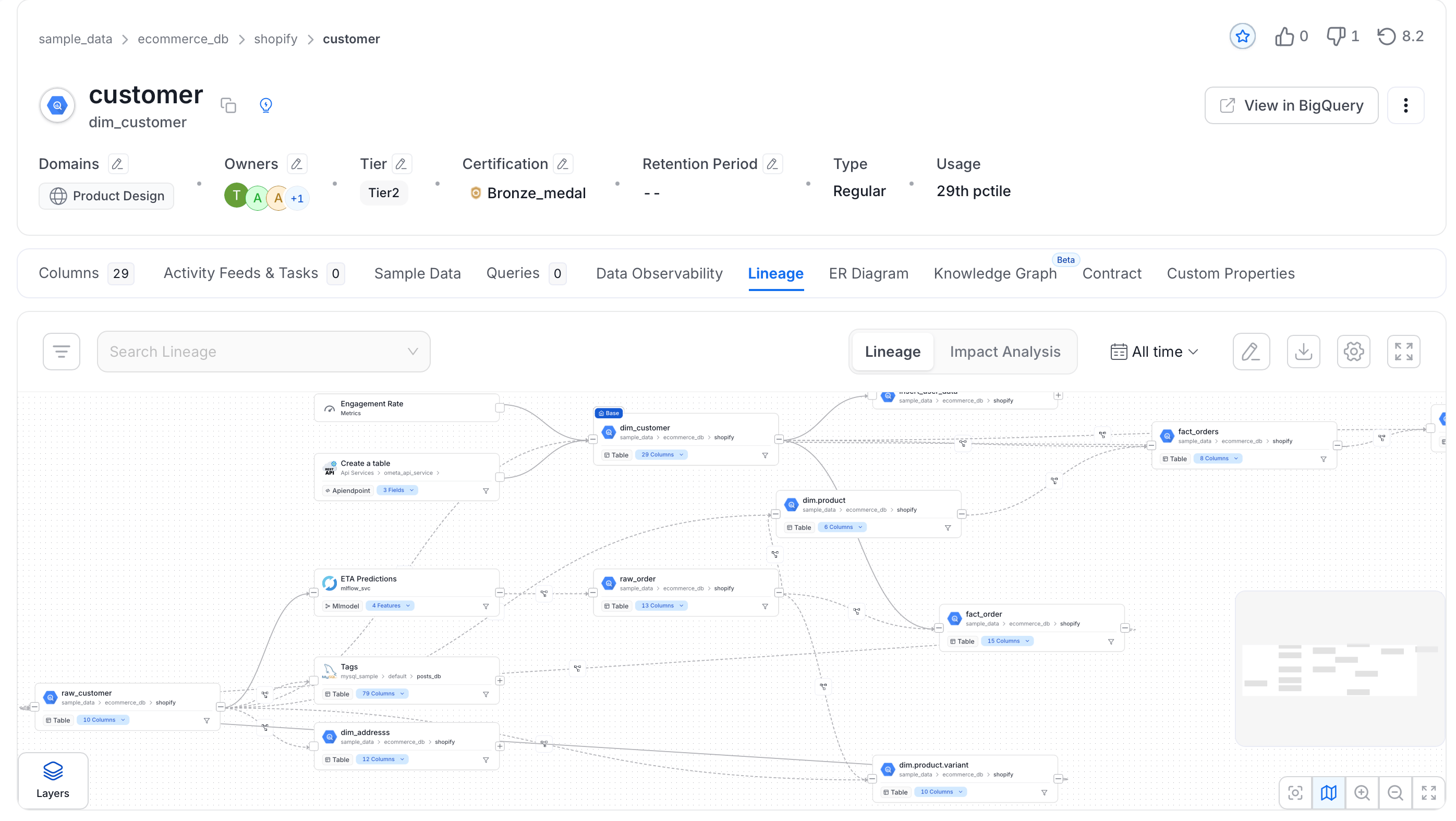
When metadata ingestion runs, Collate automatically checks whether each table is a view. For sources where Collate can retrieve the view definition query, it pulls in view lineage alongside the regular metadata — no extra configuration needed. Here’s how Collate builds view lineage:- Ingest all tables: Collate completes metadata ingestion for all tables in the service.
- Identify views: Collate flags any table whose type is View.
- Parse the view query: Collate extracts the SQL query used to create the view.
- Resolve source and target tables: Collate checks whether the referenced tables exist in Collate.
- Create the lineage relationship: Collate links the source and target tables in the lineage graph.
Lineage Agent from UI
The Lineage Agent reads query logs from your database and uses them to build lineage. Metadata ingestion captures view lineage only — the Lineage Agent captures all query-based lineage, giving you a more complete picture of how data flows through your systems.Step 1: Add a Lineage Agent
Navigate to your service and launch the Lineage Agent wizard.- In the left navigation, click Connections and select your service.
-
Open the Agents tab and click + Add Agent > Lineage.
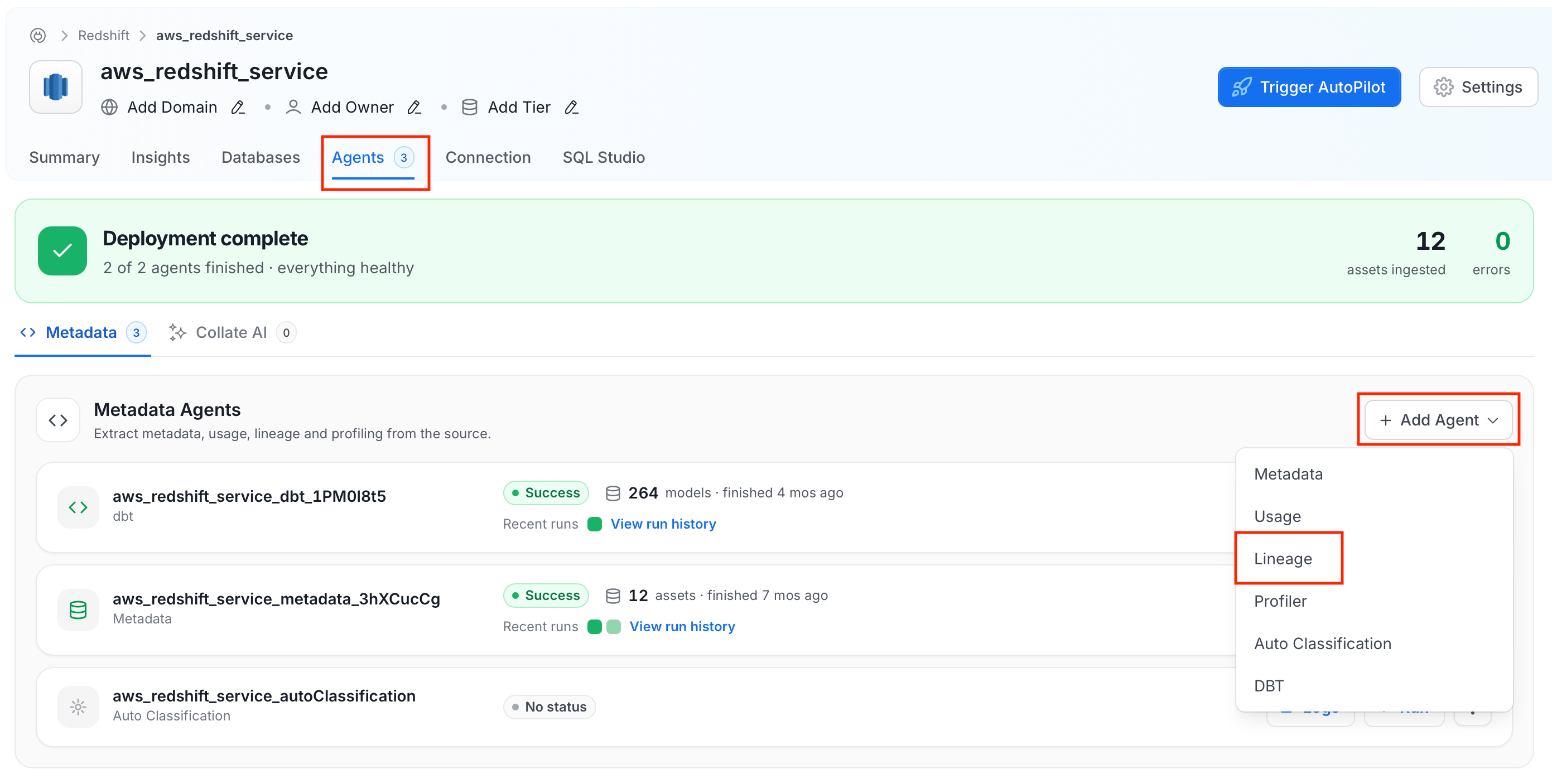
- Give the agent a recognisable name and click Next.
Step 2: Configure the Agent
Configure the core parameters for this agent.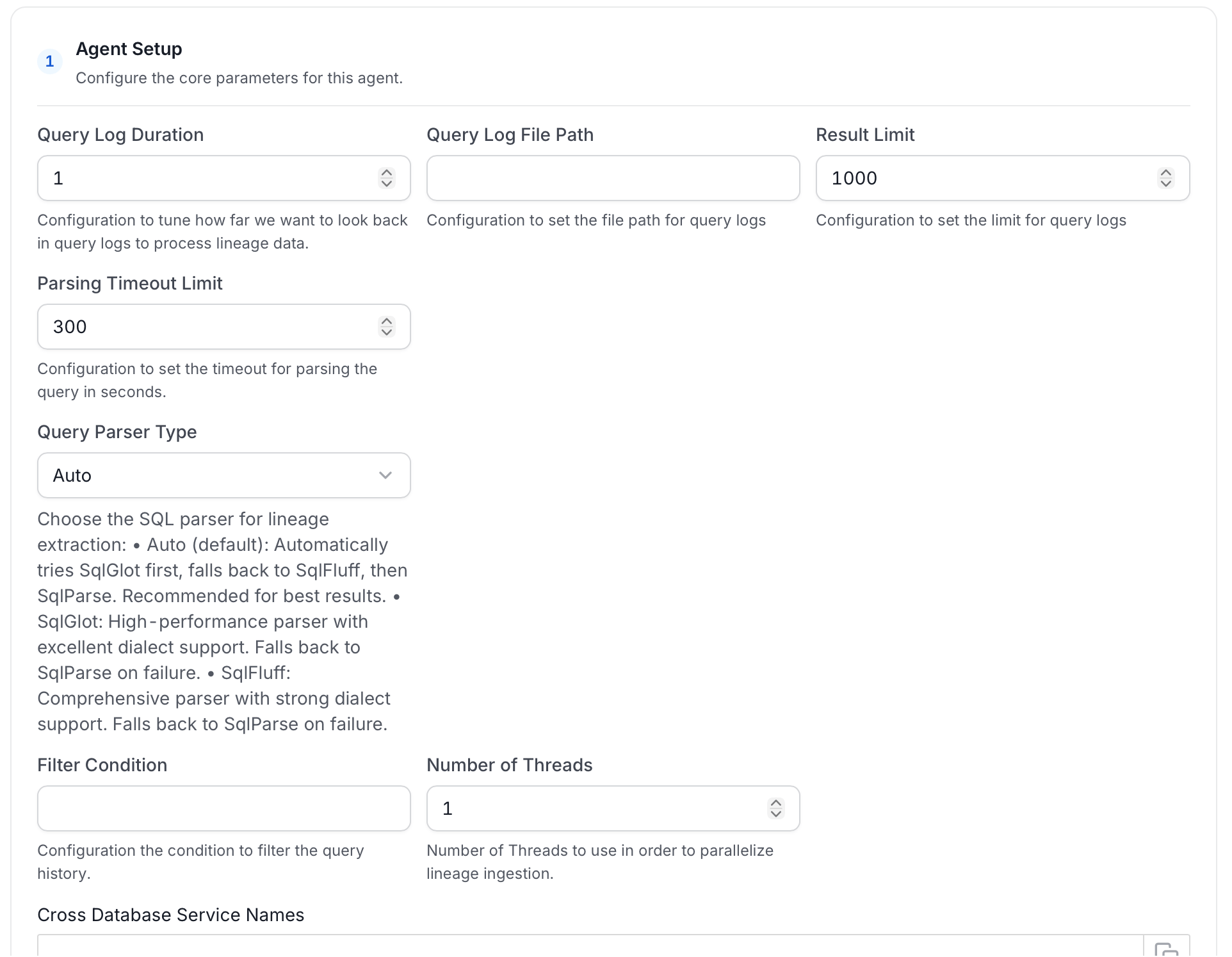
Filter Patterns
Apply regex patterns to include or exclude specific databases, schemas, tables, or stored procedures.
Scope & Behaviour
Step 3: Schedule and Deploy
Set your desired run schedule and click Add & Deploy.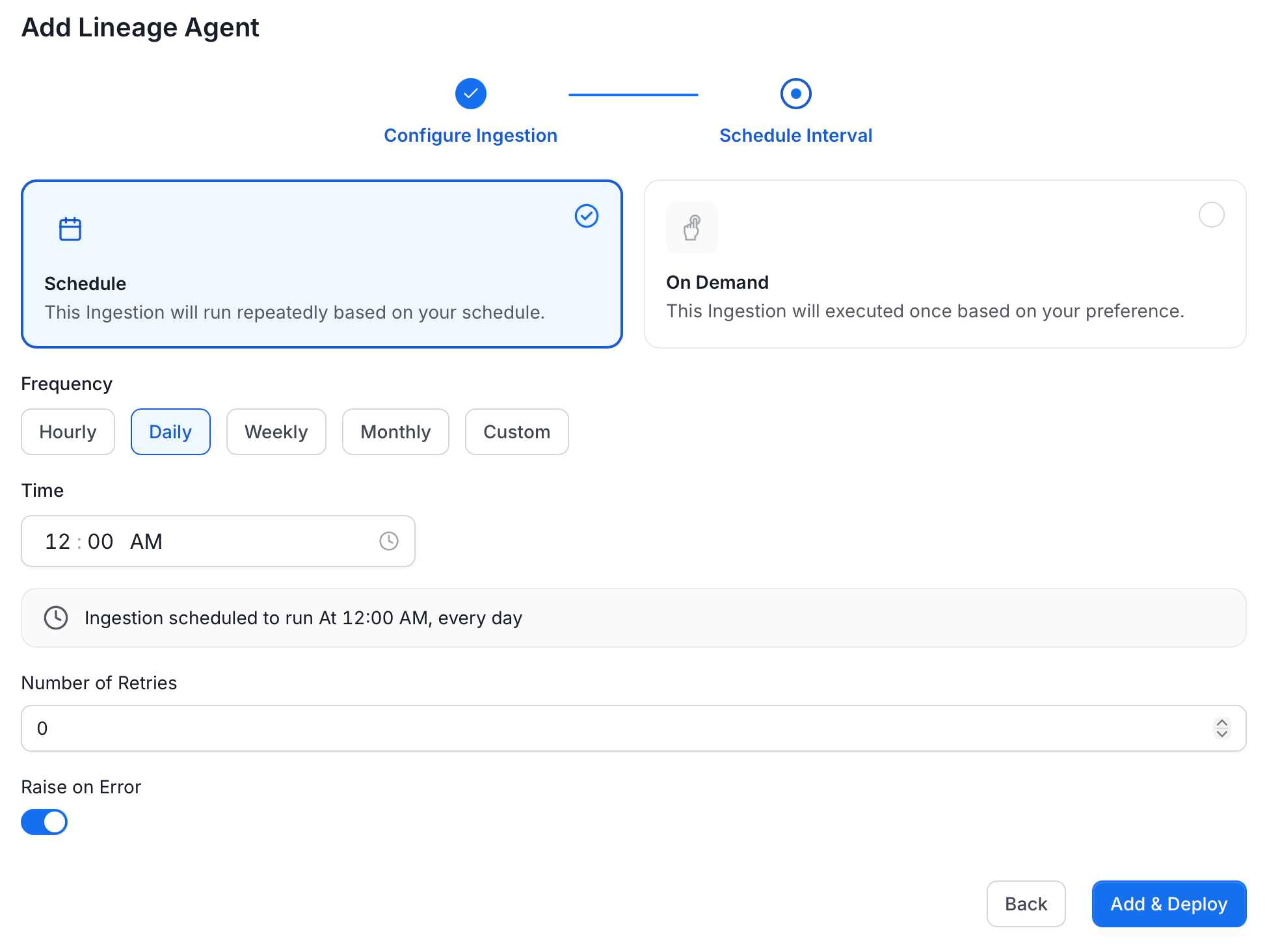
Run Lineage Workflow Externally
Lineage
After running a Metadata Ingestion workflow, we can run Lineage workflow. While theserviceName will be the same to that was used in Metadata Ingestion, so the ingestion bot can get the serviceConnection details from the server.
1. Define the YAML Config
This is a sample config for bigquery Lineage:- You can learn more about how to configure and run the Lineage Workflow to extract Lineage data from here
2. Run with the CLI
After saving the YAML config, we will run the command the same way we did for the metadata ingestion:Lineage from dbt
Collate builds lineage from dbt ingestion too. When you run a dbt workflow, Collate reads yourmanifest.json to extract query history and table relationships — including column-level lineage.
To set this up, provide the path to your catalog.json and manifest.json files in the dbt workflow configuration.
Learn more about dbt lineage and lineage ingestion.
Lineage from Query Logs (CSV)
If your connector doesn’t support the Lineage Agent, you can still bring in lineage by uploading a CSV file of query logs. See Lineage Workflows using Query Logs for setup instructions.Manual Lineage
You can also add and edit lineage directly in the Collate UI — without running any ingestion. See adding lineage manually.Explore the Lineage View
Explore the rich lineage view in Collate.