
Column-Level Lineage
Column-level lineage lets you trace individual fields — not just tables — as they move through your data pipelines. Use it to understand exactly where a column comes from, how it’s transformed, and what depends on it.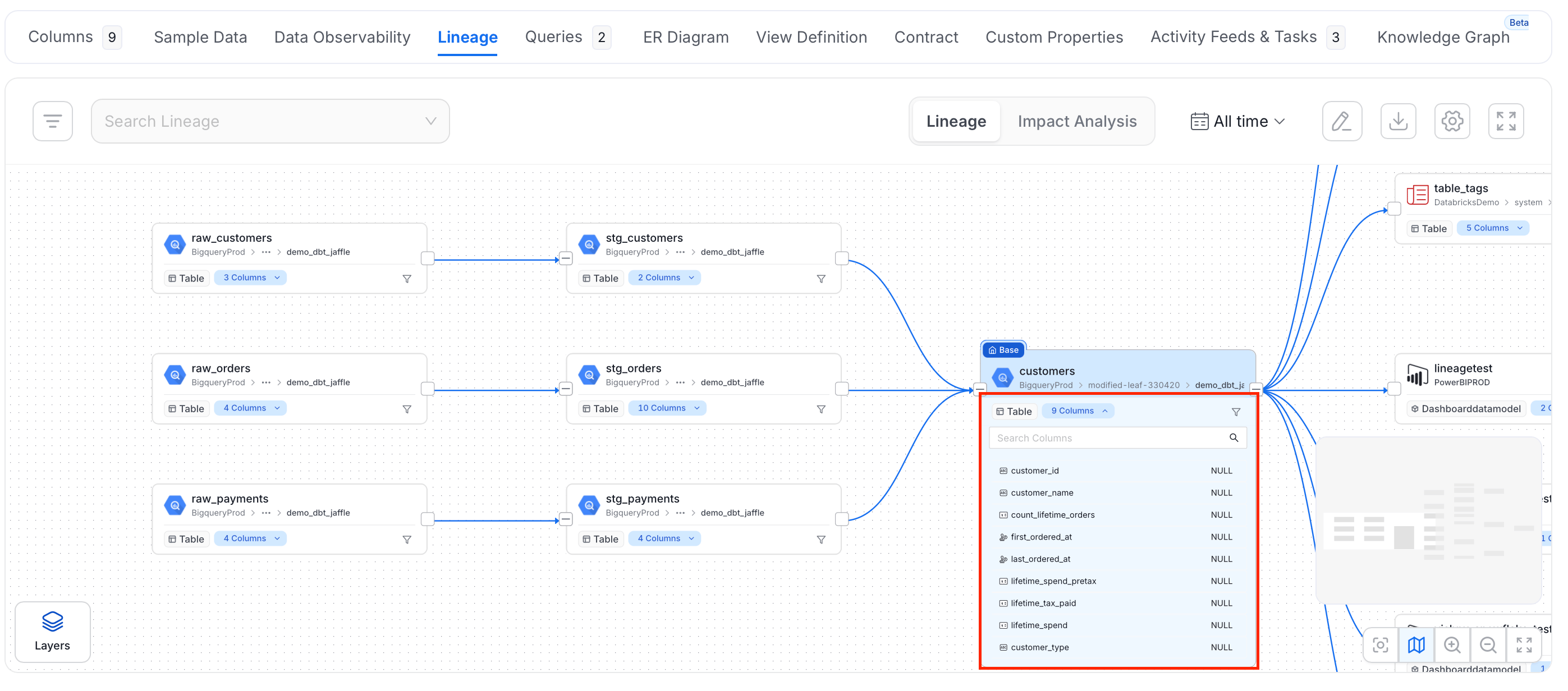
Manually Edit Column-Level Lineage
Edit column-level lineage directly in the Collate UI. No ingestion is required. To link columns by hand:- Open the table and select the Lineage tab.
-
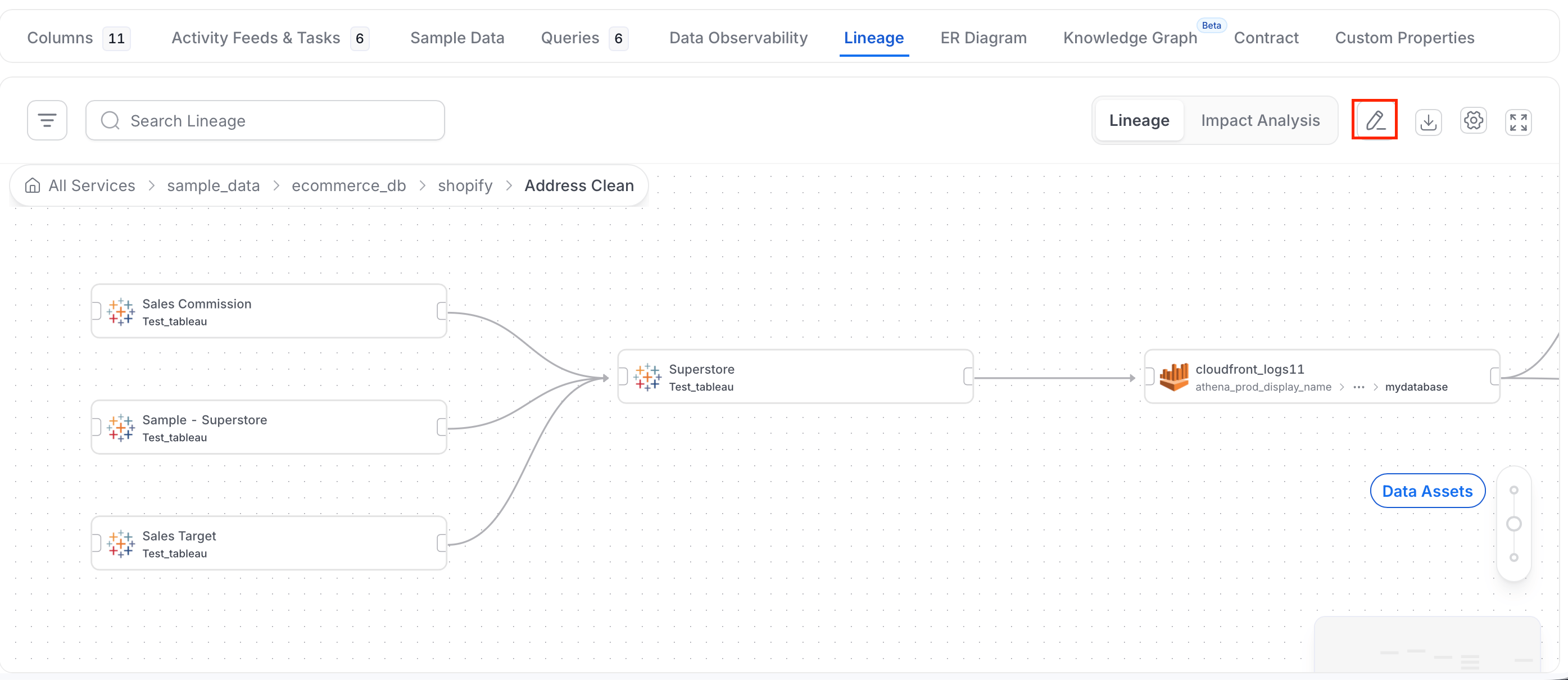
Click Edit (the pencil icon) in the lineage toolbar. The asset panel opens next to the graph.
-
If the table that holds the column you want to trace is not in the graph, add it first:
- In the asset panel, choose the asset type, such as Tables.
- Search for the table and add it to the graph.
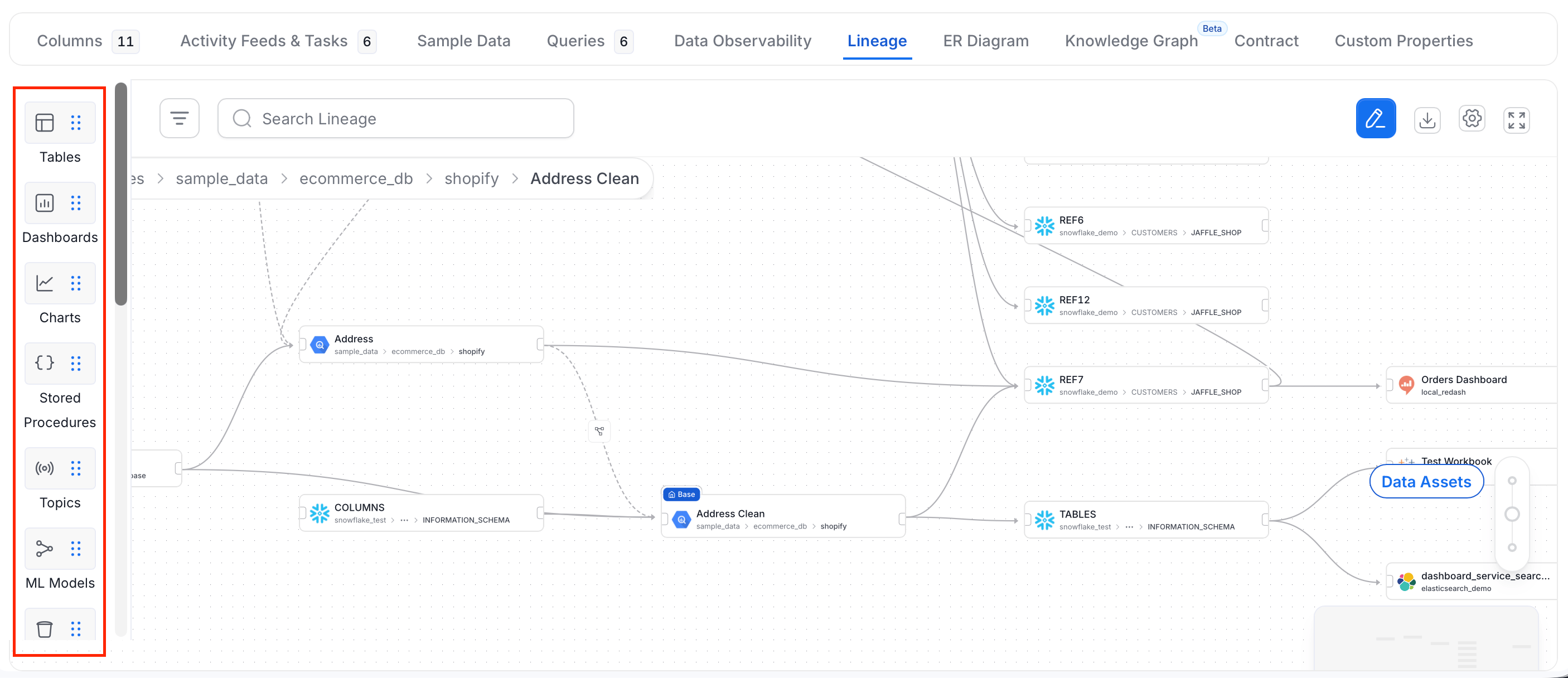
- Find the column in the source table. Each column has an anchor point on its edge.
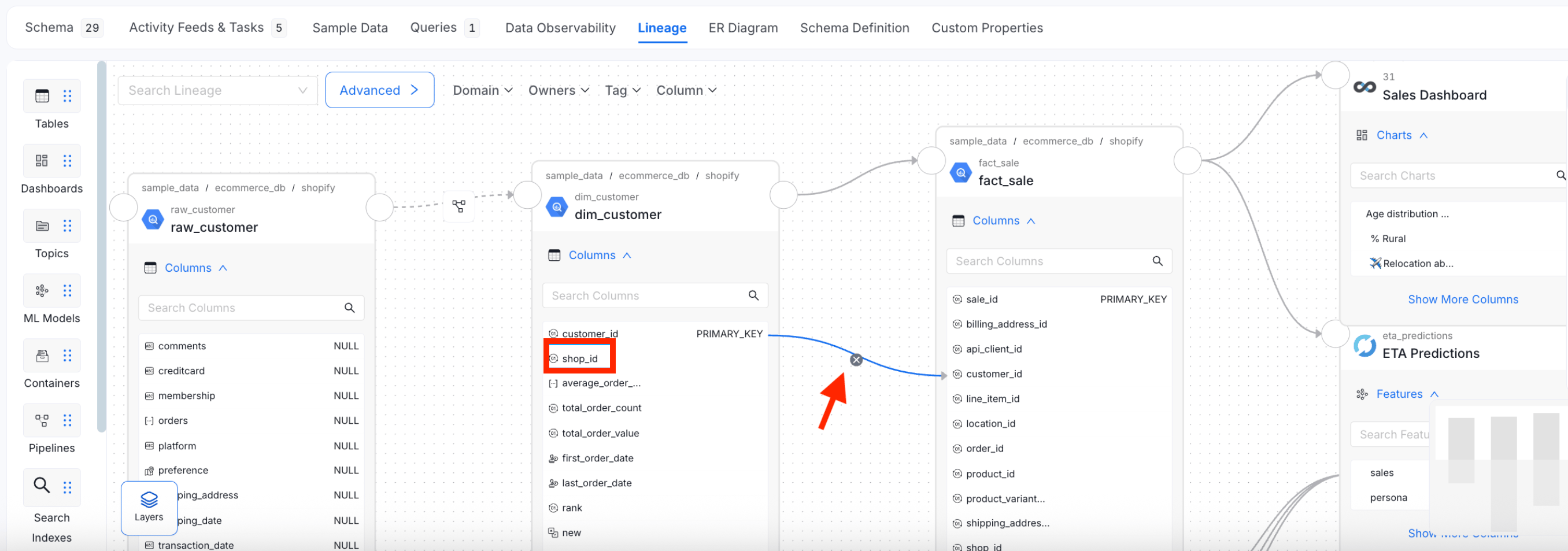
- Drag from the anchor point of the source column to the anchor point of the column it feeds in the other table.
- Repeat for each column you want to link.
- Optional: To remove a link, select the x icon on the connecting line.
- Save your changes.
Metric Column Lineage
A metric is often calculated from a single column. Link the column to the metric so the lineage shows exactly which field feeds the metric. For example, linksales.amount to the metric Total Sales.
- Direction: Connect a column to a metric (column feeds the metric), or a metric to a column.
- Endpoint: A metric has no columns of its own. In column-level lineage, the metric appears as one connection point that carries the metric’s own name.
- Visibility: The connection point appears on a metric node at the Field-level Lineage level or in edit mode. In the default view, a metric node shows no connection point.
- Impact Analysis: The column-to-metric link also appears in the column-level Impact Analysis view, so you can see which metrics depend on a column before you change it.
Link a Column to a Metric
Before you start, make sure you can edit the metric and the table that holds the column.- Open the metric and select the Lineage tab.
- Select Edit (the pencil icon) in the lineage toolbar.
- If the table that holds the column is not in the graph, add it from the asset panel. For more information, see Manually Edit Column-Level Lineage.
- Select the Layers button and, under Level, select Field-level Lineage so the table’s columns are listed.
- Drag from the anchor point beside the column to the anchor point on the metric.
- Save your changes.
You can also create these links with the API by adding a
columnsLineage entry whose toColumn is the metric’s fully qualified name.How to Manually Add or Edit Lineage
Edit the table and column level lineage manually.