
Governance Workflows - User Approval Task
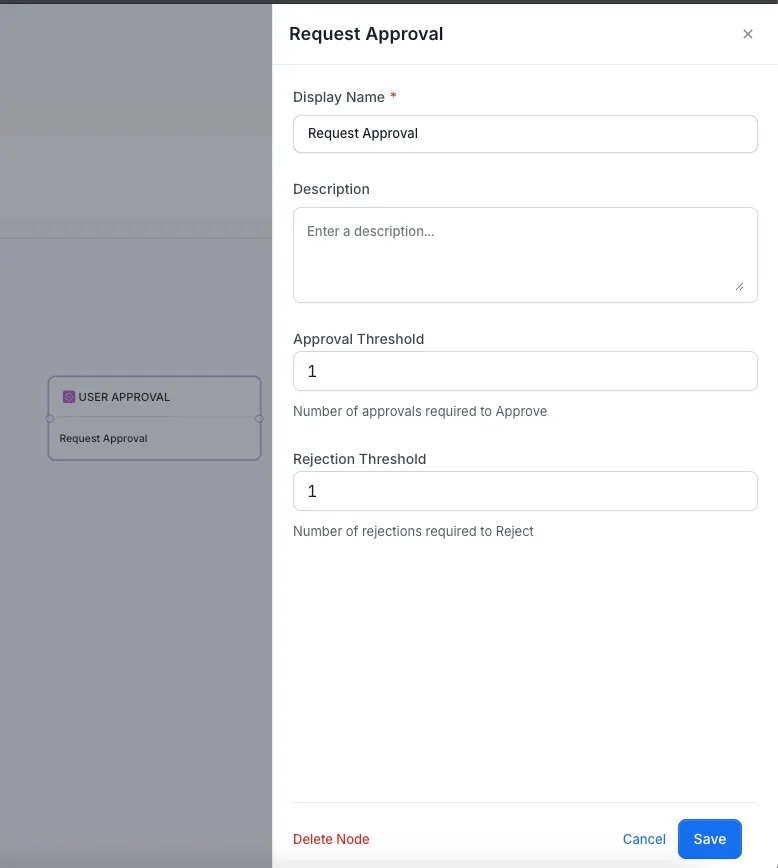
This node assigns an approval task to designated users (reviewers). Users can either Approve or Reject the task.- The node has two output branches: TRUE (Approved) and FALSE (Rejected).
- Tasks are automatically sent to the corresponding reviewers of the asset.
- Configure Approval Threshold and Rejection Threshold to define how many approvals or rejections are needed to finalize the outcome.
What Reviewers See
The approval task shows a Proposed Changes card. For each field that changed on the asset, such as tags, owners, or description, the card lists what was added and what was removed.- Edits accumulate: While an approval is open, each new edit to the asset adds to the card. If a later edit reverses an earlier one, that change disappears from the card.
- New assets: When a workflow starts because an asset was created, the asset has no earlier edits to compare. Proposed Changes is empty for that first approval. Later edits to the asset appear on the card.