Spark Lineage Ingestion
A Spark job often moves or transforms data between tables, producing data lineage. Collate captures this lineage directly from the standard OpenLineage Spark integration — the open-sourceopenlineage-spark listener used across the data ecosystem — with no custom agent required.
How it works
- You add the open-source
openlineage-sparklistener to your Spark session. - The listener emits OpenLineage run events as your job reads and writes data.
- You point the listener’s HTTP transport at Collate’s OpenLineage endpoint (
/api/v1/openlineage/lineage), authenticating with a Collate bot JSON Web Token (JWT). - Collate resolves the datasets in each event to existing tables, builds table- and column-level lineage, and records a pipeline for the Spark job.
- Requirements
- Choosing the right JAR
- Configuration — Spark 3.x
- Configuration — Spark 2.4.x
- Using OpenLineage with Databricks
- Using OpenLineage with Glue
Requirements
- A Spark cluster running Spark 2.4.x or Spark 3.x (see the version-specific sections below for the right JAR).
- Network access from your Spark driver to your Collate instance.
- A Collate bot JWT token for authentication. See Enable JWT Tokens for how to generate one.
Resolving datasets to your tables. Collate matches the datasets in OpenLineage events to existing tables using the dataset namespace. If your Spark sources don’t resolve automatically, configure the namespace-to-service mapping (and, optionally, auto-creation of missing entities and the default pipeline service) in Collate’s OpenLineage settings. This is the server-side replacement for the old
spark.openmetadata.transport.databaseServiceNames option from the Spark Agent.Choosing the right JAR
Theopenlineage-spark listener ships as a single package that you add to your Spark job. The version you use depends on your Spark version:
OpenLineage dropped Spark 2.x support in release
1.37.0 — from that release onward the minimum supported version is Spark 3.x. If you are on Spark 2.4.x, pin openlineage-spark to 1.36.0. Match the Scala suffix (_2.12 or _2.13) to the Scala version your Spark build was compiled with.Configuration — Spark 3.x
The example below uses PySpark. It adds the OpenLineage listener and points its HTTP transport at Collate.1
Add the openlineage-spark package
Add
io.openlineage:openlineage-spark_2.12:<version> to spark.jars.packages (or add a downloaded JAR to spark.jars) along with any other JARs your job needs — in this example the MySQL connector.2
Register the OpenLineage listener
openlineage-spark ships a Spark listener, io.openlineage.spark.agent.OpenLineageSparkListener. Register it as a spark.extraListeners.3
spark.openlineage.transport.type
Set
spark.openlineage.transport.type to http so events are pushed to Collate’s REST endpoint.4
spark.openlineage.transport.url
Set
spark.openlineage.transport.url to the base URL of your Collate instance, e.g. https://<your-collate-host>.5
spark.openlineage.transport.endpoint
Set
spark.openlineage.transport.endpoint to /api/v1/openlineage/lineage — Collate’s native OpenLineage ingestion endpoint.6
spark.openlineage.transport.auth
Authenticate with a Collate bot JWT: set
spark.openlineage.transport.auth.type to api_key and spark.openlineage.transport.auth.apiKey to your token. See Enable JWT Tokens.7
spark.openlineage.namespace
Set
spark.openlineage.namespace to the OpenLineage job namespace that identifies the source of these events. This is not the pipeline service name. Collate combines the namespace with the job name to build the pipeline that represents this Spark job, and places it under the pipeline service configured as defaultPipelineService in Collate’s OpenLineage settings (which defaults to a service named openlineage). To group these jobs under a specific service, set defaultPipelineService to an existing pipeline service rather than changing the namespace.8
spark.openlineage.parentJobName (optional)
Optionally set
spark.openlineage.parentJobName (and a spark.openlineage.parentRunId) to give the Spark job a stable OpenLineage job name and run identity. When Collate auto-creates a pipeline, it names it <namespace>-<parentJobName> under the configured defaultPipelineService.9
Run your job
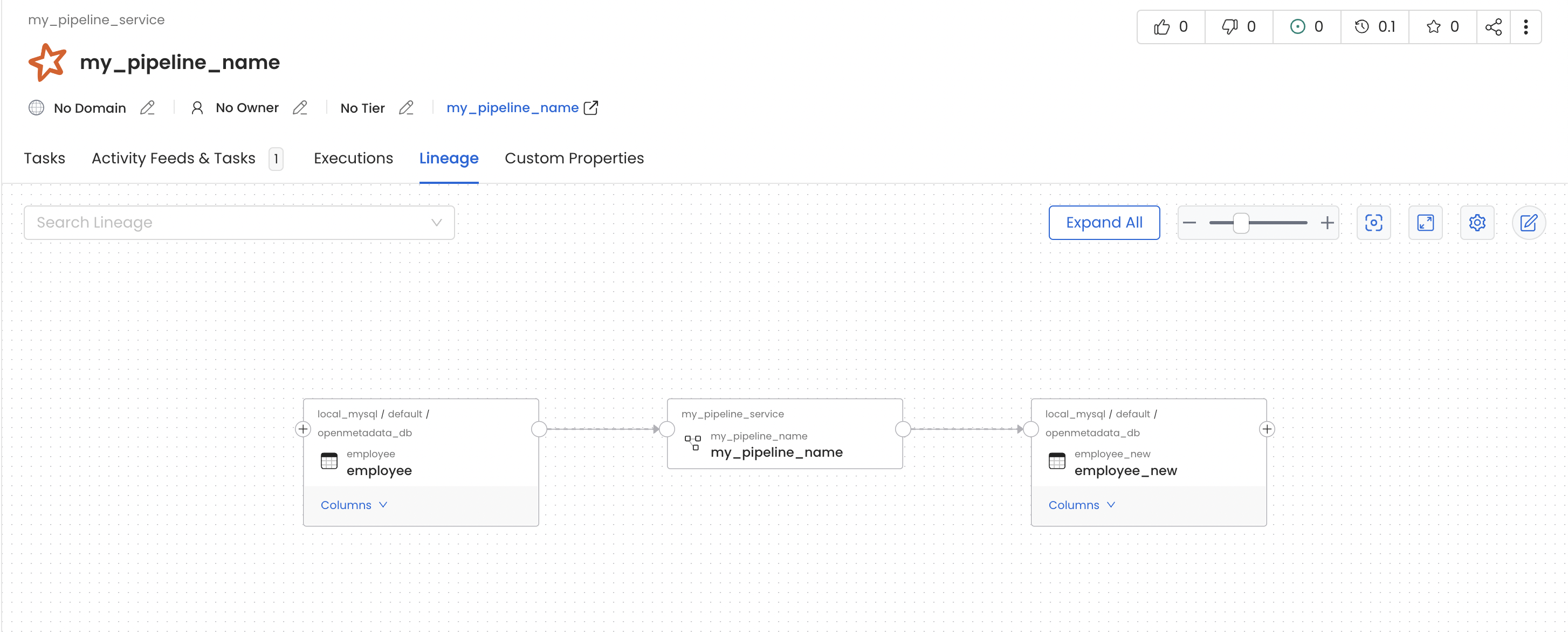
In this job we read data from the
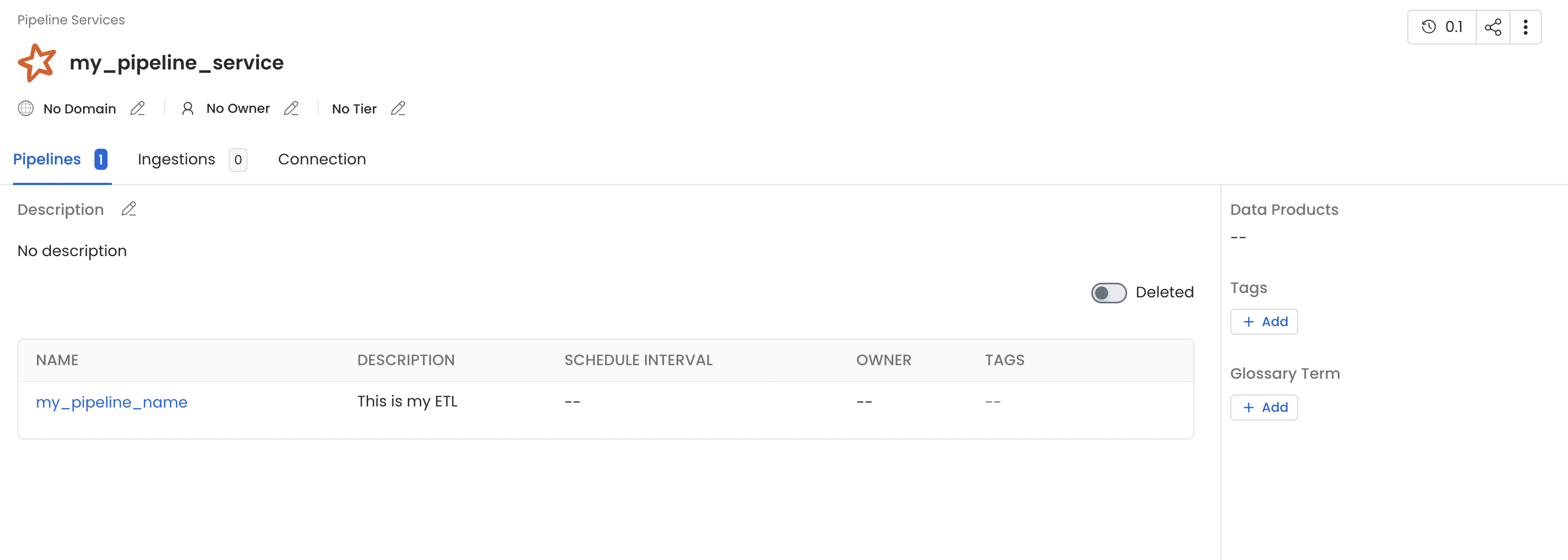
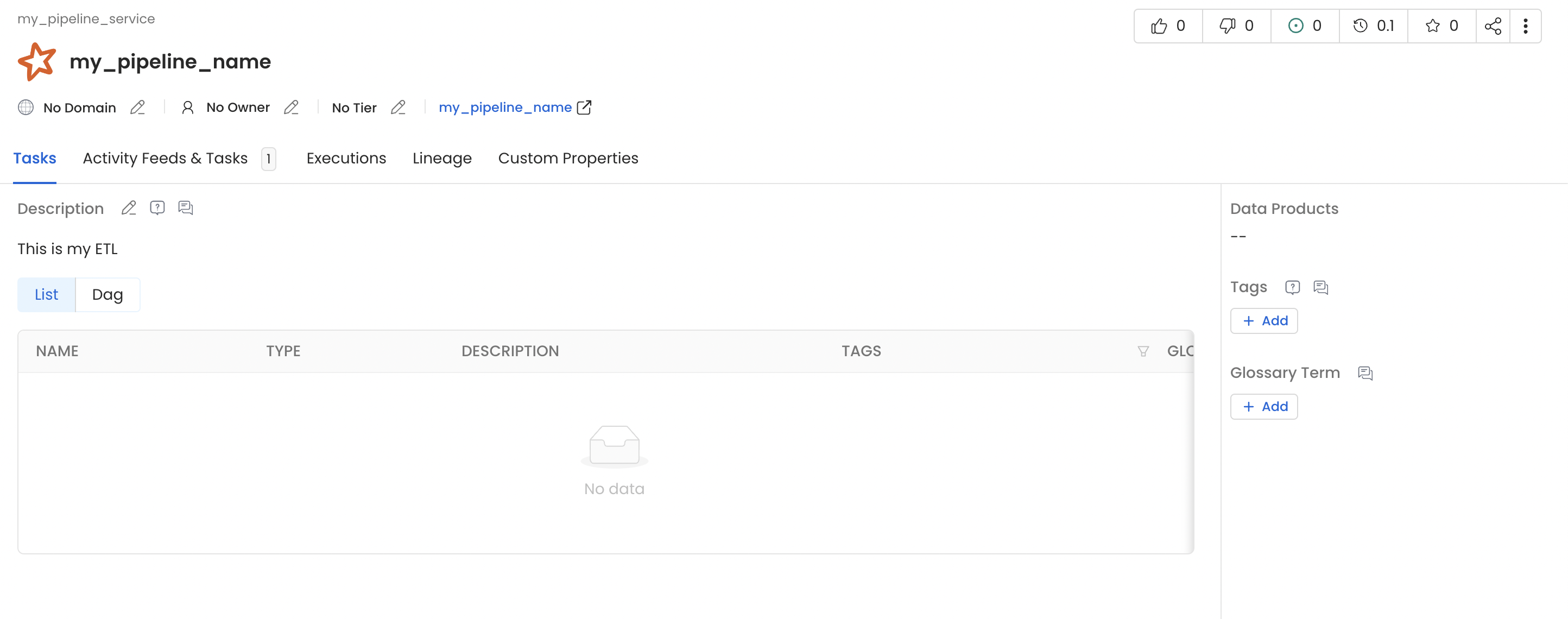
employee table and write it to another table, employee_new, within the same MySQL source.employee and employee_new. The Spark job appears as a pipeline named my_spark_namespace-my_pipeline_name — built from the namespace and job name — under the openlineage pipeline service (the default defaultPipelineService). To land these pipelines in a different service, point defaultPipelineService at an existing pipeline service in Collate’s OpenLineage settings.
Configuration — Spark 2.4.x
The configuration is identical to Spark 3.x except for theopenlineage-spark version, which must be pinned to 1.36.0 — the last OpenLineage release that supports Spark 2.x. Everything else (the listener class and all spark.openlineage.transport.* properties) is the same.
1
Pin openlineage-spark to 1.36.0
Use
io.openlineage:openlineage-spark_2.12:1.36.0. Versions 1.37.0 and later require Spark 3.x and will not work on Spark 2.4.x. Make sure your Spark 2.4 build is compiled with Scala 2.12 to match the _2.12 artifact.2
Use the same transport configuration
The listener class and all
spark.openlineage.transport.* / spark.openlineage.namespace properties are exactly the same as in the Spark 3.x section above.Using OpenLineage with Databricks
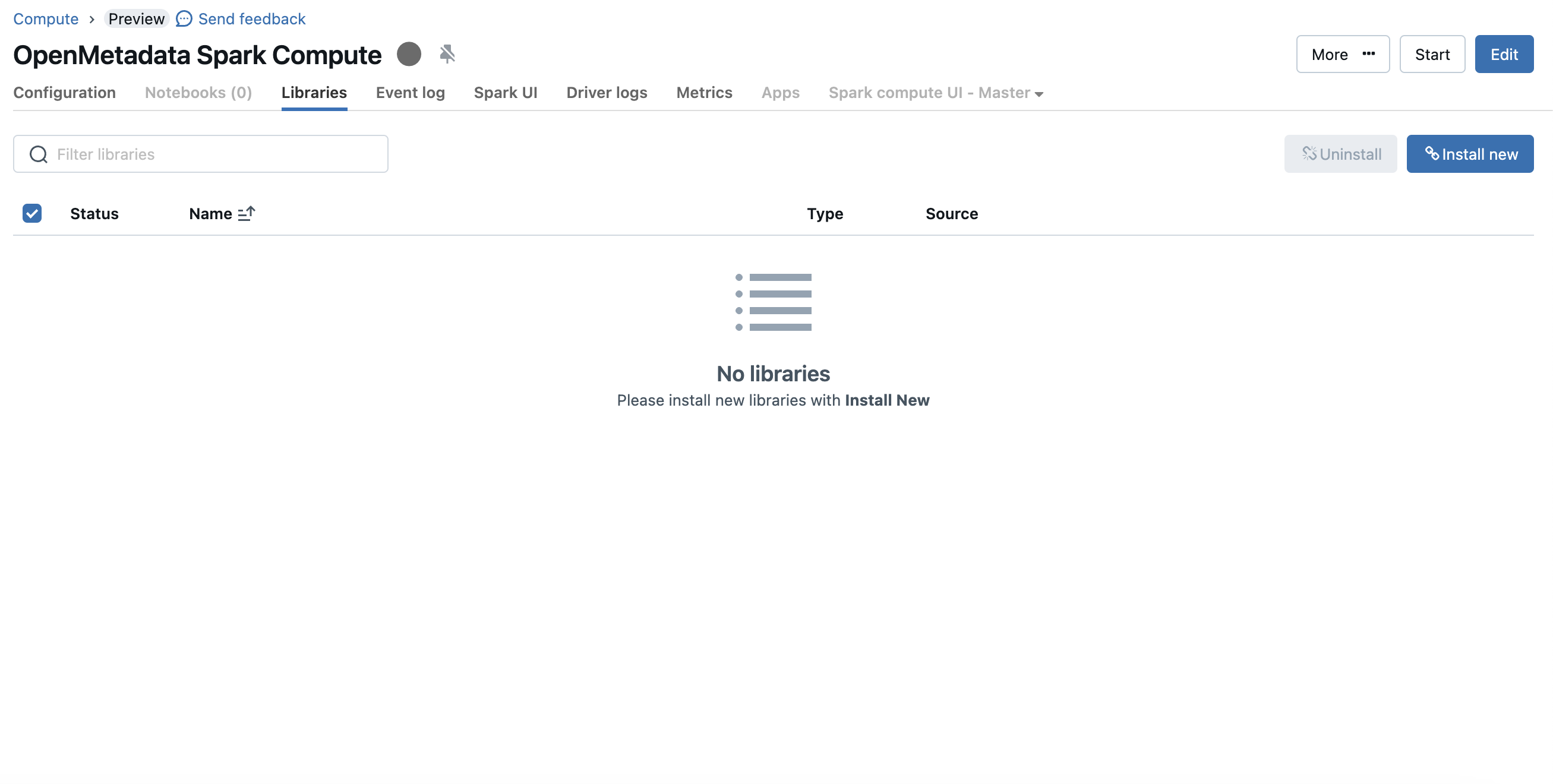
Follow the steps below to capture lineage from Databricks Spark jobs into Collate using the OpenLineage listener.1. Install the openlineage-spark library on the cluster
The simplest approach is to addopenlineage-spark as a Maven library on your cluster:
- Open the compute (cluster) details page and go to the Libraries tab.
- Click Install new → Maven.
- Enter the coordinate for your Databricks Runtime’s Spark version:
- Spark 3.x (DBR 7.3+):
io.openlineage:openlineage-spark_2.12:1.37.0(or newer) - Spark 2.4.x (DBR 6.x):
io.openlineage:openlineage-spark_2.12:1.36.0
- Spark 3.x (DBR 7.3+):
- Click Install and wait for the library to attach.
2. Configure the cluster Spark settings
Go to Advanced options → Spark → Spark config and add the OpenLineage listener and HTTP transport settings: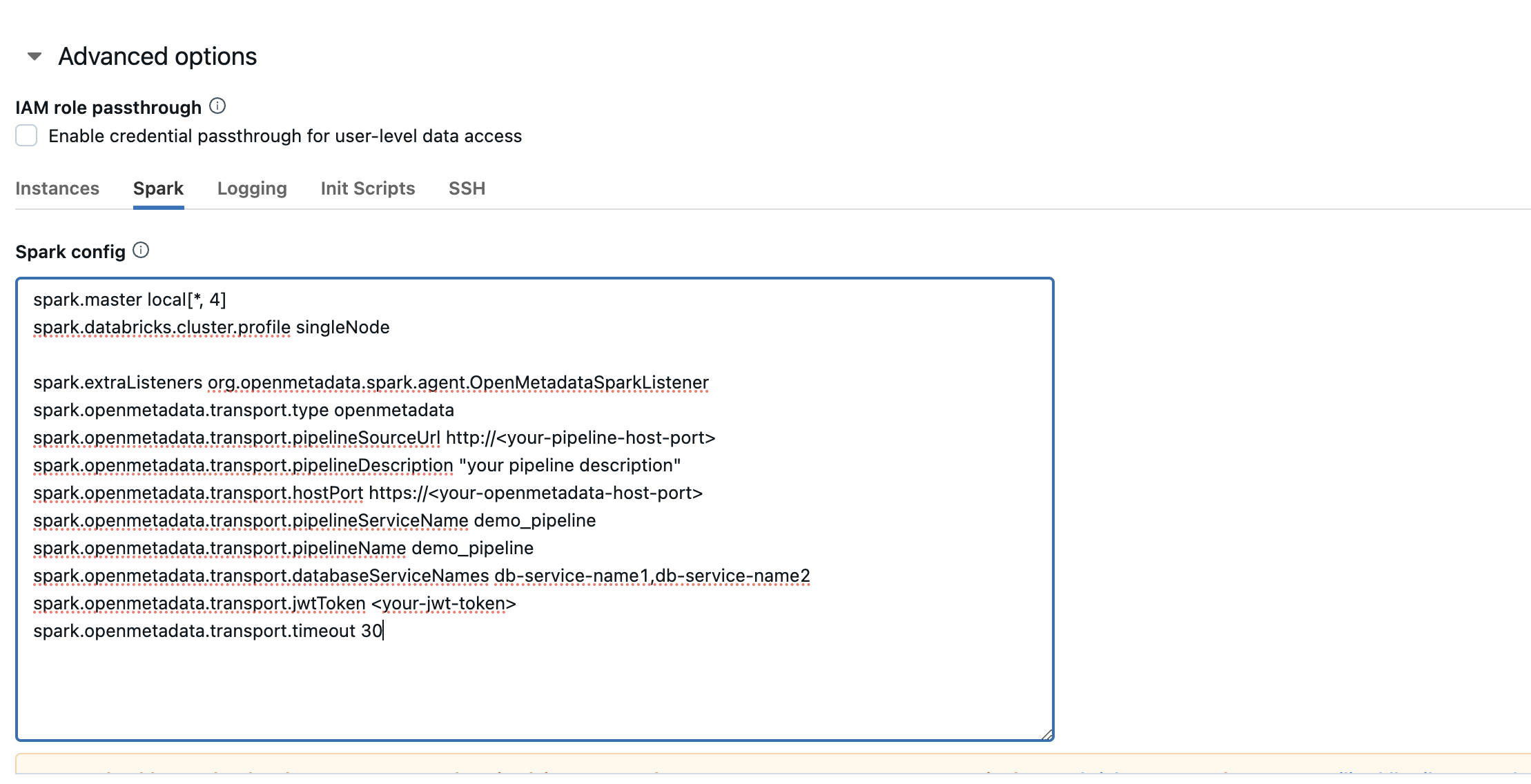
3. (Optional) Set the listener via an init script
If you prefer to register the listener through an init script — for example to guarantee it loads before the driver starts — create the script in your workspace and attach it under Advanced options → Init Scripts: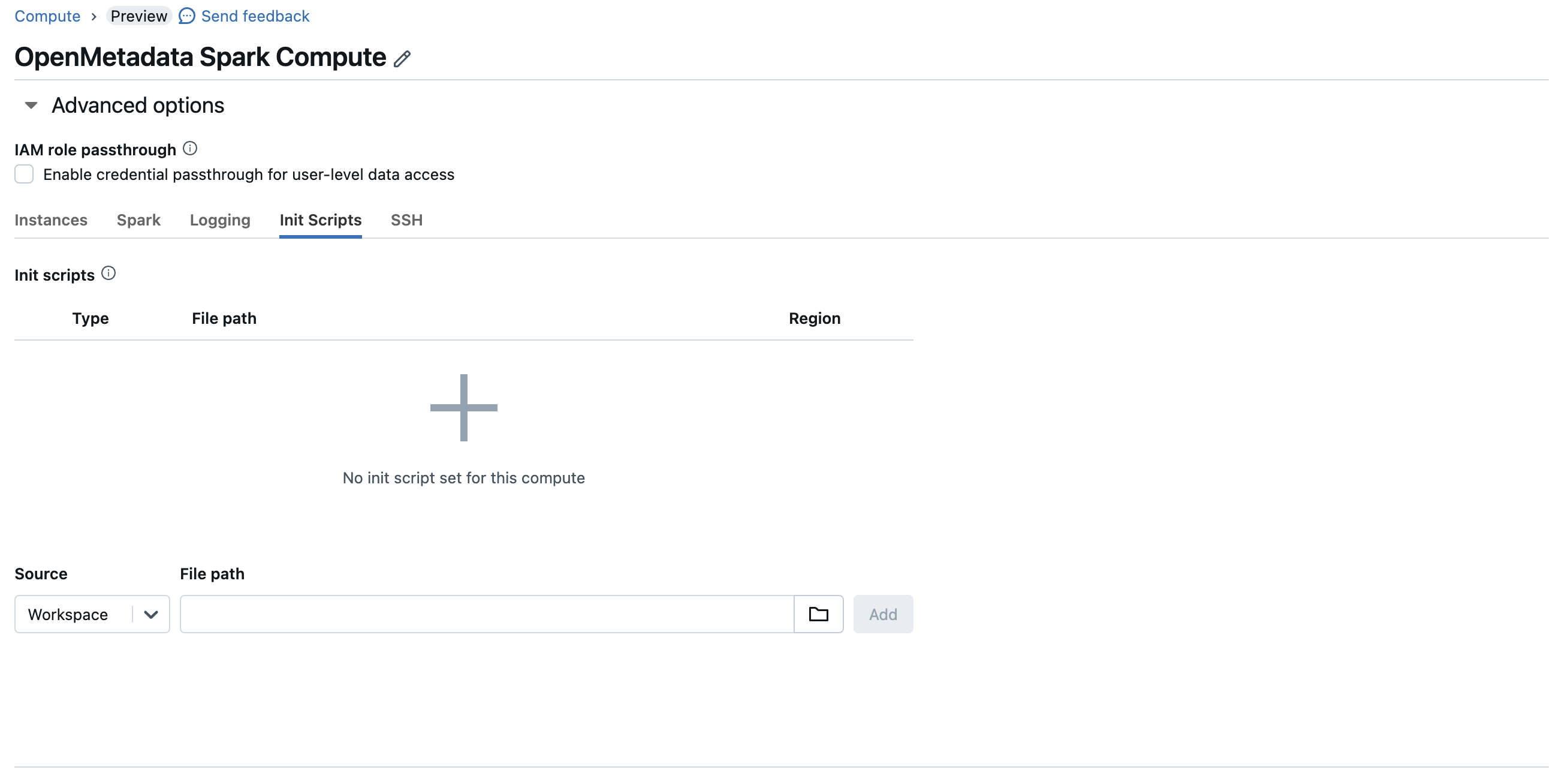
Using OpenLineage with Glue
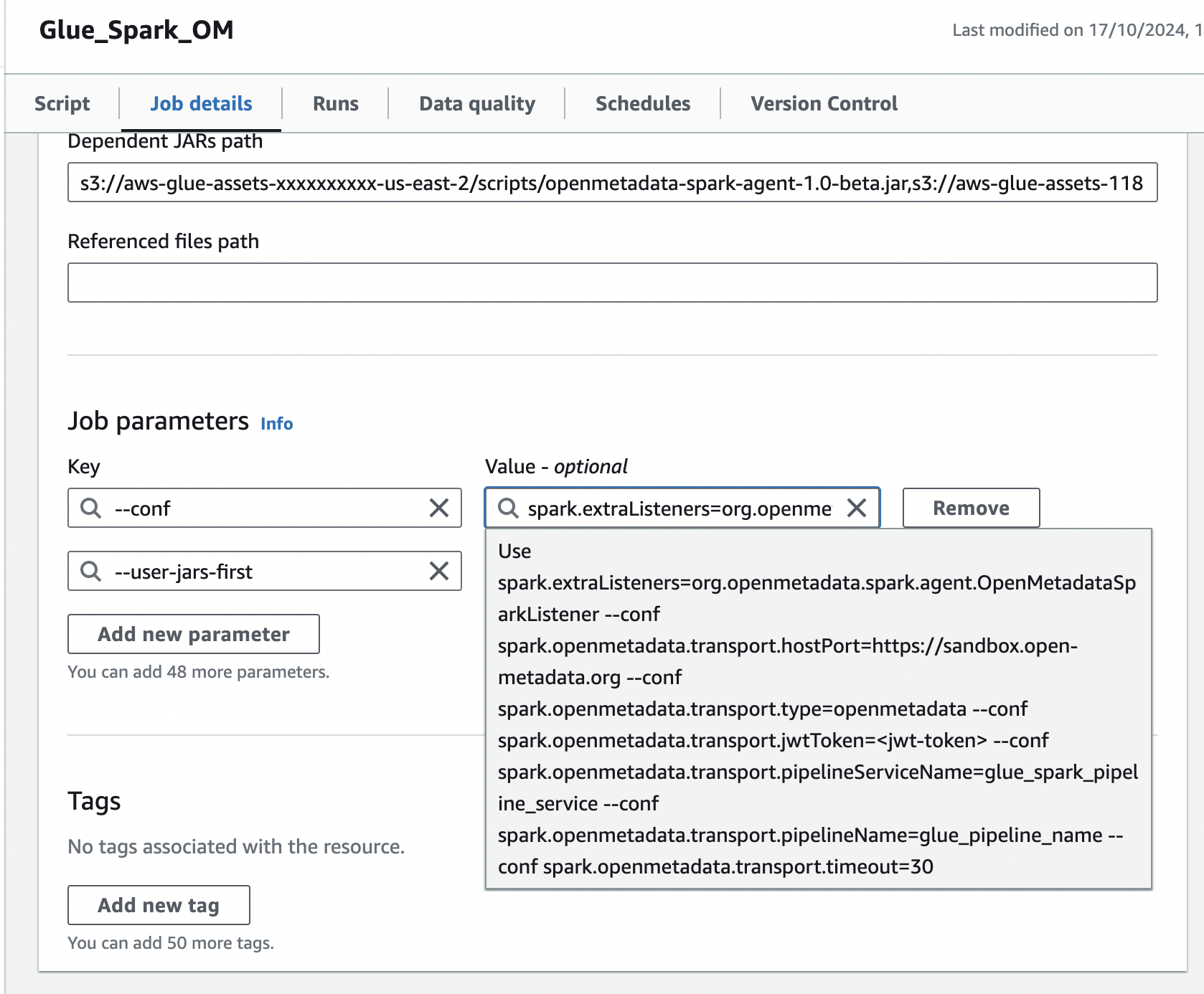
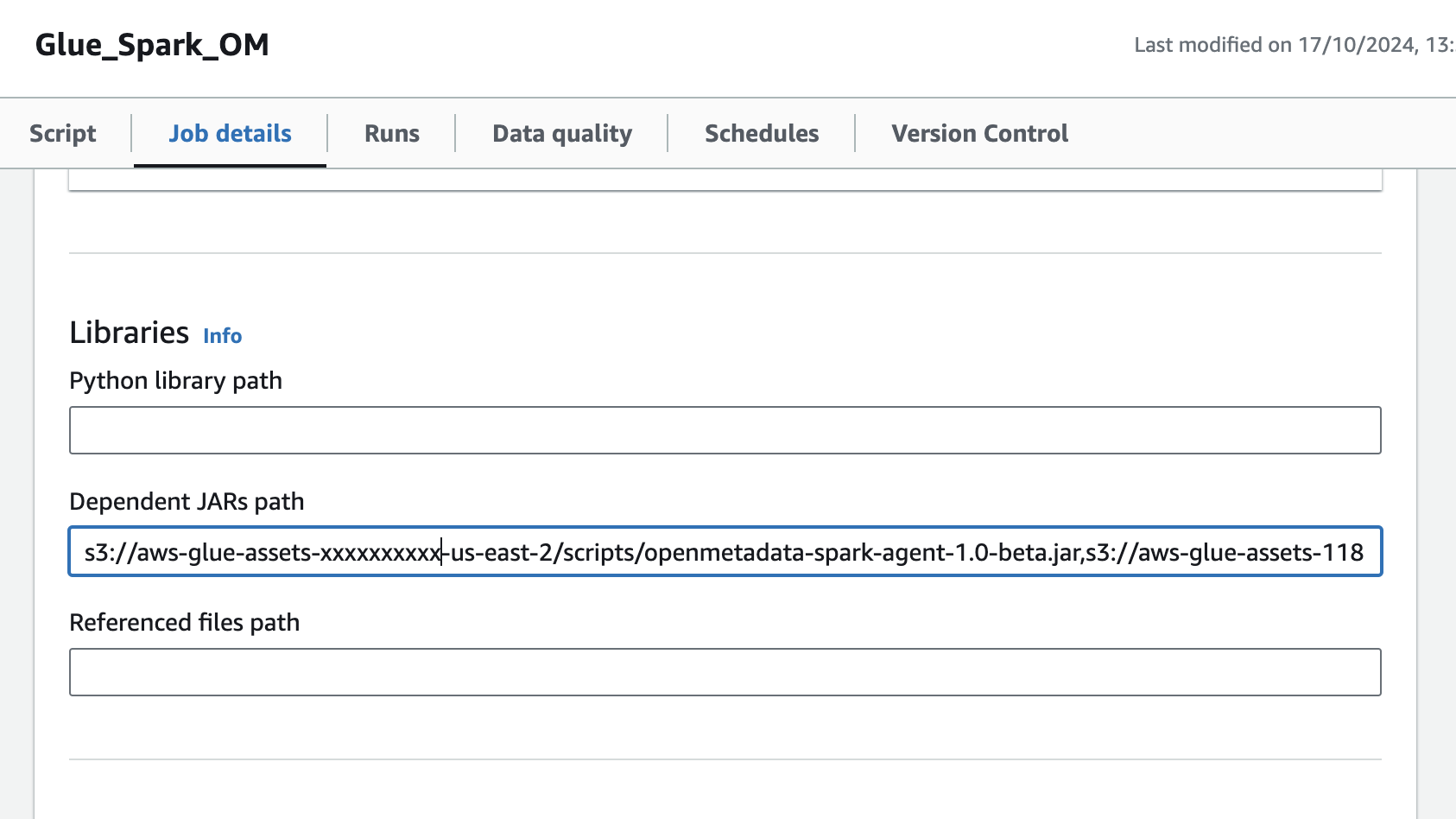
Follow the steps below to capture lineage from AWS Glue Spark jobs into Collate.Match the
openlineage-spark version to your Glue version’s Spark runtime: Glue 3.0/4.0/5.0 run Spark 3.x (use 1.37.0 or newer), while Glue 2.0 runs Spark 2.4.x (use 1.36.0).1. Provide the openlineage-spark JAR
- Download the
openlineage-sparkJAR for your Spark version and upload it to S3. - Open the Glue job and, in the Job details tab, go to Advanced properties → Libraries → Dependent JARs path.
- Add the S3 URL of the
openlineage-sparkJAR to the Dependent JARs path.
2. Add the Spark configuration in Job parameters
In the same Job details tab, add a job parameter:- Add a
--confparameter with the following value (customize the host, token, and namespace):
- Add the
--user-jars-firstparameter and set its value totrue.