How to Create a Personal Access Token
Personal Access Tokens (PATs) in OpenMetadata let you authenticate and interact with the Collate API securely. Follow the steps below to generate a new personal access token.Prerequisites
- You have a valid OpenMetadata user account.
- You have access to the OpenMetadata UI.
Steps to Create a Personal Access Token
-
Log in to the OpenMetadata UI
- Navigate to your OpenMetadata instance.
- Enter your credentials to log in.
-
Access your profile
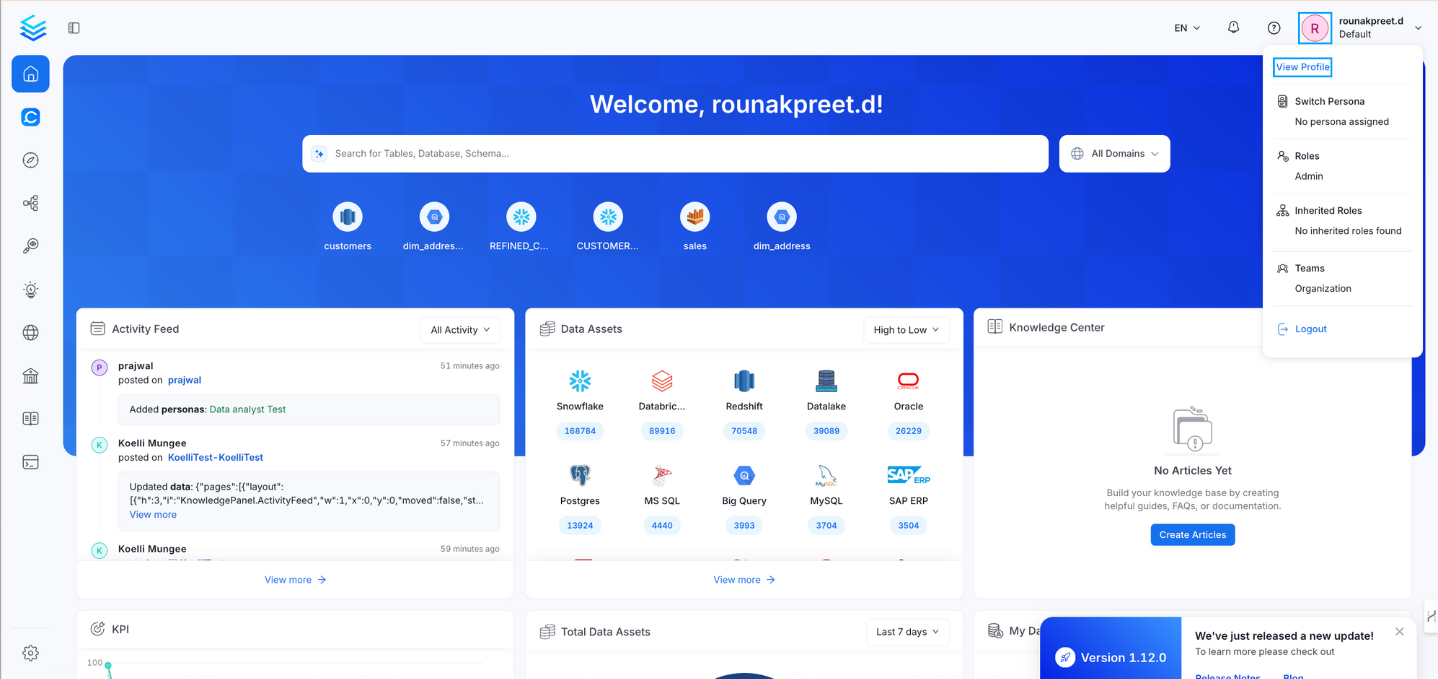
- Click your profile icon in the top-right corner of the UI.
- Select View Profile from the dropdown menu.
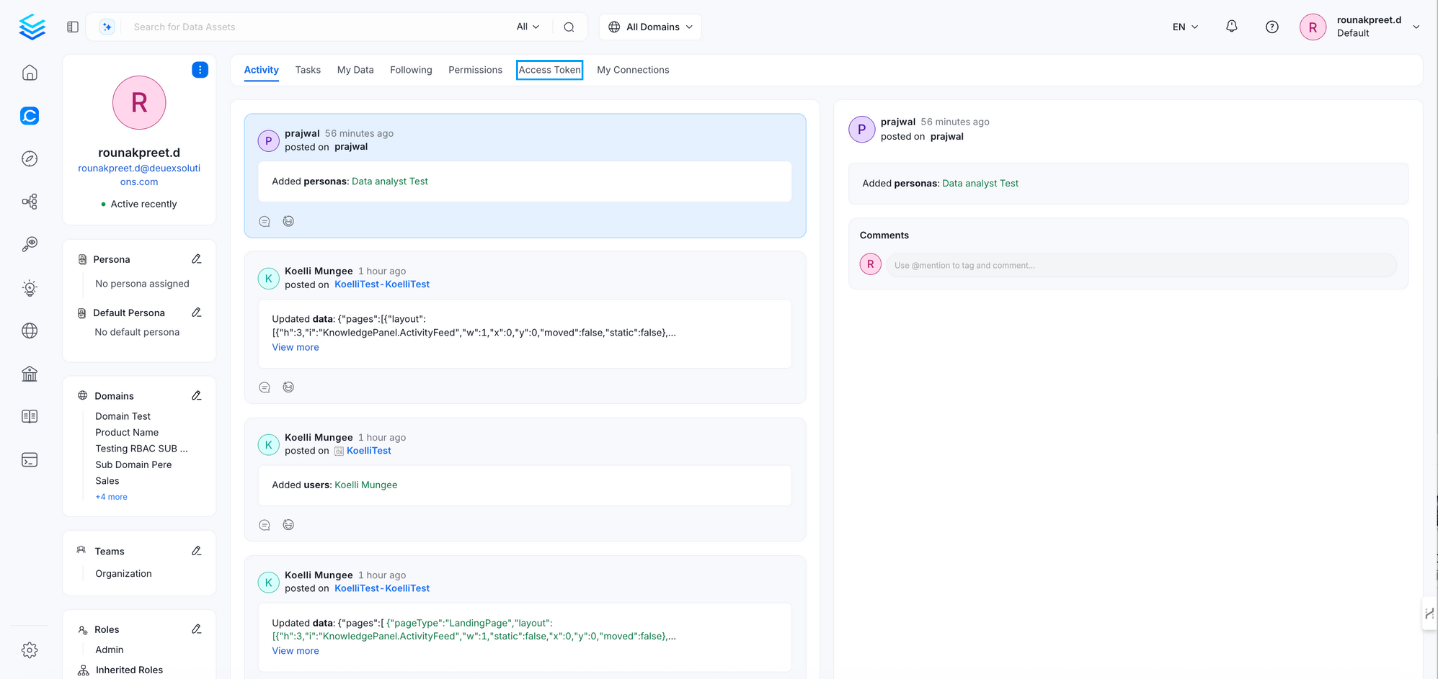
- Open the Access Tokens tab
- In your profile page, click the Access Tokens tab.
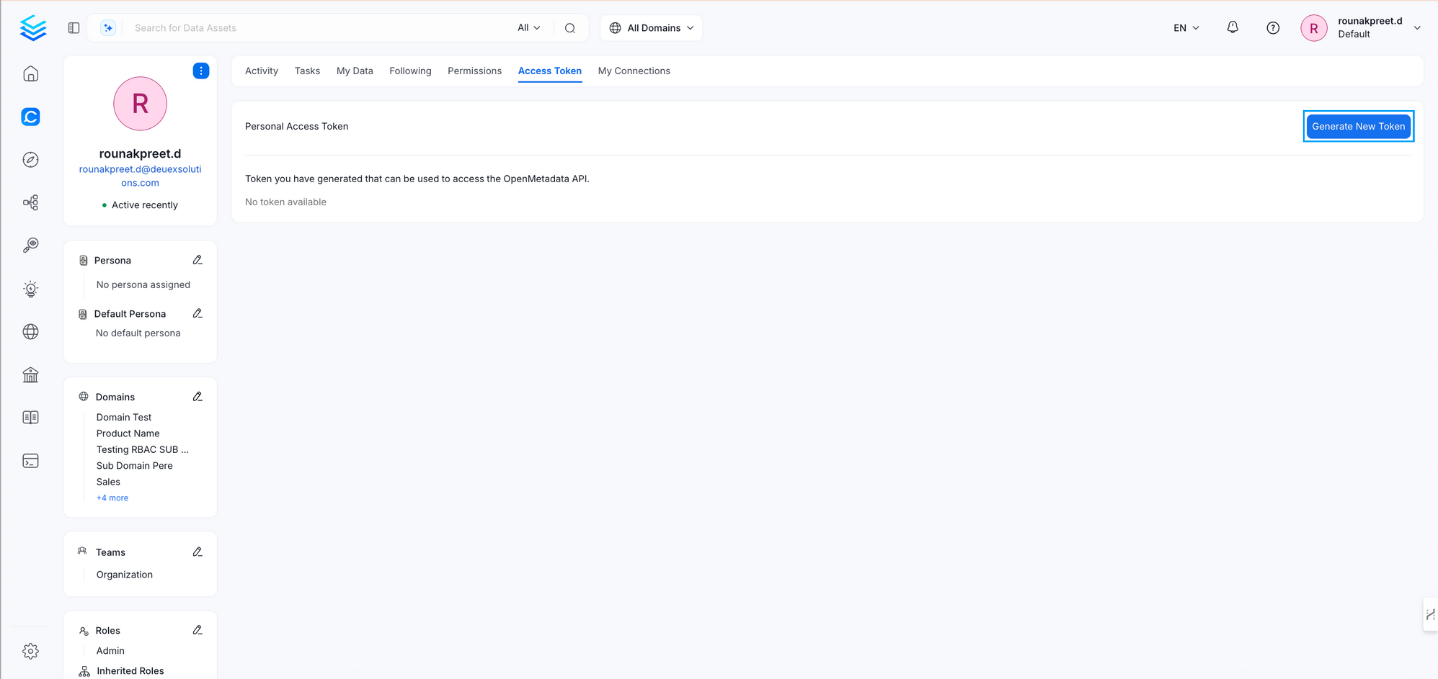
- Generate a new token
- Click Generate New Token.
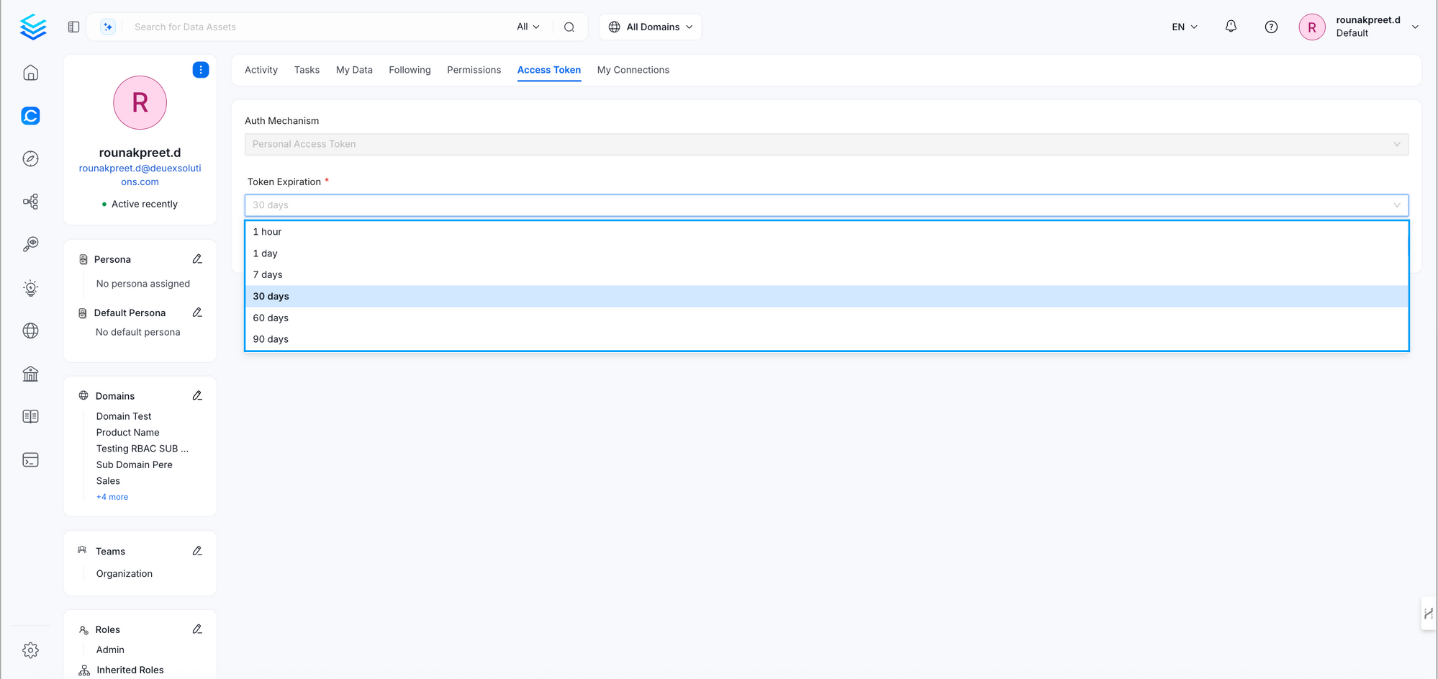
- Set token expiration
- Choose an expiration period for the token. Available options typically include:
- 1 hour
- 1 day
- 7 days
- 30 days
- 60 days
- Choose an expiration period for the token. Available options typically include:
- Copy your token
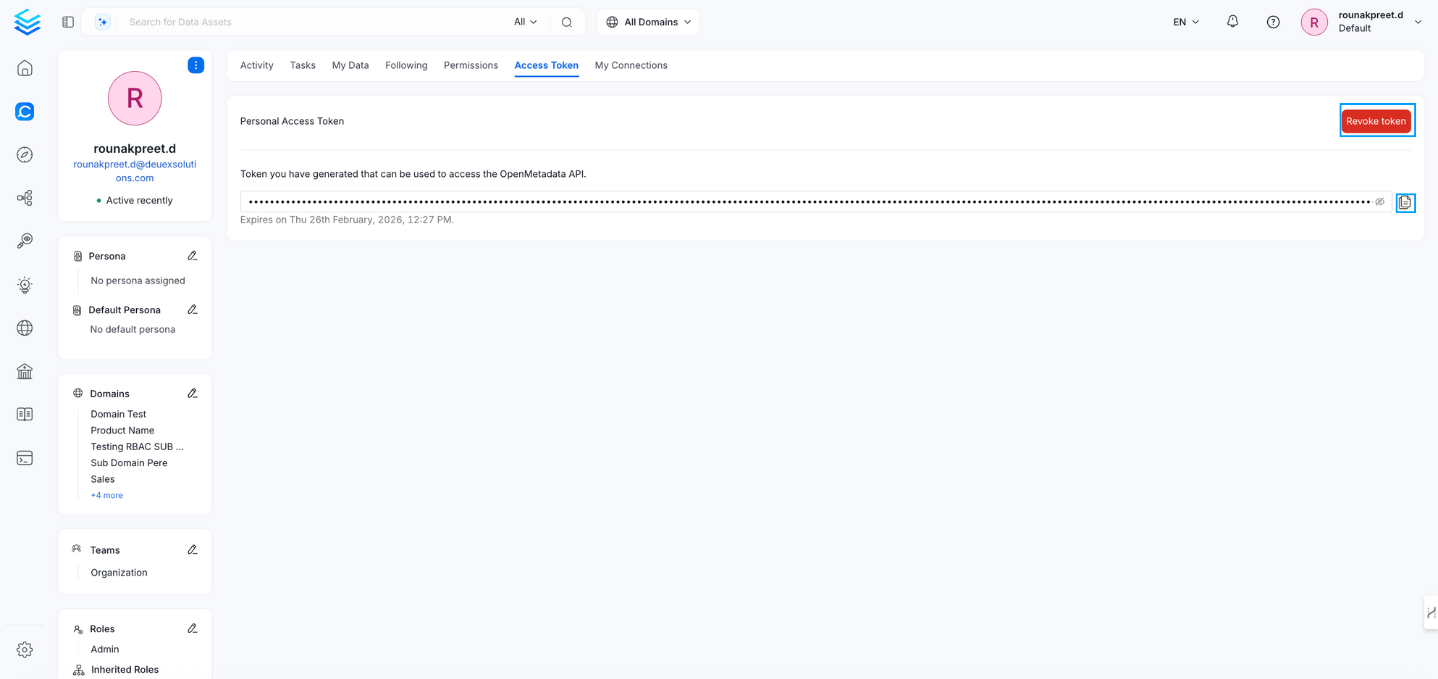
- After generation, the personal access token is displayed.
- You can revoke a token at any time by selecting Revoke Token.
- Copy and securely store the token, as you may not be able to view it again later.