Spark Lineage Ingestion
A spark job may involve movement/transfer of data which may result into a data lineage, to capture such lineages you can make use ofCollate Spark Agent which you can configure with your spark session and capture these spark lineages into your Collate instance.
In this guide we will explain how you can make use of the Collate Spark Agent to capture such lineage.
Requirement
To use theCollate Spark Agent, you will have to download the latest jar from here.
We support spark version 3.1 and above.
Configuration
While configuring the spark session, in this guide we will make use of PySpark to demonstrate the use ofCollate Spark Agent
Once you have downloaded the
Once you have downloaded the jar from here in your spark configuration you will have to add the path to your
openmetadata-spark-agent.jar along with other required jars to run your spark job, in this example it is mysql-connector-java.jar`openmetadata-spark-agent.jar` comes with a custom
openmetadata-spark-agent.jar comes with a custom spark listener i.e. io.openlineage.spark.agent.OpenLineageSparkListener you will need to add this as extraListeners spark configuration.`spark.openmetadata.transport.hostPort`: Specify the host &
spark.openmetadata.transport.hostPort: Specify the host & port of the instance where your Collate is hosted.`spark.openmetadata.transport.type` is required configura...
spark.openmetadata.transport.type is required configuration with value as openmetadata.`spark.openmetadata.transport.jwtToken`: Specify your Ope...
spark.openmetadata.transport.jwtToken: Specify your Collate JWT token here. Checkout this documentation on how you can generate a JWT token in Collate.`spark.openmetadata.transport.pipelineServiceName`: This ...
spark.openmetadata.transport.pipelineServiceName: This spark job will be creating a new pipeline service of type Spark, use this configuration to customize the pipeline service name.Note: If the pipeline service with the specified name already exists then we will be updating/using the same pipeline service.`spark.openmetadata.transport.pipelineName`: This spark j...
spark.openmetadata.transport.pipelineName: This spark job will also create a new pipeline within the pipeline service defined above. Use this configuration to customize the name of pipeline.Note: If the pipeline with the specified name already exists then we will be updating/using the same pipeline.`spark.openmetadata.transport.pipelineSourceUrl`: You can...
spark.openmetadata.transport.pipelineSourceUrl: You can use this configuration to provide additional context to your pipeline by specifying a url related to the pipeline.`spark.openmetadata.transport.pipelineDescription`: Provi...
spark.openmetadata.transport.pipelineDescription: Provide pipeline description using this spark configuration.`spark.openmetadata.transport.databaseServiceNames`: Prov...
spark.openmetadata.transport.databaseServiceNames: Provide the comma separated list of database service names which contains the source tables used in this job. If you do not provide this configuration then we will be searching through all the services available in Collate.`spark.openmetadata.transport.timeout`: Provide the timeo...
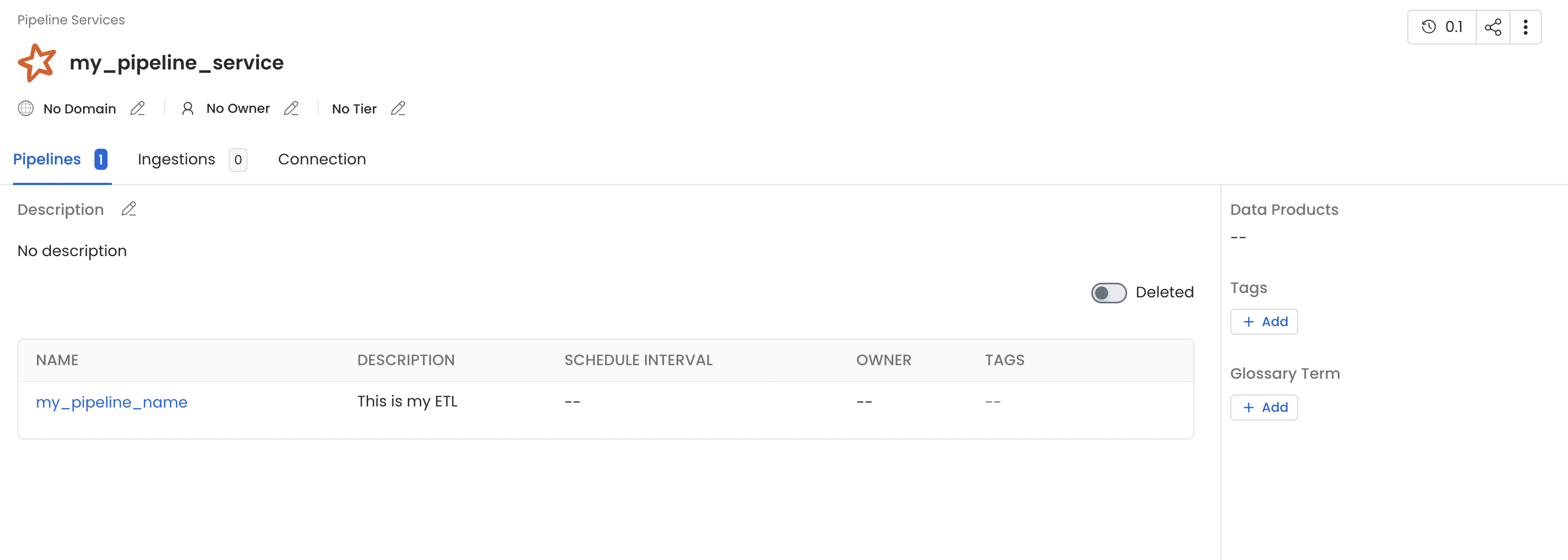
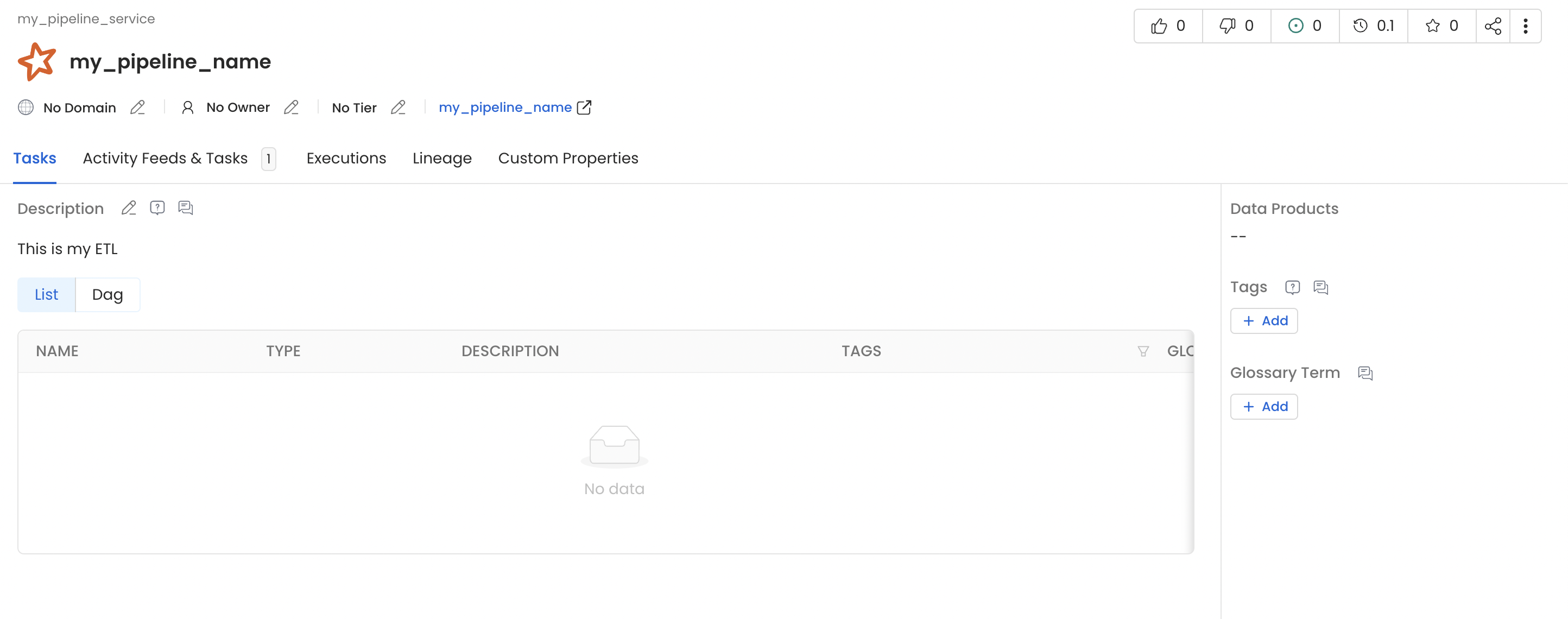
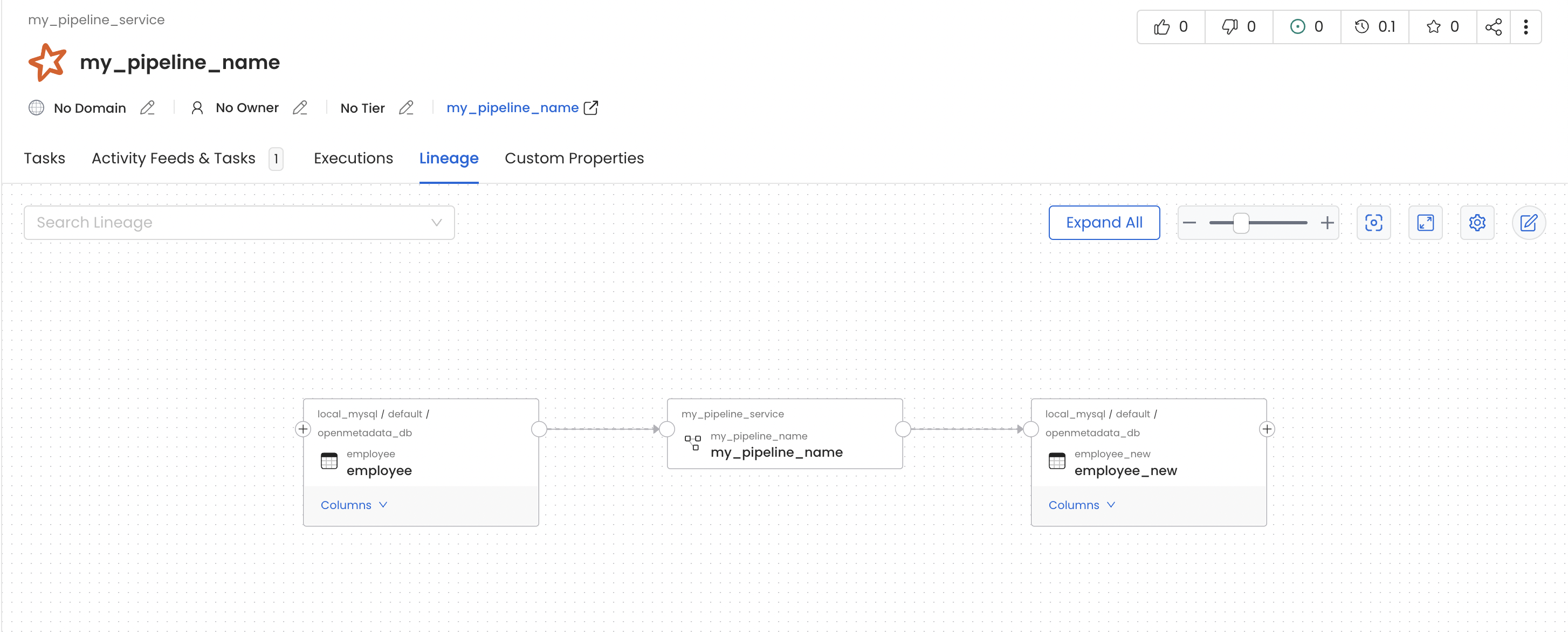
spark.openmetadata.transport.timeout: Provide the timeout to communicate with Collate APIs.my_pipeline_service generated in your Collate instance which would contain a pipeline with name my_pipeline as per the above example and you should also see lineage between the table employee and employee_new via my_pipeline.
Using Spark Agent with Databricks
Follow the below steps in order to use Collate Spark Agent with databricks.1. Upload the jar to compute cluster
To use theCollate Spark Agent, you will have to download the latest jar from here and upload it to your databricks compute cluster.
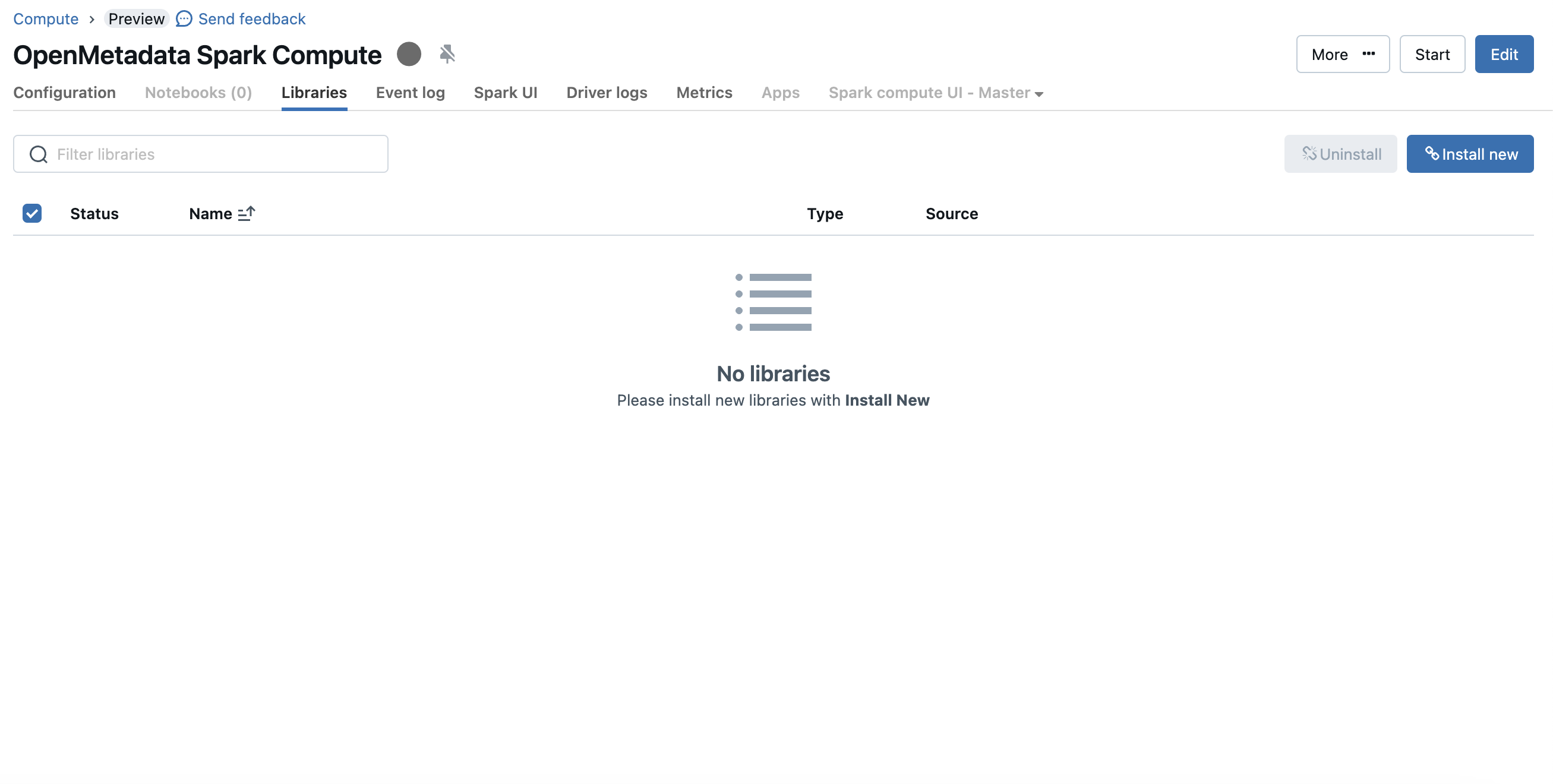
To upload the jar you can visit the compute details page and then go to the libraries tab
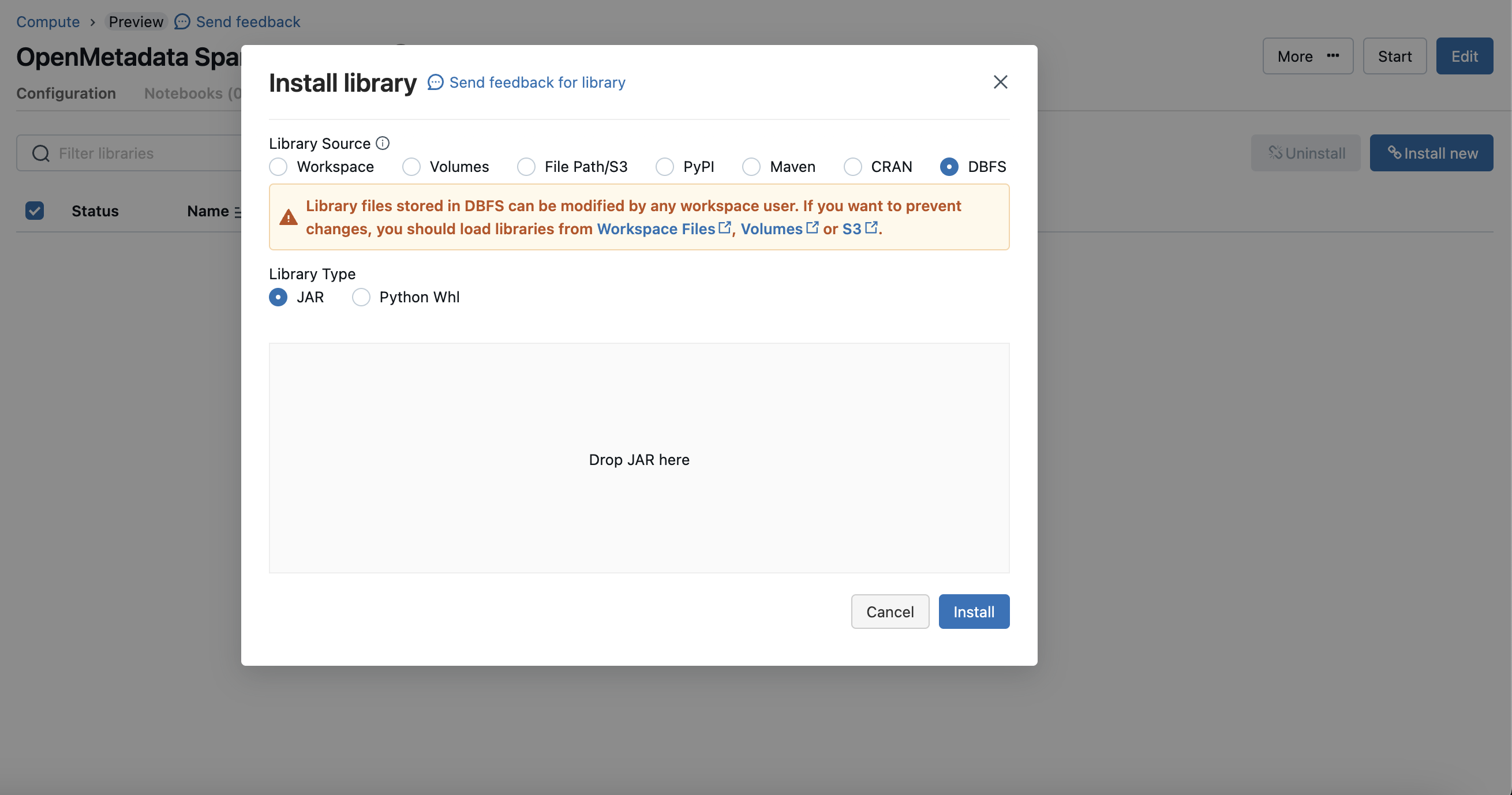
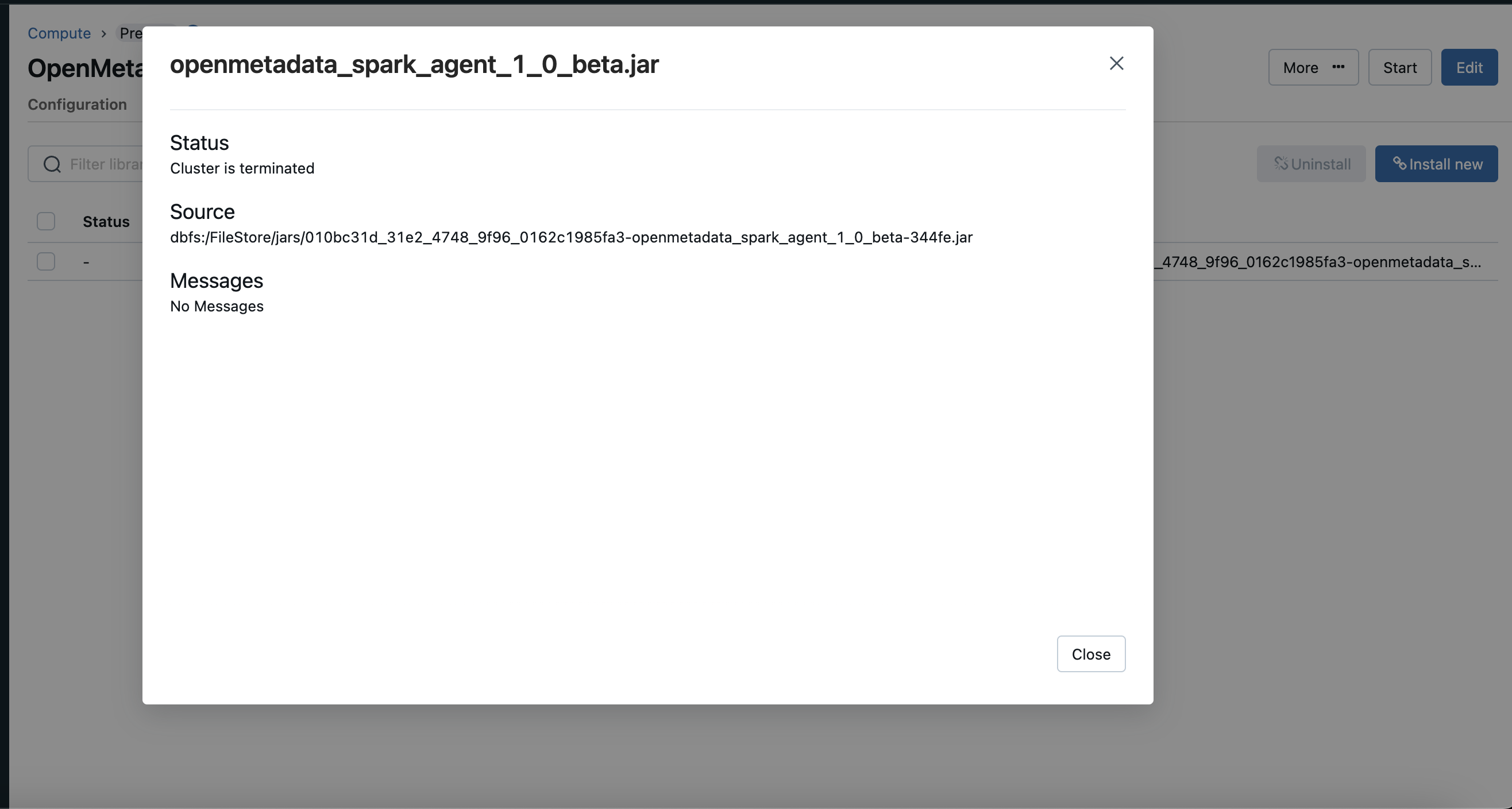
dbfs mode and upload the Collate Spark Agent jar.
2. Create Initialization Script
Once your jar is uploaded you need to create a initialization script in your workspace.dbfs:/FileStore/jars/.... you need to modify it like /dbfs/FileStore/jars/... this.
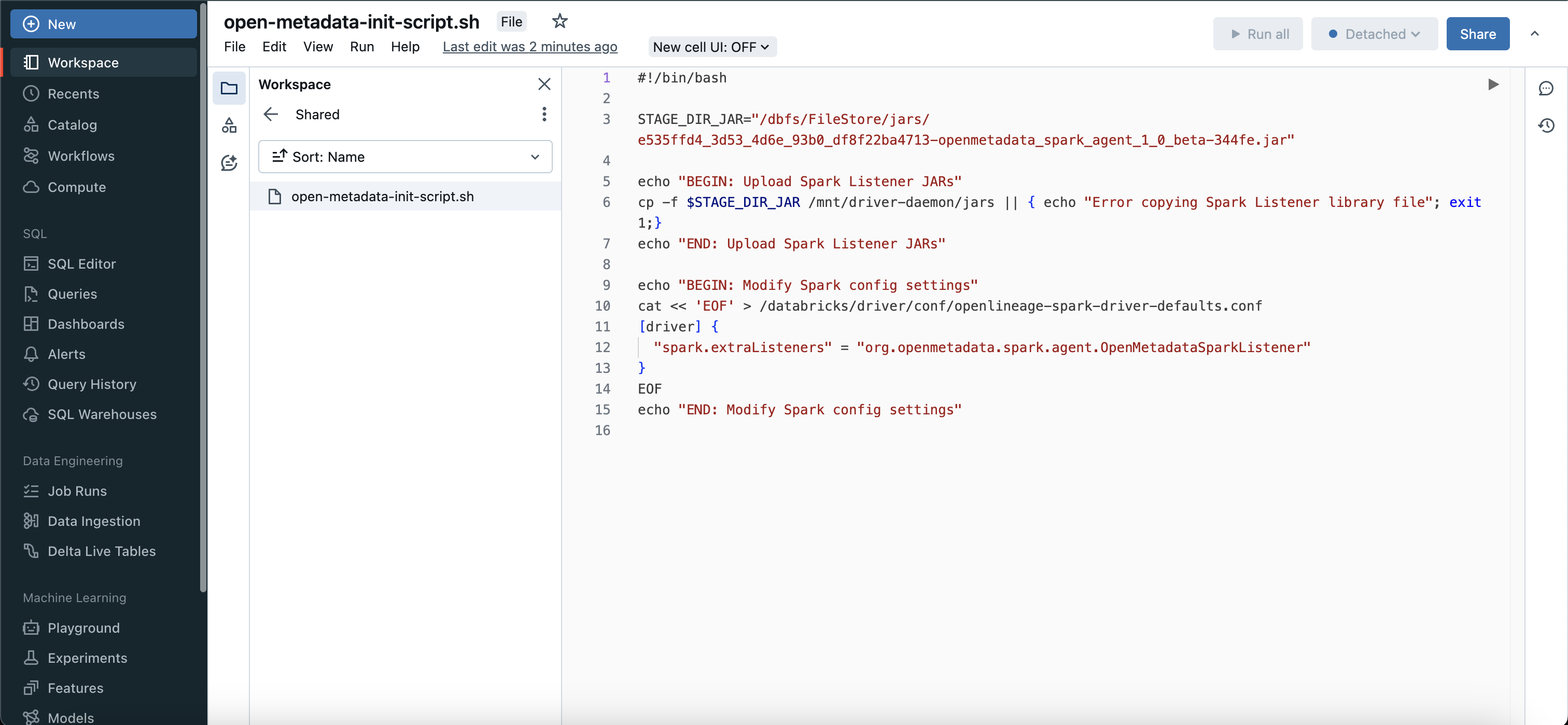
3. Configure Initialization Script
Once you have created a initialization script, you will need to attach this script to your compute instance, to do that you can go to advanced config > init scripts and add your script path.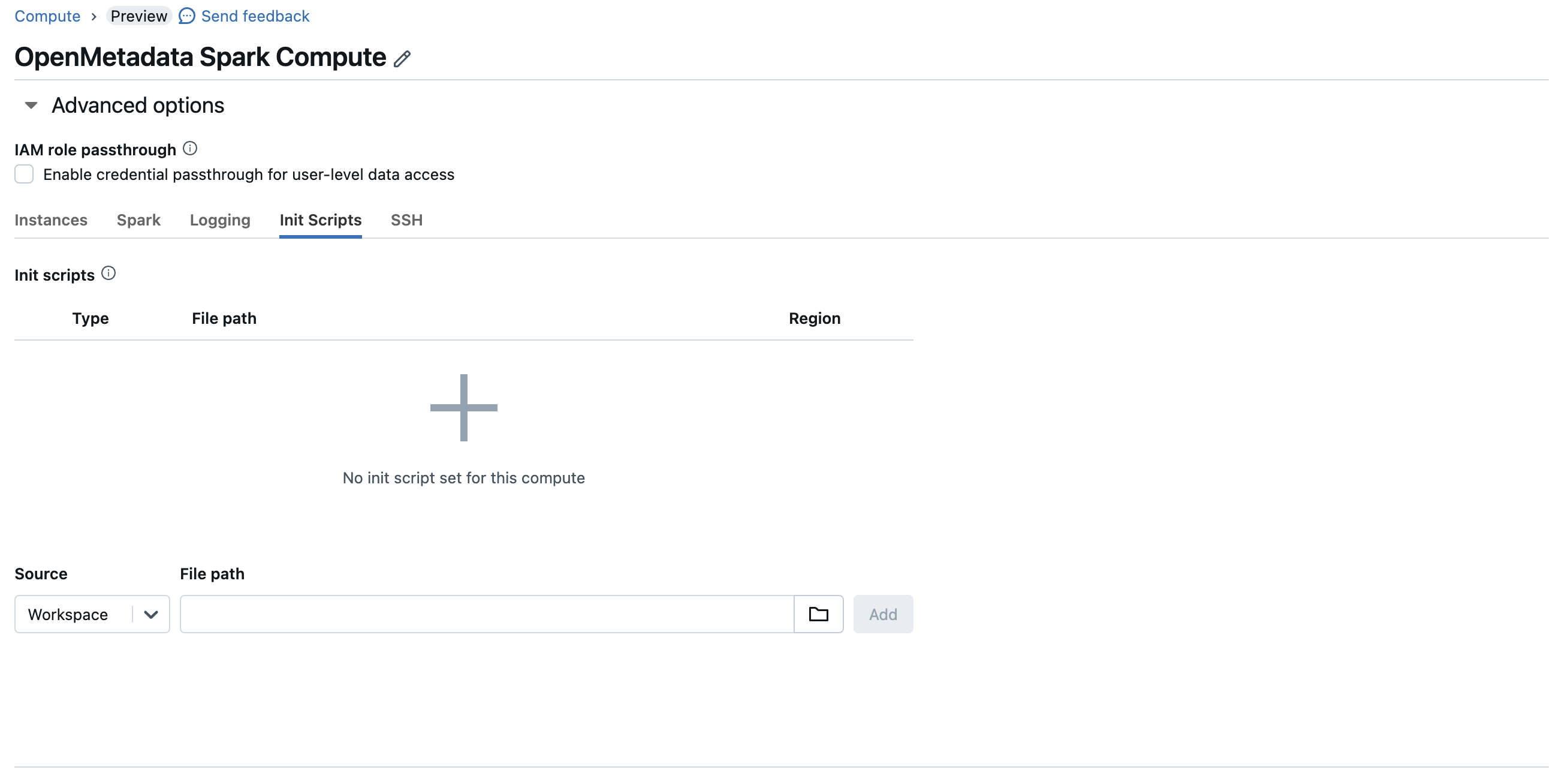
4. Configure Spark
After configuring the init script, you will need to update the spark config as well.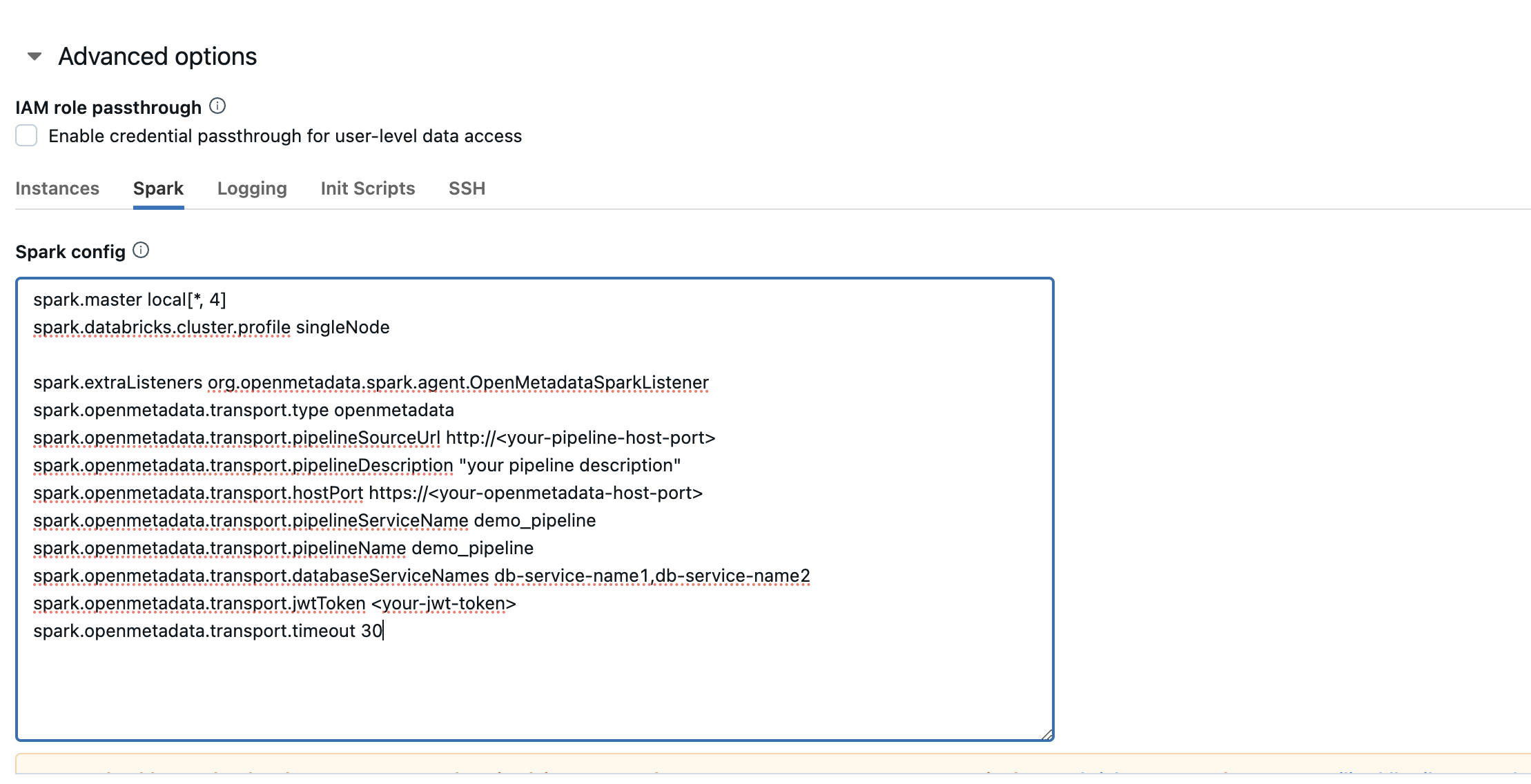
Configuration section above to get the detailed information about the same.
Using Spark Agent with Glue
Follow the below steps in order to use Collate Spark Agent with glue.1. Specify the Collate Spark Agent JAR URL
- Upload the Collate Spark Agent Jar to S3
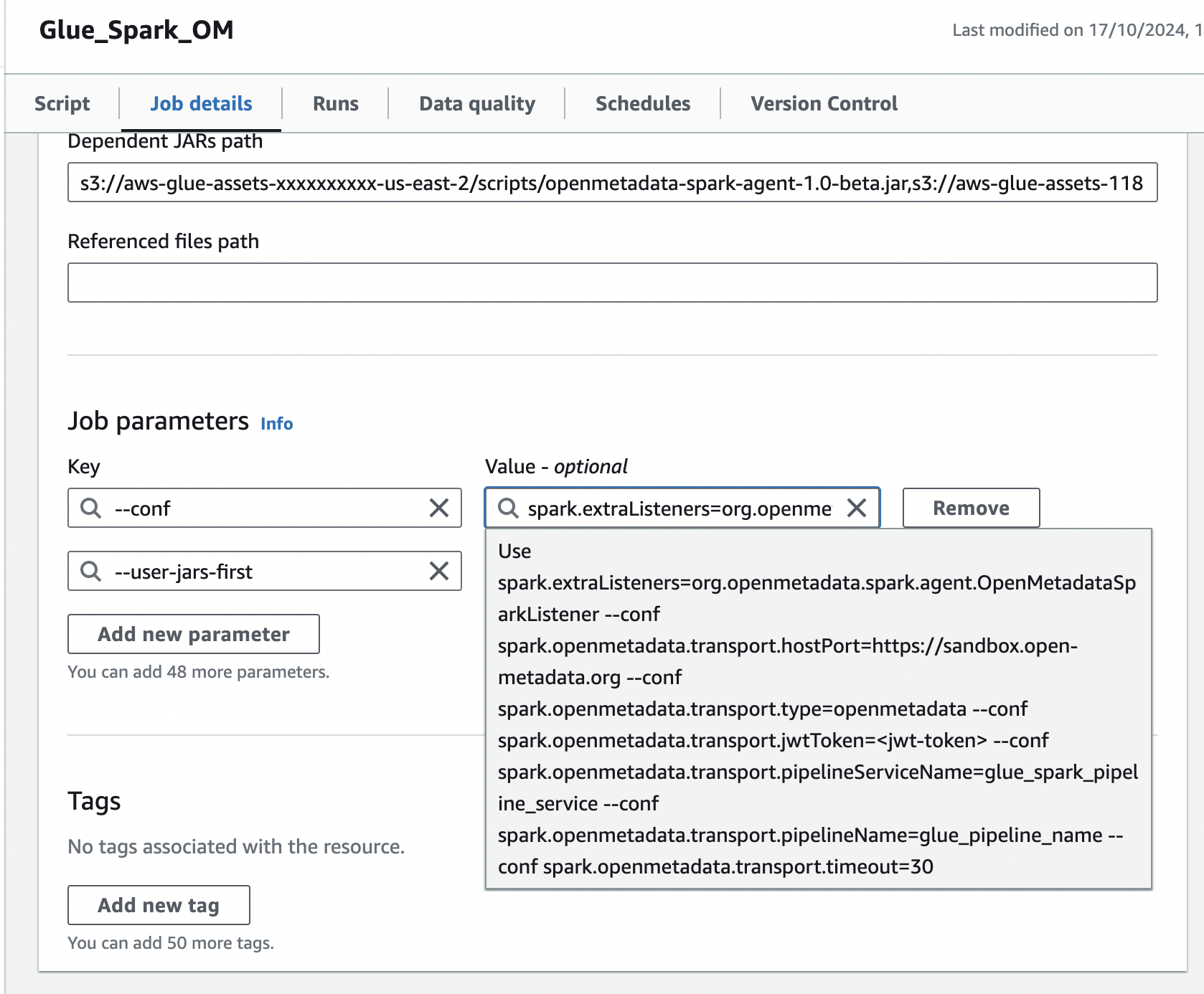
- Navigate to the glue job,In the Job details tab, navigate to Advanced properties → Libraries → Dependent Jars path
- Add the S3 url of Collate Spark Agent Jar in the Dependent Jars path.
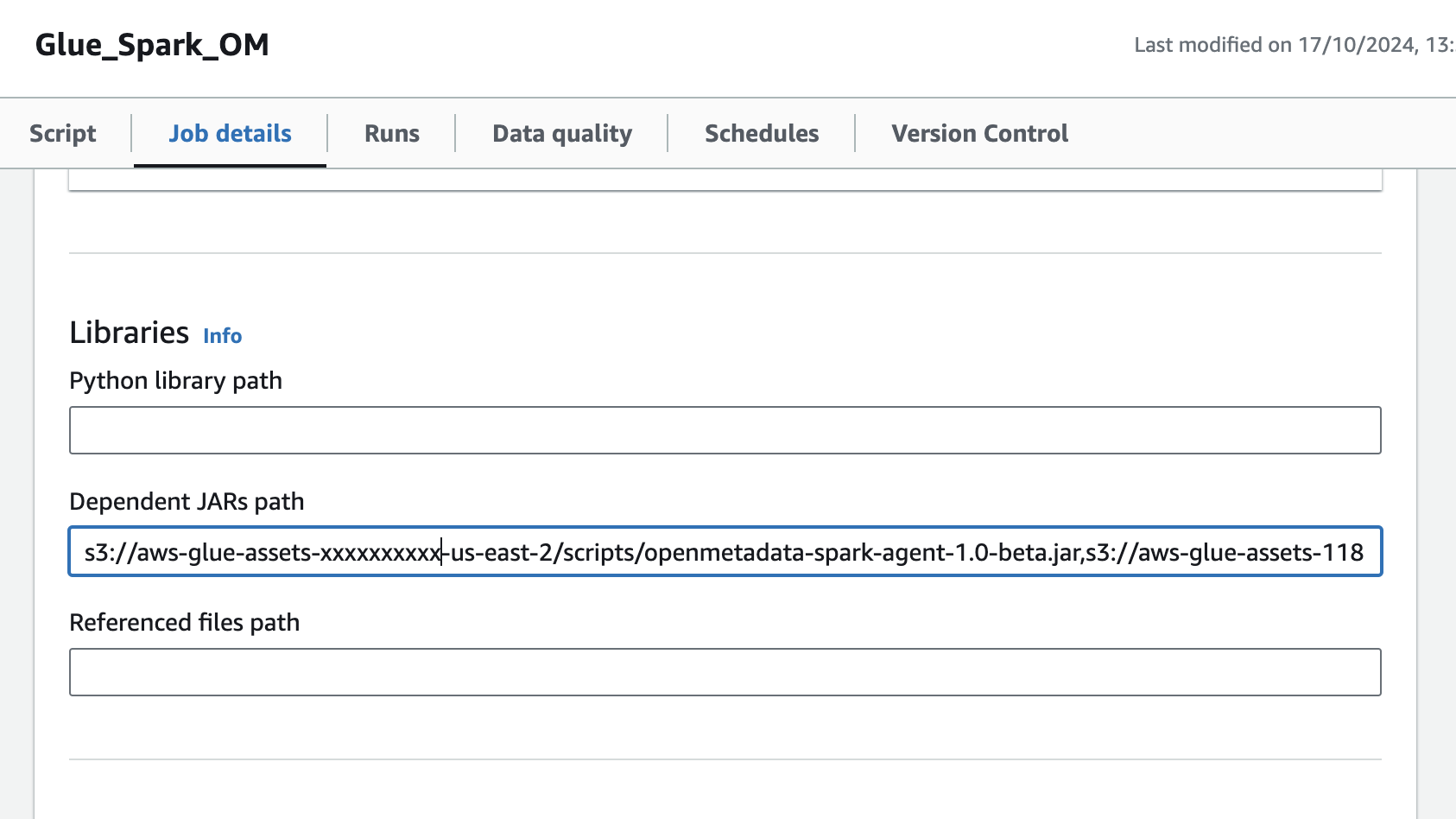
2. Add Spark configuration in Job Parameters
In the same Job details tab, add a new property under Job parameters:- Add the
--confproperty with following value, make sure to customize this configuration as described in the above documentation.
- Add the
--user-jars-firstparameter and set its value totrue