Weekly Emails
Weekly emails send workspace members a summary of their work and reminders for pending work. An administrator turns the feature on for the workspace and sets the schedule. Each member then chooses which emails they receive. Weekly emails are off by default. Members can unsubscribe individually.Open the Weekly Email Settings
- Select the Profile icon.
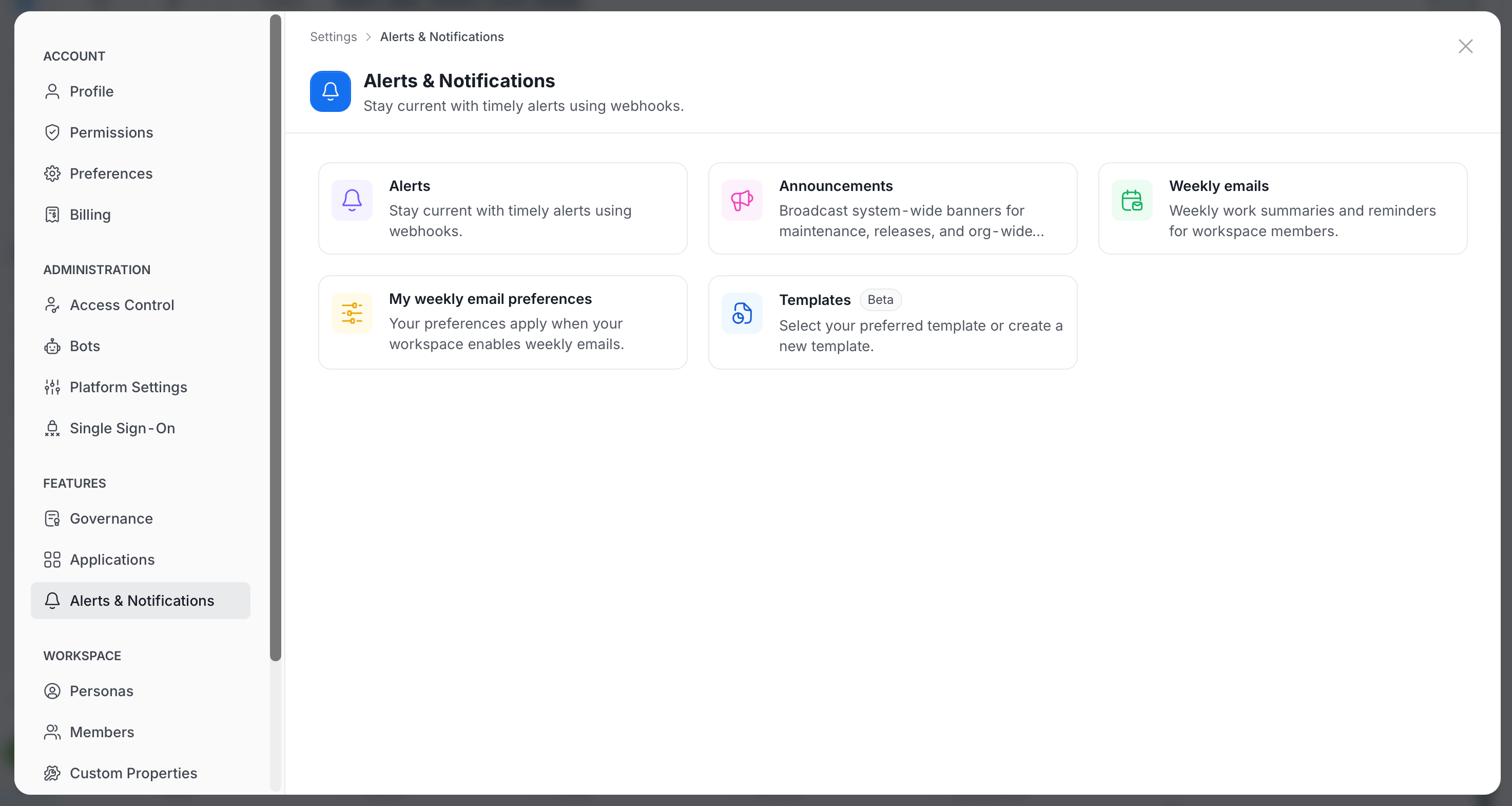
- Navigate to Settings > Features > Alerts & Notifications.
- Select the card you need:
- Weekly emails: Workspace settings, for administrators.
- My weekly email preferences: Personal settings, for every user.
Configure Weekly Emails for the Workspace
Only administrators see the Weekly emails card.- Select the Weekly emails card.
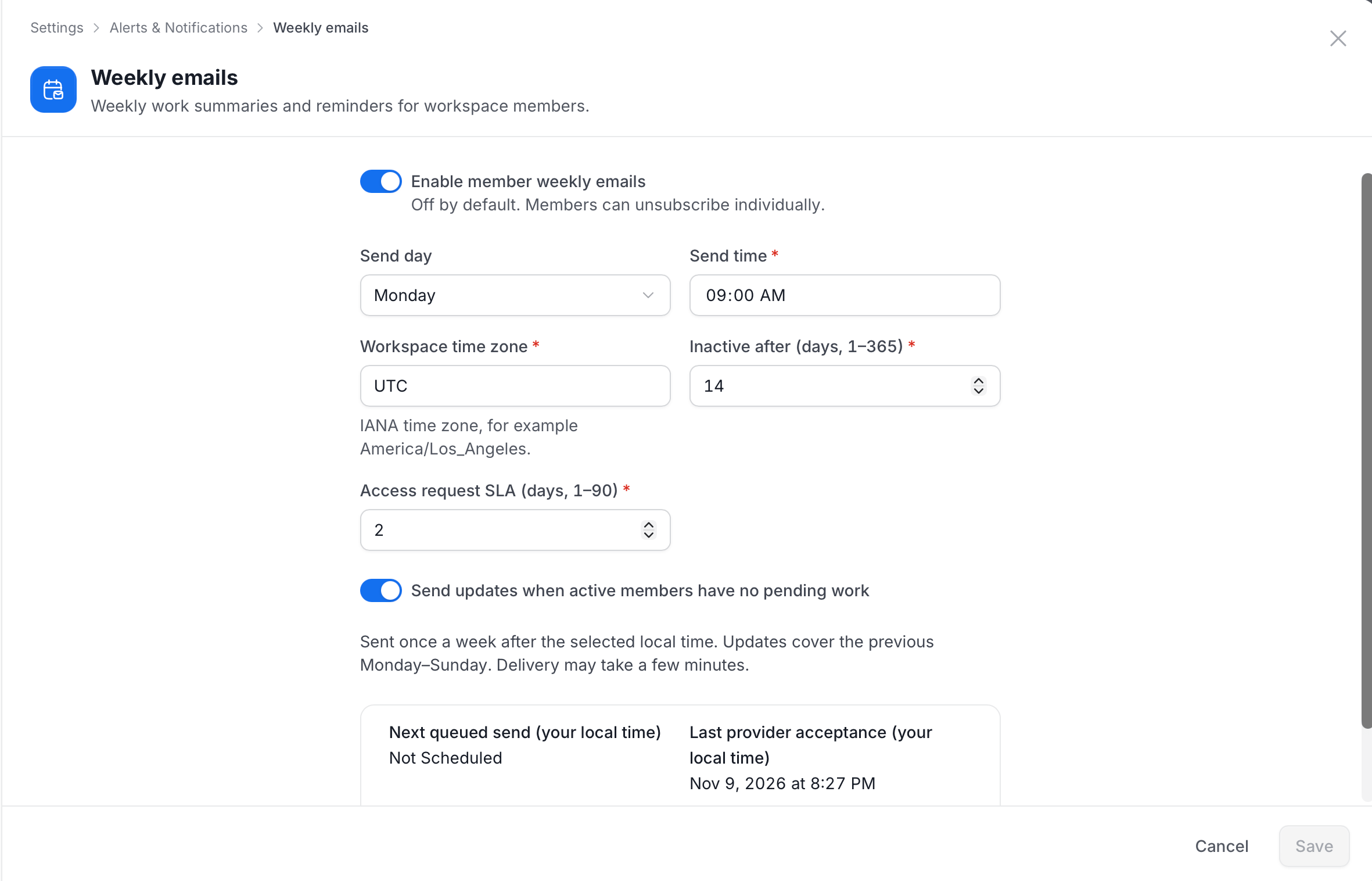
- Turn on Enable member weekly emails.
- Set the schedule and the other options:
- Send day: The day of the week the email is sent.
- Send time: The time of day after which the email is sent.
- Workspace time zone: The time zone used for the send day and send time. Enter an IANA time zone, for example
America/Los_Angeles. - Inactive after (days, 1–365): The number of days without activity after which a member counts as inactive.
- Access request SLA (days, 1–90): The number of days within which an access request is expected to be handled.
- Send updates when active members have no pending work: Also send the email to active members who have nothing pending.
- Select Save.
Check the Send Status
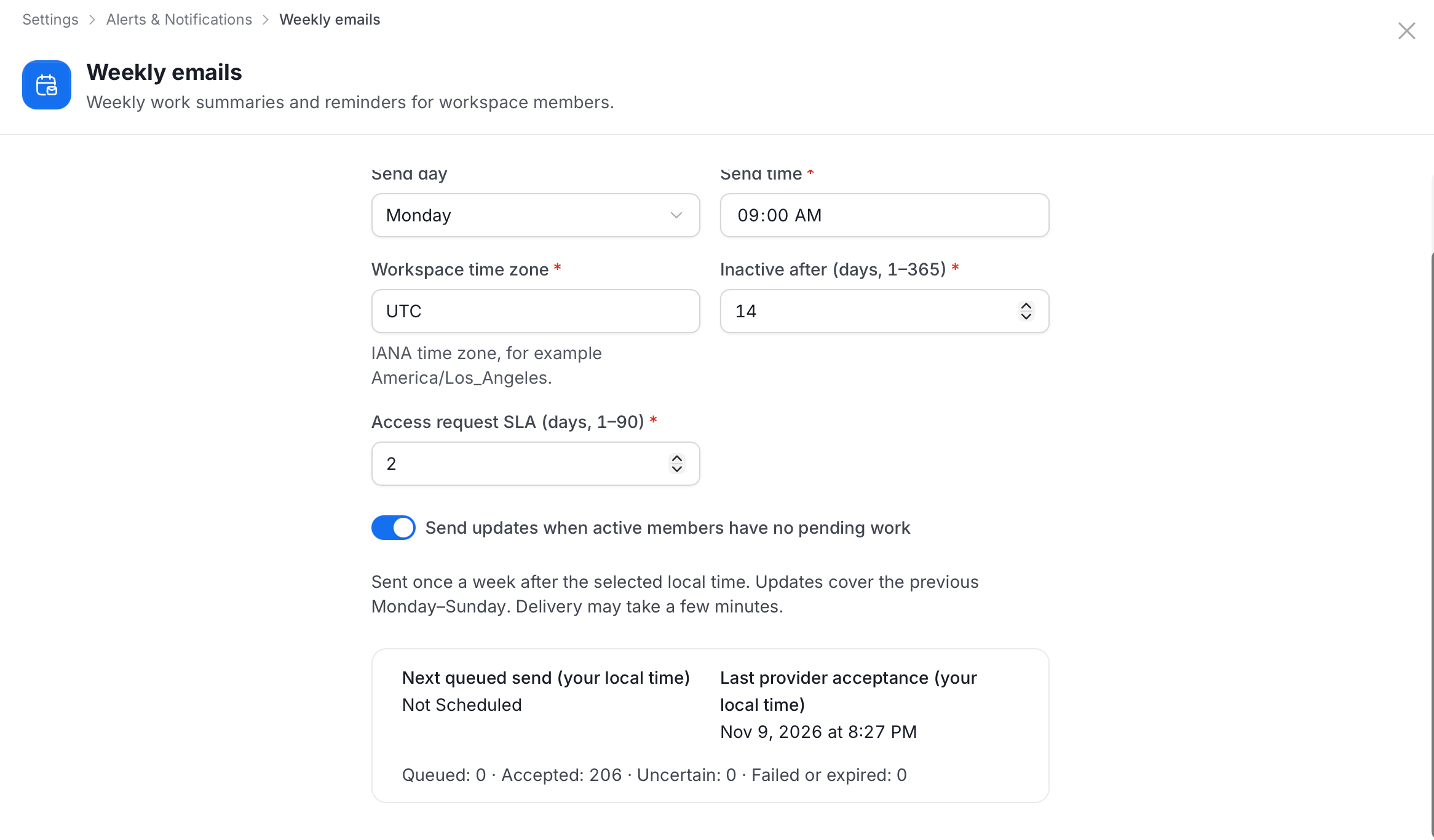
The status panel below the form shows:- Next queued send (your local time): When the next email is queued, or Not Scheduled.
- Last provider acceptance (your local time): When the email provider last accepted a send.
- Delivery counts: A line at the bottom of the panel with the number of emails in each state: Queued, Accepted, Uncertain, and Failed or expired.
Choose Your Weekly Emails
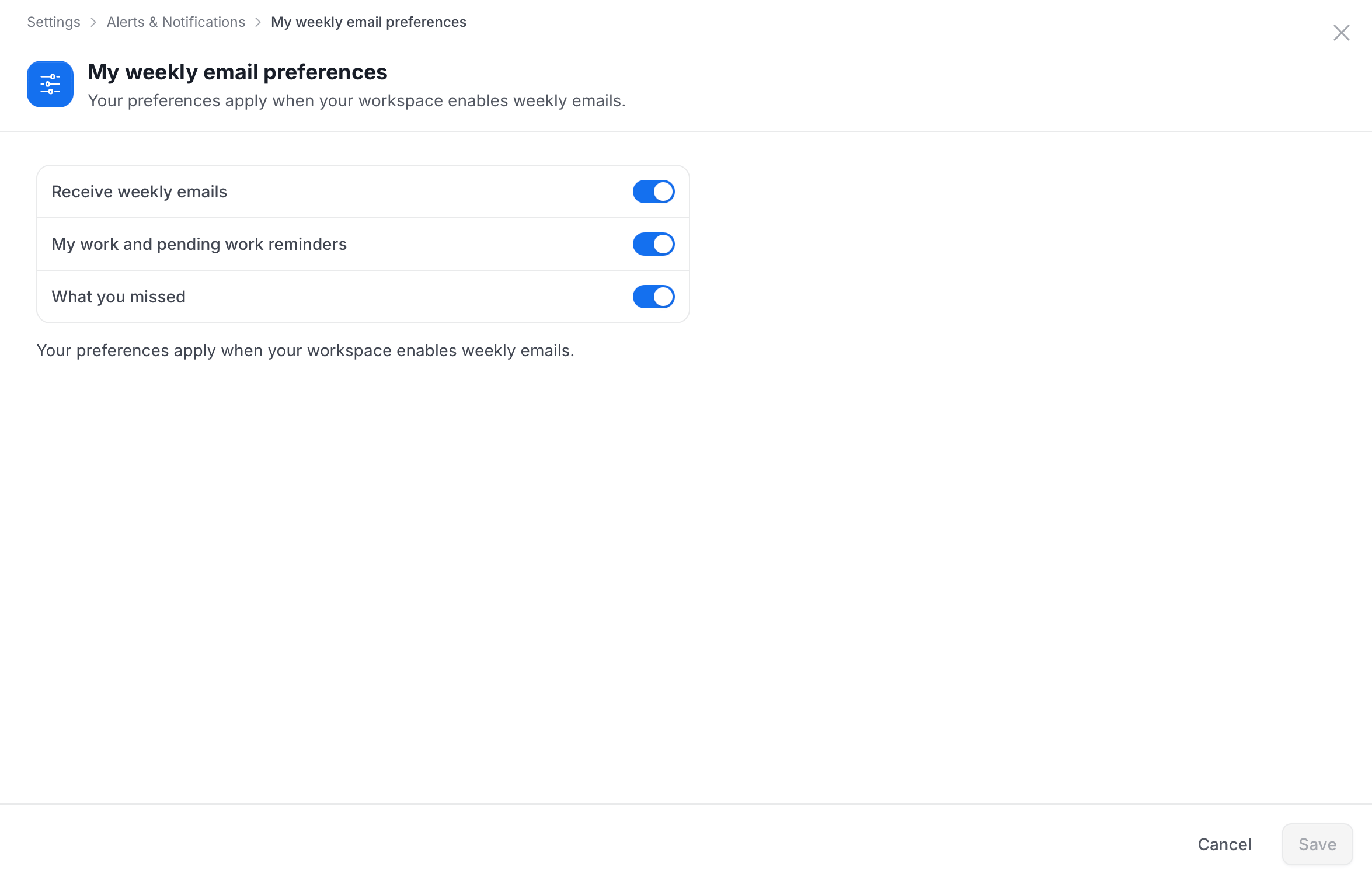
Every user can set personal preferences. Your preferences apply only when your workspace enables weekly emails.- Select the My weekly email preferences card.
- Turn the options on or off:
- Receive weekly emails: The main switch. When it is off, the other two options are disabled.
- My work and pending work reminders: The summary of your work and the reminders for work waiting on you.
- What you missed: The summary of activity you missed during the week.
- Select Save.