
What are Tiers
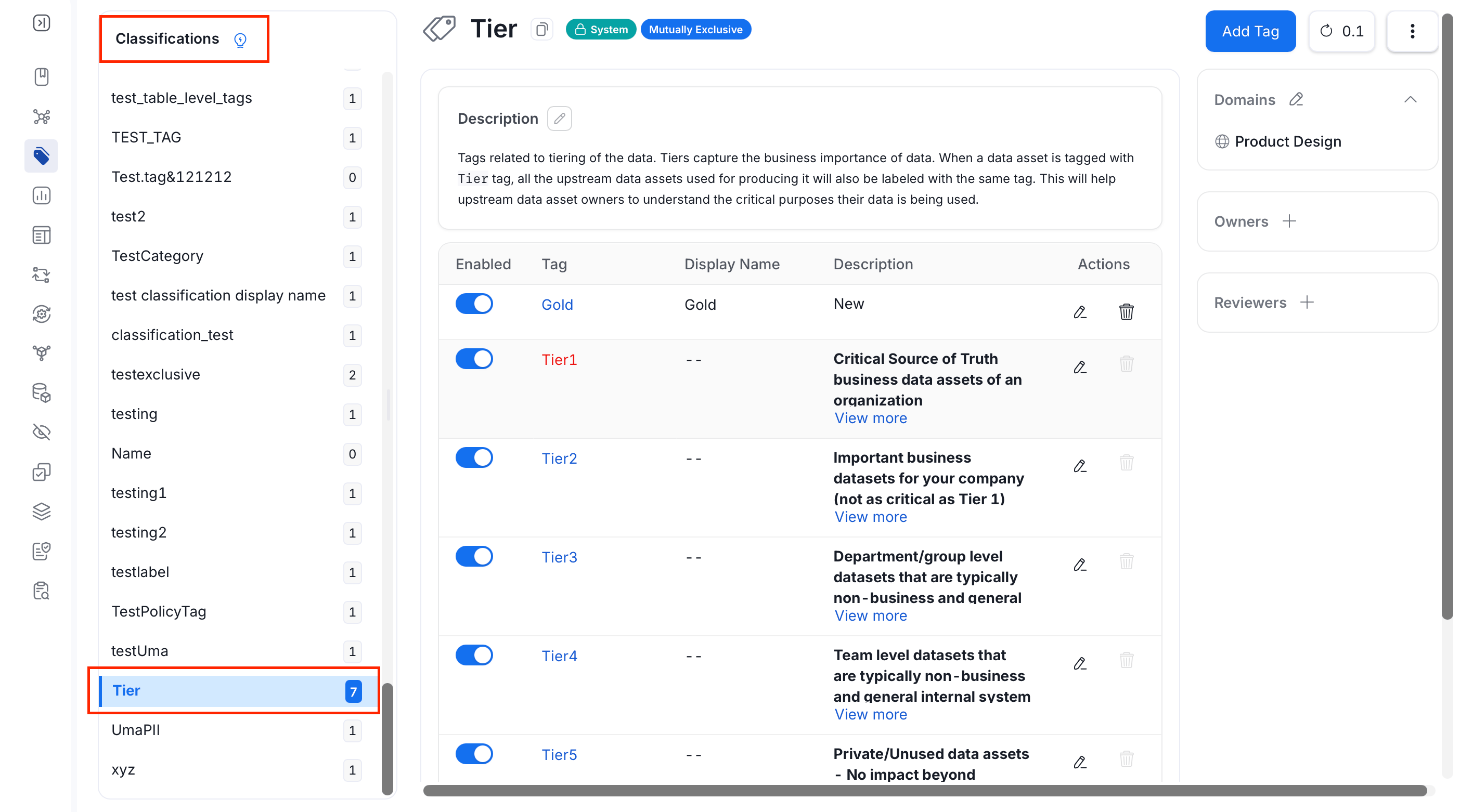
Tiering is an important concept of data classification in Collate. Base tiers on the importance of data. Data producers and owners use tiers to define the importance of data to their organization. Tiers are System Classification tags. To access tiers:- Navigate to Governance > Classification.
- In the Classifications pane, scroll down to view Tier.
Note: Tier and Certification are system classifications for data assets. They have their own Tier and Certification controls on data assets and don’t appear in the tag picker. Glossary terms don’t have these controls, so you can’t apply a tier or certification to a glossary term.
How to Add or Edit Tiers
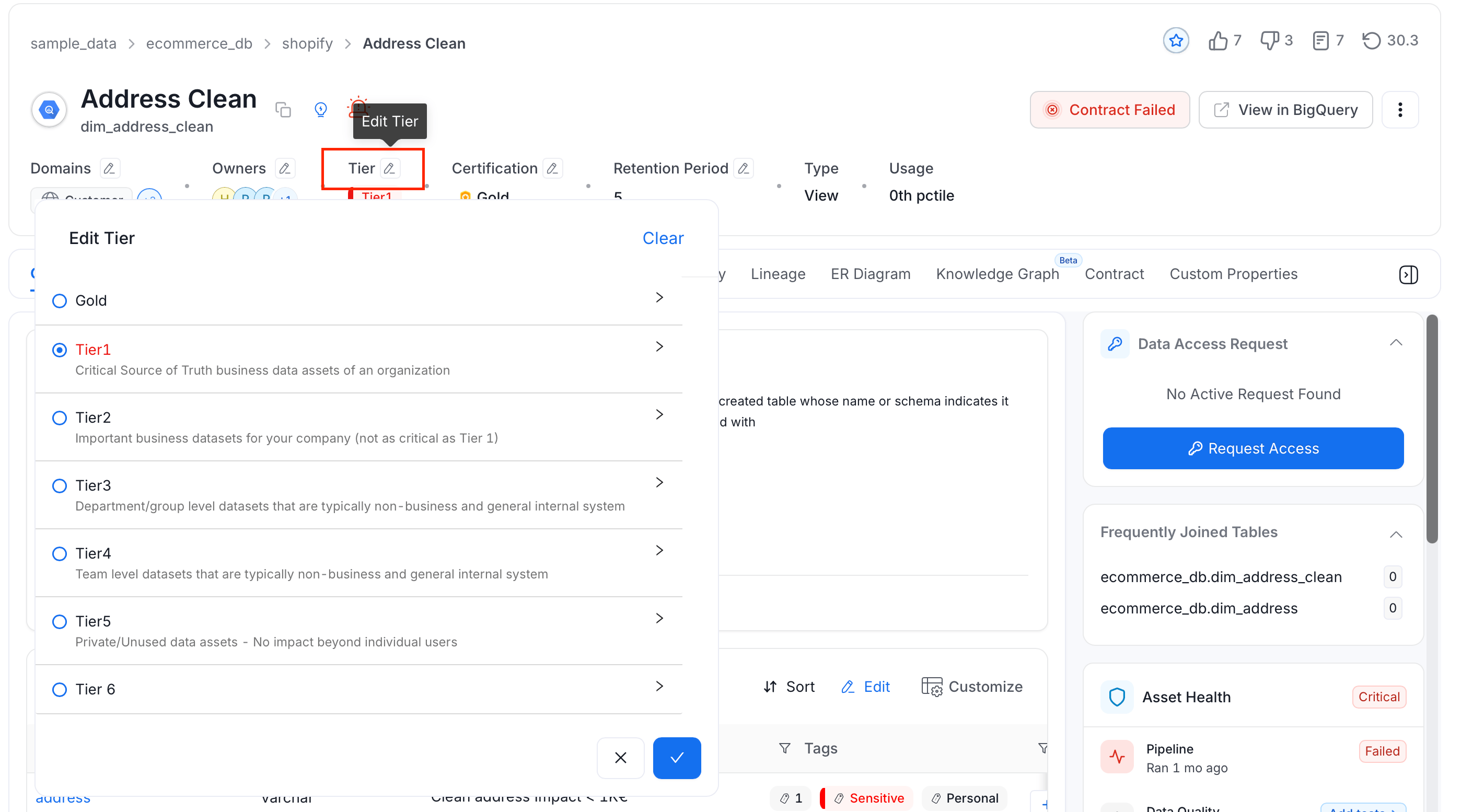
- Go to the Explore Assests page and select a data asset.
- Click the Edit icon next to Tier.
-
Select the appropriate tier. Click the arrow next to a tier to see its description.
Best Practices for Classification
Here are the Best Practices around Classification.