Sample Data Handling Using PII Tags
In Collate, sensitive information is protected through automatic masking of sample data when PII (Personally Identifiable Information) tags are applied.How It Works
-
If a PII tag is applied to a specific column, Collate masks that column’s sample data and displays it as
******in the UI.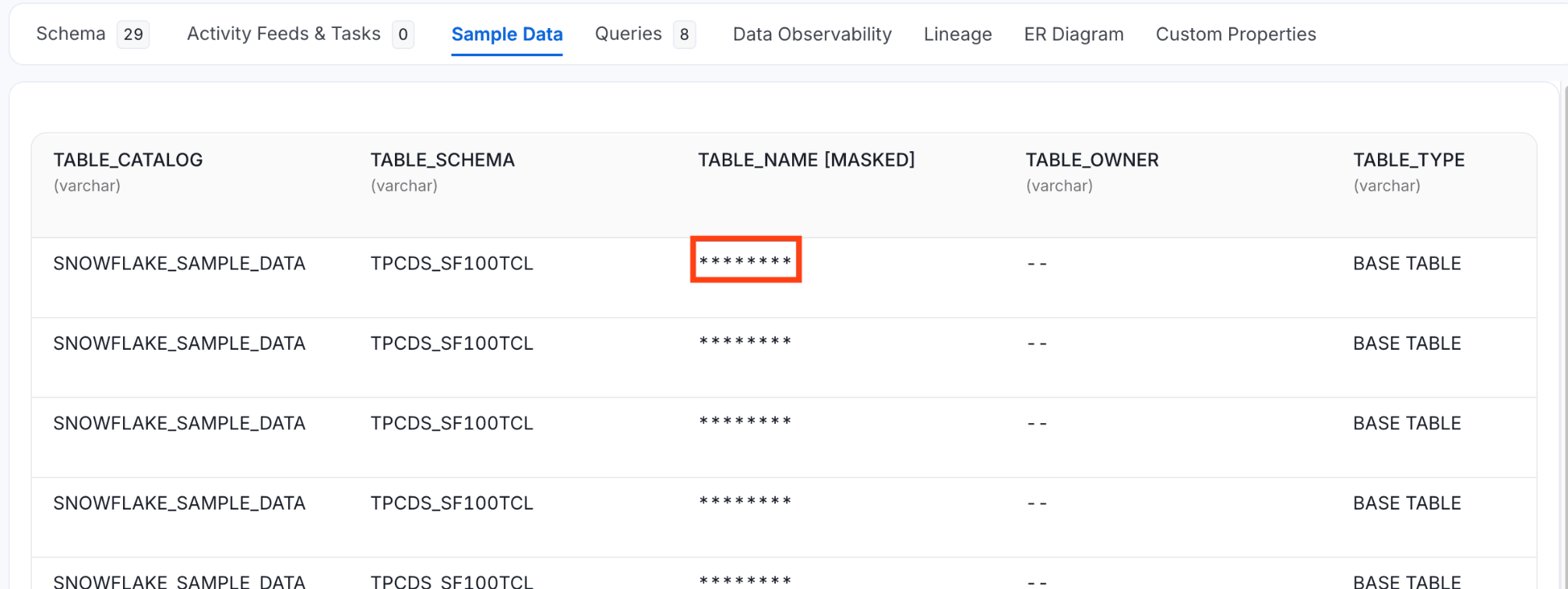
-
If a PII tag is applied at the table level, Collate automatically masks sample data for all columns in that table.
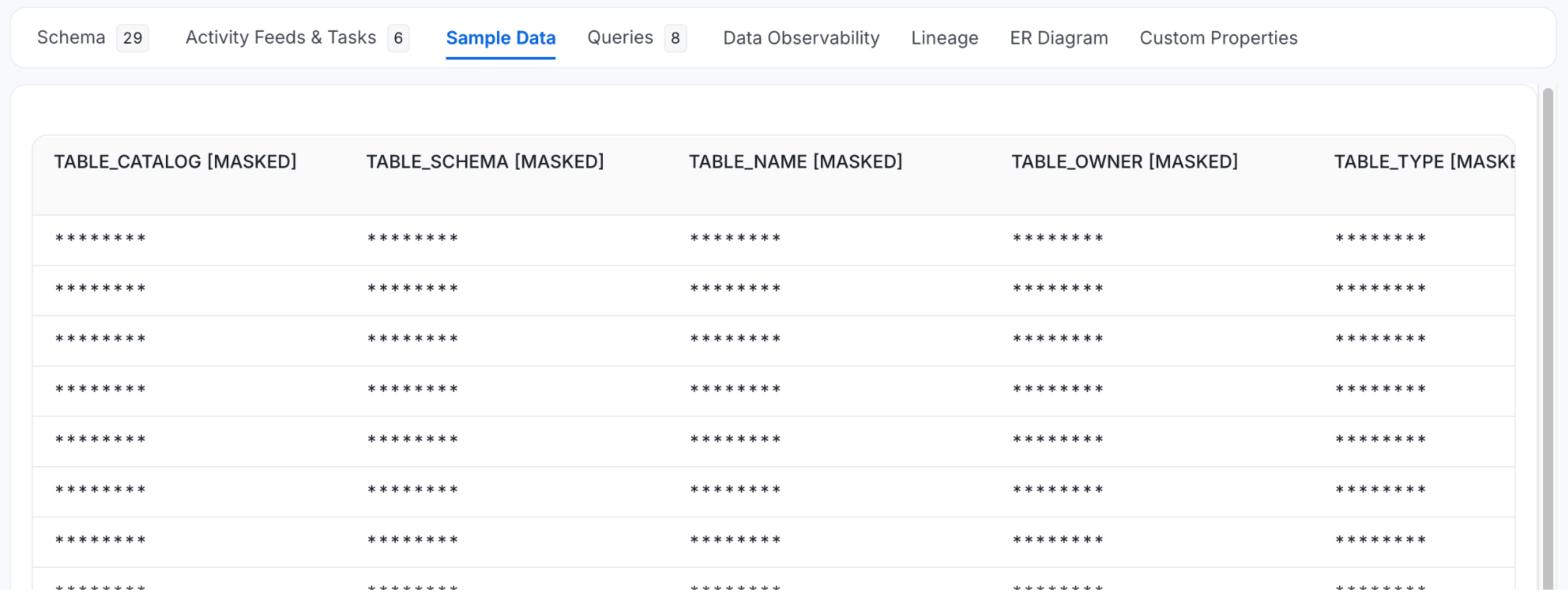
Example
When the tag is applied at the table level, the result would be:
How to Apply PII Tags
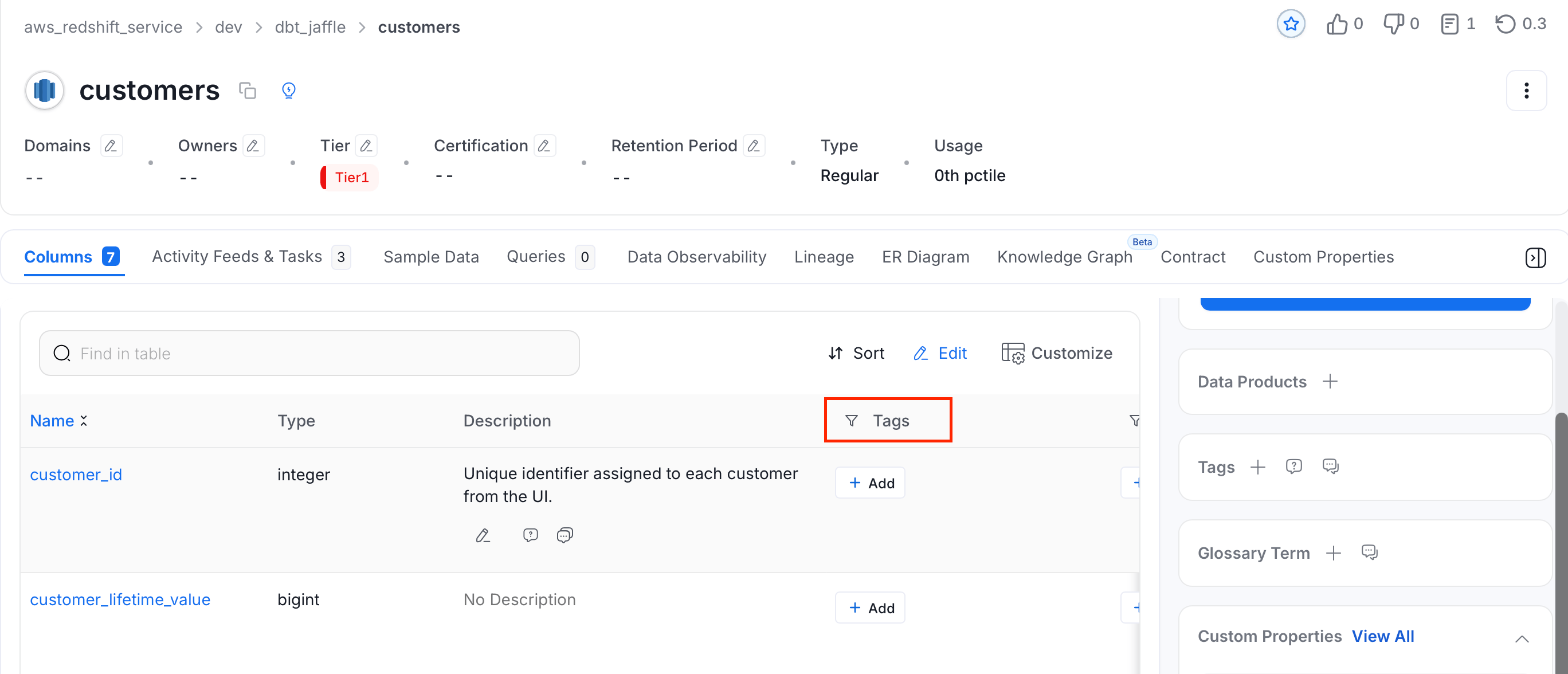
- Navigate to the column or table in the Collate UI.
- In the Tags column, click + Add next to the column or table you want to apply PII tag.
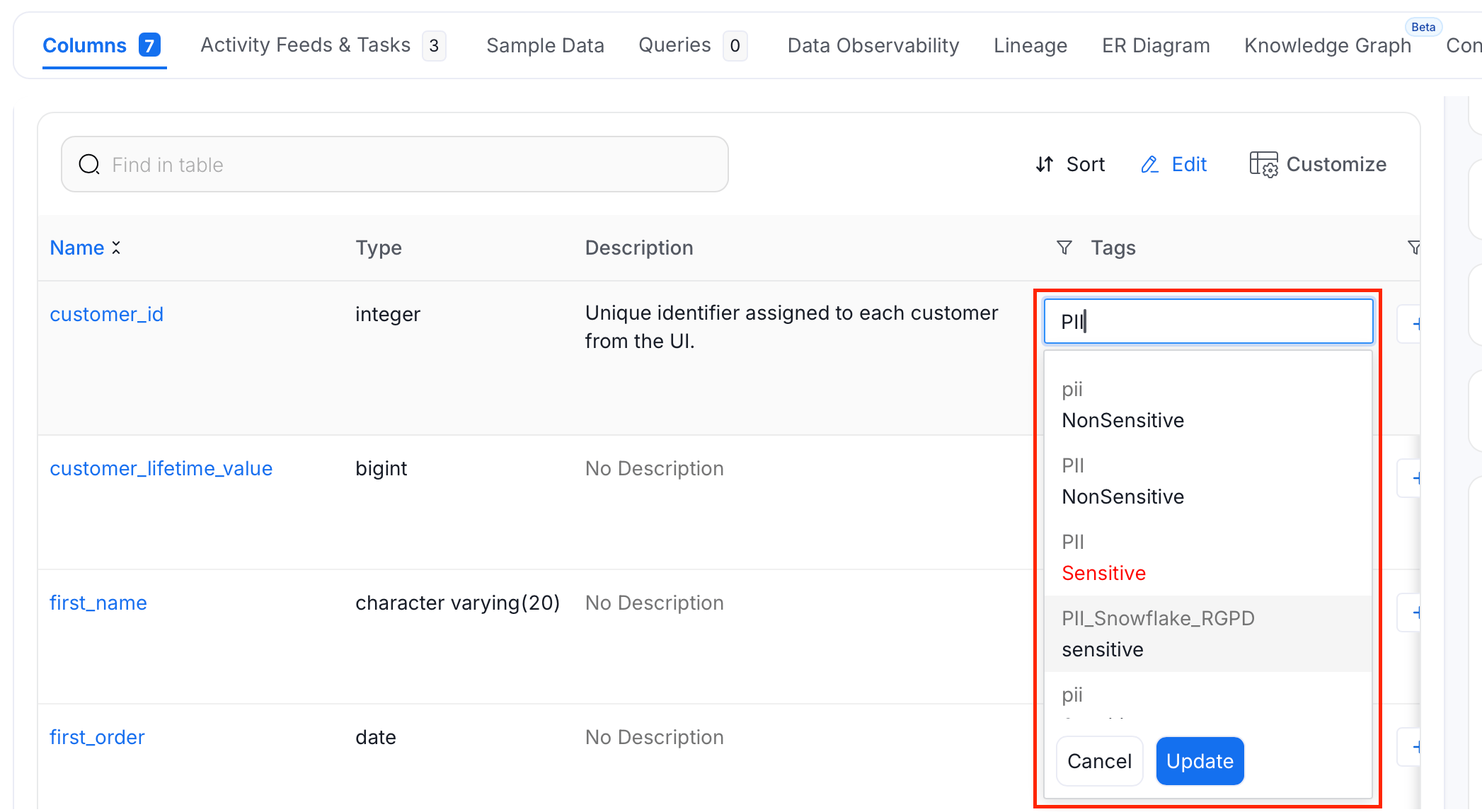
- Search and select PII tags, and click Update.