System & Governance Notifications

Stay informed about metadata changes, governance events, and collaboration activities across your data catalog.

Create a new Alert

  1. Navigate to Settings > Notifications > System.
  2. Click Add Notification. Add Notification Button
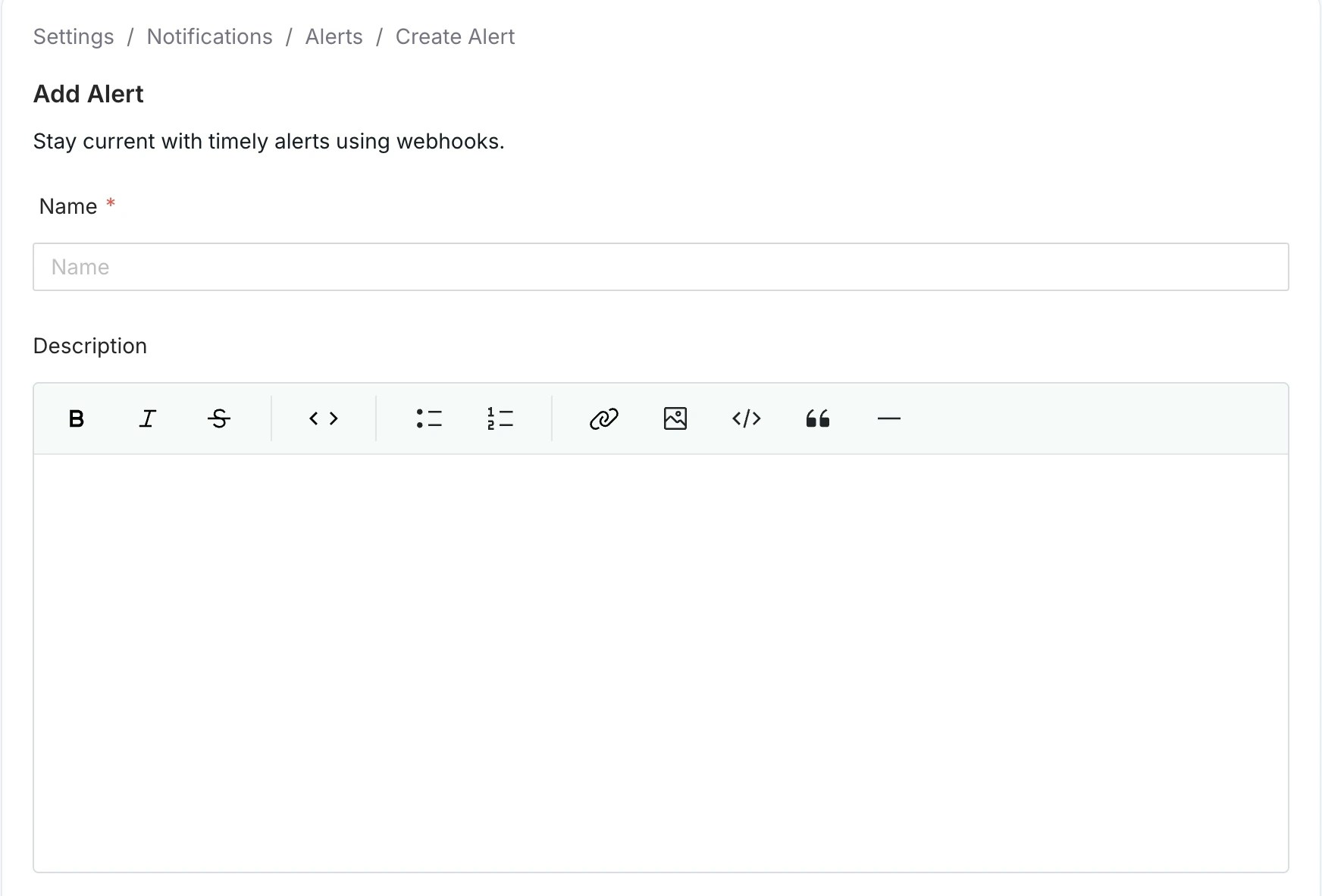
  3. Enter a unique alert Name and Description (optional) for quick identification. Input fields for Alert Name and Description
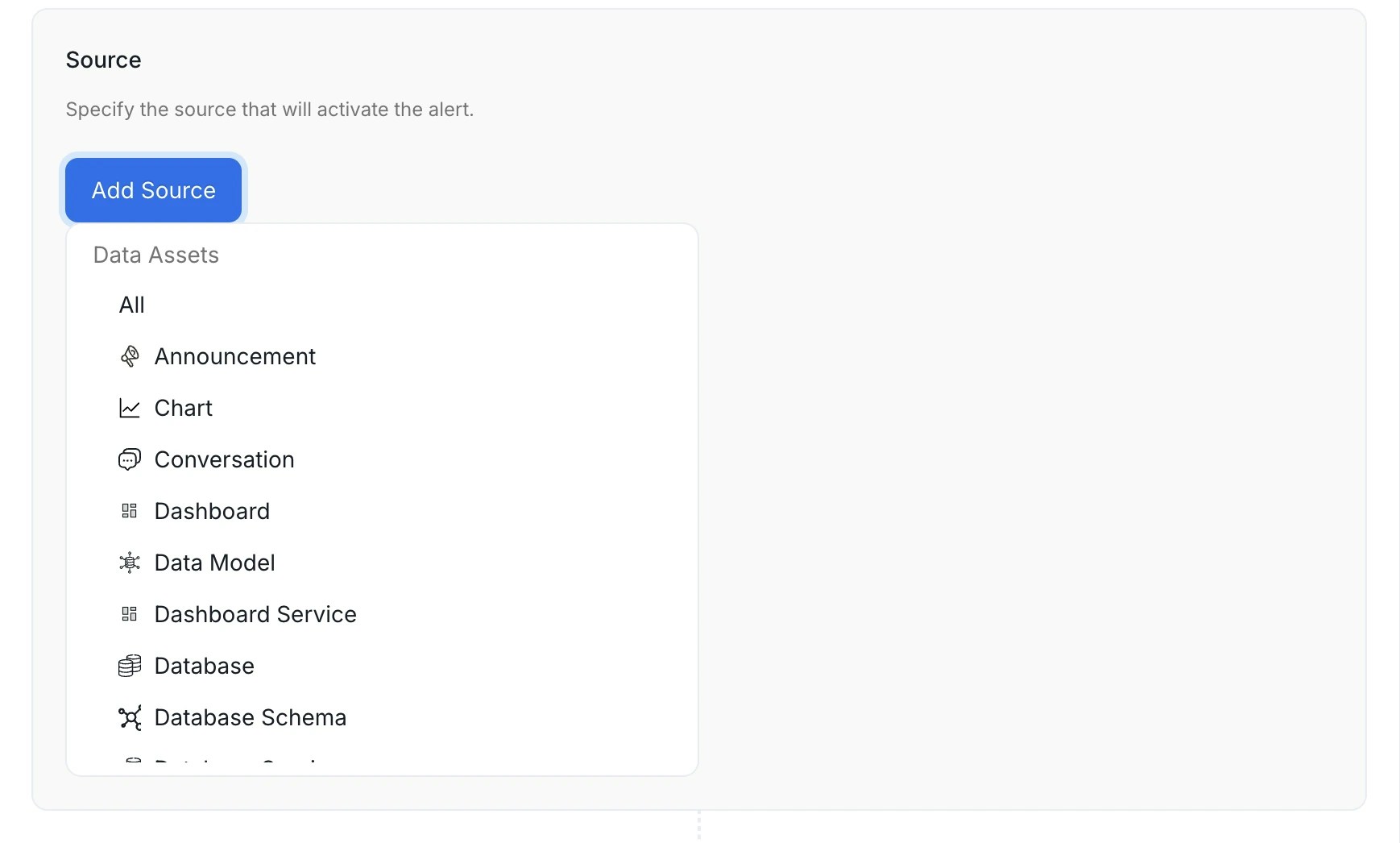
  4. Select an entity type to trigger this alert. Select the Source Resource for System Notifications Available source entities The source you pick determines which entity type’s events trigger the alert. Select All to receive notifications for every entity type without filtering by source. To target a specific entity type, choose from data assets, service connections, governance entities, or collaboration threads. Data assets
    SourceWhat it covers
    TableDatabase tables and views
    DashboardBI dashboards (Tableau, Looker, PowerBI, etc.)
    ChartIndividual charts within a BI dashboard
    Dashboard Data ModelUnderlying data models behind BI dashboards
    PipelineData pipeline assets (Airflow, dbt, etc.)
    TopicMessaging topics (Kafka, Pulsar)
    ML ModelMachine learning model assets
    DatabaseDatabase entities within a database service
    Database SchemaSchemas within a database
    Data ProductData product entities
    Service connections
    SourceWhat it covers
    Ingestion PipelineCollate metadata ingestion pipelines — fires on success, failure, or config changes
    Database ServiceDatabase service connections (Snowflake, BigQuery, Postgres, etc.)
    Dashboard ServiceBI service connections
    Pipeline ServicePipeline service connections
    Messaging ServiceMessaging service connections
    Storage ServiceObject storage service connections
    ML Model ServiceML model service connections
    Metadata ServiceMetadata service connections
    Governance
    SourceWhat it covers
    GlossaryBusiness glossary entities
    Glossary TermIndividual terms within a glossary
    TagClassification tags
    Tag CategoryTag classifications (for example, PII, Tier)
    DomainBusiness domain entities
    UserCollate user accounts
    Collaboration These three sources all relate to threads posted on data assets, but each covers a distinct thread type. Choosing the wrong one is a common source of misconfigured alerts.
    SourceThread typeWhat it covers
    ConversationConversationFree-form comments posted on any data asset
    TaskTaskStructured workflow tasks — including incidents, description requests, tag requests, and approval workflows
    AnnouncementAnnouncementTime-bound announcements posted on data assets
    Incident alerts require Task as the source, not Conversation.Incidents in Collate are Task threads, not Conversation threads. If you set Source = Conversation, the alert will never fire for incident comments, assignments, or status changes. Set Source = Task to receive notifications for incident activity.
    The Task source covers the following task types:
    Task typeWhen it is created
    RequestTestCaseFailureResolutionA data quality test fails and an incident is opened
    RequestDescriptionA user requests a description be written for an asset
    UpdateDescriptionA user requests an existing description be changed
    RequestTagA user requests a tag be applied to an asset
    UpdateTagA user requests an existing tag be changed
    RequestApprovalA governance approval workflow is triggered
    RecognizerFeedbackApprovalAn AI recognizer feedback task is submitted for approval
    GenericA general-purpose task created manually
    The only filter available for Task and Conversation is Mentioned User or Team — narrow the alert to threads where a specific person or team is @-mentioned. You can’t filter tasks by task type (for example, incidents only) in the alert UI.
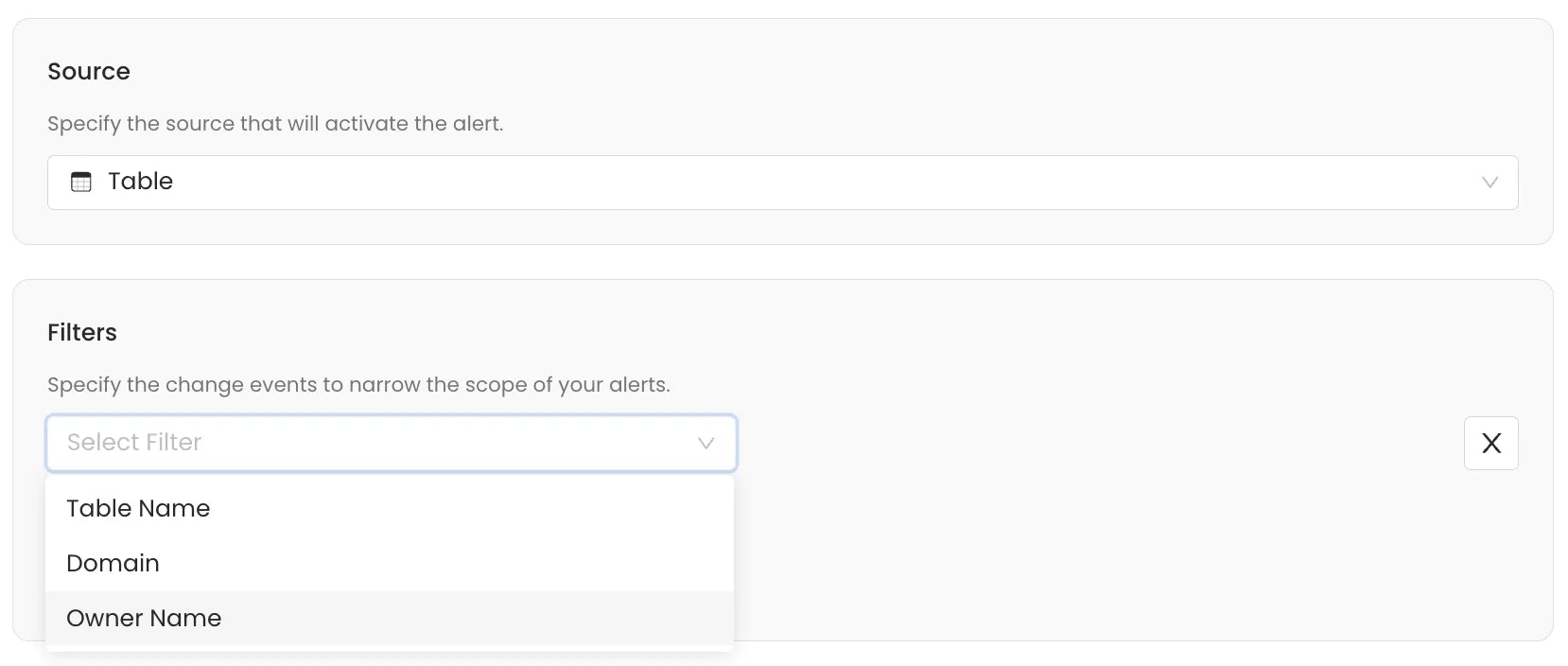
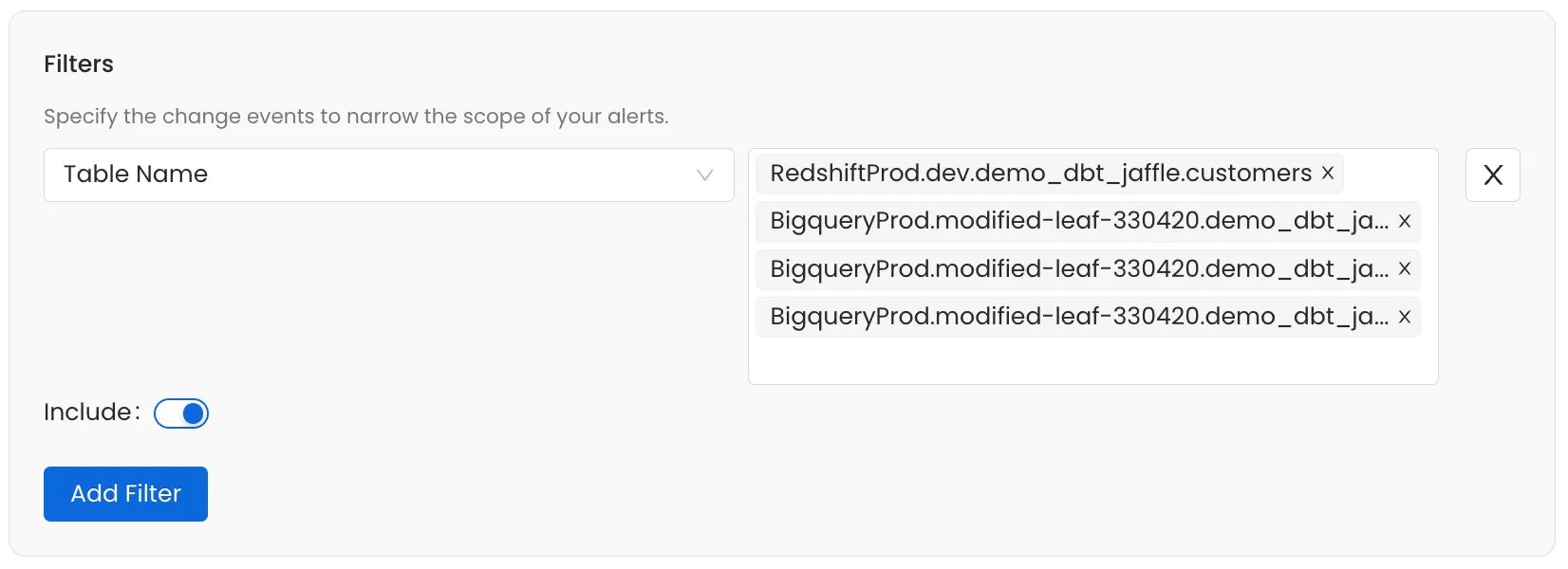
  5. Add filters to narrow the alert scope and trigger notifications for specific events.
    If you don’t set any filter, the alert applies to all events over the selected source entity type.
    Use filters to narrow the alert to relevant changes. The available criteria depend on the source entity selected. Filter events by:
    • Owner: Filter events based on the designated owner of the asset.
    • Entity FQN: Filter by the Fully Qualified Name of the entity.
    • Updater Name: Filter based on the user or service that executed the change.
    • Domain: Filter events based on the Data Domain the entity belongs to.
    • Filter By Updater Is Bot: Filter to include or exclude changes made by automated ingestion or system processes.
    • Event Type: Filter by the specific action that occurred. For more details about the various event types, see the table below.
    Event TypeWhat it means
    Entity CreatedA new asset is created.
    Entity UpdatedA create/update request changes at least one field on the asset.
    Entity Fields ChangedA metadata field changed outside a direct edit. For example, weekly or daily usage statistics were recalculated.
    Entity No ChangeA create/update request was processed but produced no actual difference from the asset’s current state—for example, a re-ingestion run that found identical metadata. These no-change events are not recorded in the change log that alerts evaluate, so an alert filtered to this event type will never trigger.
    Entity Soft DeletedAn asset is moved to the deleted (recoverable) state.
    Entity DeletedAn asset is permanently removed.
    Entity RestoredA soft-deleted asset is brought back.
    Thread CreatedA new conversation thread is started on an asset.
    Thread UpdatedAn existing conversation thread is edited.
    Post CreatedA reply is added to a thread.
    Post UpdatedAn existing reply is edited.
    Task CreatedA task thread is opened. See the task types listed under the Task source above.
    Task UpdatedA task’s details are edited.
    Task ResolvedA task is marked resolved.
    Task ClosedA task is closed without resolution.
    Logical Test Case AddedA test case is added to a logical test suite.
    Suggestion CreatedA new suggestion is created for an asset’s description or tag.
    Suggestion UpdatedAn existing suggestion is edited.
    Suggestion AcceptedA suggestion is accepted and applied to the asset.
    Suggestion RejectedA suggestion is rejected.
    Suggestion DeletedA suggestion is deleted.
    User LoginA login to Collate occurs.
    User LogoutA logout from Collate occurs.
    Entity Lineage AddedA lineage edge is added to or from the asset.
    Entity Lineage DeletedA lineage edge is removed.
    Entity Lineage UpdatedAn existing lineage edge is changed—for example, column-level lineage details.
    Use the Include toggle to define the logic for the filter condition:
    • Include (Toggle ON): If the event meets the filter condition, the alert is sent.
    • Exclude (Toggle OFF): If the event meets the filter condition, the alert is silenced (not sent).
    Add multiple filters to a single alert subscription. Define Filters Define Filters
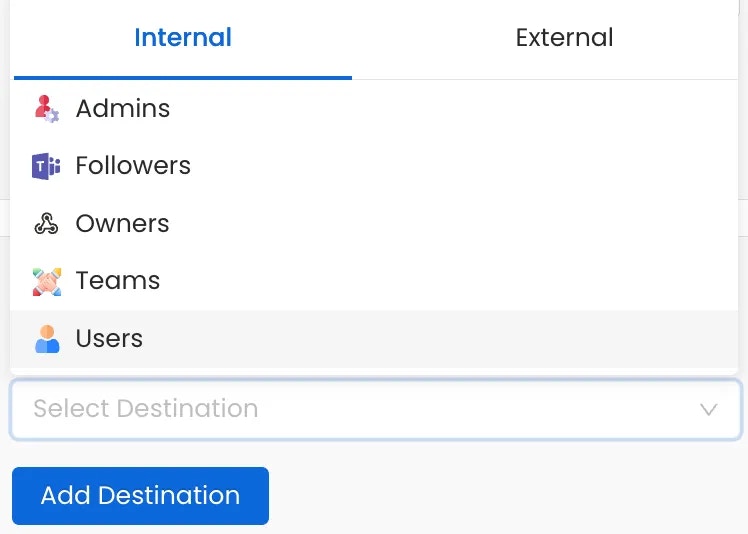
  6. Add destinations where you want to deliver alerts — internal Collate roles or external channels like Slack and email. Internal Destinations:
    • Admins - Notify all platform administrators
    • Followers - Notify users following the asset
    • Owners - Alert the asset owners
    • Teams or Specific Users - Target specific teams or individuals
    External Destinations:
    • Email
    • Chat: Slack, MS Teams, and Google Chat
    • Automation: Generic Webhooks
    Internal Destinations External Destinations