
Email Alerts Configuration
Collate can send emails for various events such as sign-up confirmations, password resets, and alert notifications. To enable email alerts, you must first configure the SMTP server in the Collate platform.Configuring Email SMTP Settings
To configure email notifications in Collate, navigate to Settings > Preferences > Email.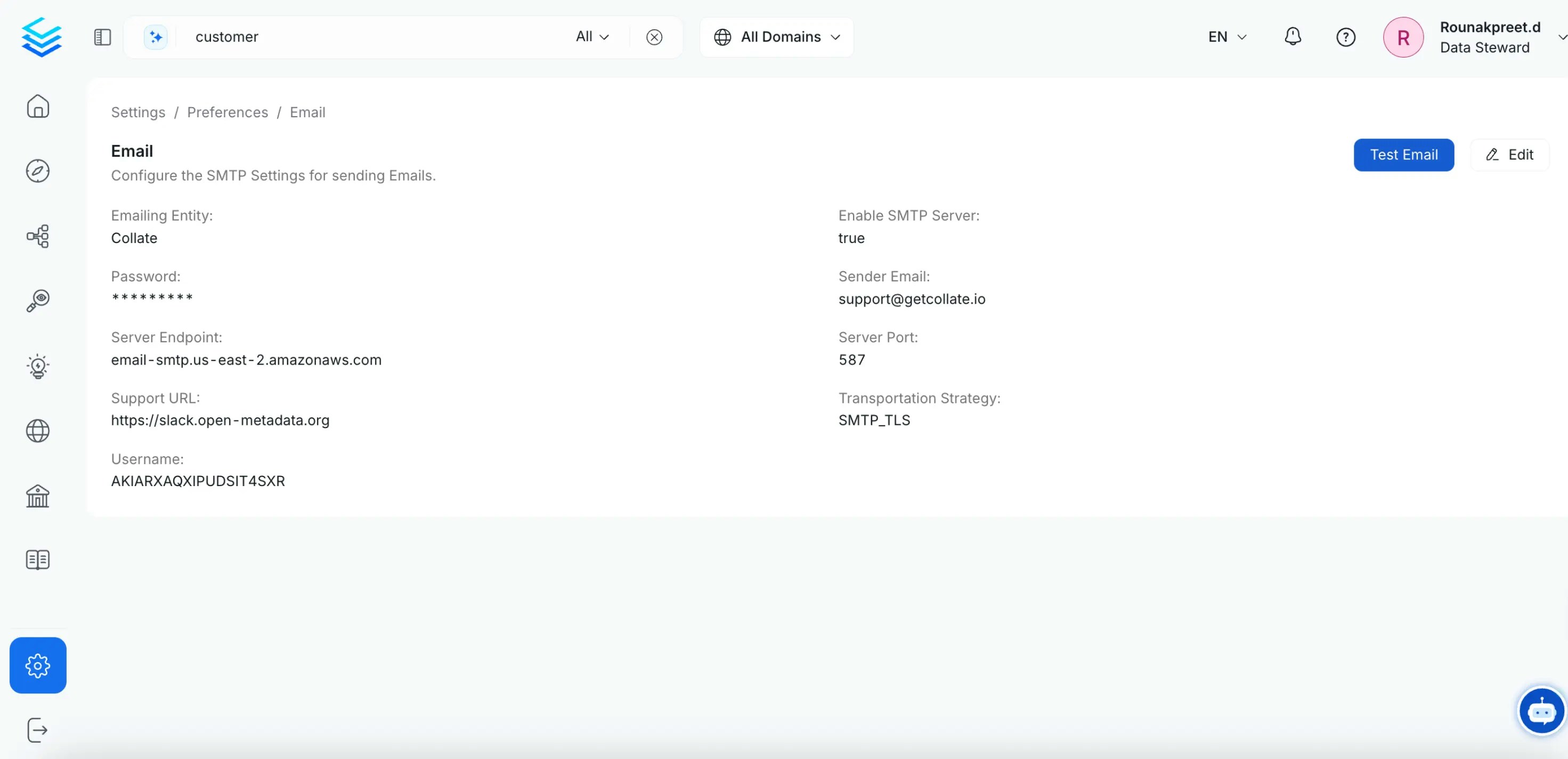
Email Configuration Fields
Username
The username of your SMTP account used for authentication.Password
The password associated with the SMTP account username.Sender Email
The email address that will appear as the sender in emails. This can be the same as the username, but some services like Amazon SES may allow a different email address.Server Endpoint
The endpoint of your SMTP server. Examples:smtp.gmail.com(for Gmail)smtp.sendgrid.net(for SendGrid)- Your organization’s SMTP server address
Server Port
The port number of the SMTP server. The port depends on the transportation strategy:Transportation Strategy
Select the appropriate transportation strategy based on your SMTP server configuration:- SMTP: For unencrypted connections (port 25)
- SMTPS: For implicit TLS encryption (port 465)
- SMTP_TLS: For explicit TLS encryption (port 587) - Recommended
Emailing Entity
The name of the entity that appears in email subjects and content. By default, this is set to “Collate”. For example, if you set this to “JohnDoe”, emails will show “JohnDoe” instead of “Collate” in the subject lines and email body.Enable SMTP Server
A toggle to enable or disable the SMTP configuration. Set totrue to activate email notifications, or false to disable them.
Support URL
A support URL link that will be included in emails for users to reach out in case of issues. Default:https://slack.open-metadata.org
You can update this to point to your internal support channels or documentation.