
Glossary
A Glossary is a Controlled Vocabulary to describe important concepts and terminologies within your organization to foster a common and consistent understanding of data. A controlled vocabulary is an organized arrangement of words and phrases to define terminology to organize and retrieve information. Glossary adds semantics or meaning to data by defining the business terminologies. It defines concepts related to a specific domain. For example, Business Glossary or Bank Glossary. A well-defined business glossary helps foster team collaboration with the use of standard terms. The terms from the glossary can be used for labeling or tagging as additional metadata of data assets for describing and categorizing things. Glossaries are important for data discovery, retrieval, and exploration through conceptual terms, and facilitates Data Governance.Glossary in Collate
Collate models a Glossary as a Thesauri that organizes terms with hierarchical, equivalent, and associative relationships within a domain. The Glossary in Collate can be accessed from Govern >> Glossary. All the Glossaries are displayed in the left nav bar. Clicking on a specific glossary will display the expanded view to show the entire hierarchy of the glossary terms (parent-child terms).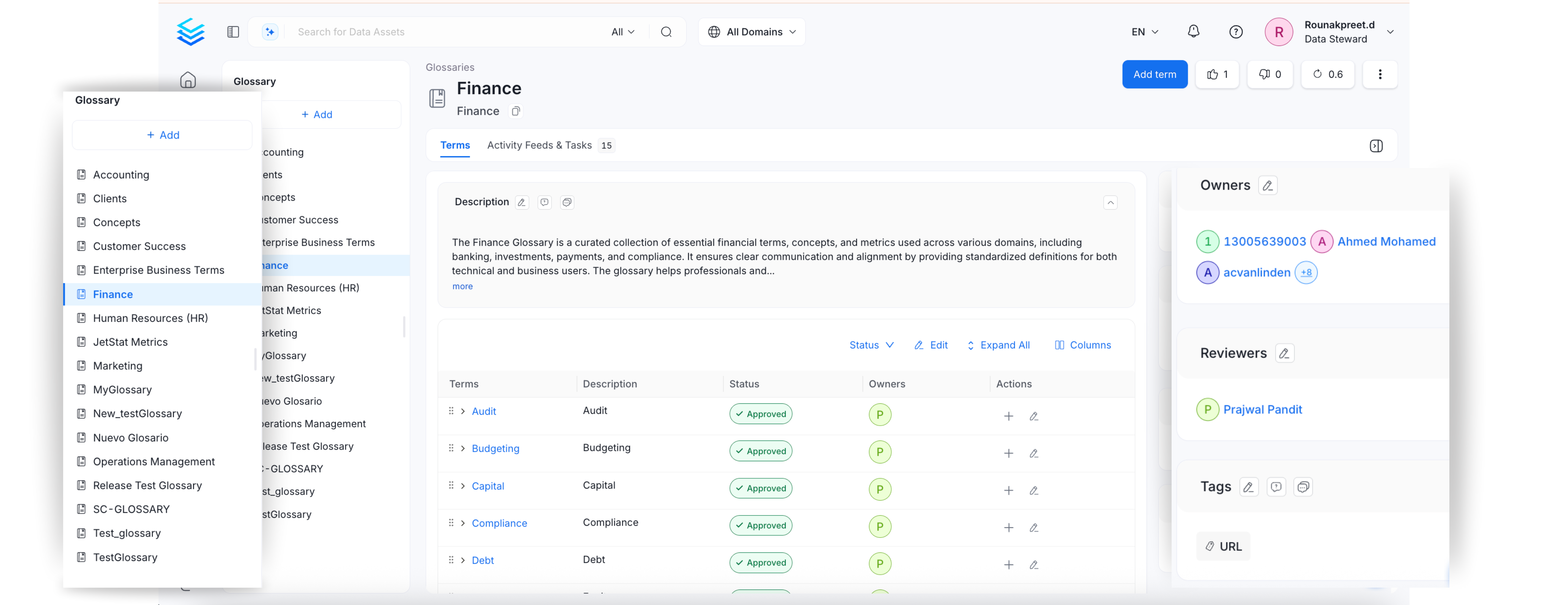
Glossary APIs
Collate has extensive Glossary APIs. The main entities are Glossary and Glossary Term. These entities are identified by a Unique ID. Glossary terms have a fully qualified name in the form ofglossary.parentTerm.childTerm
You can create, delete, modify, and update using APIs. Refer to the Glossary API documentation.
Glossary Term
Learn about the hierarchically arranged glossary terms.
Setup a Glossary
Learn how to set up a glossary manually in Collate.
Create Glossary Terms
Setup glossary terms to define the terminology. Add tags, synonyms, related terms, links, etc.
Bulk Import a Glossary
Save time and effort by bulk uploading glossary terms using a CSV file.
Glossary Export
Quickly export a glossary as a CSV file.
Glossary Approval Workflow
Set up a review and approval process for glossary terms.
Glossary Styling
Stylize your glossary terms with color-coding and icons.
Add Assets to Glossary Terms
Associate glossary terms to data assets making it easier for data discovery
Best Practices for Glossary
Here are the Top 8 Best Practices around Terminologies.