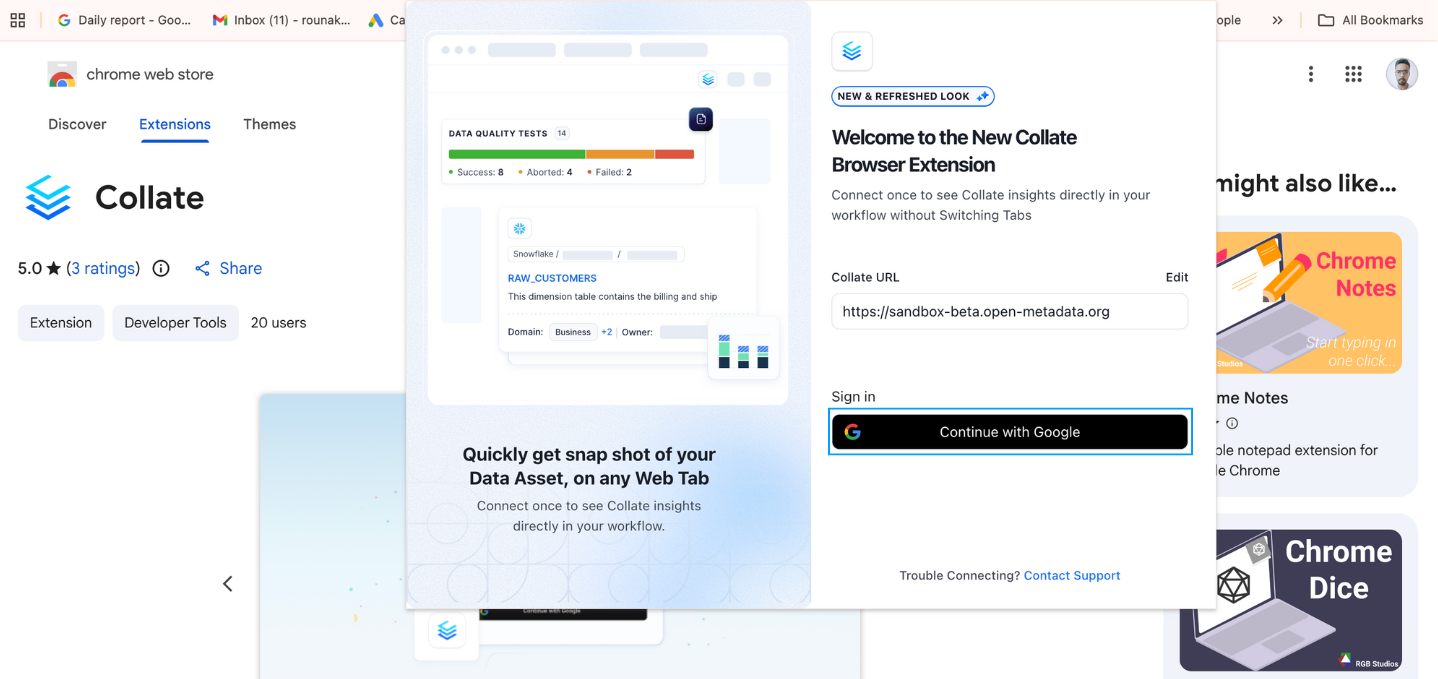
Collate Chrome Extension
Access Metadata Without Leaving Your Workspace
The Collate Chrome extension provides a seamless way to interact with metadata directly within your workspace. It allows users to view activity feeds, resolve assigned tasks, and look up data assets without switching between tools or interfaces. This integration enhances productivity by providing instant access to metadata and task management features right from your browser.Key Features
View Activity Feeds and Assigned Tasks
Stay updated on all activities related to your data assets, including any changes, comments, or updates, and manage assigned tasks directly from the extension.Resolve Tasks from the Extension
Complete tasks or mark them as resolved without leaving your active workspace, streamlining task management.Lookup Data Assets and Understand Asset Details
Quickly search for data assets, view essential metadata such as ownership, descriptions, tags, lineage, and schema, and get a comprehensive understanding of the data asset.Context-Aware Asset Detection
Automatically detects the data context of the web application you are working in—such as Tableau, Power BI, Snowflake, or Looker—and surfaces the most relevant datasets, dashboards, and metadata from Collate without manual search.Smart Asset Recommendations
Get intelligent recommendations for related datasets, dashboards, and metrics based on lineage, schema similarity, and usage patterns, helping users quickly discover trusted data assets.Inline Notes and Annotations
Add personal or shared notes to data assets directly from the extension. Capture tribal knowledge, usage tips, or caveats that help teams understand how and when to use specific datasets.Quick Ownership and Collaboration Actions
Mention data owners or stewards, ask questions, or start discussions directly from the extension. Collaborate on metadata without switching to the main Collate interface.Data Trust and Health Indicators
View clear trust signals such as certification status, freshness, ownership completeness, and data quality checks to instantly assess whether an asset is reliable for analysis or reporting.Governance and Compliance Alerts
Get instant visibility into sensitive data indicators like PII or restricted assets. Policy warnings and compliance tags are shown inline to help users follow governance standards.Impact Awareness and Change Alerts
See upstream and downstream impact alerts when schemas, columns, or dependencies change. This helps users proactively assess the impact of changes before they affect reports or pipelines.One-Click Issue Reporting
Report data quality, documentation, or ownership issues directly from the extension. Issues are automatically linked to the correct data asset and routed to the right owner.Natural Language Search
Search for data assets using plain language queries such as “customer revenue table” or “certified datasets for churn,” making discovery faster and more intuitive.AI-Powered Metadata Assistance
Leverage AI to generate concise summaries, usage explanations, and documentation suggestions for datasets and columns, directly within the extension.Benefits of Using the Collate Chrome Extension
The Collate Chrome extension provides several benefits that enhance the user experience and productivity by allowing seamless interaction with metadata directly within your workspace. Here are the key benefits:Improved Productivity
The extension allows you to access metadata, resolve tasks, and view activity feeds without leaving your active workspace. This eliminates switching between multiple tools or interfaces, helping you focus on your tasks. Are you navigating Tableau, Power BI, or Snowflake? Get all the context from Collate without breaking your flow.Centralized Task Management
It simplifies task management by enabling users to view and resolve tasks directly from the extension. Users can update task statuses, add comments, and mark tasks as complete without navigating away from their current work, ensuring tasks are addressed promptly.Instant Access to Metadata
The extension provides quick access to essential metadata such as ownership, descriptions, tags, and data lineage. Users can easily understand the context of their data assets without opening the main Collate platform.Enhanced Data Understanding
With features like data lineage, schema details, and custom properties, the extension helps users understand the relationships and structure of data assets. This is valuable for making informed decisions, troubleshooting data issues, and ensuring data quality.Better Data Governance and Compliance
The ability to consistently manage metadata, apply changes, and track updates from the activity feed ensures that data governance policies are followed across the organization. Automating the identification of PII and consistent tagging helps with compliance.Real-Time Updates
Stay informed of the latest changes and activities related to your data assets through real-time activity feeds. This ensures you are always aware of updates and can react to data changes quickly.Seamless Integration with Existing Workflows
Whether you are working on a Tableau dashboard, a report, or another web application, the extension fits seamlessly into your workflow. You can interact with metadata and data assets from within the same browser, making data exploration and metadata management more intuitive.Faster Data Discovery
Context-aware suggestions and intelligent recommendations reduce the time spent searching for the right data, helping users find trusted assets faster.Stronger Collaboration Across Teams
Inline notes, mentions, and discussions enable seamless collaboration between analysts, engineers, and data owners, keeping conversations close to the data.Increased Trust in Data
Clear trust indicators, certification badges, and freshness signals help users confidently choose the right data for analysis and reporting.Proactive Risk and Impact Management
Impact alerts and governance warnings help teams identify risks early, avoid breaking changes, and stay compliant with data policies.Reduced Context Switching
By bringing metadata, collaboration, and governance directly into everyday tools, the extension minimizes interruptions and keeps users focused on their work.Scalable Data Governance Adoption
Lightweight, in-context access to metadata encourages broader adoption of data governance practices across the organization without adding process overhead.Smarter Metadata with AI
AI-driven summaries and suggestions improve documentation quality and consistency while reducing the manual effort required to maintain metadata.How to Use the Chrome Extension
1. Installing and Configuring the Extension
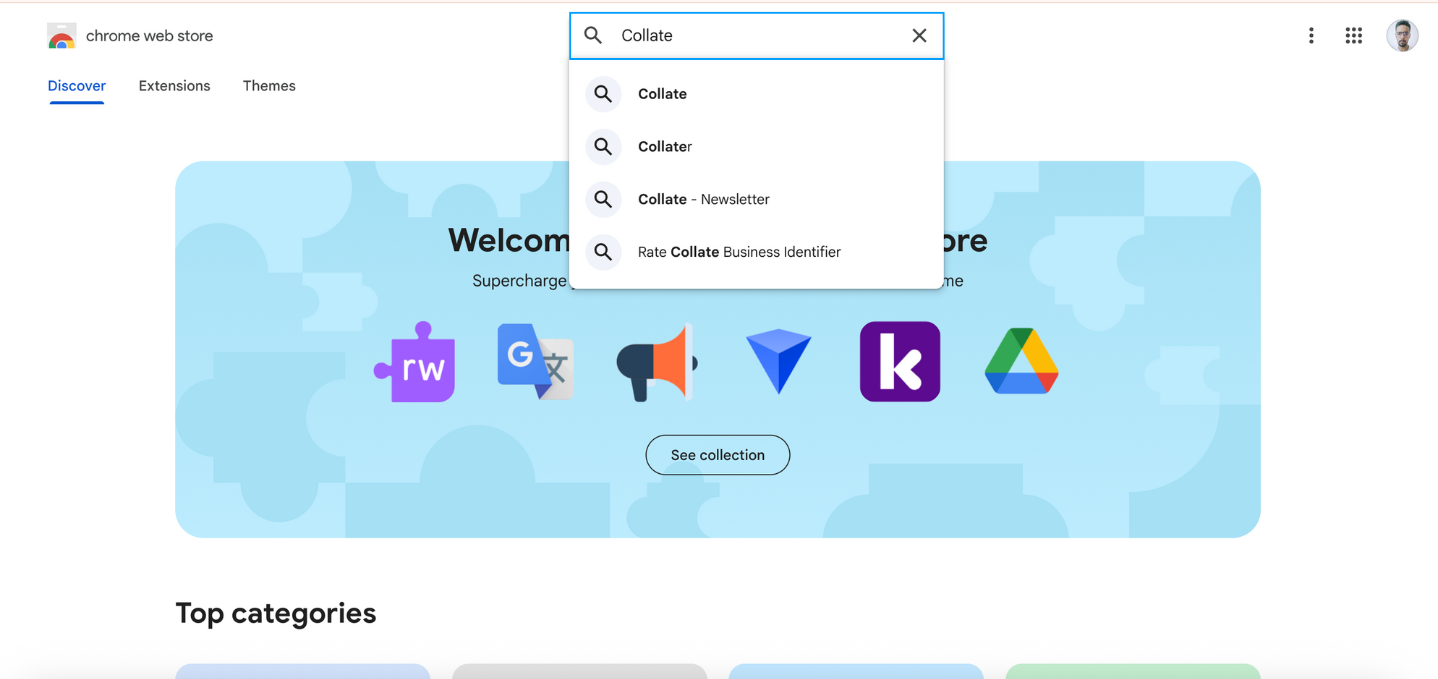
- Visit the Chrome Web Store and search for “Collate”.
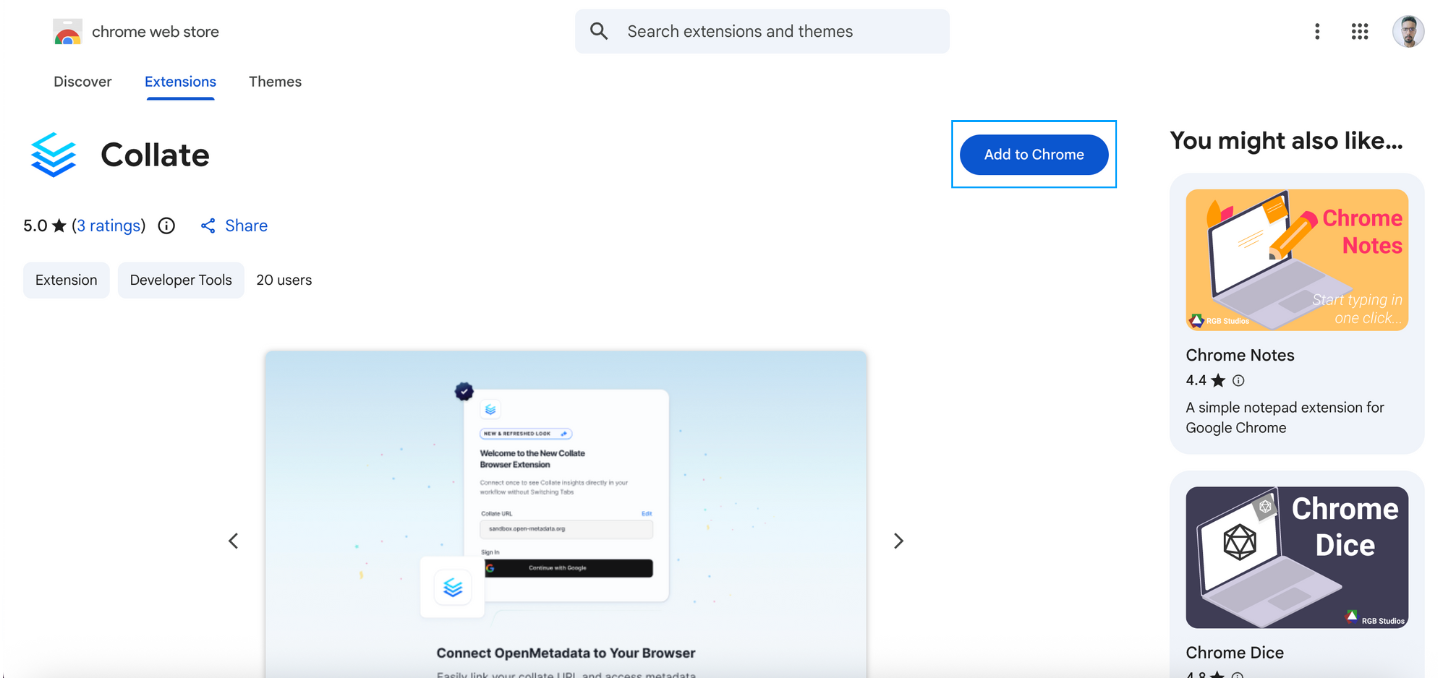
- Add the extension to your Chrome browser and pin it for quick access.
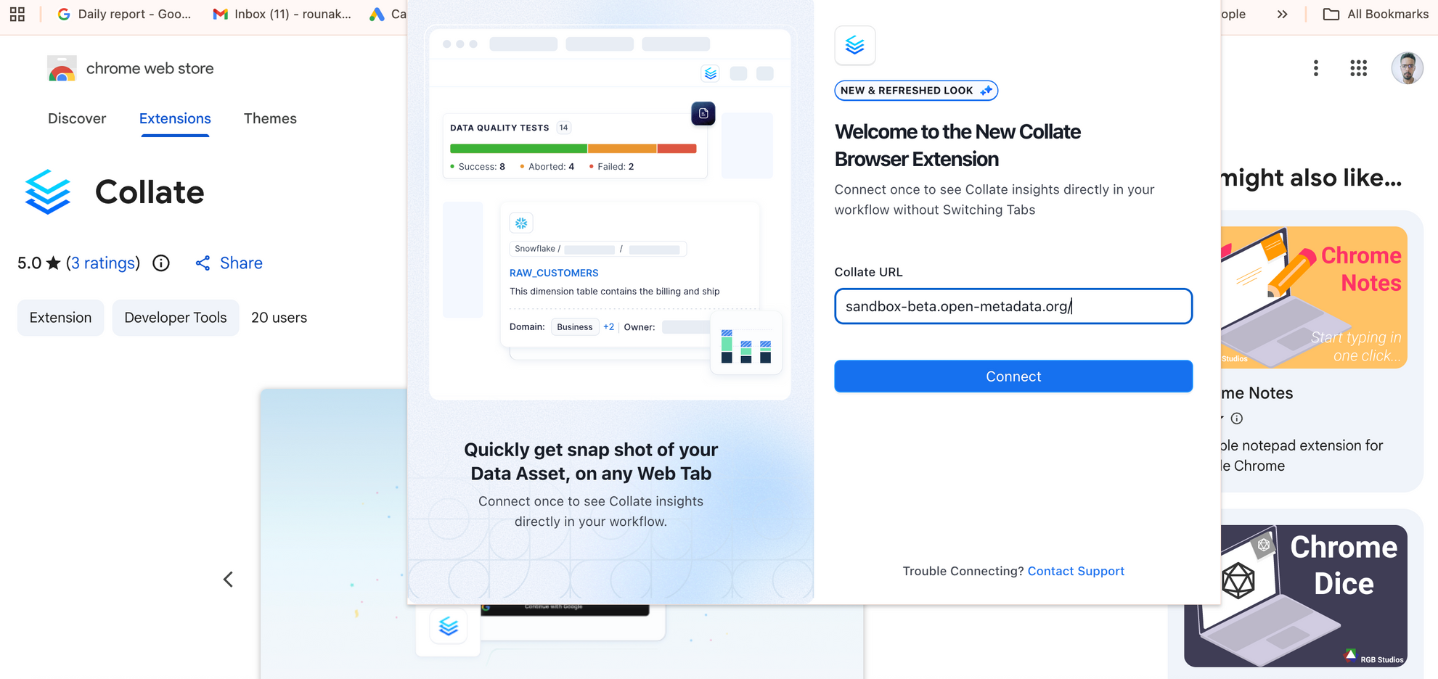
- Click on the Collate icon in your browser to open the extension, then add the base URL of your Collate instance and click Connect.
- The extension will guide you through the sign-in process based on your organization’s authentication method.