
Lineage Workflow
Learn how to configure the Lineage workflow from the UI to ingest Lineage data from your data sources.UI Configuration
Once the metadata ingestion runs correctly and we are able to explore the service Entities, we can add Entity Lineage information. This will populate the Lineage tab from the Table Entity Page.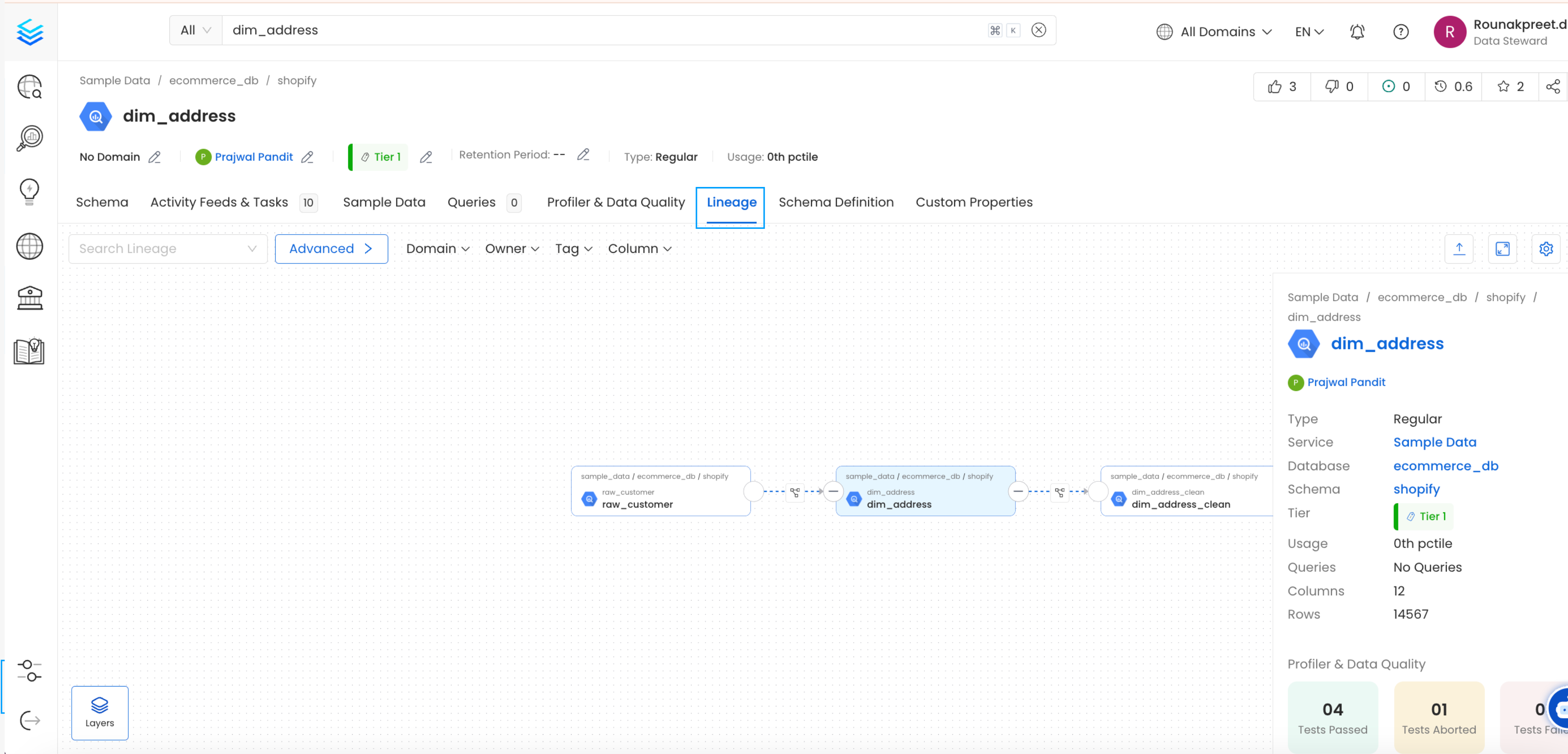
1. Add a Lineage Ingestion
From the Service Page, go to the Ingestions tab to add a new ingestion and click on Add Lineage Ingestion.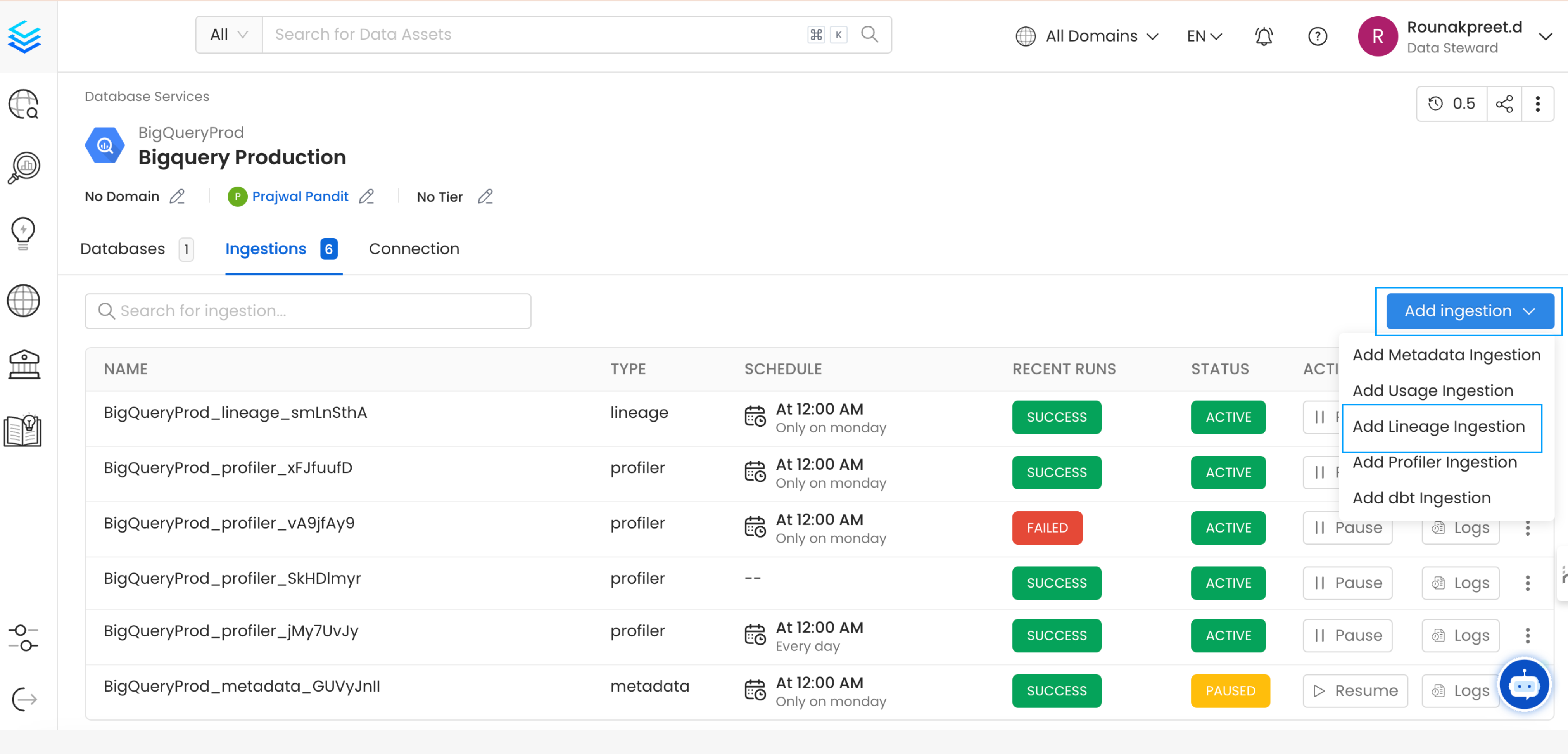
2. Configure the Lineage Ingestion
Here you can enter the Lineage Ingestion details: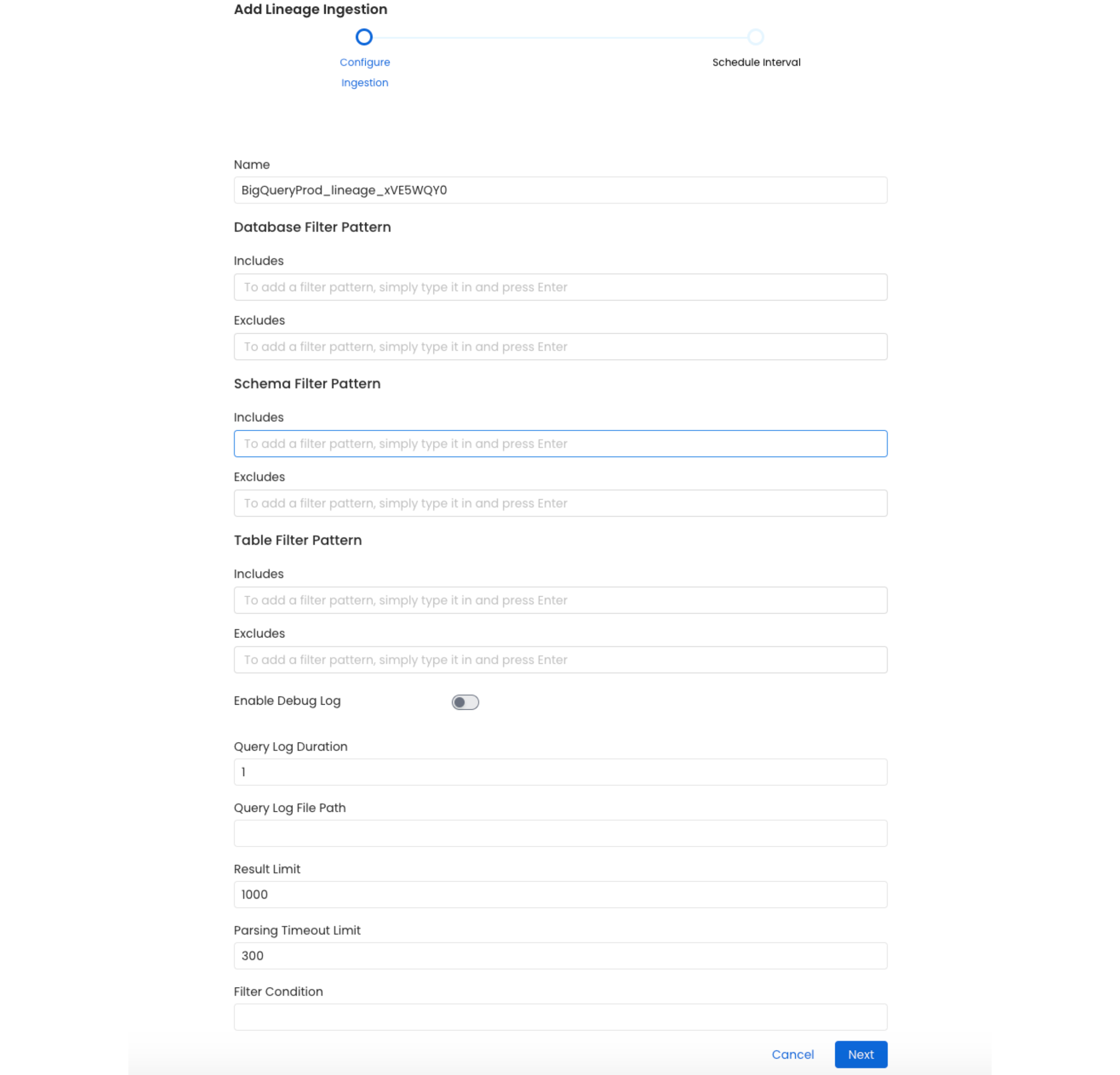
Lineage Options
Query Log Duration Specify the duration in days for which the lineage should capture lineage data from the query logs. For example, if you specify 2 as the value for the duration, the data lineage will capture lineage information for 48 hours prior to when the ingestion workflow is run. Result Limit Set the limit for the query log results to be run at a time.3. Schedule and Deploy
After clicking Next, you will be redirected to the Scheduling form. This will be the same as the Metadata Ingestion. Select your desired schedule and click on Deploy to find the lineage pipeline being added to the Service Ingestions.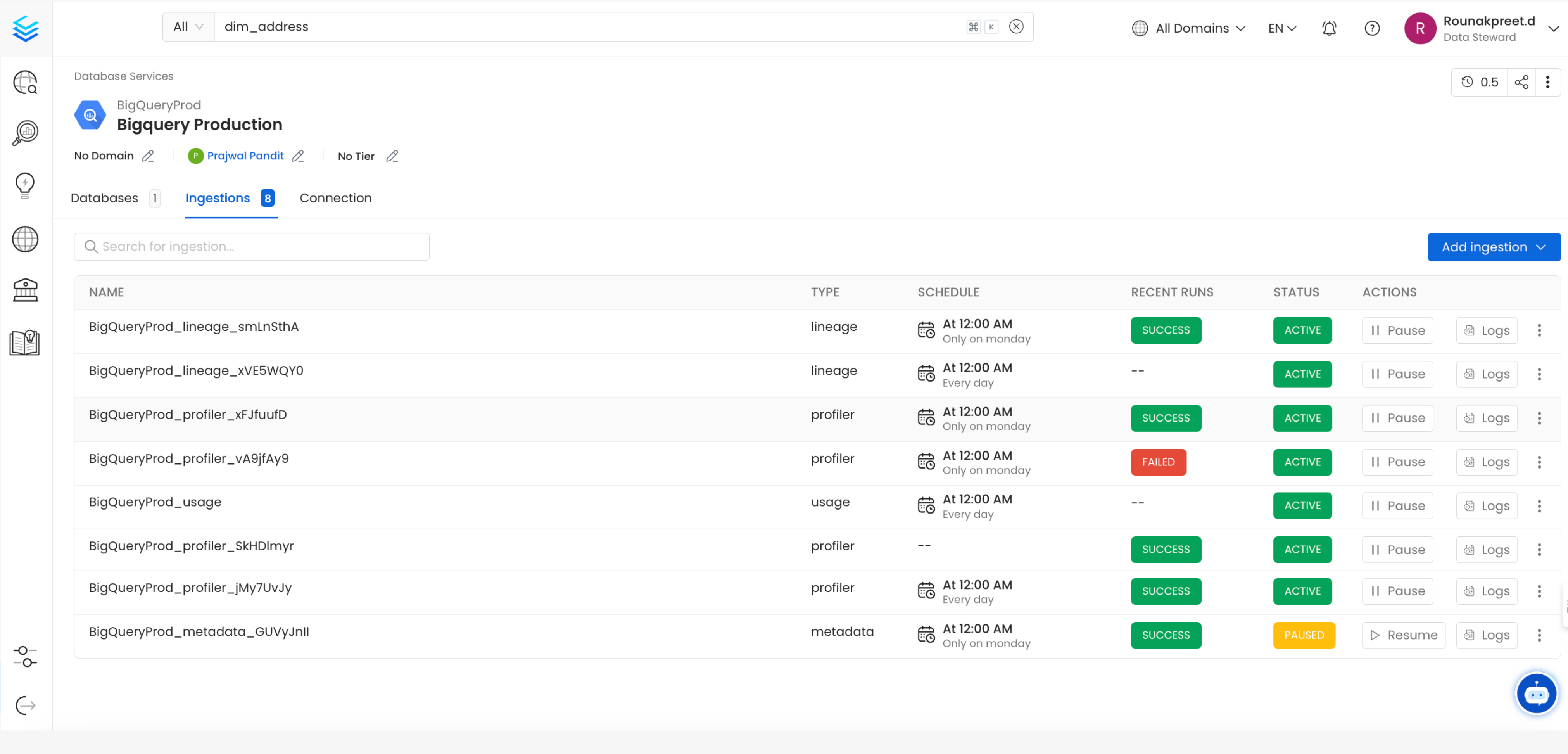
YAML Configuration
In the connectors section we showcase how to run the metadata ingestion from a JSON/YAML file using the Airflow SDK or the CLI via metadata ingest. Running a lineage workflow is also possible using a JSON/YAML configuration file. This is a good option if you wish to execute your workflow via the Airflow SDK or using the CLI; if you use the CLI a lineage workflow can be triggered with the commandmetadata ingest -c FILENAME.yaml. The serviceConnection config will be specific to your connector (you can find more information in the connectors section), though the sourceConfig for the lineage will be similar across all connectors.
Lineage
After running a Metadata Ingestion workflow, we can run Lineage workflow. While theserviceName will be the same to that was used in Metadata Ingestion, so the ingestion bot can get the serviceConnection details from the server.
1. Define the YAML Config
This is a sample config for Lineage:- You can learn more about how to configure and run the Lineage Workflow to extract Lineage data from here