
Auth Code Flow
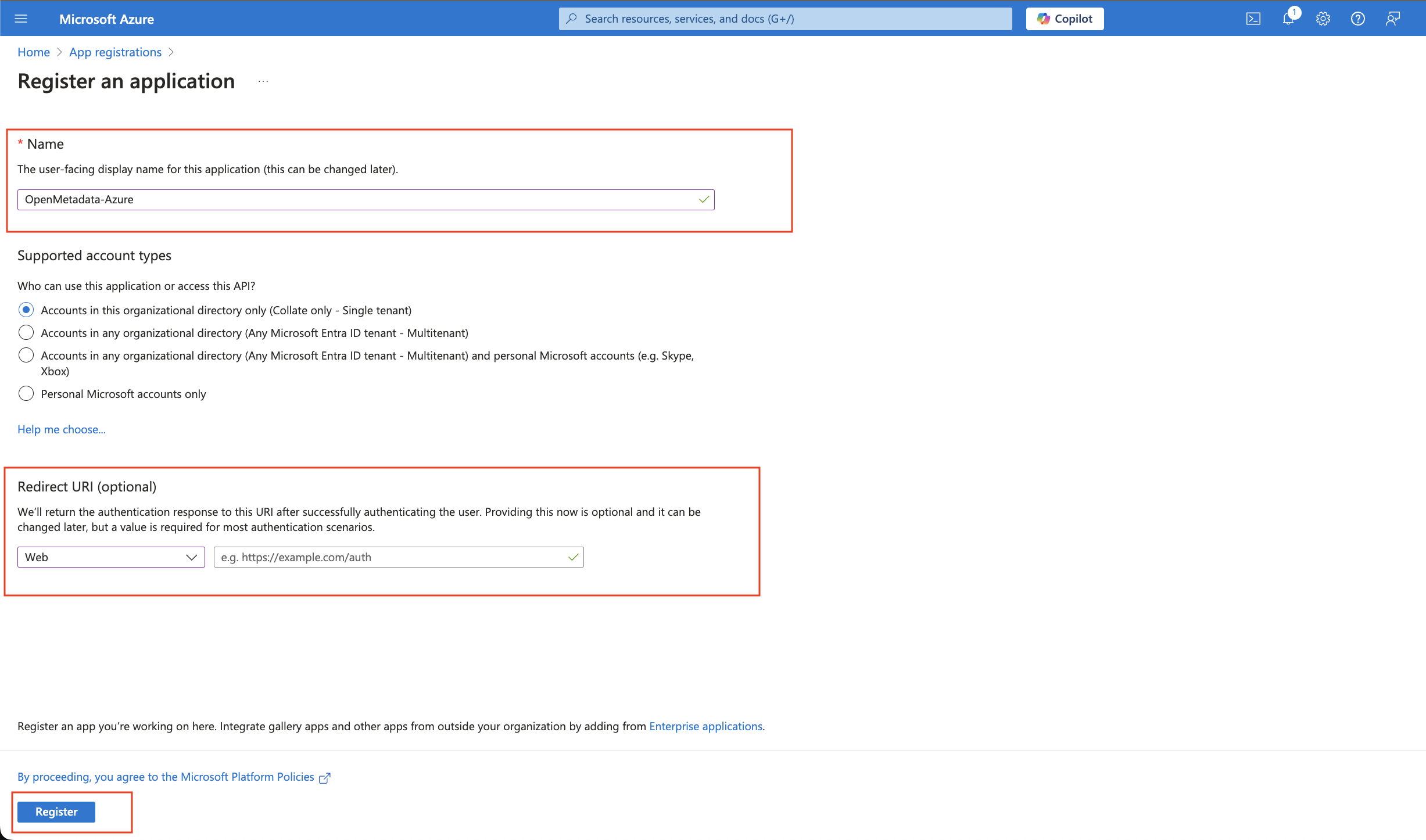
Step 1: App Registrations
- Provide an Application Name for registration.
- Provide a redirect URL as a Auth Code Flow.
- Click on Register.
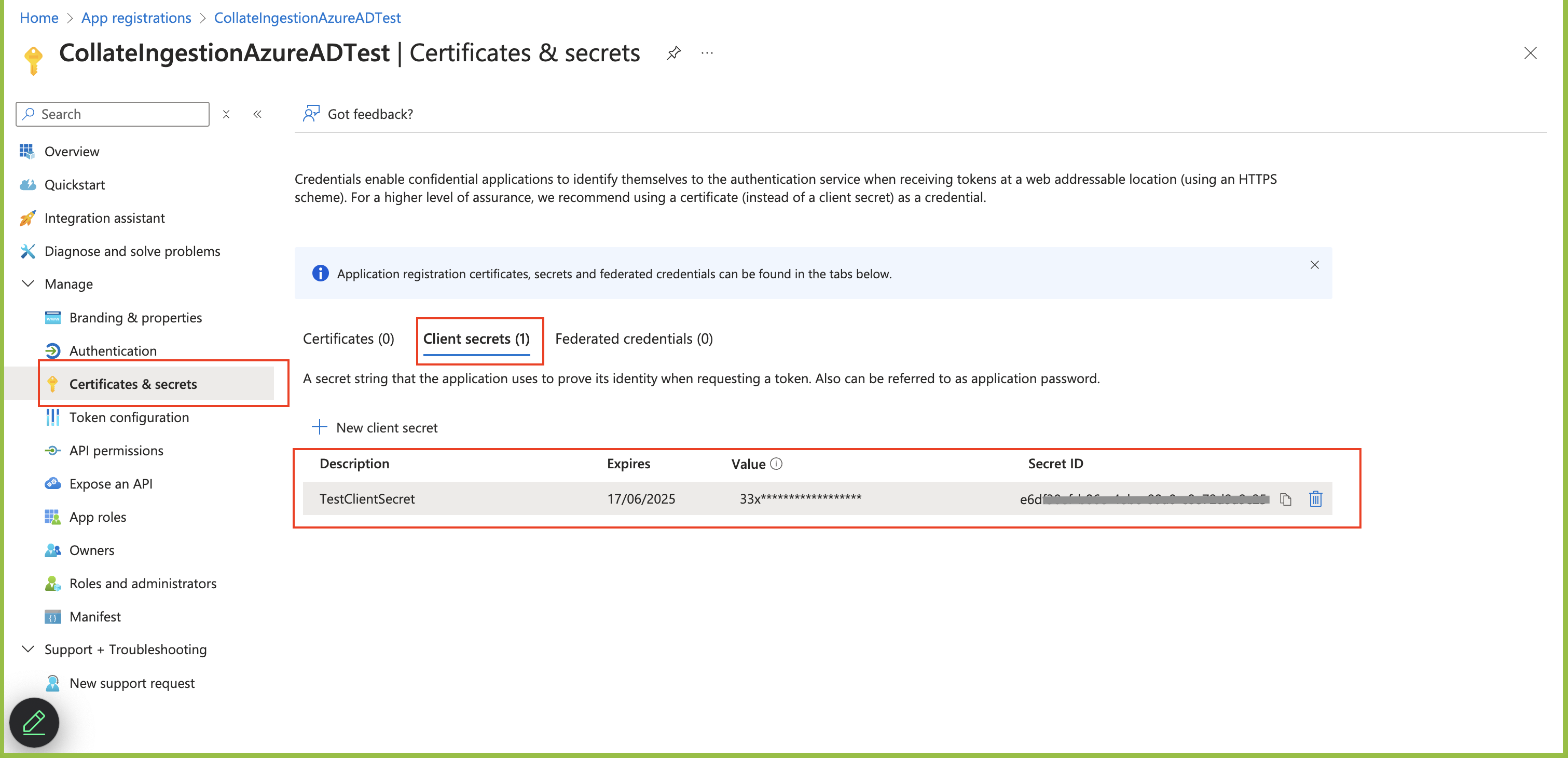
Step 2: Where to Find the Credentials
- The
Client IDand theTenant IDare displayed in the Overview section of the registered application.
- When passing the details for
authority, theTenant IDis added to the URL as shown in the example below.https://login.microsoftonline.com/TenantID
For Azure authorization code flow with MCP OAuth, include
offline_access in the OIDC scope so Azure AD can issue refresh tokens.
Use openid email profile offline_access.