
Cross Database Lineage
Some connectors support ingesting multiple databases or projects into one service with shared credentials—for example, multiple BigQuery project IDs in one service. Lineage resolves automatically because the metadata exists in the same service. Other deployments ingest each database or project as a separate service, typically with dedicated credentials. Cross-database lineage is for this model: Collate resolves references across services without requiring any service account to access another database or project.Architecture
For deployments using a separate service per database or project:- Each service uses its own dedicated service account or credentials.
- The service account only requires permissions for its own database or project.
- Collate ingests metadata from each service independently.
- One service account doesn’t need access to all databases or projects.
How Cross Database Lineage Works
During lineage extraction:- Collate parses the query history, view definitions, or stored procedure definitions for the service being ingested.
- When a query, view, or stored procedure references a table, Collate resolves that reference by searching the metadata already ingested into Collate.
- If the referenced table belongs to another database or project, Collate searches the metadata from the corresponding service.
- Once Collate finds the referenced asset, it creates the lineage relationship.
The lookup happens within Collate’s metadata store. The connector doesn’t query across databases or projects, and the service account doesn’t require access to assets outside its own database or project.
Configuration
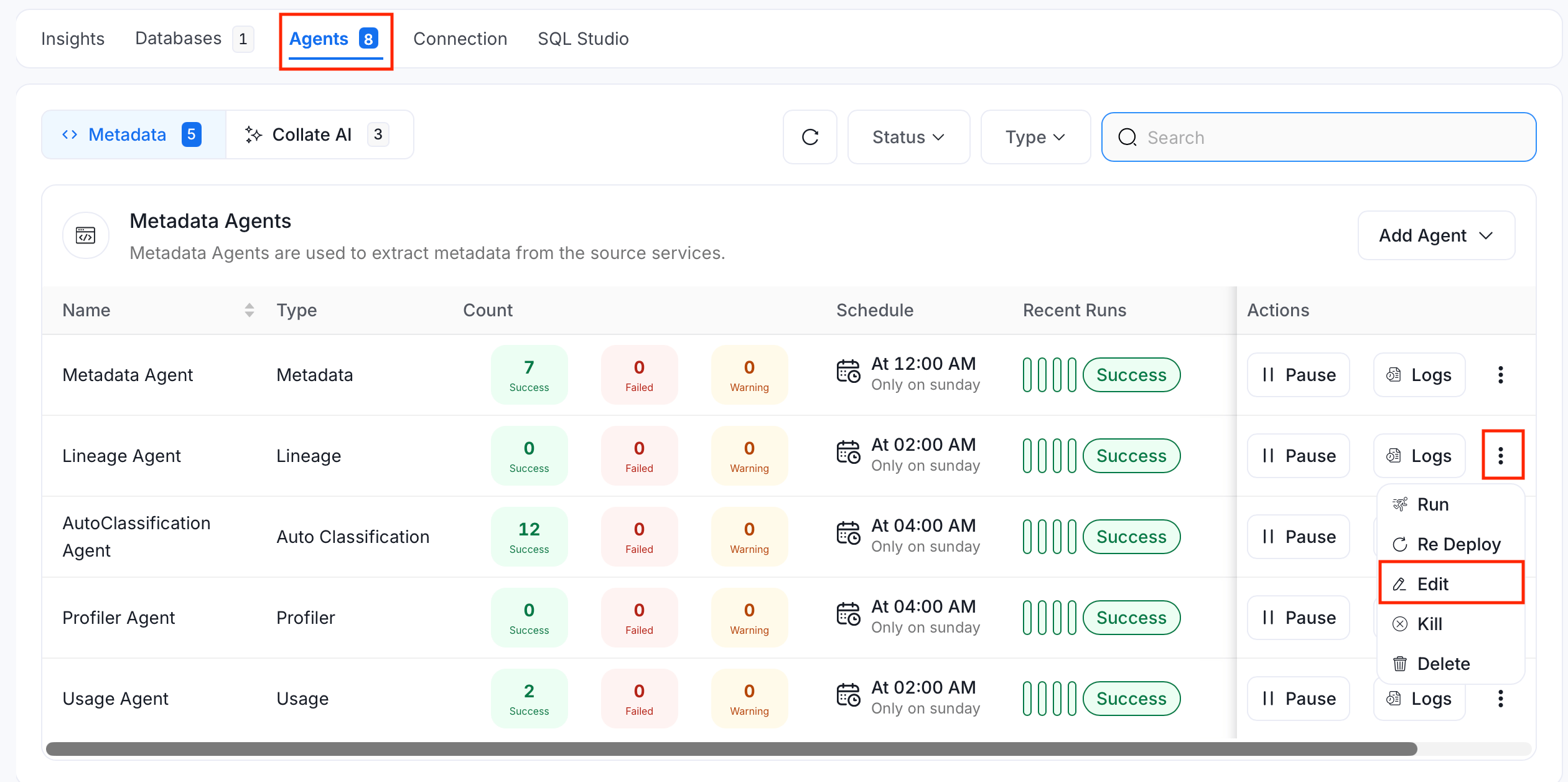
To configure cross-database lineage for an existing Lineage Agent, follow these steps:- Navigate to Settings > Services > Databases and select the service running the Lineage Agent.
- Select the Agents tab.
- On the Lineage Agent, select the three-dot menu.
-
Select Edit.
-
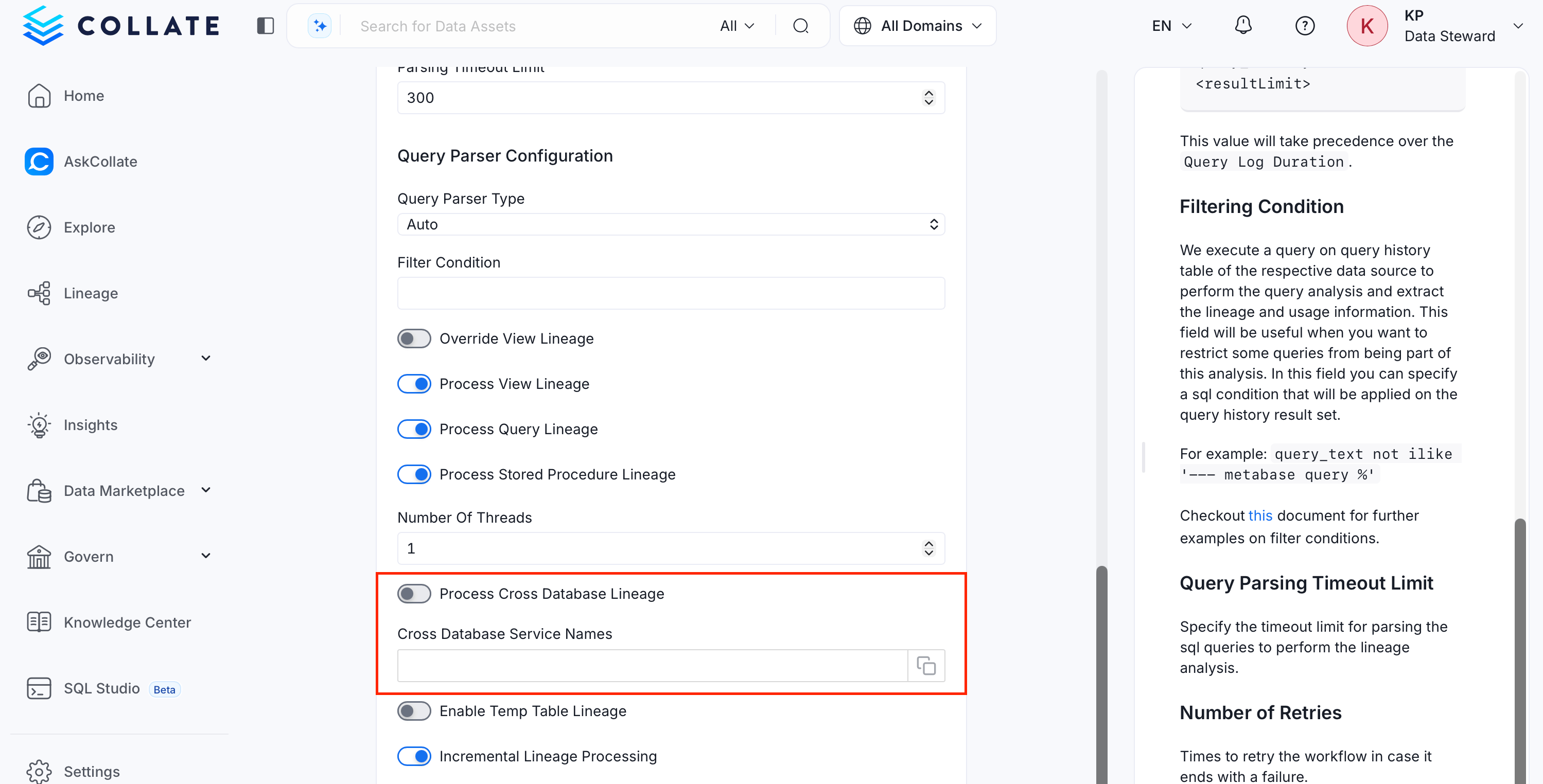
In the Configure Ingestion step, scroll to the following cross-database lineage options:
- Process Cross Database Lineage: Enable this toggle to build lineage across tables in different databases or projects.
- Cross Database Service Names: Names of the other Collate services to search when resolving table references. List the specific Collate service names to search. The underlying lookup returns a limited number of matches, so
*can miss the correct service or resolve to the wrong table when many services or tables share names. Update the list when another service needs to participate in cross-database lineage.
- Select Next to review the schedule.
- Select Submit to redeploy the Lineage Agent with the updated configuration.
Security Considerations
This architecture follows least-privilege principles:- Each database or project uses its own dedicated service account.
- Service accounts don’t require cross-project or cross-database IAM permissions.
- This model maintains project and database isolation.
- Collate builds lineage from metadata already ingested, rather than through direct cross-project or cross-database access.