
How Column-Level Lineage Works
Collate supports rich column-level lineage for understanding the relationship between tables and to perform impact analysis. Users can manually edit both the table and column level lineage to capture any information that is not automatically surfaced.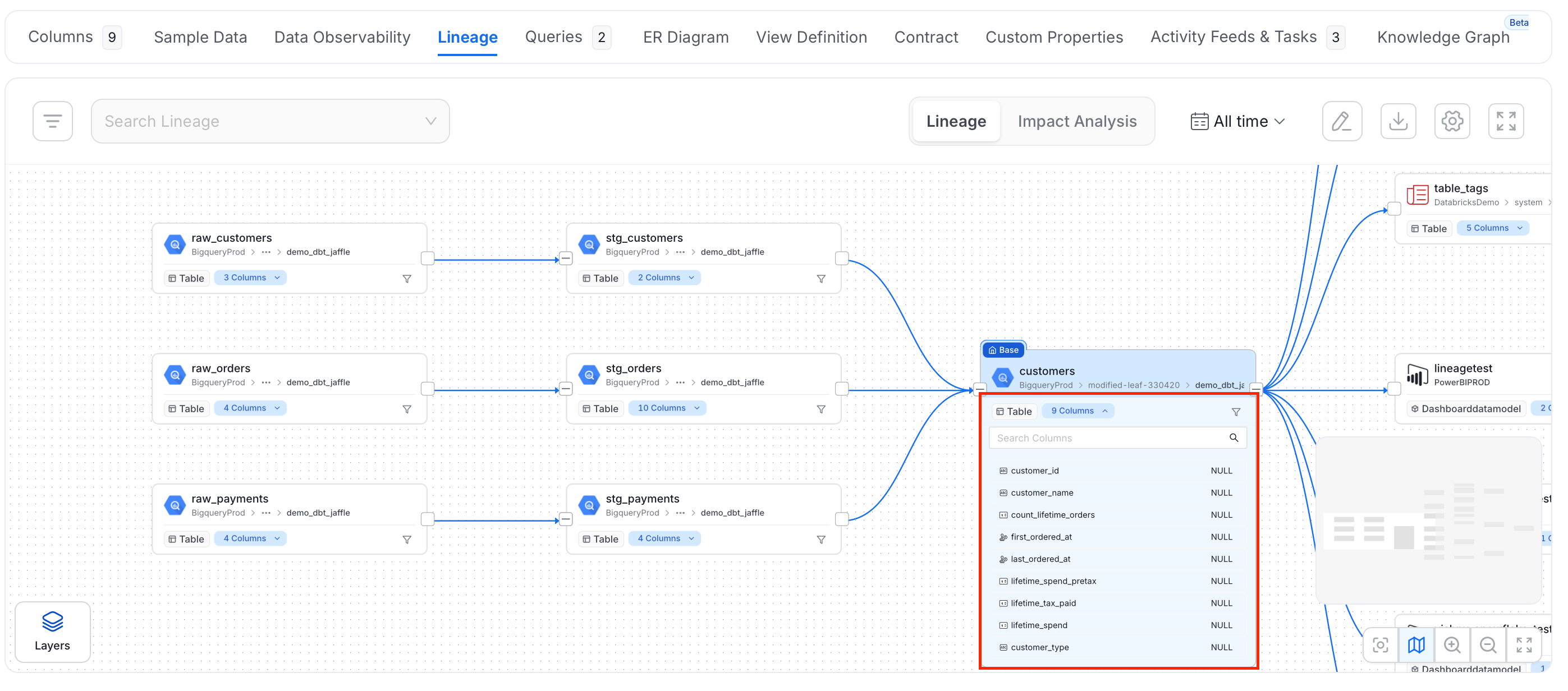
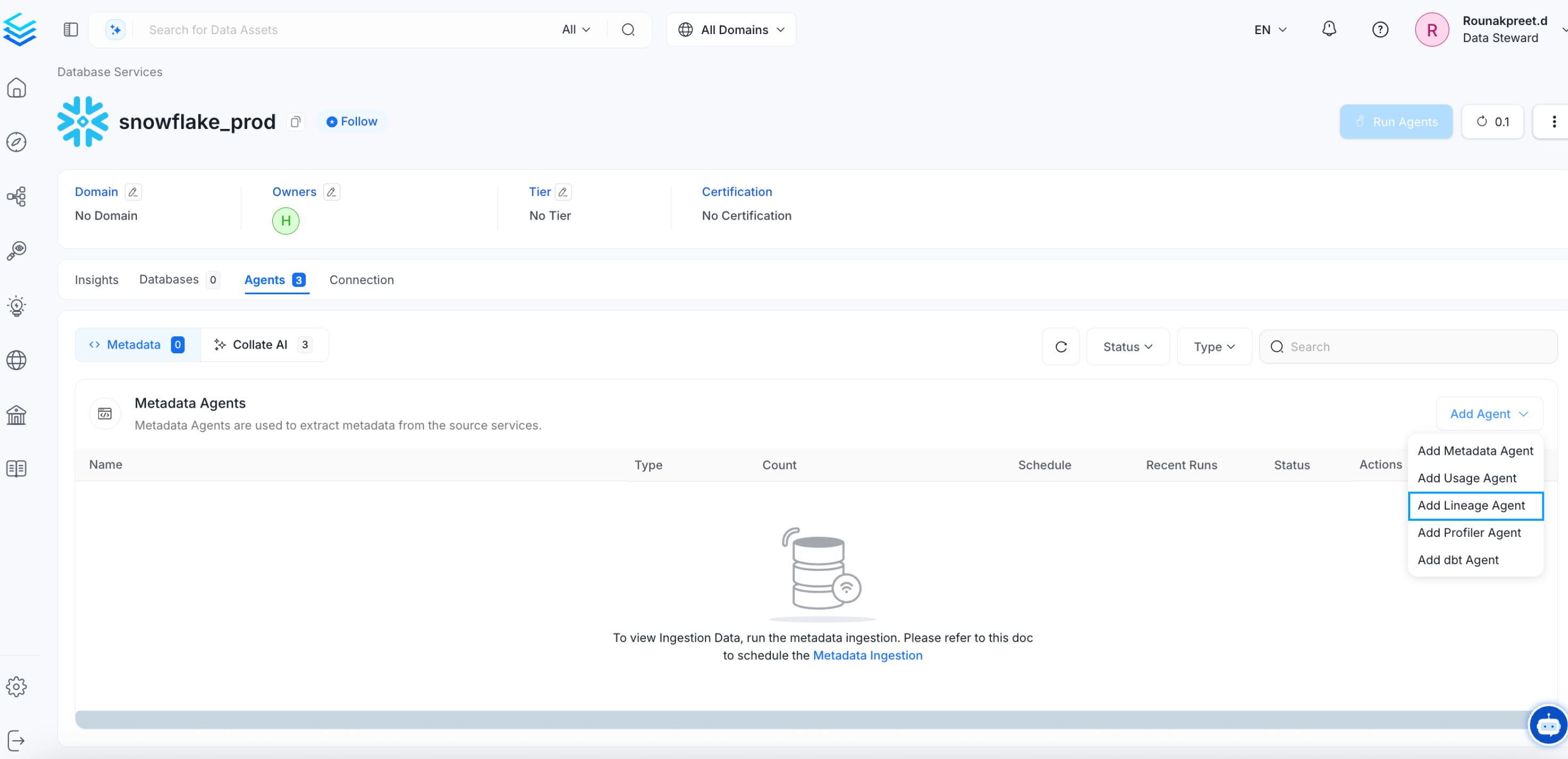
Manually Edit Column Level Lineage
Collate supports manual editing of both table and column level lineage. You can edit the lineage for the individual columns by clicking on the edit option on the top right. User the anchor points on either side of the columns to create links and trace individual columns through their lineage. You can also add new tables that have columns you want to trace. Connect the relevant columns to the current lineage.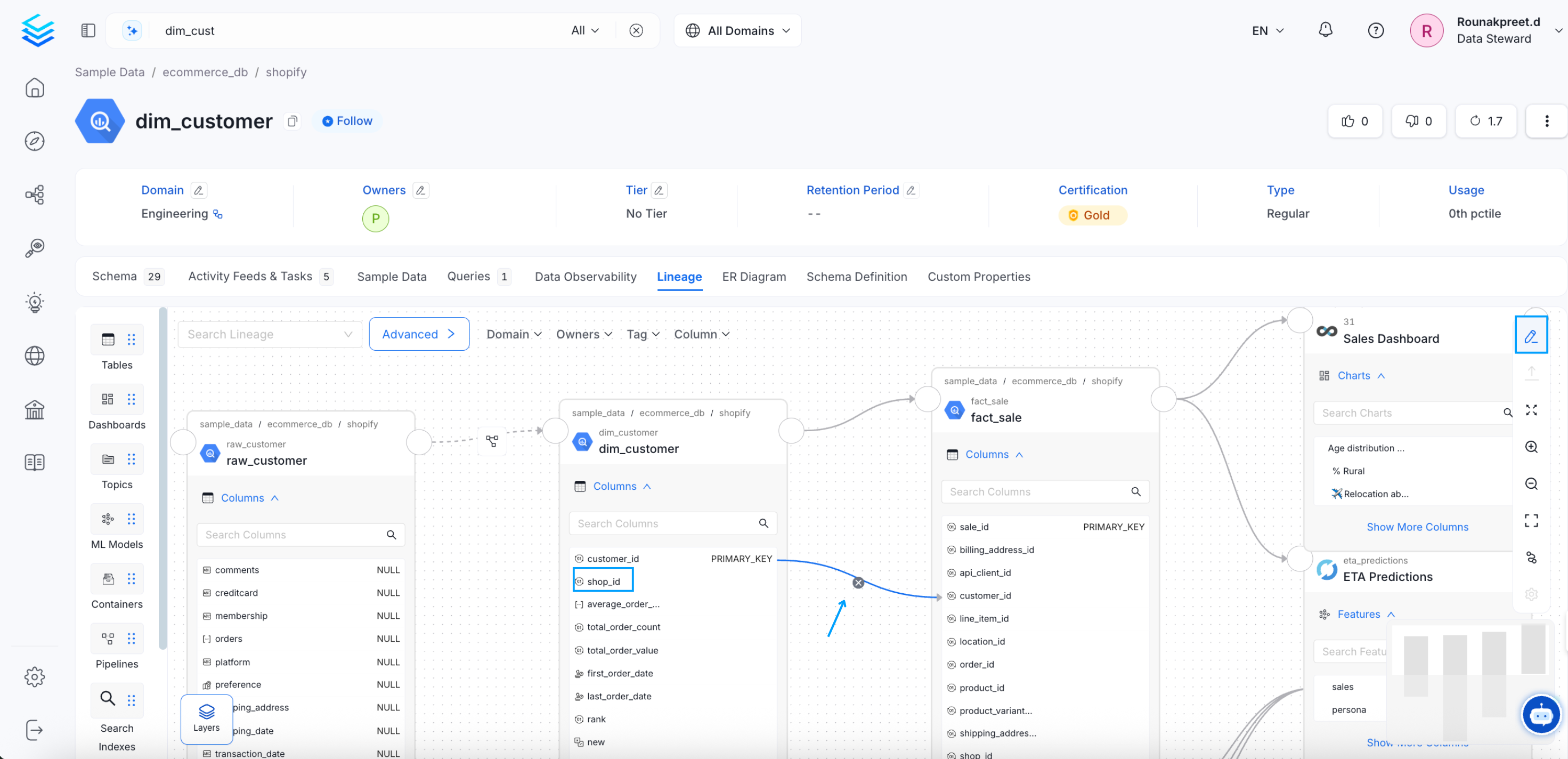
How to Manually Add or Edit Lineage
Edit the table and column level lineage manually.