
How to Classify Data Assets
How to Add Classification Tags
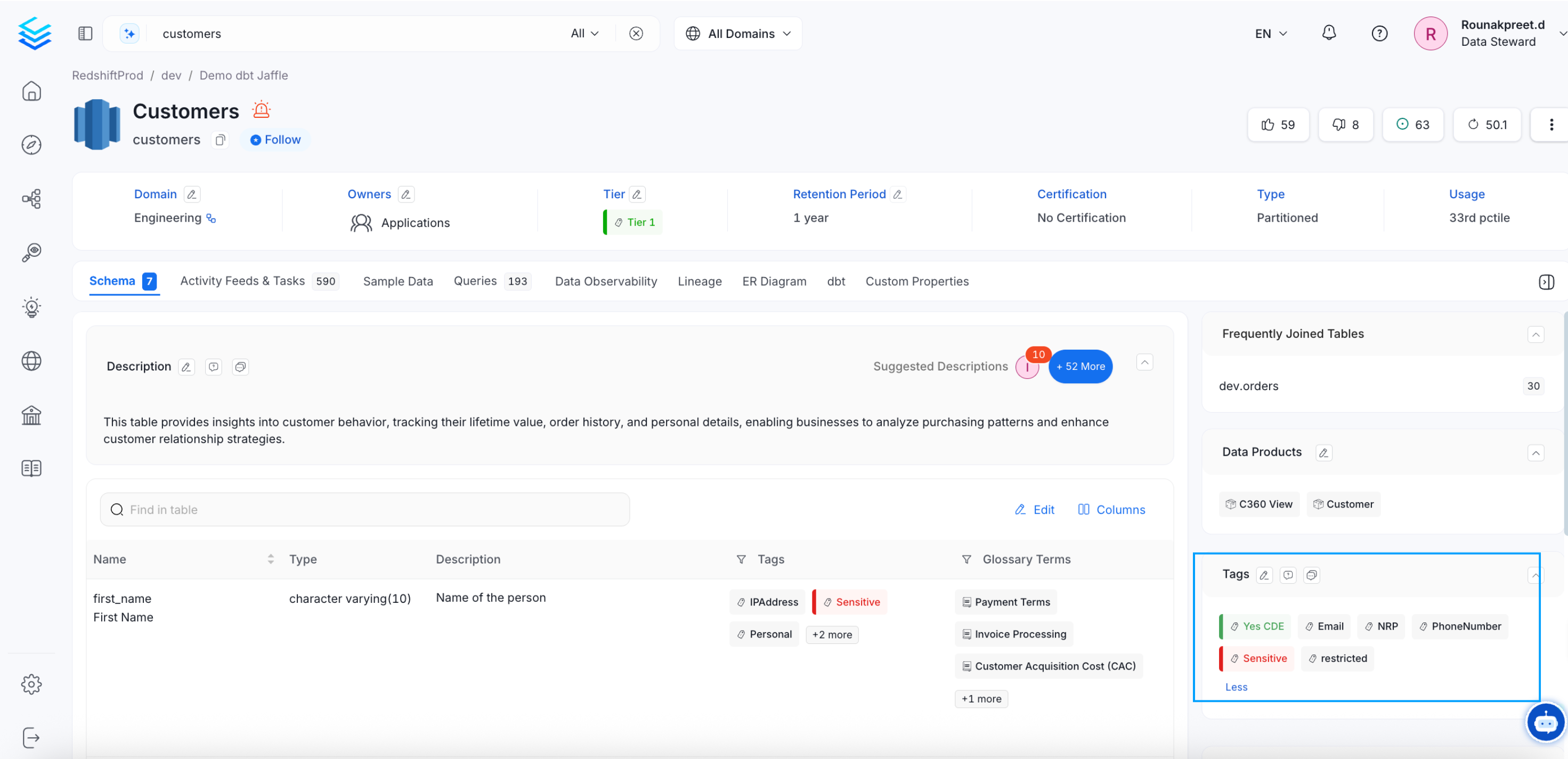
- From the Explore page, select a data asset and click on the edit icon or + Add for Tags.
- Search for the relevant tags. You can either type and search, or scroll to select from the options provided.
- Click on the checkmark to save the changes.
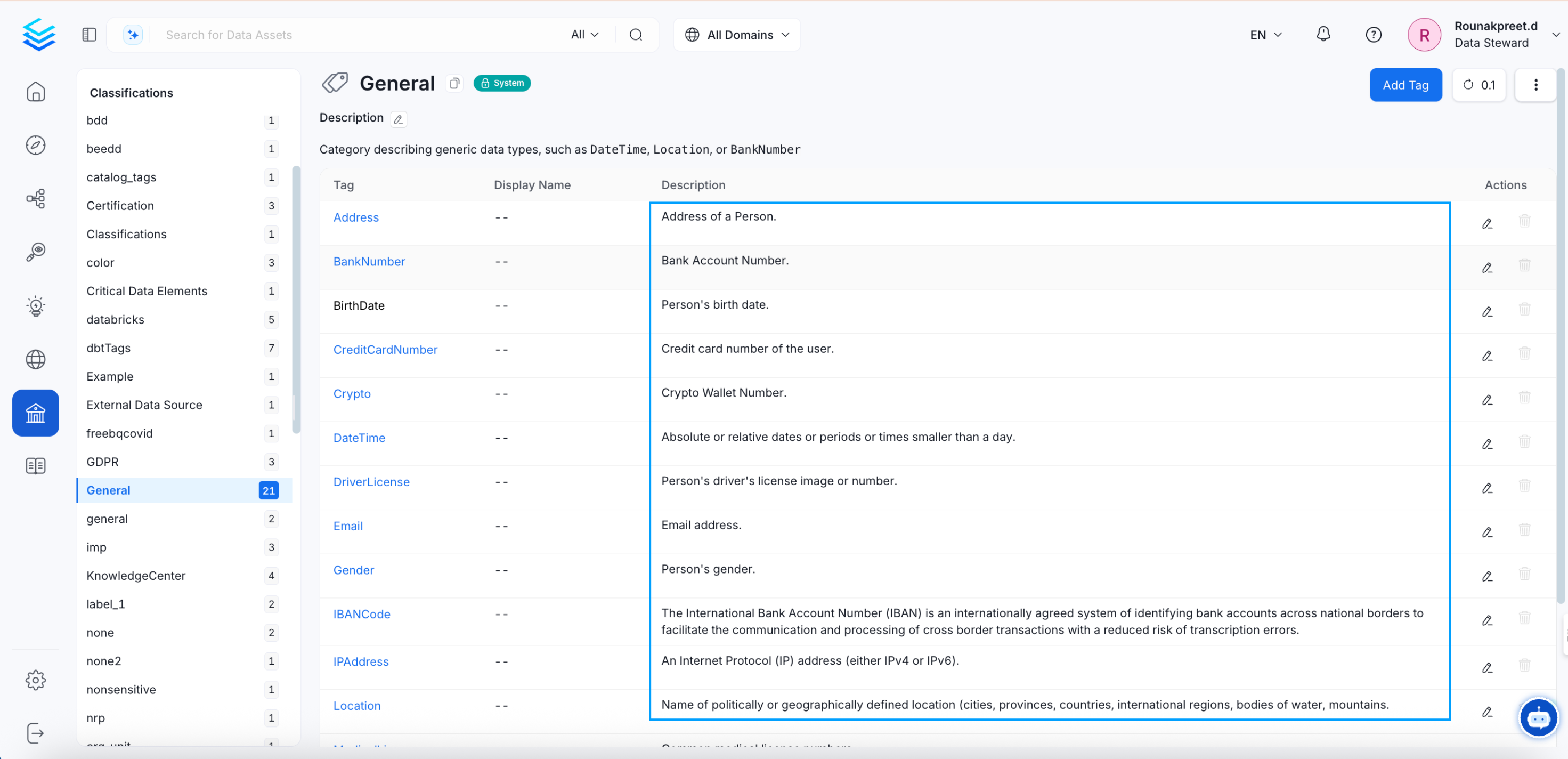
- Navigate to Govern >> Classification.
- The list of tags is displayed along with the details of Usage in various data assets.
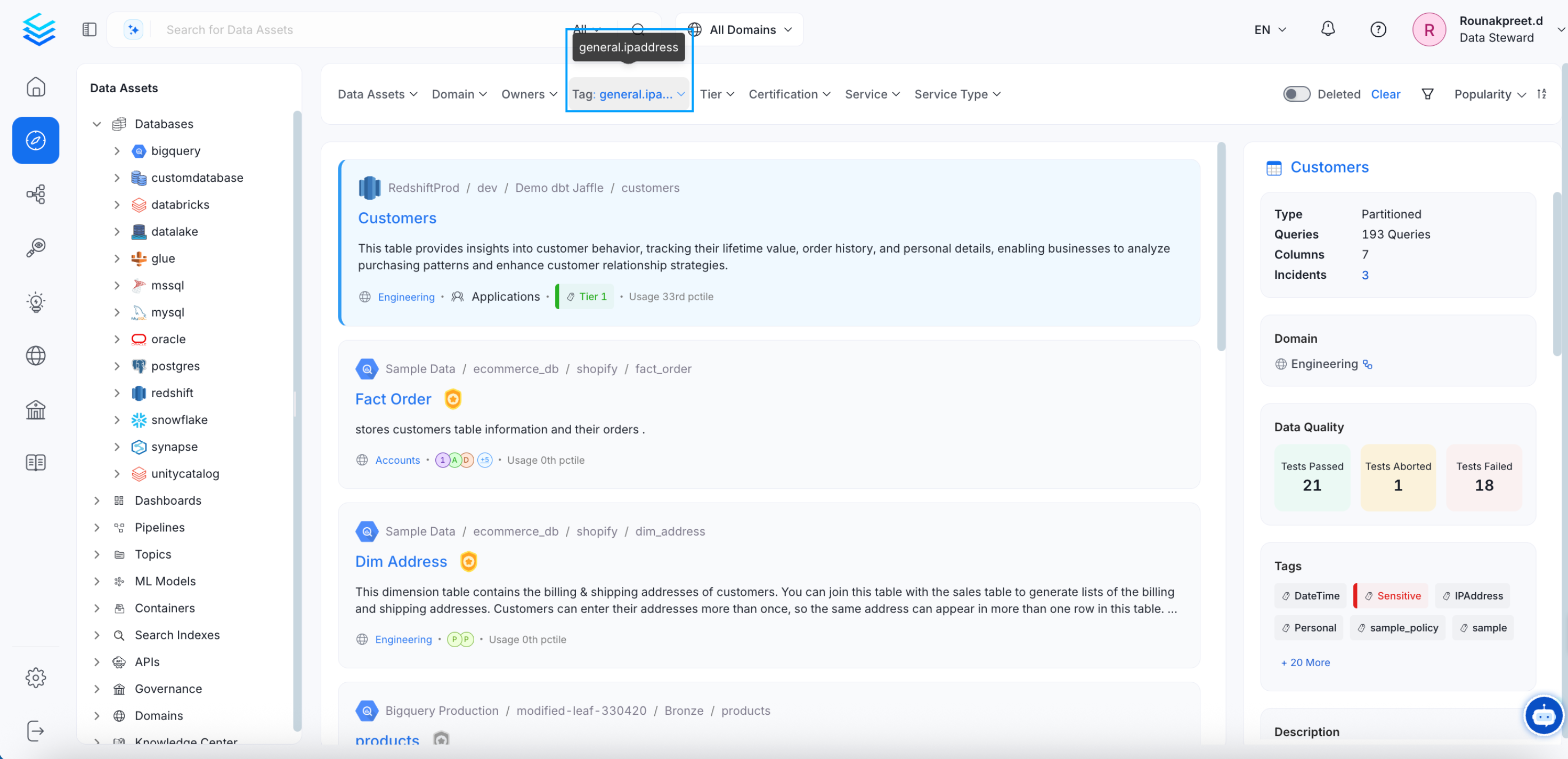
- Click on the Usage number to view the tagged assets.
How to Request for Classification Tags
Users can request to update tags and discuss about these tags within Collate.