
Configure Metadata Ingestion
Once a connector is added, set up a metadata ingestion pipeline to bring data into Collate automatically.- Navigate to Settings > Services and select your service type (for example, Databases).
- Open the service you added and select the Agents tab.
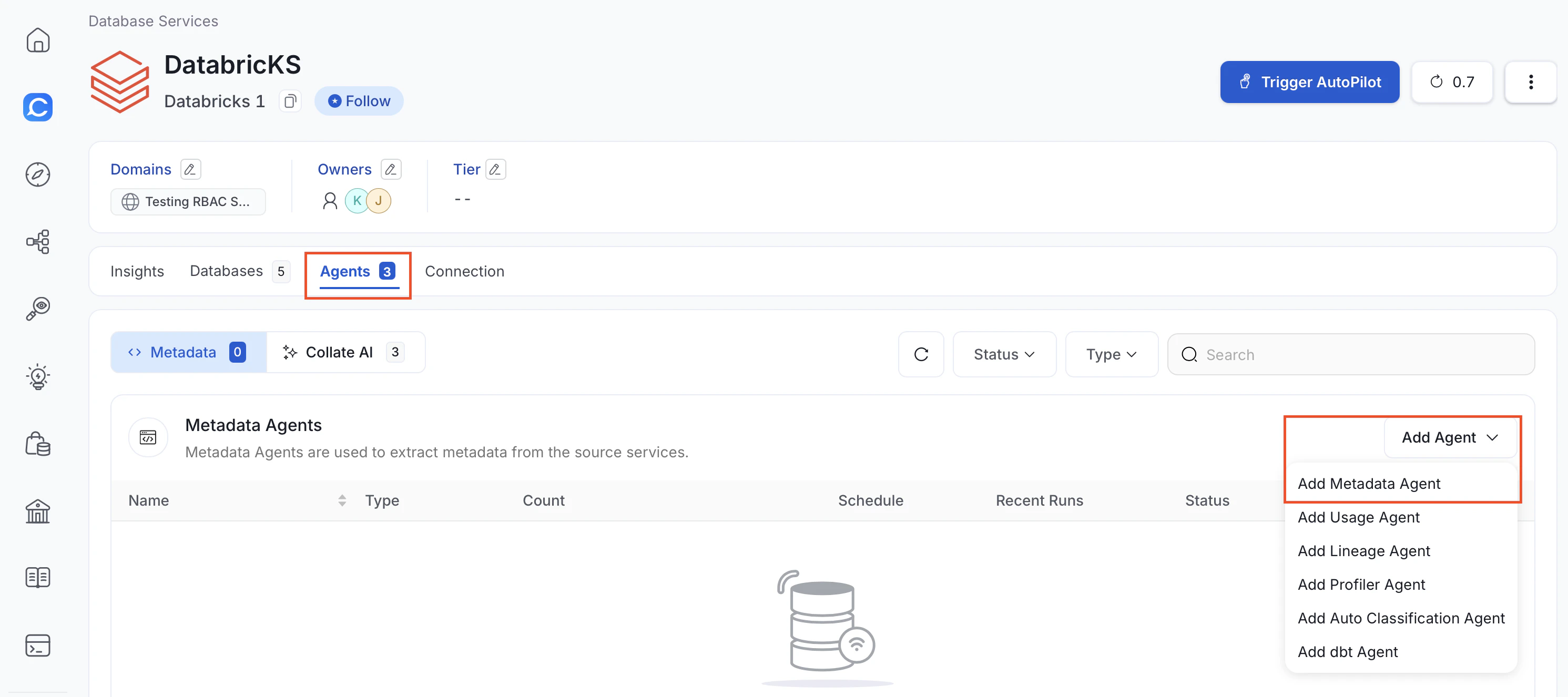
- In the Add Agent drop-down, click Add Metadata Agent.
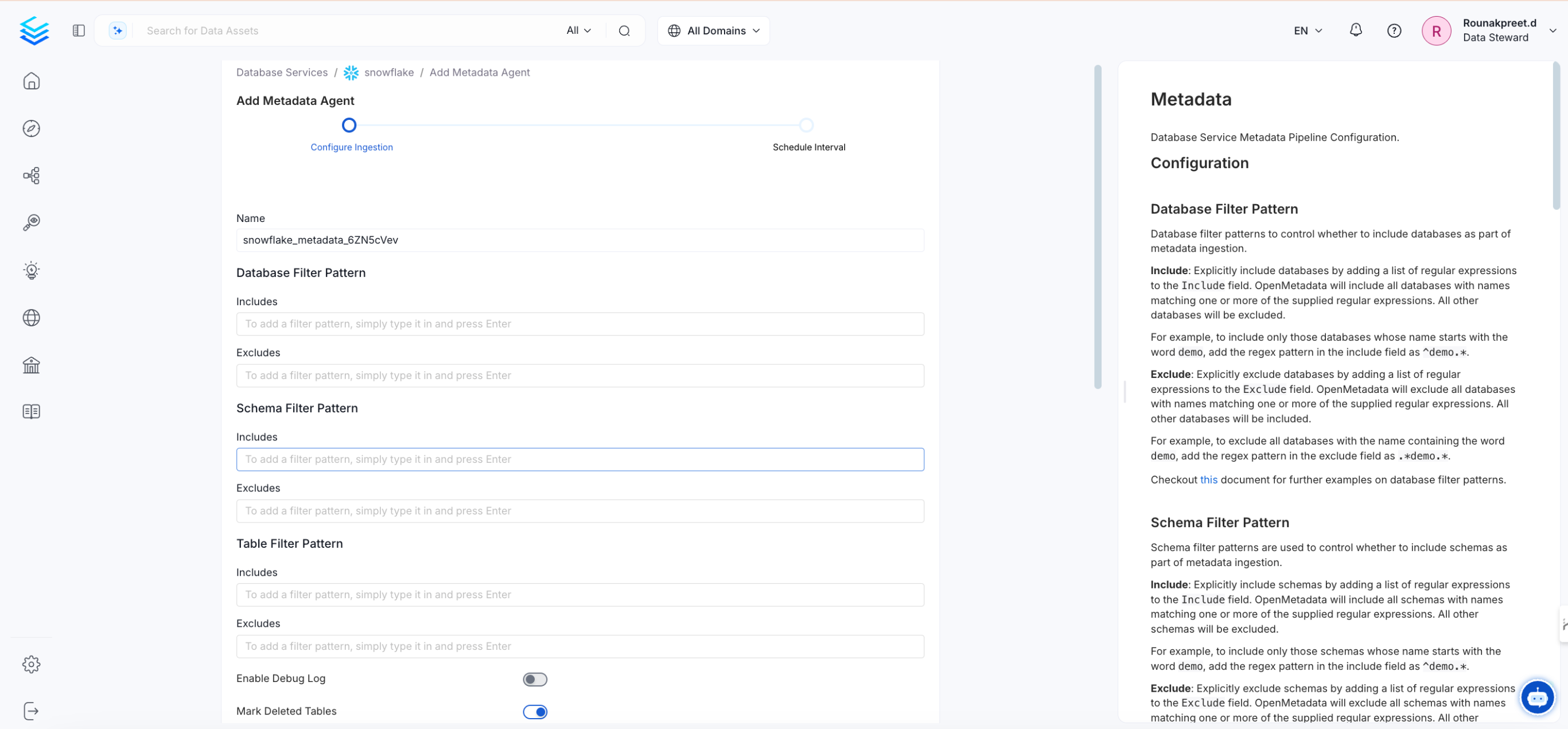
- Enter the configuration details and enable the toggle options, then click Next.
- Set an ingestion schedule so metadata refreshes automatically at specified time and frequency.
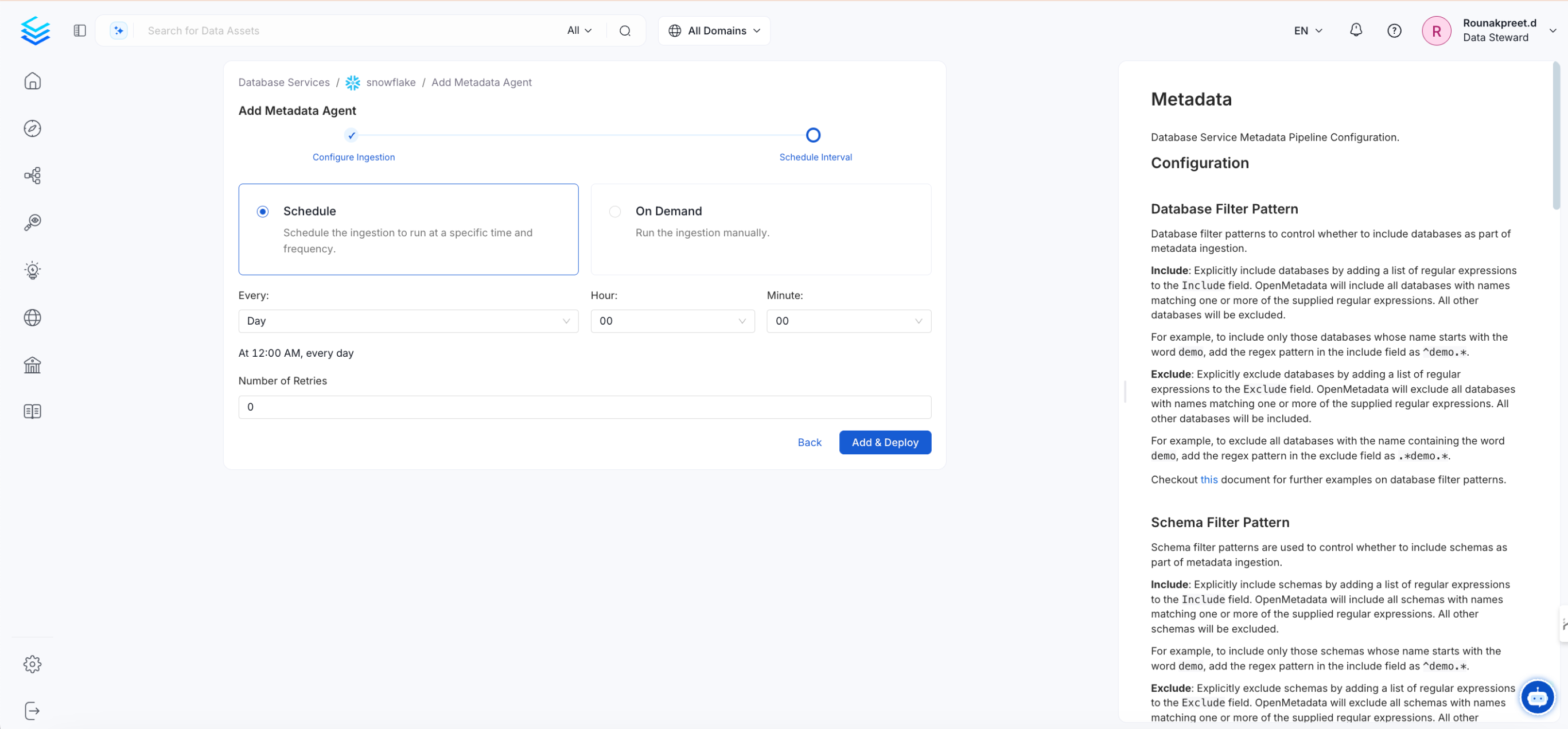
- Click Add & Deploy. Optionally, you can add additional pipelines for lineage, data profiling, or dbt enrichment.