
This section provides guides and references to use the Snowflake connector.
Configure and schedule Snowflake metadata and profiler workflows from the Collate UI:
- Requirements
- Iceberg Table Support
- Metadata Ingestion
- Query Usage
- Data Profiler
- Data Quality
- Lineage
- dbt Integration
- Troubleshooting
- Reverse Metadata
Requirements
To ingest basic metadata snowflake user must have the following privileges:USAGEPrivilege on WarehouseUSAGEPrivilege on DatabaseUSAGEPrivilege on SchemaSELECTPrivilege on Tables
Additional Privileges
The following workflows require additional grants:-
Incremental Extraction: Collate fetches the information by querying
snowflake.account_usage.tables. -
Ingesting Tags: Collate fetches the information by querying
snowflake.account_usage.tag_references. -
Ingesting Stored Procedures: Collate fetches the information by querying
snowflake.account_usage.proceduresandsnowflake.account_usage.functions. -
Lineage and Usage Workflow: For lineage, Collate uses Snowflake’s
ACCOUNT_USAGE.ACCESS_HISTORYview by default. See Lineage with Access History. For the Usage workflow, and as the lineage fallback, Collate fetches query logs by queryingsnowflake.account_usage.query_history. Both views require the Snowflake user to have theACCOUNTADMINrole or a role withIMPORTED PRIVILEGESon theSNOWFLAKEdatabase. For more information about theaccount_usageschema, see Account Usage.
Lineage with Access History
Use Access History for Lineage is enabled by default. With it enabled, the lineage agent reads Snowflake-computed lineage fromACCOUNT_USAGE.ACCESS_HISTORY instead of parsing SQL from QUERY_HISTORY:
- Table and column lineage comes from the objects each query read and modified, as recorded by Snowflake.
COPY_HISTORYadds lineage for data loads. - Snowflake edition:
ACCESS_HISTORYrequires Snowflake Enterprise Edition or higher. On Standard Edition, or if the role cannot read the view, ingestion logs a warning and falls back to parsing query logs. - Query Log Duration still applies. It sets how many days of
ACCESS_HISTORYare scanned. Access History Chunk Size (Days) only splits that window into smaller queries. - Result Limit applies only to the query-log fallback.
- Filter Condition is applied to the resulting
ACCESS_HISTORYlineage edges. Filter onUPSTREAM_TABLEorDOWNSTREAM_TABLE, for exampleDOWNSTREAM_TABLE LIKE 'MYDB.%'. Both columns hold fully qualifiedDATABASE.SCHEMA.TABLEnames. The filter doesn’t apply toCOPY_HISTORYload lineage. In the query-log fallback, the filter runs againstQUERY_HISTORYcolumns instead, so a filter onUPSTREAM_TABLEorDOWNSTREAM_TABLEfails there. If your account can fall back, for example on Standard Edition, useQUERY_HISTORYcolumns or disable Use Access History for Lineage.
Iceberg Table Support
Snowflake supports Iceberg table ingestion in Collate through source metadata signals.How Table Classification Works
- Collate reads Iceberg-related metadata from Snowflake system table metadata.
- When Snowflake metadata resolves Iceberg table semantics, Collate classifies the table as
Iceberg.
Access Requirements
- Catalog permissions: Grant read access to
information_schema.tablesand any required account usage views used by your ingestion mode. - File system permissions: Direct object storage write permissions are not required for metadata ingestion. Keep read access aligned with your Snowflake external table and catalog setup.
Metadata Ingestion
To ingest metadata from Snowflake, you need to create a service connection. The service connects Snowflake with Collate. Once you create a service, Collate automatically starts ingesting metadata.Step 1: Add New Service
Open the Services page and start a new service.-
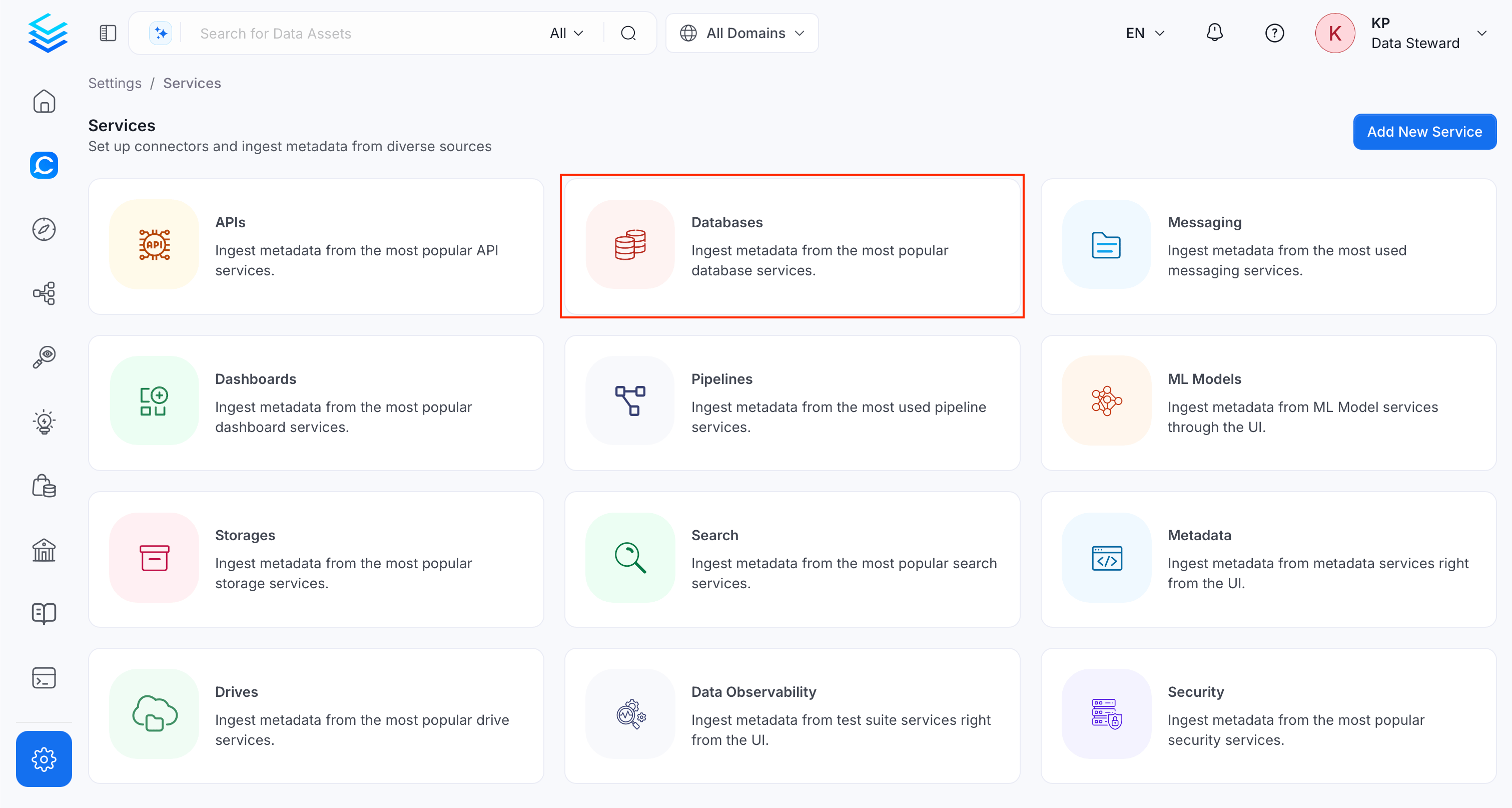
Navigate to Settings > Services and select Database Services.
-
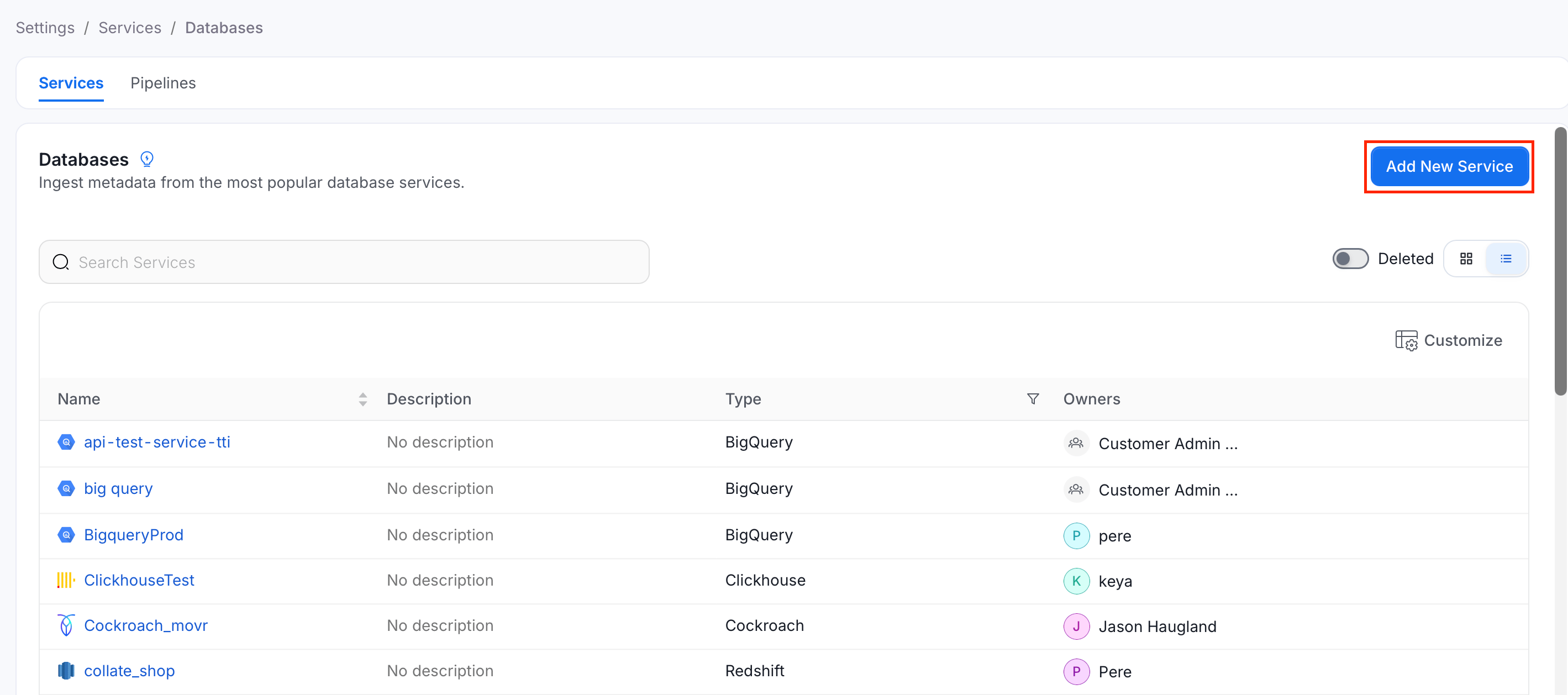
Click Add New Service.
Step 2: Select a Service and Connector
From the service type dropdown, select Database Services, then click the Snowflake connector tile.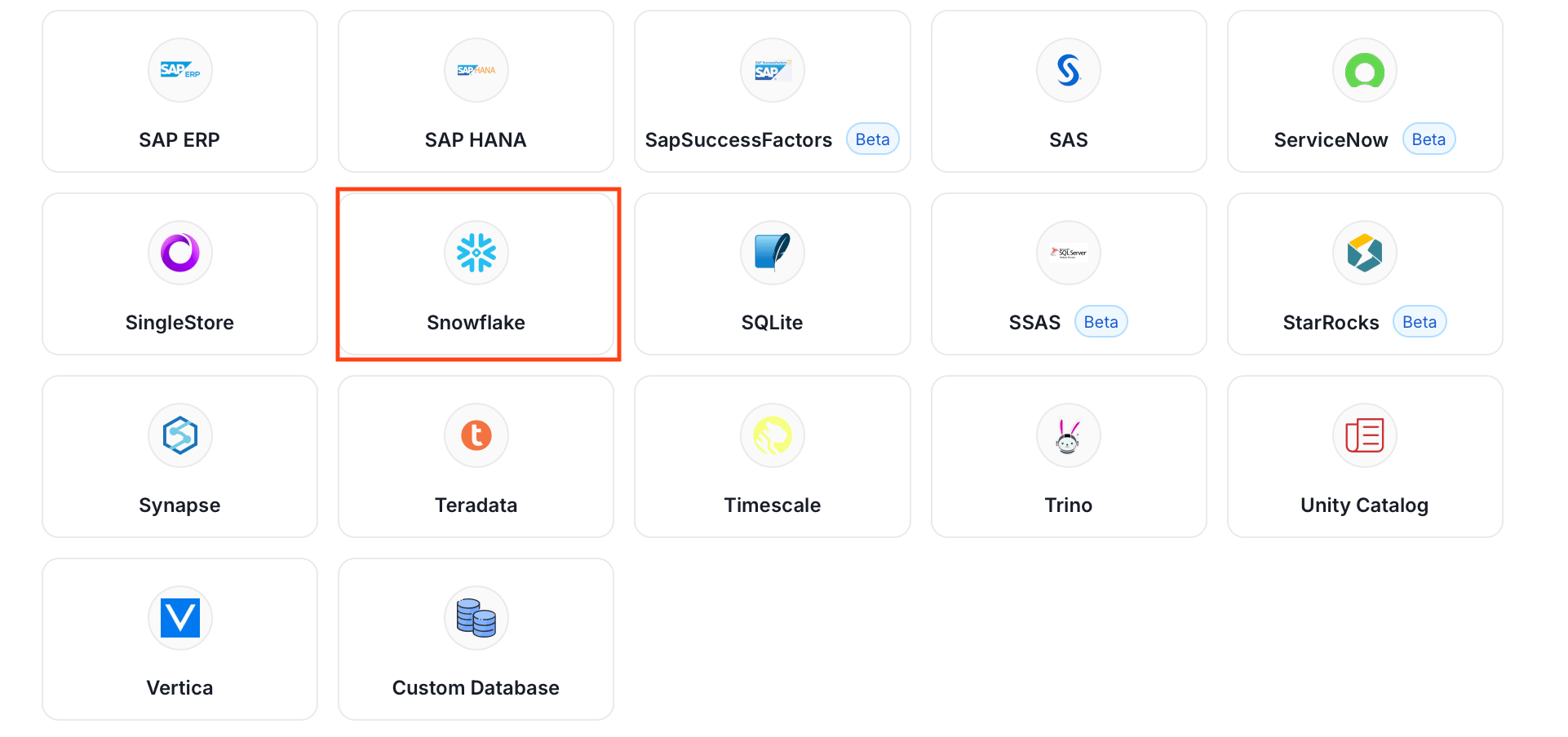
Step 3: Add Service Name and Description
- Enter a unique, descriptive Service Name. Collate identifies services by their service name. Enter a name that distinguishes this deployment from other Snowflake services you are ingesting metadata from.
- Optional: Enter a Description for the service.
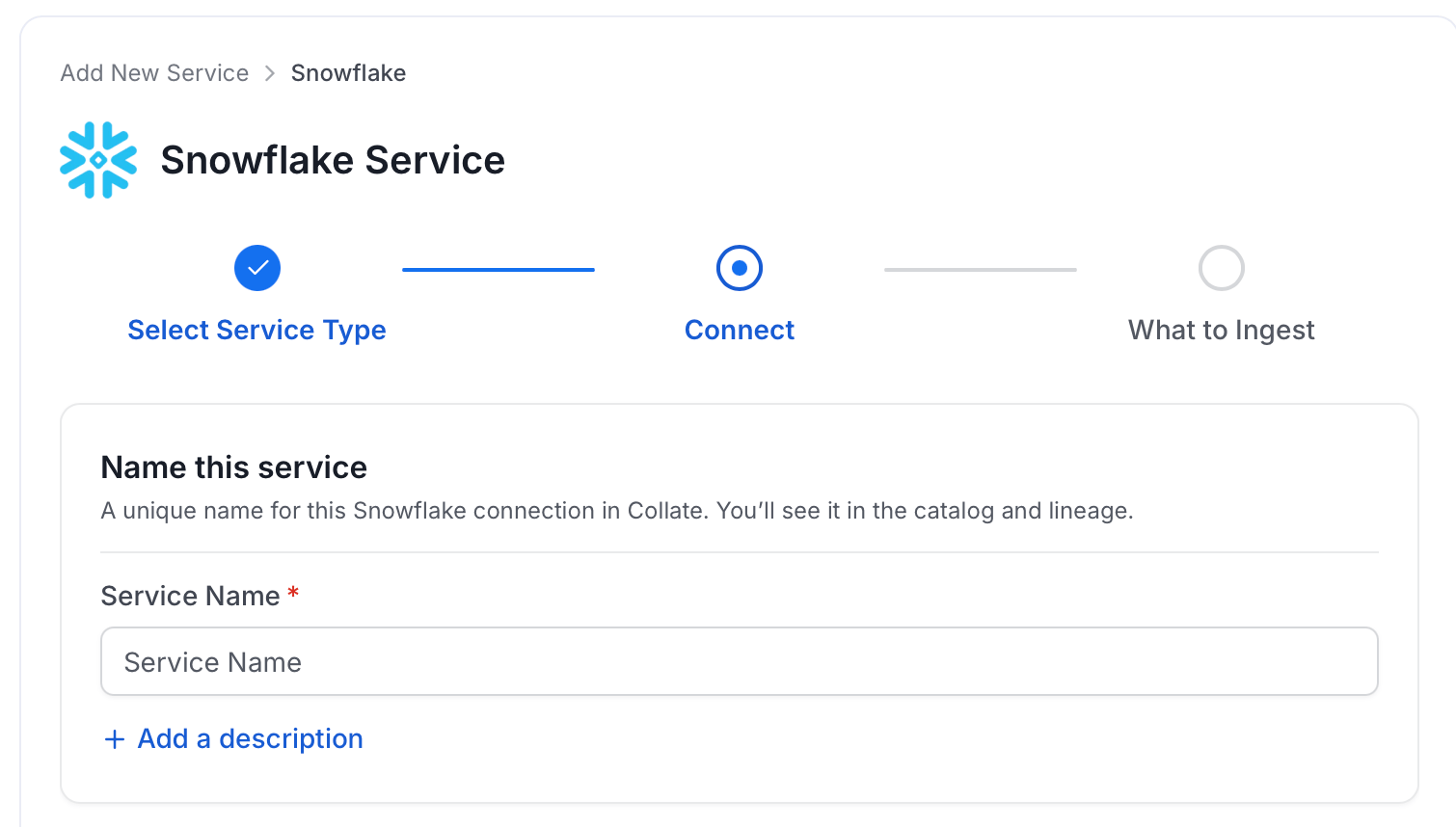
Note: The service name can’t be changed after you set it.
Step 4: Configure Connection Options
Specify where ingestion runs, provide your source credentials, and verify the connection.Select Ingestion Runner
Select an Ingestion Runner: the runner where the ingestion pipeline will execute.
Enter Connection Details
Enter the connection details for Snowflake. The right-hand panel in the UI displays inline help for each field.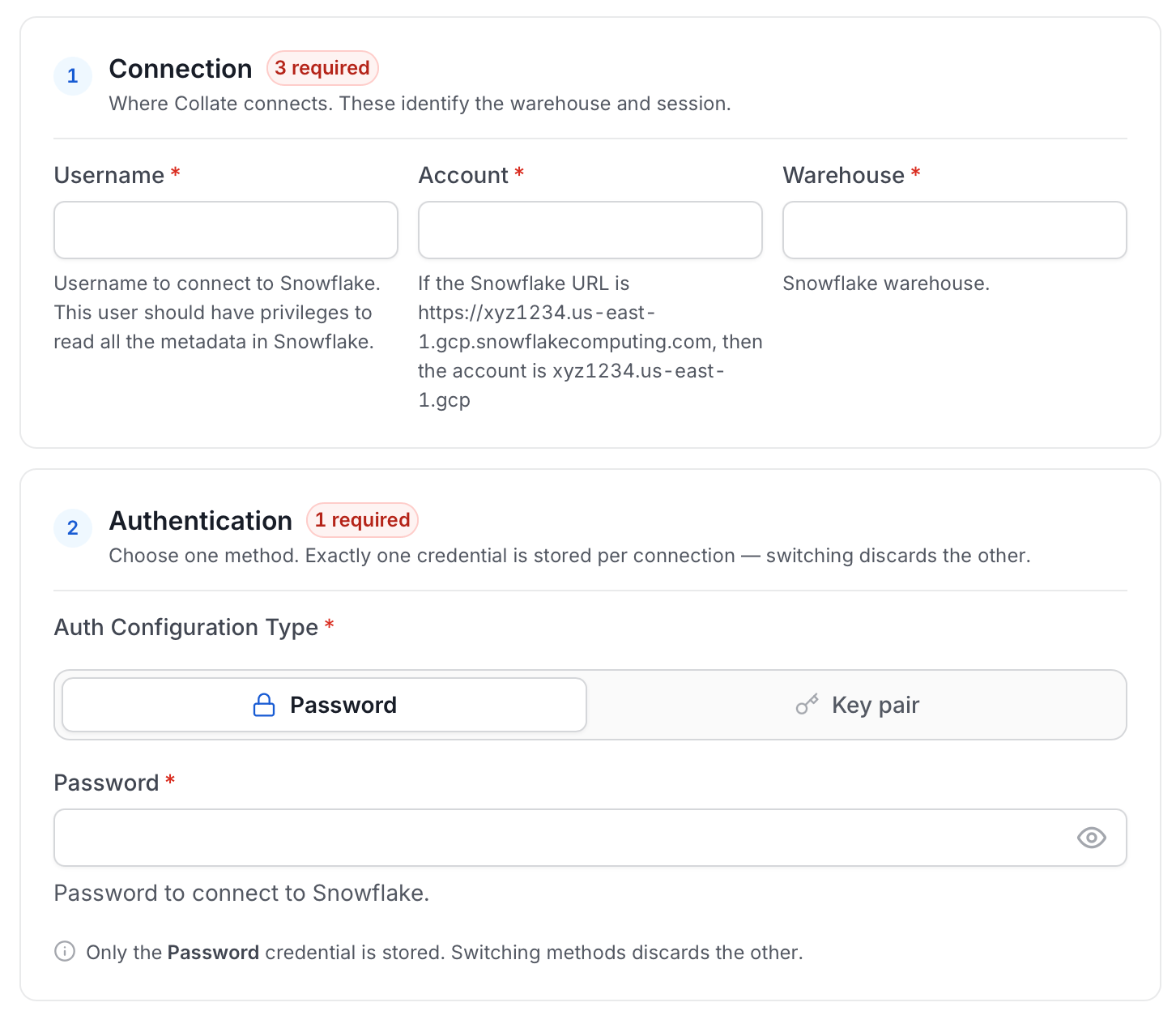
- Username: Specify the user to connect to Snowflake. It should have enough privileges to read all the metadata.
- Password: Password to connect to Snowflake.
-
Account: Snowflake account identifier uniquely identifies a Snowflake account within your organization, as well as throughout the global network of Snowflake-supported cloud platforms and cloud regions. If the Snowflake URL is
https://xyz1234.us-east-1.gcp.snowflakecomputing.com, then the account isxyz1234.us-east-1.gcp. - Role (Optional): You can specify the role of user that you would like to ingest with, if no role is specified the default roles assigned to user will be selected.
- Warehouse: Snowflake warehouse is required for executing queries to fetch the metadata. Enter the name of warehouse against which you would like to execute these queries.
- Database (Optional): The database of the data source is an optional parameter, if you would like to restrict the metadata reading to a single database. If left blank, Collate ingestion attempts to scan all the databases.
-
Private Key (Optional): If you have configured the key pair authentication for the given user you will have to pass the private key associated with the user in this field. For more information about key-pair authentication, see Key-pair authentication and key-pair rotation.
Ensure your private key is formatted correctly before passing it. The key must be a single line with all line breaks replaced by
\n. For example, if you have the following multi-line key (raw format):Replace it with the following single-line key (required format):Replace every newline character in your key with a literal\n, including after the final line. - Snowflake Passphrase Key (Optional): Enter the passphrase associated with your encrypted private key.
-
Include Transient Tables:
Enabled by default. Collate ingests
TRANSIENTandTEMPORARYtables alongside permanent tables. Disable this option to skip them. - Include Streams: Ingest streams when enabled. Disabled by default.
- Client Session Keep Alive: Optional Configuration to keep the session active in case the ingestion job runs for longer duration.
-
Account Usage Schema Name: Full name of account usage schema, used in case your user does not have direct access to
SNOWFLAKE.ACCOUNT_USAGEschema. In such case you can replicate tablesQUERY_HISTORY,TAG_REFERENCES,PROCEDURES,FUNCTIONS,ACCESS_HISTORY,COPY_HISTORYto a custom schema (for example,CUSTOM_DB.CUSTOM_SCHEMA), and provide the same name in this field. When using this field make sure you haveQUERY_HISTORY,TAG_REFERENCES,PROCEDURES, andFUNCTIONSavailable within your custom schema.ACCESS_HISTORYandCOPY_HISTORYare needed only when Use Access History for Lineage is enabled. WithoutACCESS_HISTORY, lineage falls back to parsingQUERY_HISTORY. - Query Tag (Optional): Session query tag used to monitor usage on Snowflake. The Snowflake user must have privileges to alter the session.
- Include Stages: Ingest external and internal stages when enabled. Disabled by default.
-
Include Semantic Views (Optional): Ingest Snowflake semantic views as data assets. Ingested semantic views get the
SemanticViewtable type. Disabled by default. Semantic views are a Snowflake Enterprise-edition feature, so this applies to Enterprise accounts only. -
Cost of Credit (Optional): Cost of a Snowflake credit for your account, used to estimate warehouse and query costs. Defaults to
3.3. -
Snowflake Source Host (Optional): Snowflake account host used to build direct links back to Snowflake, for example from lineage or query details. Defaults to
app.snowflake.com.
Advanced Configuration
Database Services include an Advanced Configuration section for passing extra arguments to the connector and, if needed, changing the connection scheme. You need this only for advanced connectivity scenarios or customizations.- Connection Options (Optional): Enter the details for any additional connection options that can be sent to the database during the connection. These details must be added as key-value pairs.
- Connection Arguments (Optional): Enter the details for any additional connection arguments such as security or protocol configs that can be sent during the connection. These details must be added as key-value pairs.
- Use Access History for Lineage: Uses Snowflake’s
ACCOUNT_USAGE.ACCESS_HISTORYview as the source of query lineage. Enabled by default. See Lineage with Access History. - Access History Chunk Size (Days): Number of days of
ACCESS_HISTORYscanned per query when “Use Access History for Lineage” is enabled. The lineage time window is split into chunks of this size to keep each query bounded and avoid timeouts on busy accounts. Defaults to2.
Test Connection
- Click Test Connection to verify the credentials.
- After the test succeeds, click Save.

Step 5: Configure Ingestion Options
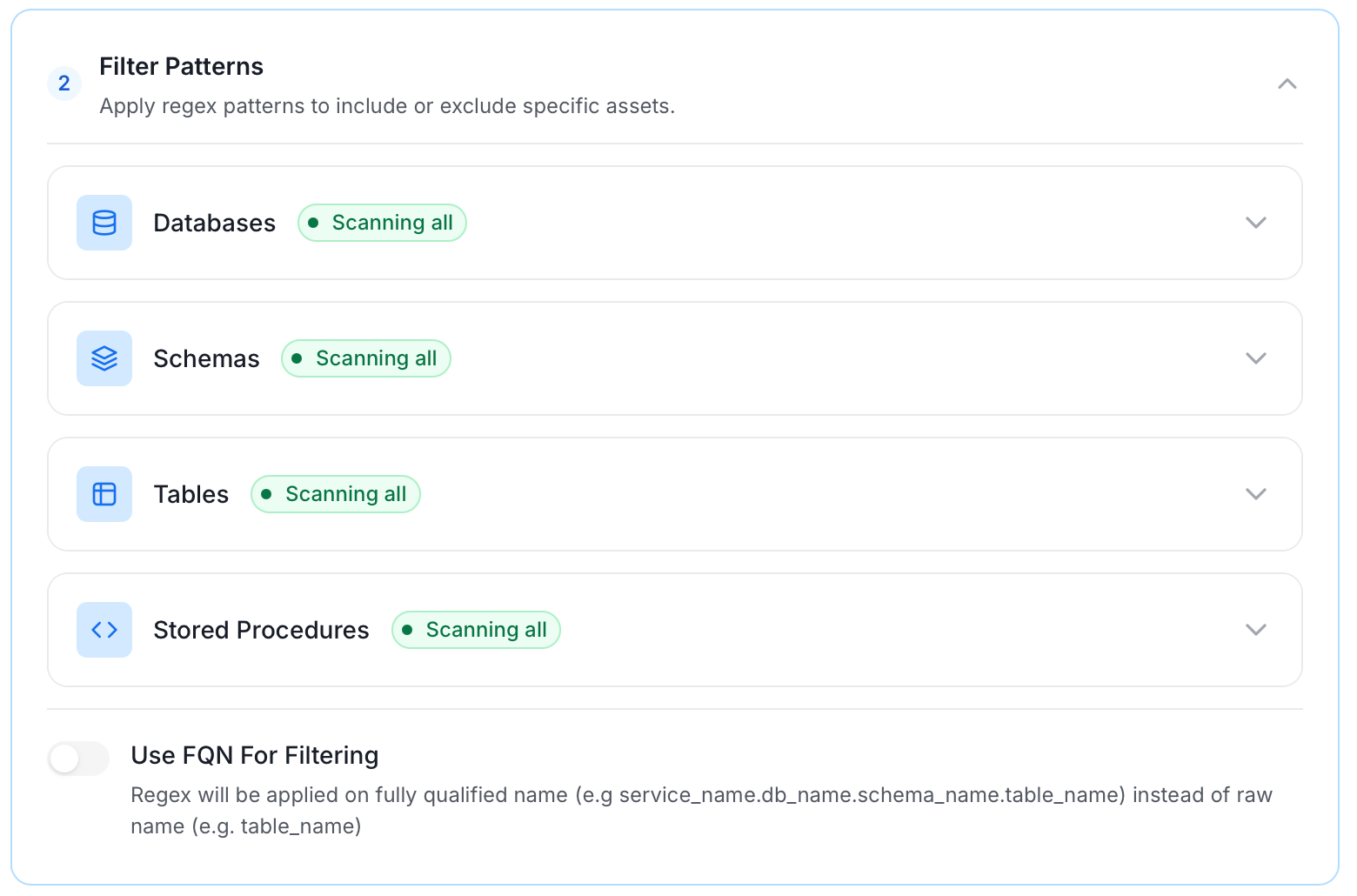
In the What to Ingest step, use filter patterns to control which assets Collate ingests from your database service. Filter rules match asset names using the following match types.How Filter Patterns Work
- Include: Add one or more comma-separated values. Each value uses one of the following match types. Collate ingests only assets whose names match at least one rule. Leave blank to include all assets.
- Exclude: Add one or more comma-separated values. Each value uses one of the following match types. Collate skips any asset whose name matches a rule. Leave blank to exclude nothing.
- contains: matches any name containing the value. For example,
salesmatchesmy_sales_dataandsales_2024. - starts with: matches names beginning with the value. For example,
prod_matchesprod_dbandprod_schema. - ends with: matches names ending with the value. For example,
_rawmatchesevents_rawandlogs_raw. - is exactly: matches the exact name only. For example,
analyticsmatches onlyanalytics. - matches regex: matches names using a regular expression. For example,
^prod_.*_v\d+$matchesprod_events_v1.
Filter Options
The Database, Schema, Table, and Stored Procedure sections each include the following filter options:- Database: Controls which databases Collate ingests from the source.
- Schema: Controls which schemas within the ingested databases are included.
- Table: Controls which tables and views within the ingested schemas are included.
- Stored Procedure: Controls which stored procedures are included in metadata ingestion.
- Scan Mode: Choose between the following scan modes:
- Scan all: Ingests every asset of that type the connector can access. This is the default.
- Only specific: Enables include rules so only assets matching at least one rule are ingested.
- Exclude system toggle: Use this toggle to filter out system-reserved names defined by the connector for that asset type.
- Always exclude: Add permanent exclusion rules (shown in red). Assets matching these rules are never ingested, regardless of include rules.
- Preview: Shows a real-time summary of what will be in scope based on your current rules.
- Include rules: In Only specific mode, click + Add to define a rule. Added rules appear as chips. An asset is included if it matches any rule.
Step 6: Create & Deploy
Click Create & Deploy to deploy the agent and start the first metadata ingestion run. Collate saves the service configuration and immediately begins pulling metadata from the source. To monitor ingestion progress or view the service you just added, go to Settings > Services and select your service.Configure Metadata Agent and Schedule Ingestion
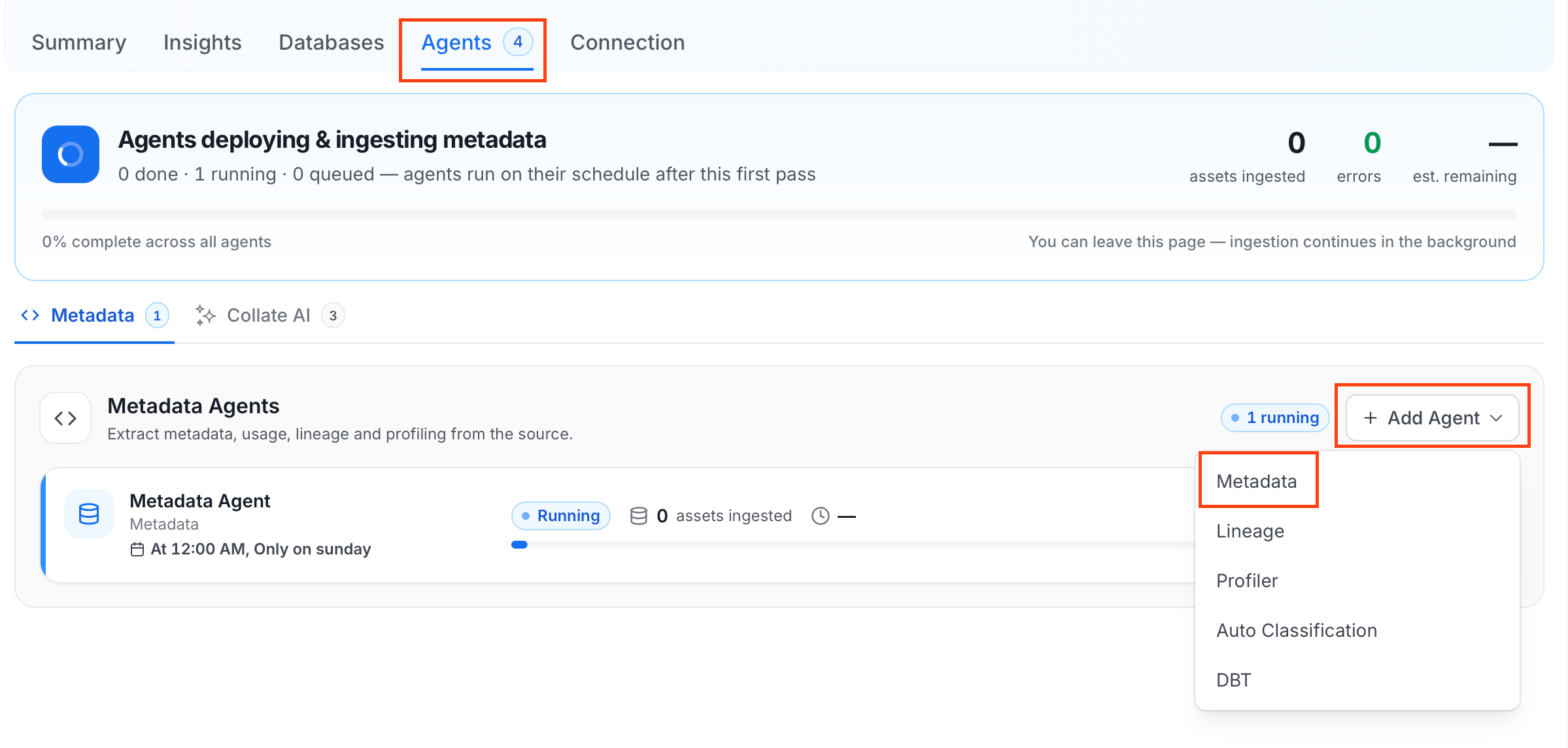
The Metadata Agent extracts schemas, tables, columns, and other structural metadata from your source and keeps your Collate catalog in sync. It powers discovery, lineage, and governance across your data assets. When you click Create & Deploy, Collate automatically deploys a Metadata Agent for this service and triggers the first ingestion run. View its status and run history from the Agents tab on the service detail page. To configure the additional Metadata Agent and schedule ingestion, follow these steps:- Navigate to Settings > Services and select the Databases service.
- Select your service and click the Agents tab.
-
Click Add Agent and select Metadata from the dropdown.
-
On the Configure Ingestion page, do the following and click Next.
-
Name this Ingestion: Enter a unique, recognizable name for this ingestion pipeline.

-
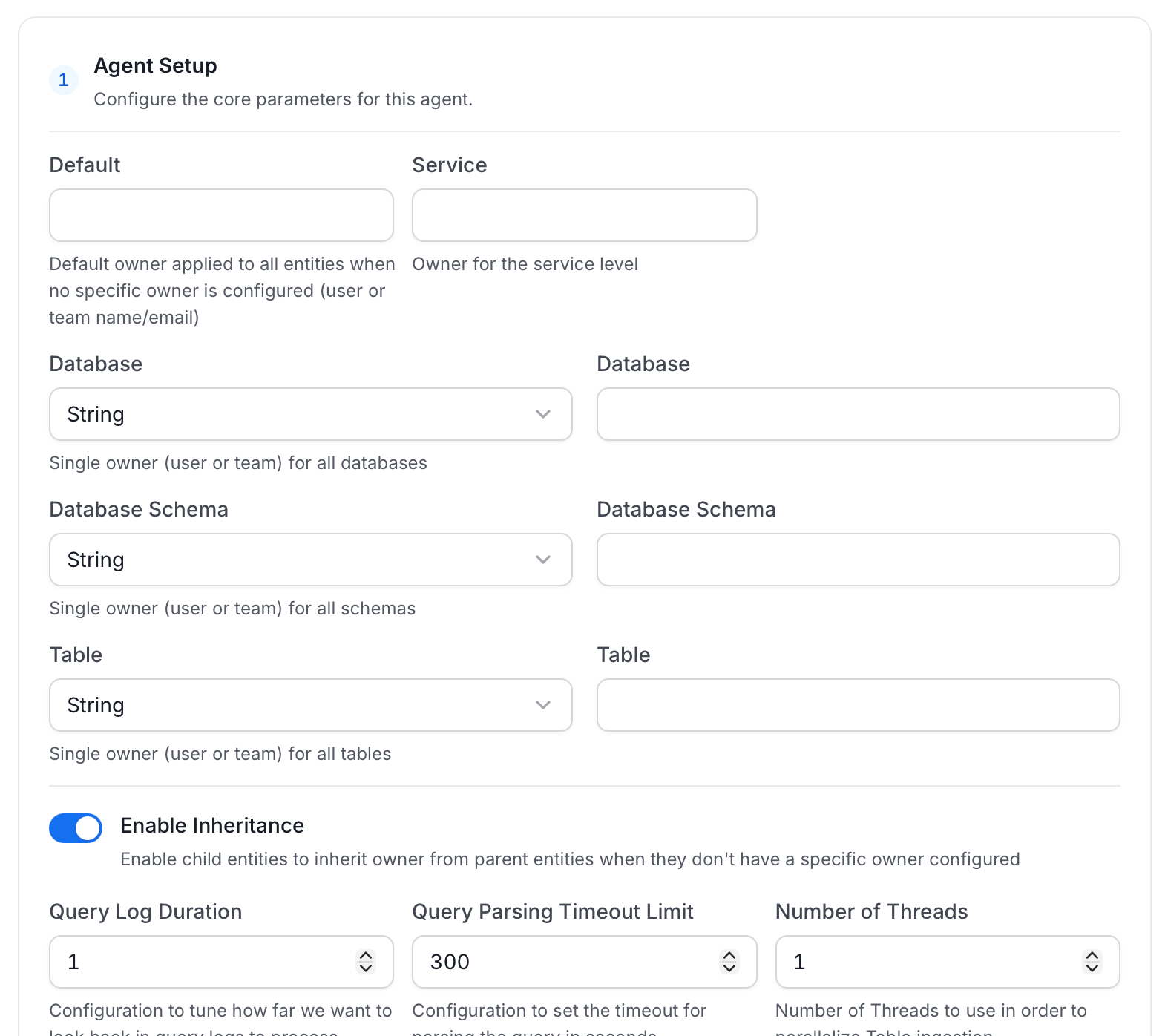
Agent Setup: Configure core parameters for metadata extraction. The following fields are available:
For more information, see Hierarchical Owner Configuration.
-
Filter Patterns: Apply include or exclude rules to scope which databases, schemas, tables, and stored procedures this agent ingests. These follow the same filter options described in Step 5.
-
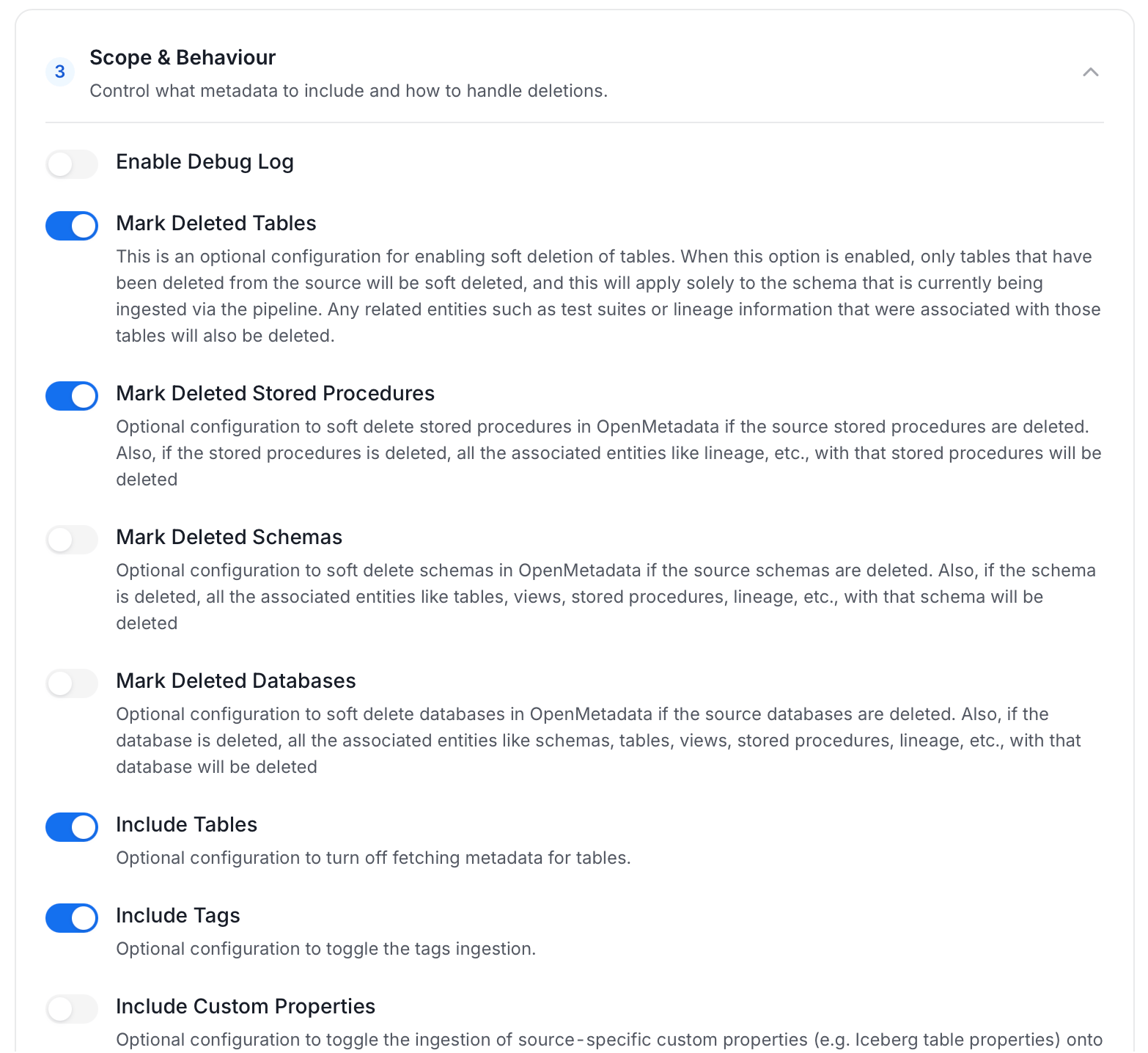
Scope & Behaviour: Control how the agent handles metadata during ingestion. Toggle each option on or off based on your needs:
Note: Available toggles vary by connector. Stored procedure options only appear for connectors that support stored procedures.
-
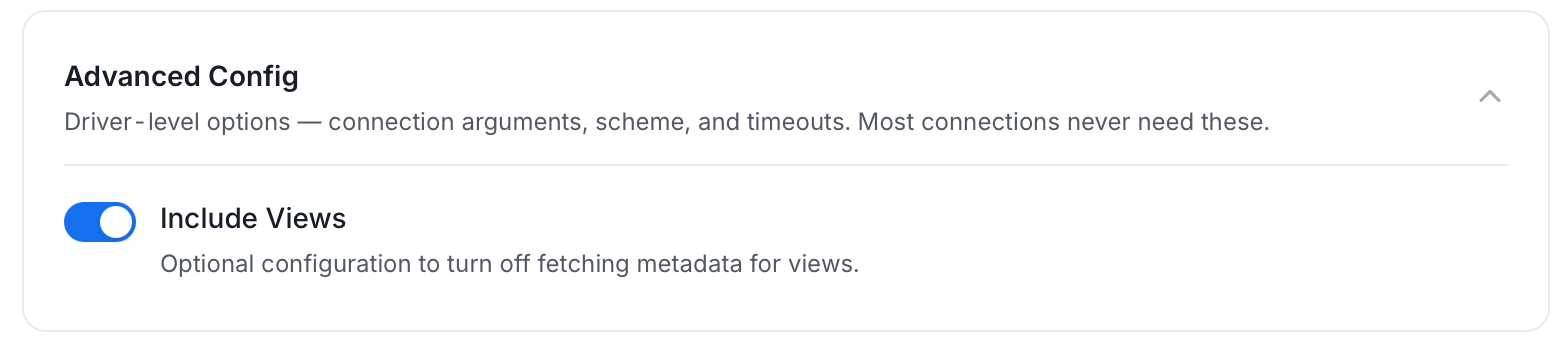
Advanced Config: Driver-level options (connection arguments, scheme, and timeouts). Most connections never need these, and they vary by connector. This section also has one ingestion-scope toggle:
-
Name this Ingestion: Enter a unique, recognizable name for this ingestion pipeline.
-
On the Schedule Interval page, set when the agent runs:
- Schedule: Choose a preset interval (Hourly, Daily, Weekly, Monthly) or enter a custom cron expression.
- On-Demand: No automatic schedule. Trigger the agent manually when needed.
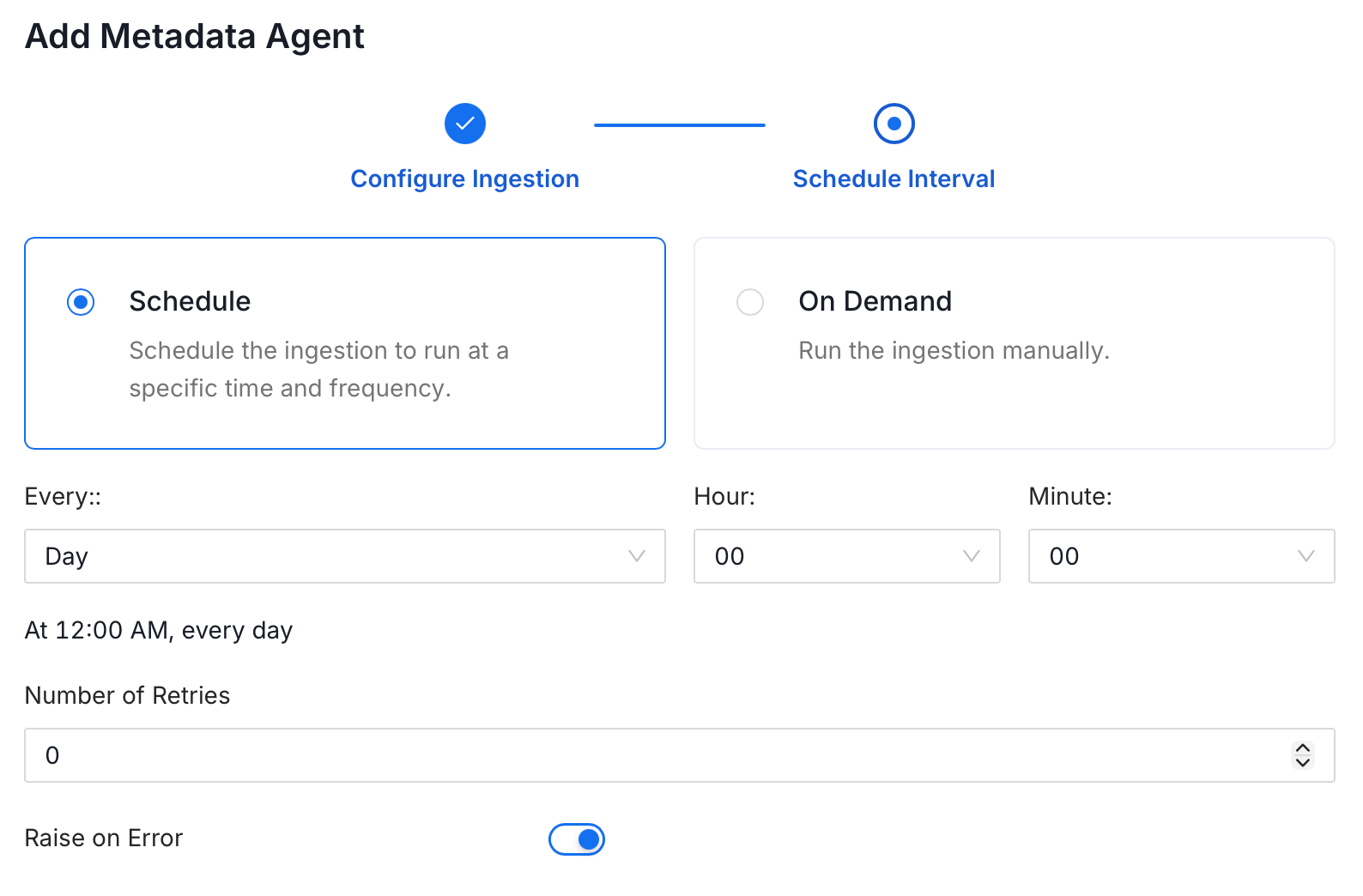
- Click Add to deploy the agent.
Incomplete Column Level for Views
For views with a tag or policy, you may see incorrect lineage, this can be because user may not have enough access to fetch those policies or tags. You need to grant the following privileges to fix it. For more information, see GET_DDL usage notes.Reverse Metadata
1
Reverse Metadata
Description Management
Snowflake supports full description updates at all levels:- Database level
- Schema level
- Table level
- Column level
Owner Management
Owner management is not supported for Snowflake, because Snowflake assigns object ownership to roles rather than to individual users. As a workaround, grant ownership to a role and assign that role to the desired user (for example:GRANT ROLE <role_name> TO USER <user_name>;). Transferring ownership with REVOKE CURRENT GRANTS can revoke existing object grants, so test this workflow in non-production first.Tag Management
Snowflake supports tag management at the following levels:- Schema level
- Table level
- Column level
Sensitive tag to a column in OpenMetadata, the corresponding masking policy will be automatically applied to that column in Snowflake.Custom SQL Template
Snowflake supports custom SQL templates for metadata changes. The template is interpreted using python f-strings.Here are examples of custom SQL queries for metadata changes:Requirements for Reverse Metadata
Reverse metadata builds on the basic ingestion privileges. Grant only what the features you use need:- Database description:
MODIFYon the database - Schema description:
MODIFYon the schema - Table, view or column description:
OWNERSHIPof the object - Tags:
CREATE TAGon the schema, plusAPPLY TAGon the account - Reading existing tags: the
SNOWFLAKE.GOVERNANCE_VIEWERdatabase role
Descriptions require
OWNERSHIP of the object. Snowflake only permits ALTER TABLE/VIEW ... SET COMMENT to the owning role.Tags on objects the role already owns work without APPLY TAG. The account-level APPLY TAG privilege is only needed to tag objects the role does not own.Troubleshooting
Snowflake Troubleshooting
Learn more about how to troubleshoot common Snowflake connector issues and resolve configuration or ingestion errors.