
How to Use Collate AI
1. Setting Up Collate AI
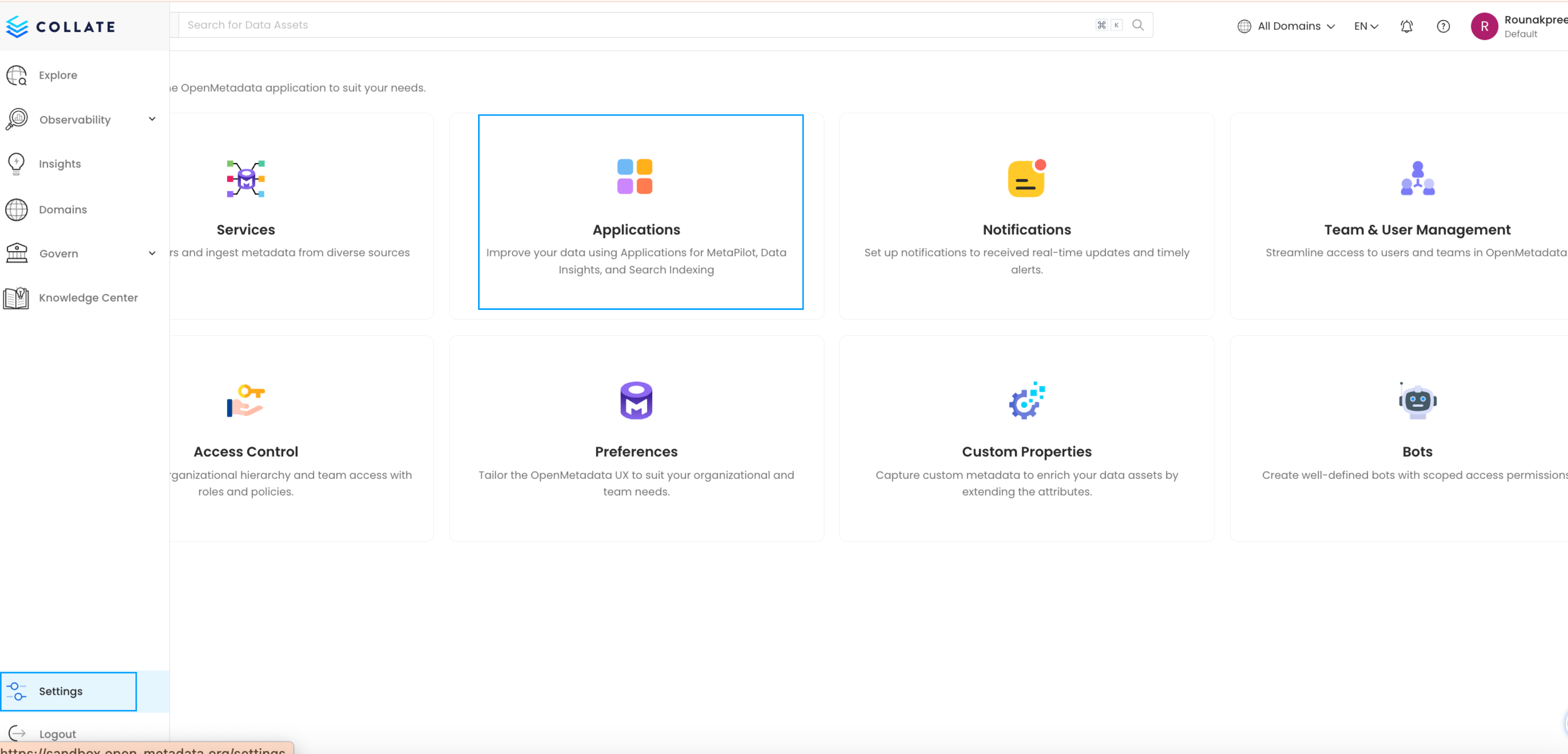
- Navigate to Settings > Applications in the Collate platform.
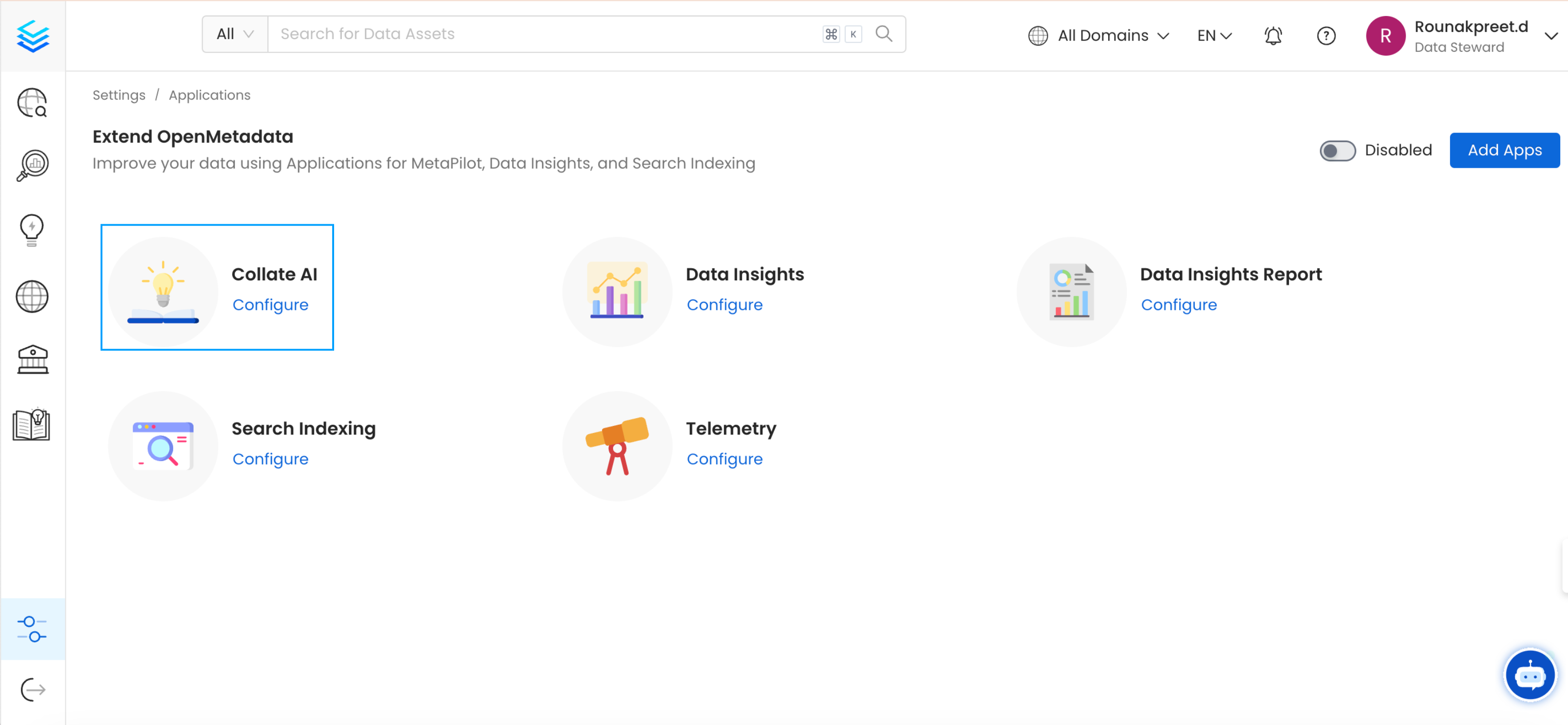
- Install Collate AI by following the on-screen instructions.
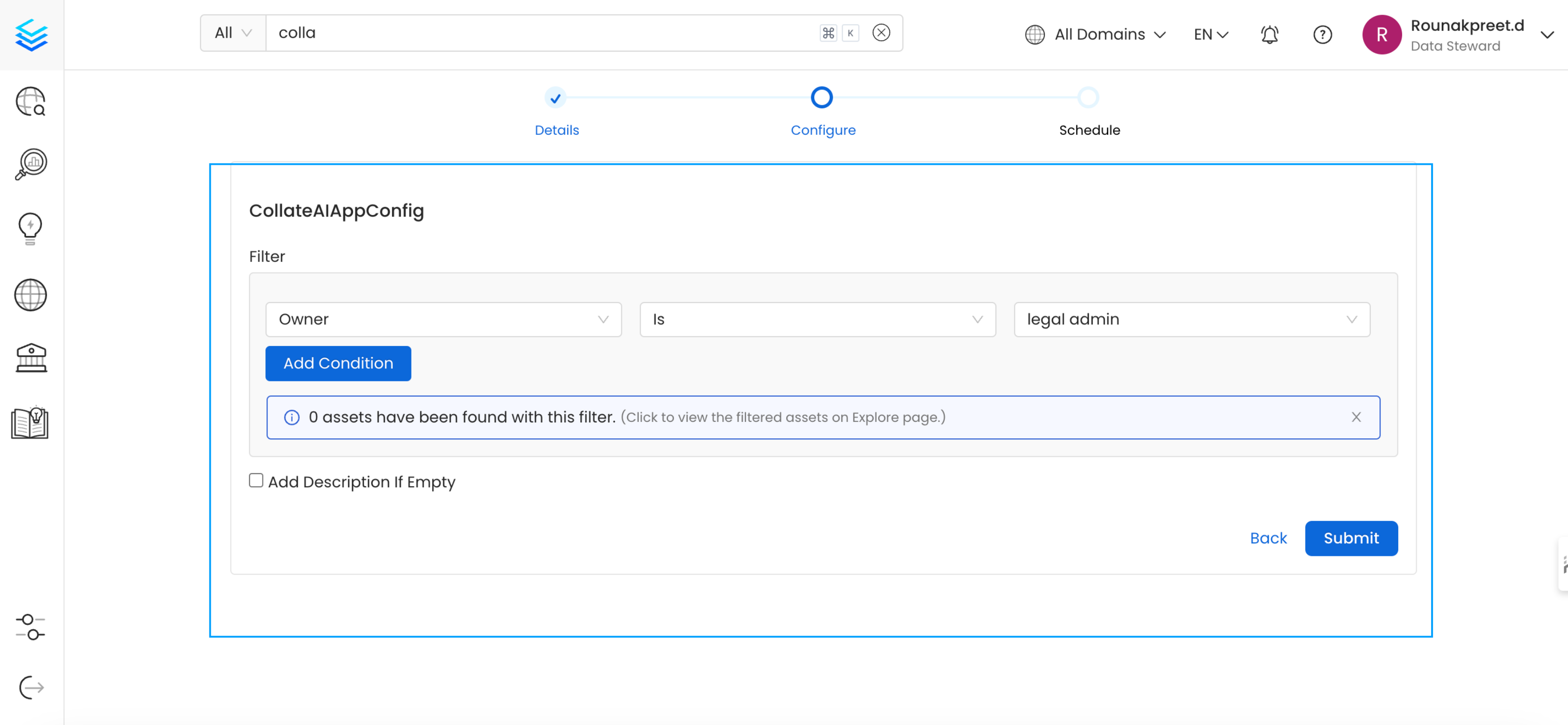
- Configure and add filters based on criteria such as owner, schema, database, service, and more. You can also combine multiple conditions to meet your specific requirements.
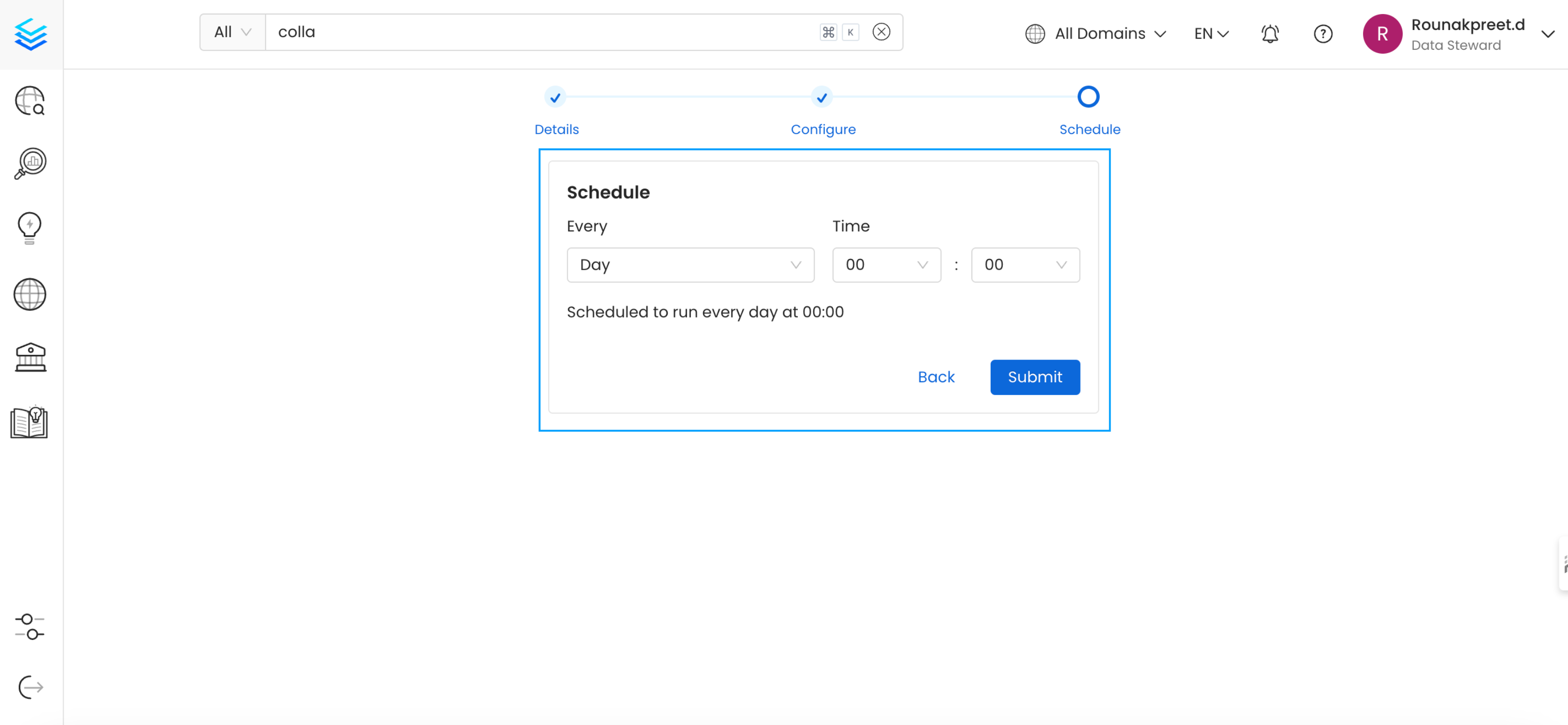
- Scheduling: Schedule Collate AI to run regularly, automatically generating metadata at predefined intervals (e.g., weekly).
2. Using the Collate AI Chatbot
- The Collate AI chatbot icon appears on every page after installation.
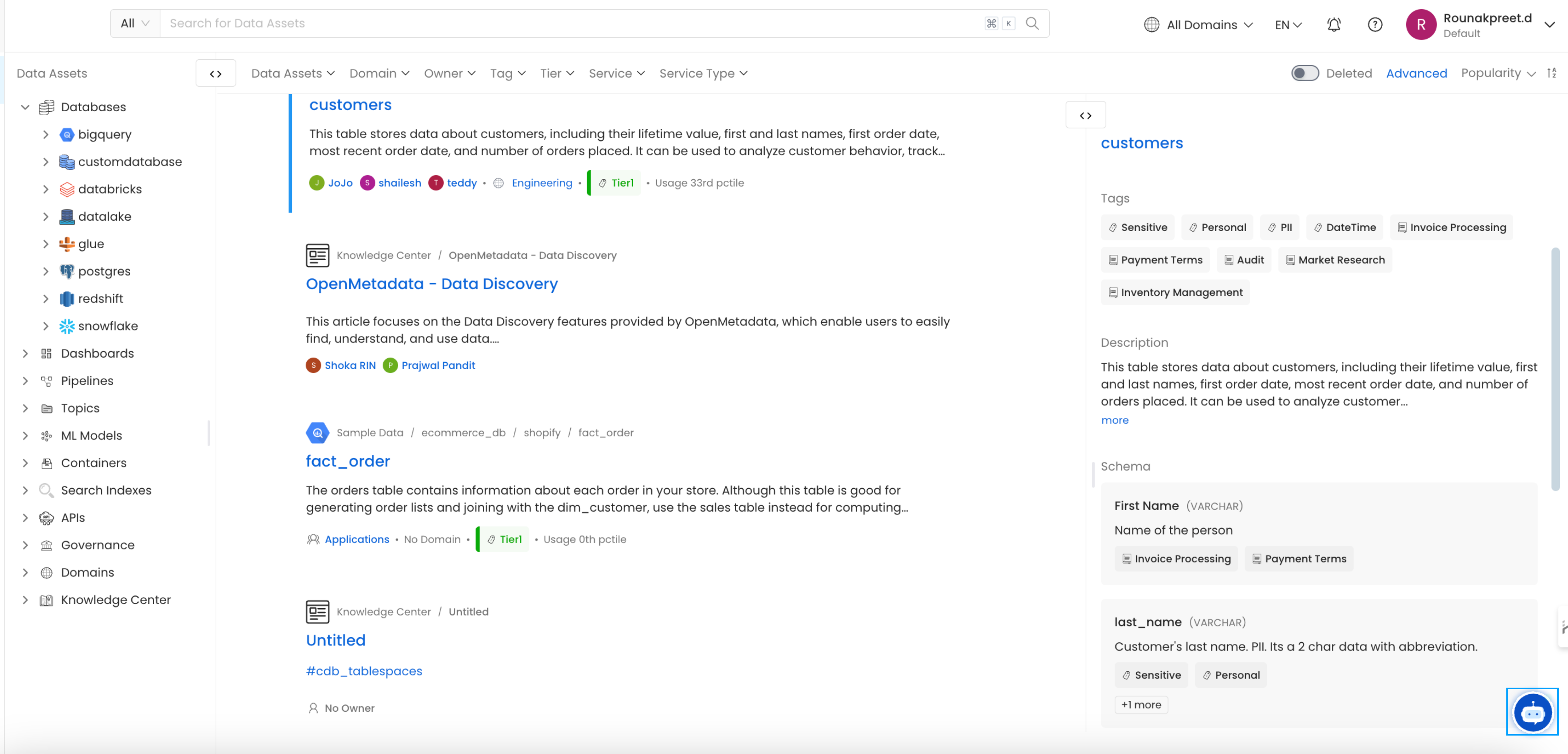
-
Interact with the chatbot by typing natural language questions. For example:
- “Show me sales data for Q1.”
- “What is the average revenue per customer?”
- Collate AI will generate the corresponding SQL query and provide a detailed explanation of the query logic.
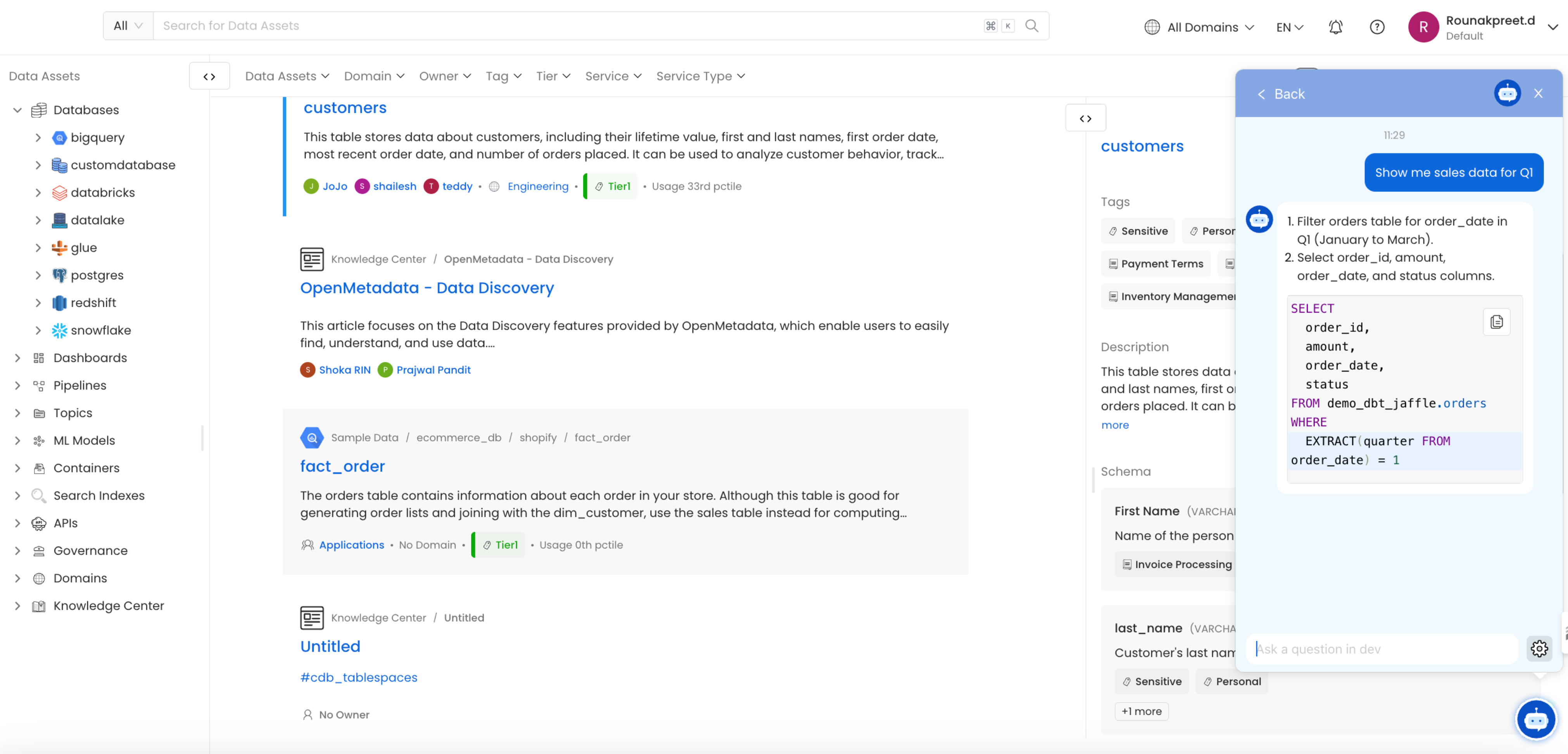
- Users can refine queries by providing further instructions, and the chatbot will adjust the SQL query accordingly.
3. Optimizing and Fixing SQL Queries
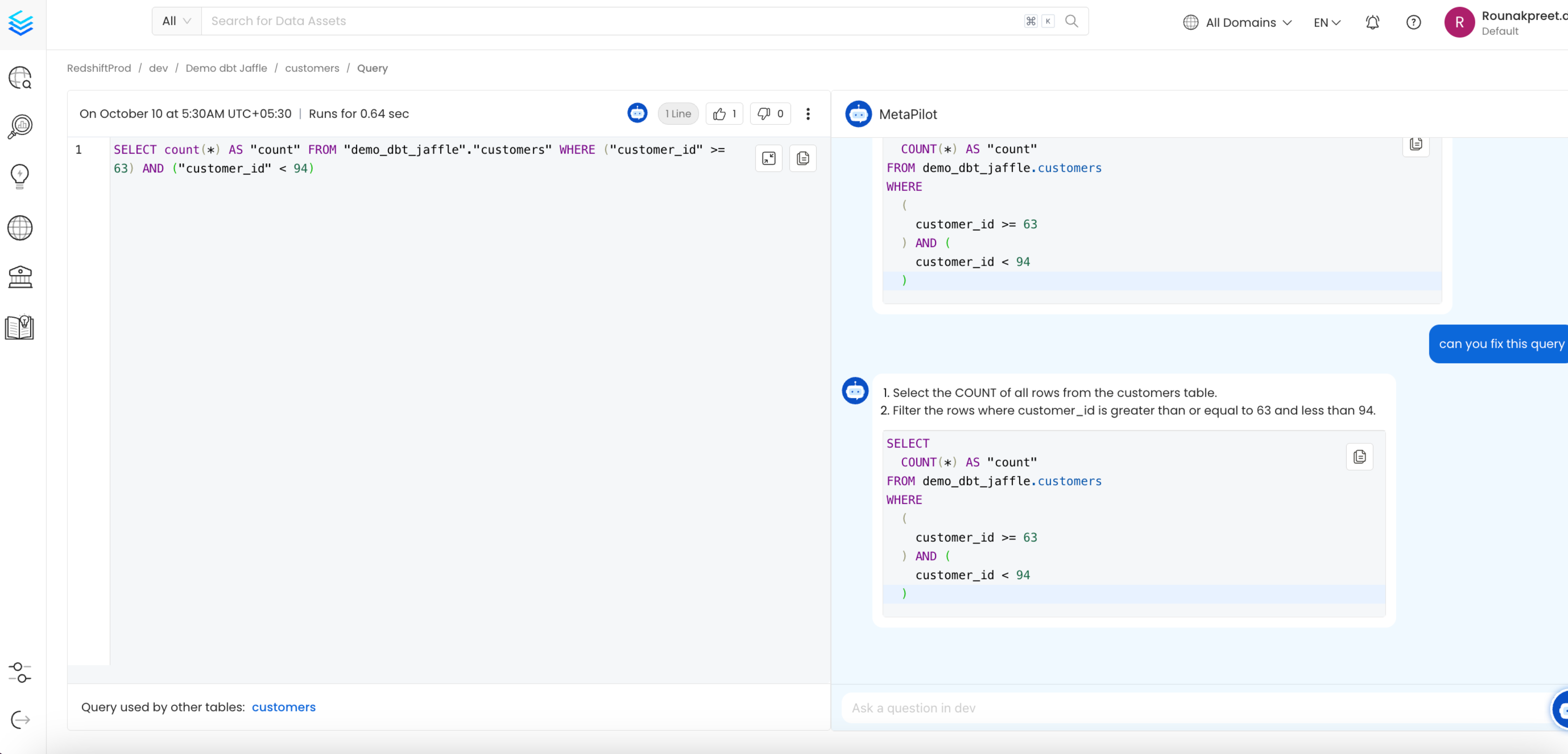
- The Metadata Usage workflows will ingest the queries being run against the tables. You can see how long each query has been executed in the Queries tab.
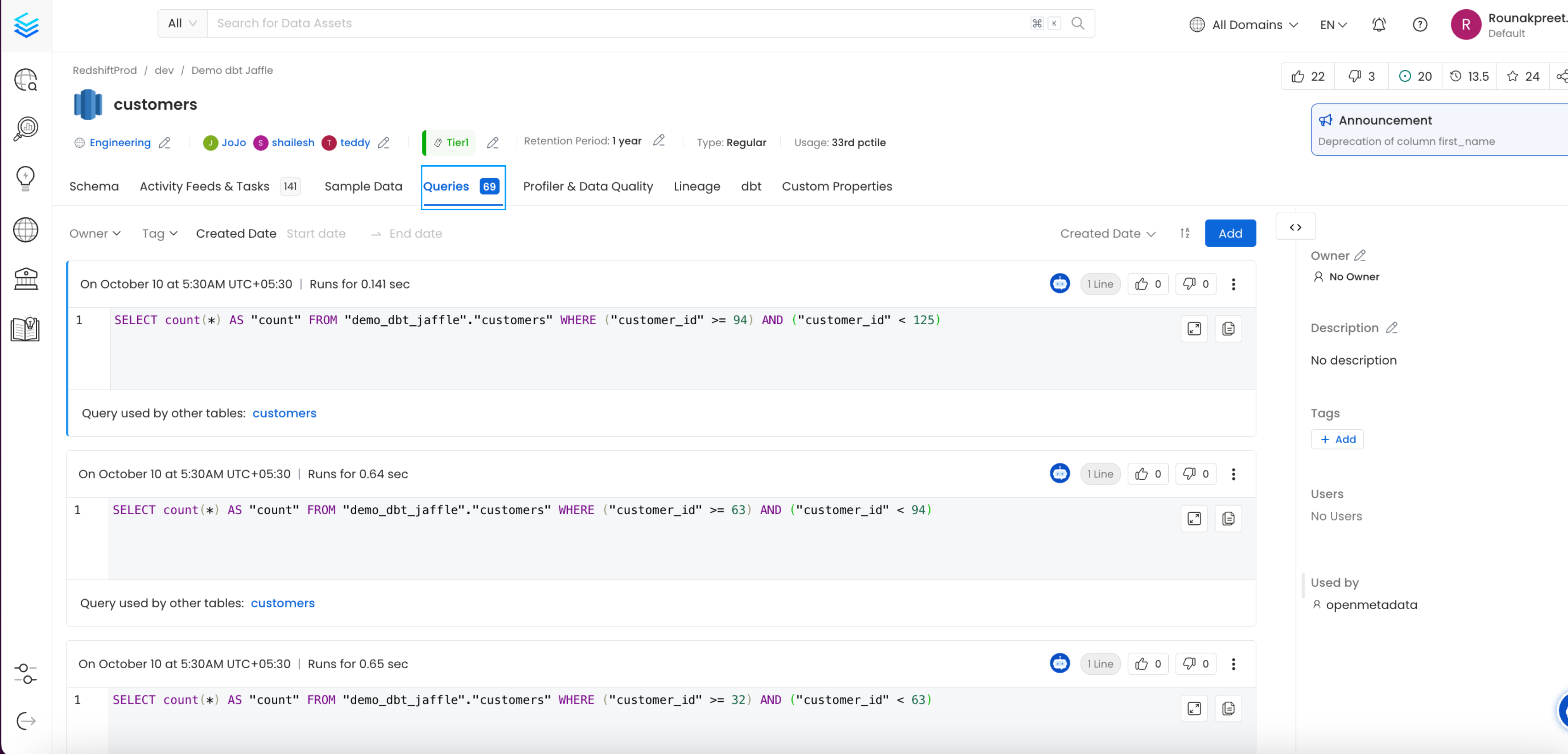
- If a query runs inefficiently, ask the chatbot to optimize it by typing: “Optimize this query.”
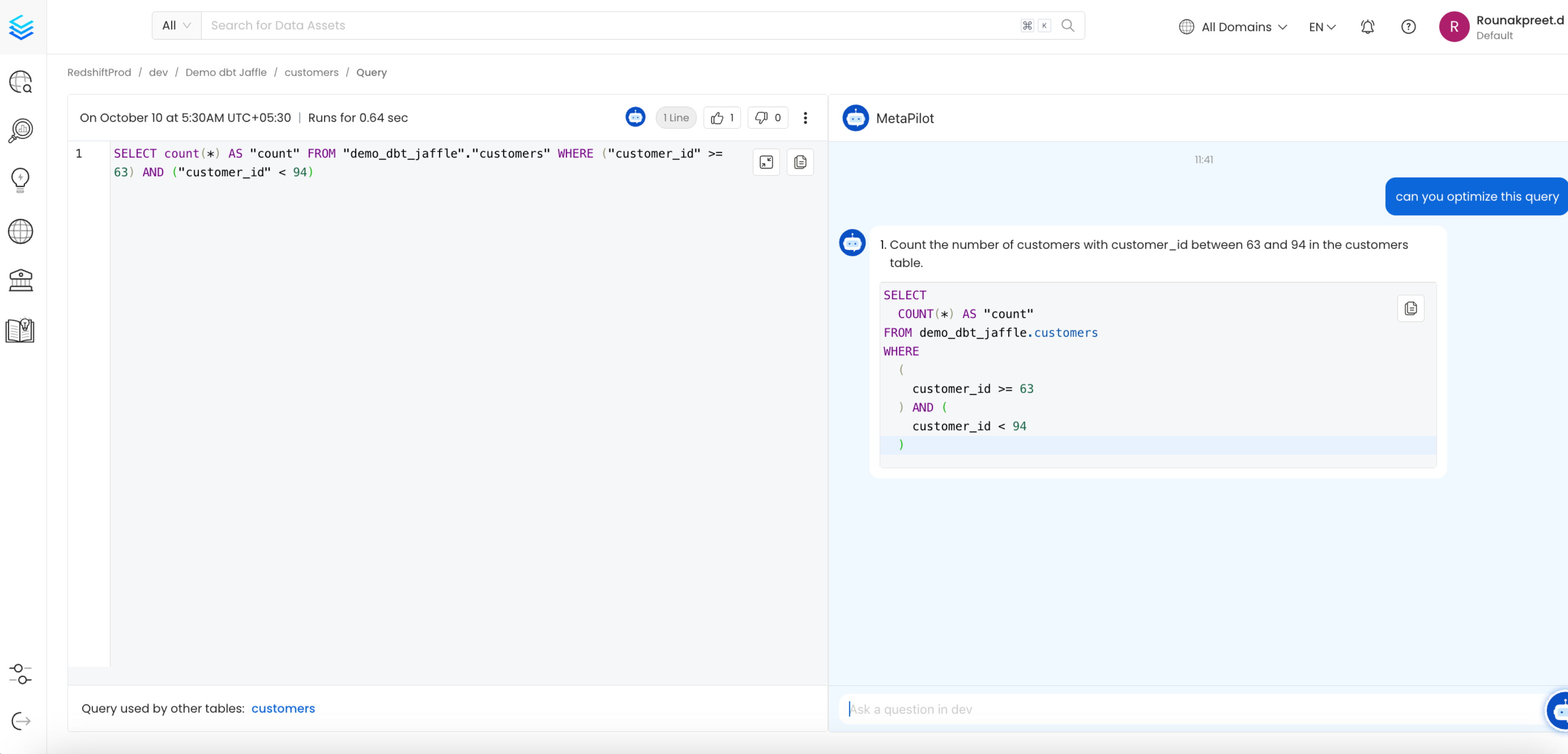
- Collate AI will return a more efficient version of the SQL query, which you can then copy and execute in your database.
- If the query contains errors or isn’t functioning correctly, ask Collate AI: “Can you fix this query?”
- Collate AI will correct the query and provide a working version.
4. Reviewing Generated Metadata
- Once Collate AI generates descriptions for tables and columns, navigate to the database view to review the metadata.
- You can accept or reject each suggestion individually or choose to accept all suggestions in bulk.
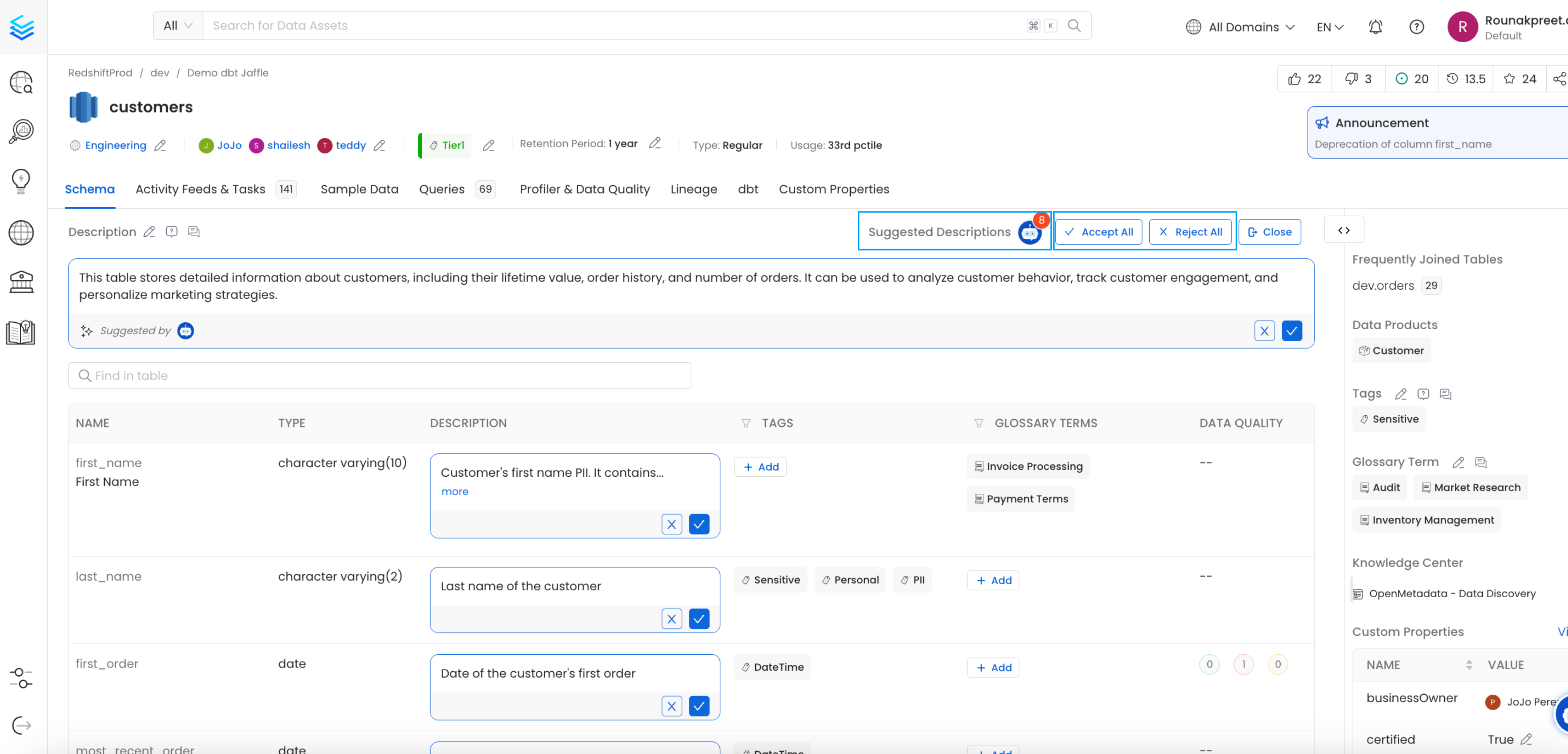
- Collate AI allows you to document entire datasets in a matter of minutes, significantly reducing the manual effort required to maintain metadata.
Best Practices
- Regular Scheduling: Schedule Collate AI to run at regular intervals to ensure your metadata is always up-to-date, especially when dealing with frequently changing datasets.
- Leverage the Chatbot for Query Writing: Encourage both technical and non-technical users to use the Collate AI chatbot for SQL query generation. It simplifies complex query writing and ensures accurate results.
- Optimize Queries Regularly: Monitor the performance of your queries and use Collate AI to optimize them, especially when working with large datasets or queries that require complex joins and filters.