
Collate AI & Credits
AskCollate is renamed to Collate AI
Conversations also become collaborative, and the credit model changes from a flat token count to a weighted, cache-aware calculation.Credits are now weighted
1.13 charged credits from a flat token count. 2.0 introduces a weighted, cache-aware model:Runs that cannot finish are refused
In 1.13 a long automation could start and exhaust the pool part-way through, leaving partial results and no credits. In 2.0 the run is rejected up front with a clear reason. Operators get a live view of the pool atGET /v1/status/credits, and credits can be refunded from
the operator API.
Billing is redesigned
The Billing area is reorganised into Overview, Product, User Adoption, AI Credits, and MCP requests.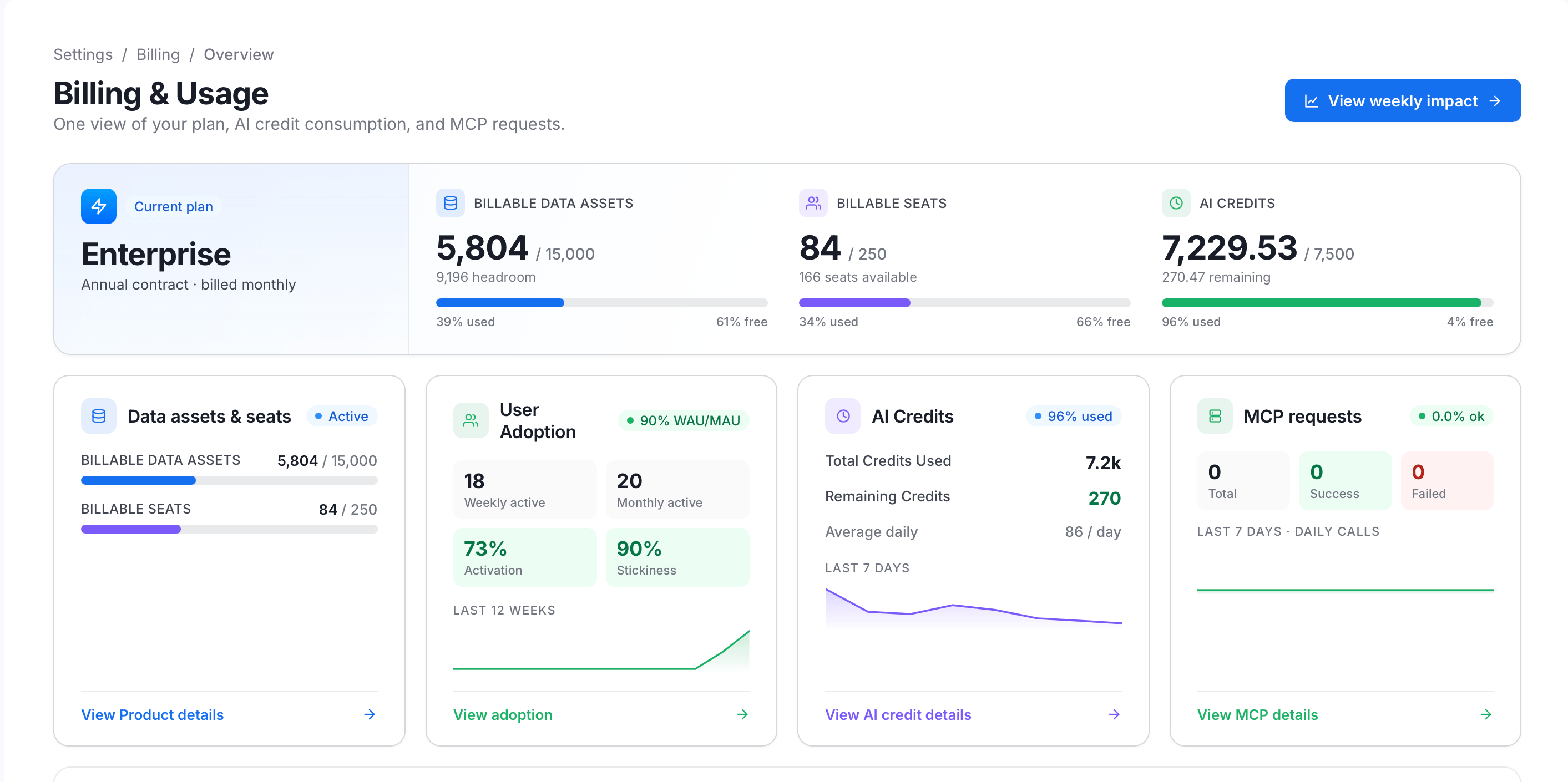
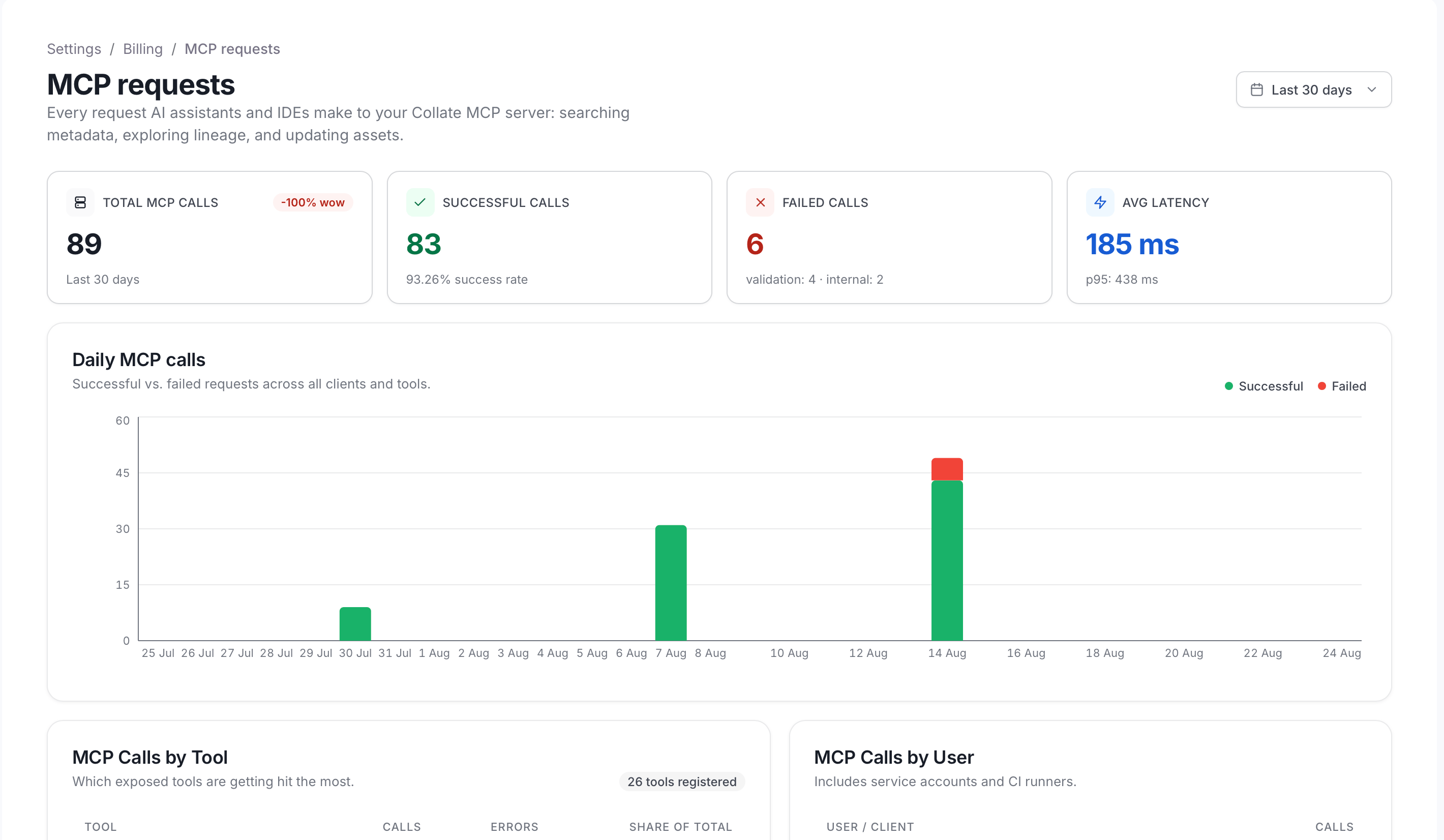
An MCP requests usage section is added, backed by a daily MCP usage rollup in the telemetry payload, and AI chat response time is now measured server-side rather than in the browser.
Admins can read any conversation from Billing in read-only mode, so that credit spend can be
explained. This is a new capability. If your policy forbids administrators reading user
conversations, restrict the admin role accordingly before upgrading.
Conversations become collaborative
Additive. A conversation is no longer private to its author.
Collaborators are emailed when they are added, appear as an avatar stack on shared chats in the
sidebar, and are included in the conversation listing.
Chat experience changes
Query Runner
Natural-language query
Collate desktop app
Saving a Collate instance URL in desktop Settings probesGET /api/v1/system/version and, if the
version parses below 2.0.0, reopens the dialog with an inline alert instead of saving. It fails open
on an unparseable version.
The Electron shell is now a thin wrapper, and title-bar back/forward navigation buttons are added.
Slack and Microsoft Teams
Slack rendering also moves to template-driven Block Kit, with numeric alignment, a PII callout, profile statistics and CDN-hosted service logos. Chart image processing outlasts Slack’s processing window rather than falling back to a degraded payload, and the app answers top-level DMs.Response language is pinned from the profile
Behavioural. Collate AI’s response language is now taken from the
X-OpenMetadata-Language
header (set from the Language tab of profile settings) instead of being inferred from the
conversation.MCP
See API & Schema for the platform-level MCP contract changes, which
also apply.