
AI Agents & Automations
This is one of the most disruptive changes in Collate 2.0. The three agent applications are deleted during the upgrade and replaced by AI Automations. The migration preserves your configuration, but the replacements arrive switched off.The agent apps are removed
These three applications no longer exist:
Their
agentType values (CollateAI, CollateAITierAgent, CollateAIQualityAgent) are removed from
the schema, their marketplace definitions are deleted, and their Quartz jobs are removed.
Only
Metadata remains as an agentType. Automation that filters ingestion pipelines by
agentType should move to the new values metadata and application.What the migration does
The 2.0.0 migration runs these steps in order:1
Strip the dead agentType
The retired
agentType values are removed from the schema enum, so a persisted app row carrying
one would fail strict deserialization before any field is read. The migration clears the value
first (an update, not a delete), so the apps survive long enough to be converted.2
Seed the Data Access Request workflow
DataAccessRequestTaskWorkflow is seeded so Data Access Requests can route through governance
workflows.3
Reseed the AutoPilot workflow
AutoPilot’s legacy
runAppTask nodes (which called the three agent apps) are replaced with
createAndRunAIAutomationTask nodes. Tier now runs before the profiler. Documentation and
Quality run after it.4
Convert each app into an AI Automation
Each installed agent app is deep-copied from its matching packaged template into a real
automation that carries the app’s Elasticsearch filter, links the template’s agent, and is named
with a
Migrated suffix and a (migrated) display suffix. Provider is set to USER so it
surfaces in your review list.5
Delete the apps
The apps are hard-deleted. Each owns its bot, so the bot cascades away with it, and the backing
ingestion pipeline is undeployed from the runner rather than orphaned. Marketplace definitions
are removed separately, because deleting an app doesn’t remove its definition.
6
Repair AI charts
Multi-parent AI charts are split, and chart and dashboard data is repaired for the 1.13 → 2.0 shape.
What you must do after upgrading
1
Open AI Automations
In AI Mode, go to AI Automations. Look for entries whose display name ends in (migrated).
2
Review the carried-over filter
The automation carries the asset filter from the app it replaced. Confirm the scope is still what
you want. Asset counts are shown in the wizard.
3
Set a schedule and enable it
The migration deliberately doesn’t schedule the automation. Pick a cadence and toggle it on.
4
Add destinations if you had notifications
The migration never sets
destinations. If the original agent notified a channel, reattach it.Fresh 2.0 installs never had the agent apps, so none of this applies. The templates are simply
available in the AI Automations catalog.
The agent app bots are removed with them
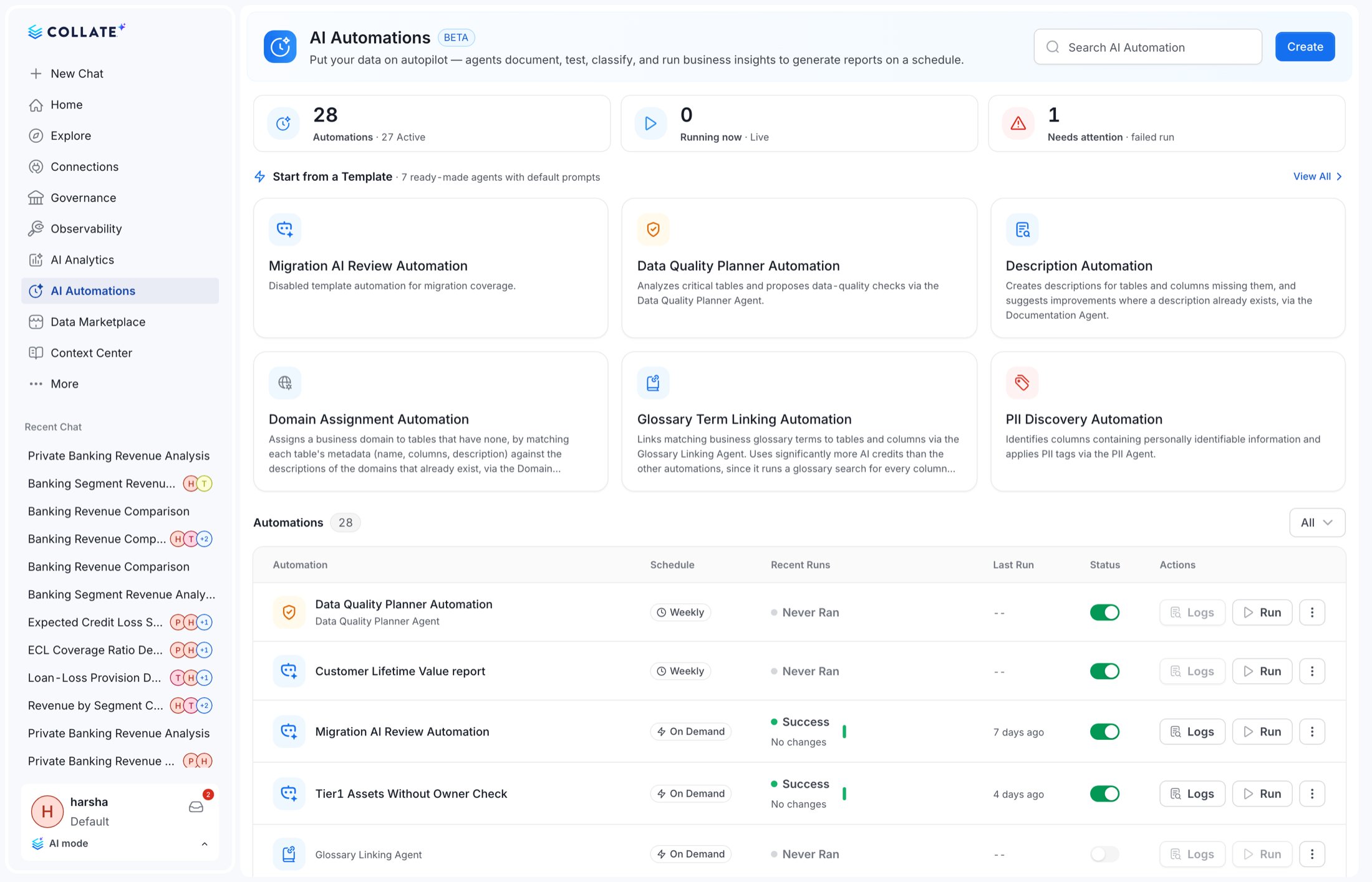
AI Automations: what you get instead
AI Automations are a first-class entity at/v1/ai/automations with a considerably larger surface
than the apps they replace.
Run records are mapped onto the same shape the app run history used, so dashboards built on agent run
records keep working, but they must read from the automations endpoints, not
GET /v1/collate/apps/name/{name}/agentRuns, which is removed.Abilities are now Skills
All fifteen endpoints move:Knowledge Center and Context Memory moved into the platform
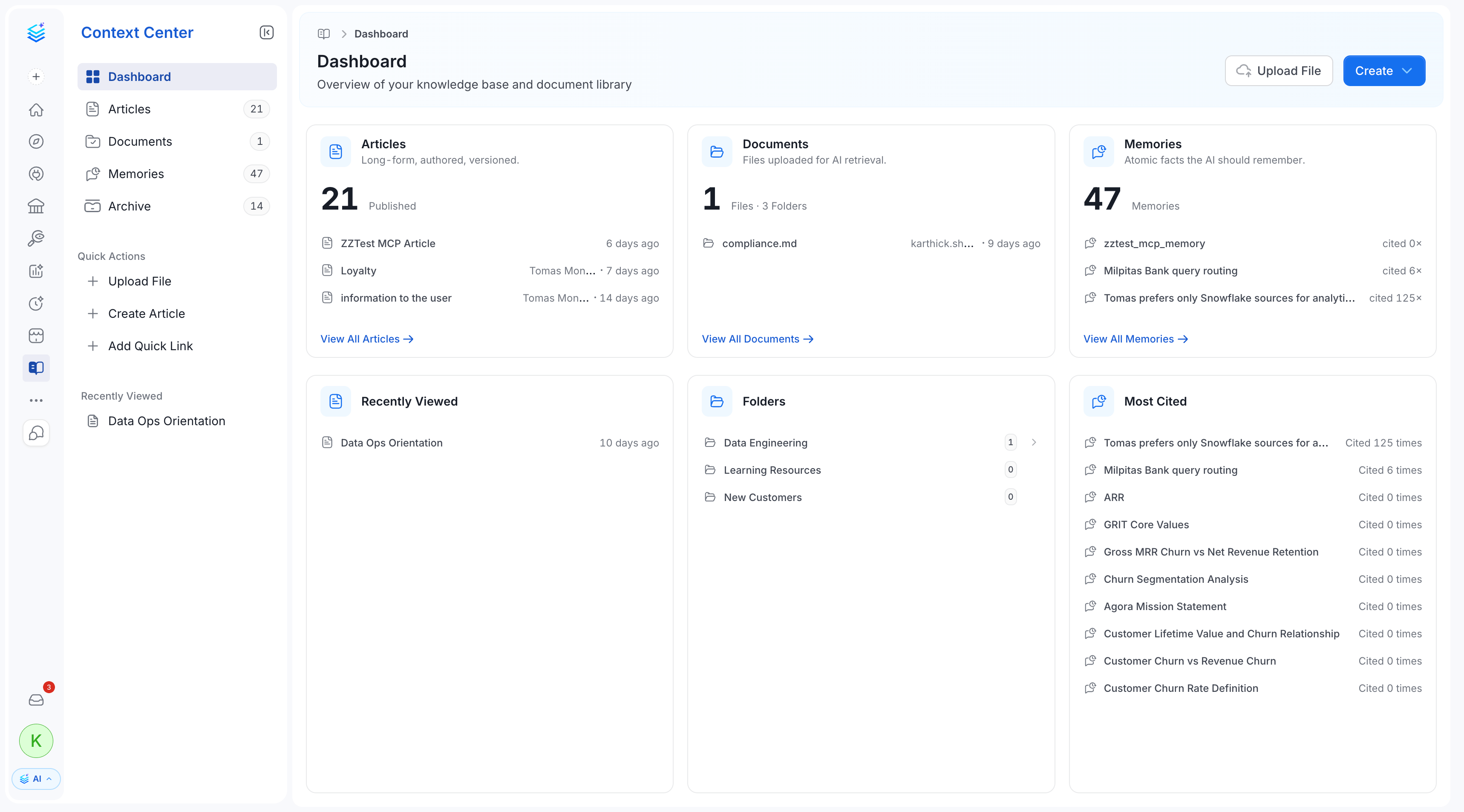
The Knowledge Center UI is removed and replaced by Context Center, which adds articles,
documents, uploaded files, memories and an archive. Memory storage is delegated to the AI platform
via a user memory context, while the entity itself is now a platform entity.
Context Plugins
New.
/v1/ai/contextPlugins lets you connect external knowledge sources so the assistant can
read from them. Notion, Slack, GitHub and Google Drive ship seeded, and each plugin has a
testConnection endpoint.Context memories enforce visibility
Behavioural. Memories are now visibility-scoped in both AI answers and semantic search. You see
org-wide memories, memories you own, and memories shared with you or your team, not everything.
AI Studio labelling follows the Skills rename
Behavioural. Because abilities became skills across the backend and UI, AI Studio’s
terminology, labels and navigation change to match. Enablement material and screenshots that say
“abilities” need updating.
AI Analytics: dashboards and charts
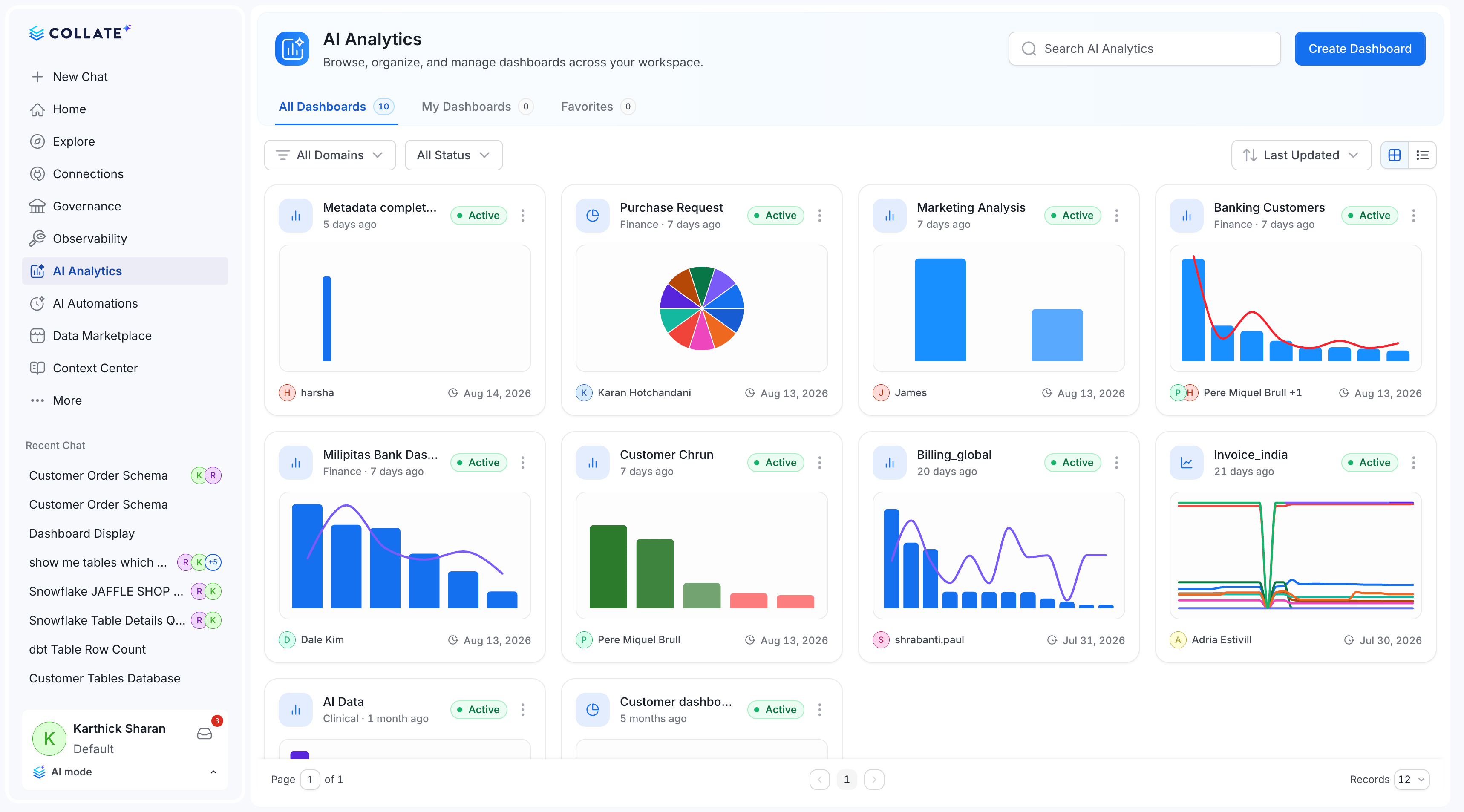
AI Dashboards now enforce visibility
An AI chart now belongs to exactly one dashboard
The create contract changes accordingly:Other AI Analytics changes
AI Studio
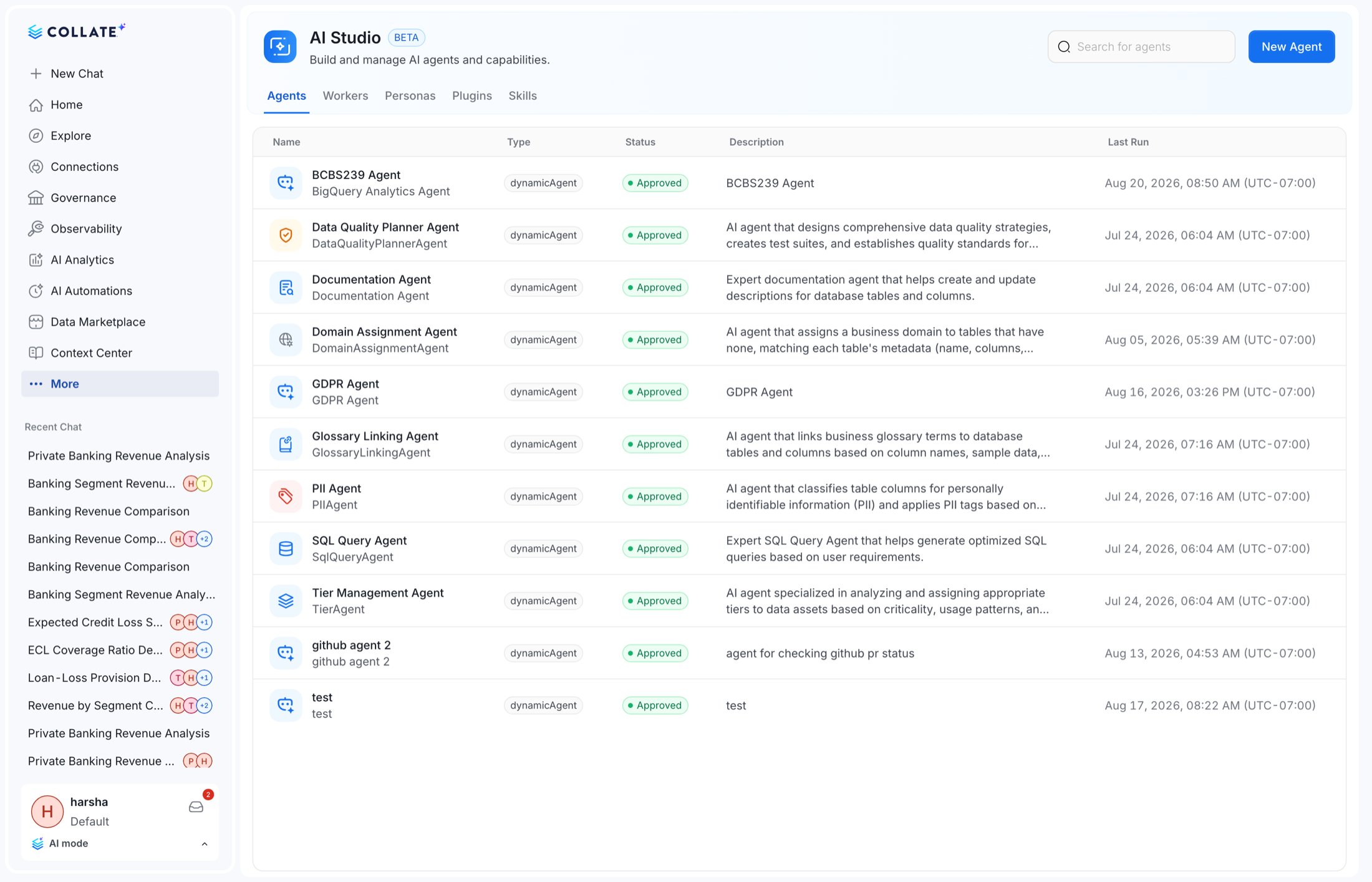
Additive. AI Studio gains authoring for agents, personas and skills directly in the UI, including
drafting a planner description for a dynamic agent. The UI-selected persona is forwarded to the AI
platform so agent behaviour follows the persona.
Agent invocation
Dynamic agents that pointed at the deleted agent-app bots are repointed by the migration.