
Authentication
The Collate API uses JWT (JSON Web Token) authentication. All API requests must include a valid token in theAuthorization header.
Obtaining a Token
There are two ways to obtain an API token:Bot Token (Recommended for Automation)
Bot tokens are ideal for service accounts, CI/CD pipelines, and automated integrations.Note: The Bots tile under Settings is only visible to users with Admin privileges. If you don’t see it, ask your organization’s Collate Admin to generate a bot token for you or grant you Admin access.
- Click the Profile icon and navigate to Settings > Bots.
- Click Add Bot or select an existing bot.
- Under Token, click Generate Token.
- Copy and securely store the generated JWT token.
Personal Access Token
Personal access tokens are tied to your user account and inherit your permissions.- Click the Profile icon and select your user name.
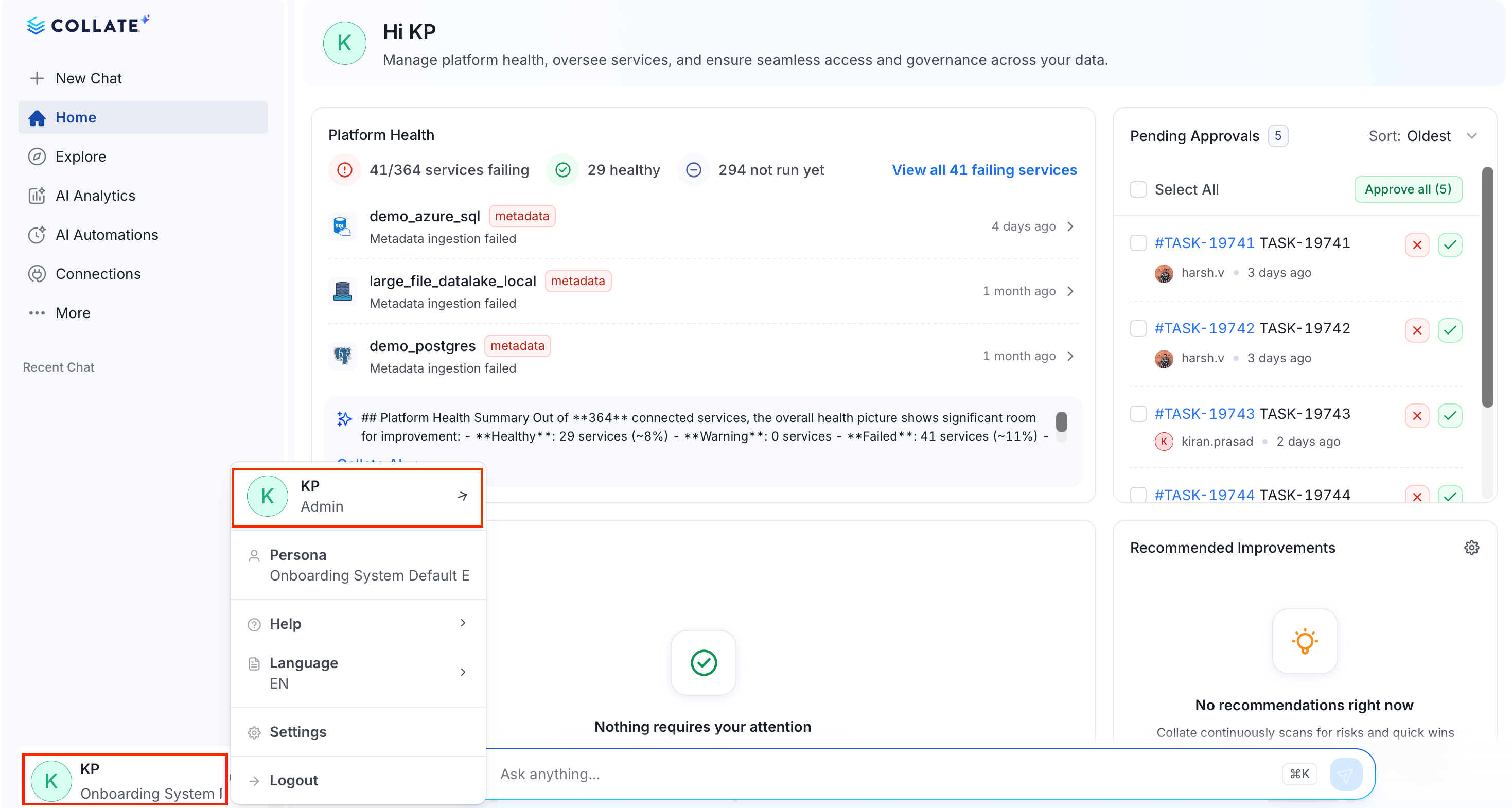
- In the Credentials group, click Access Token.
- Set the expiry time and click Generate Token.
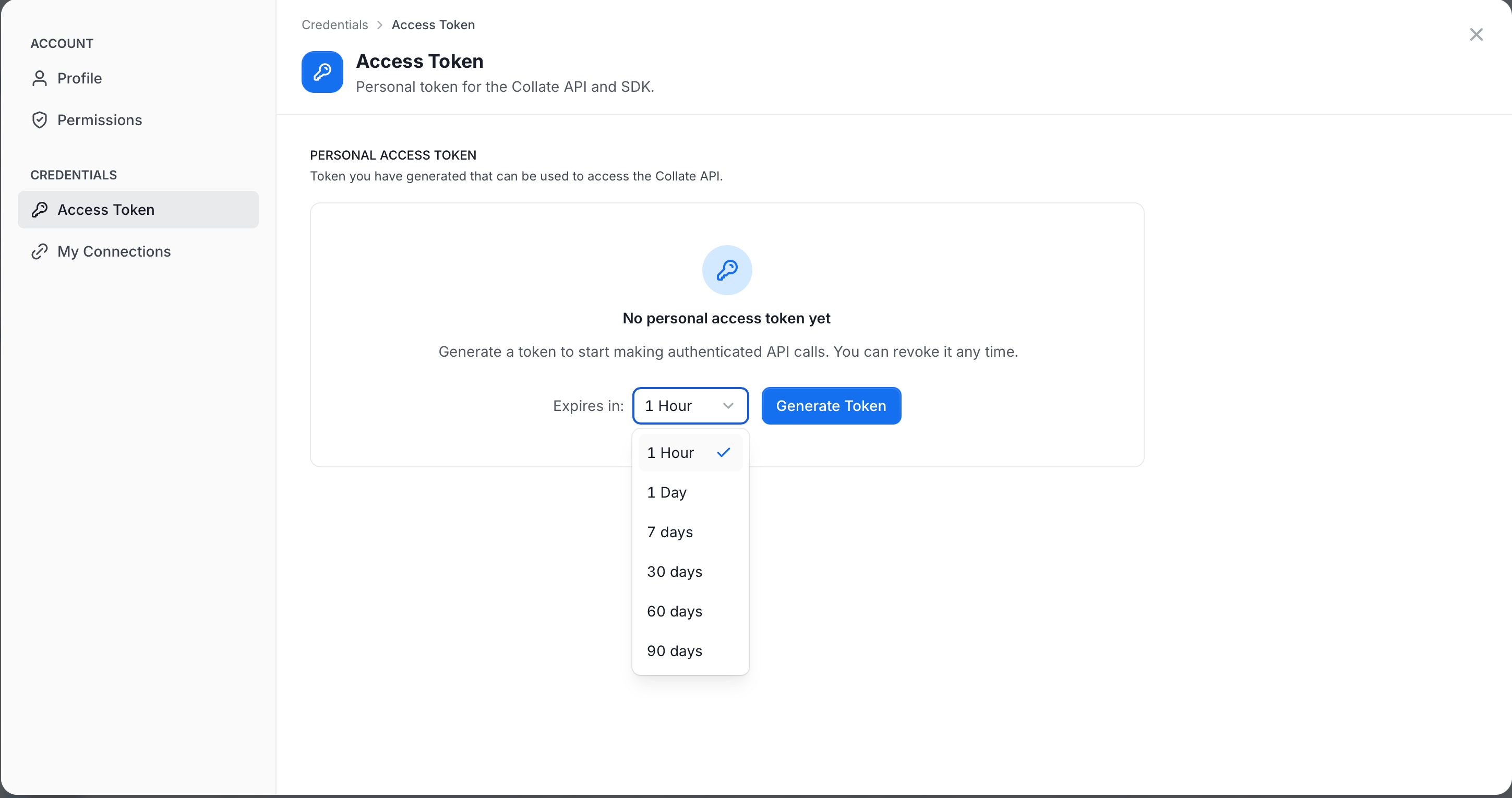
- Copy and save it securely for later use.
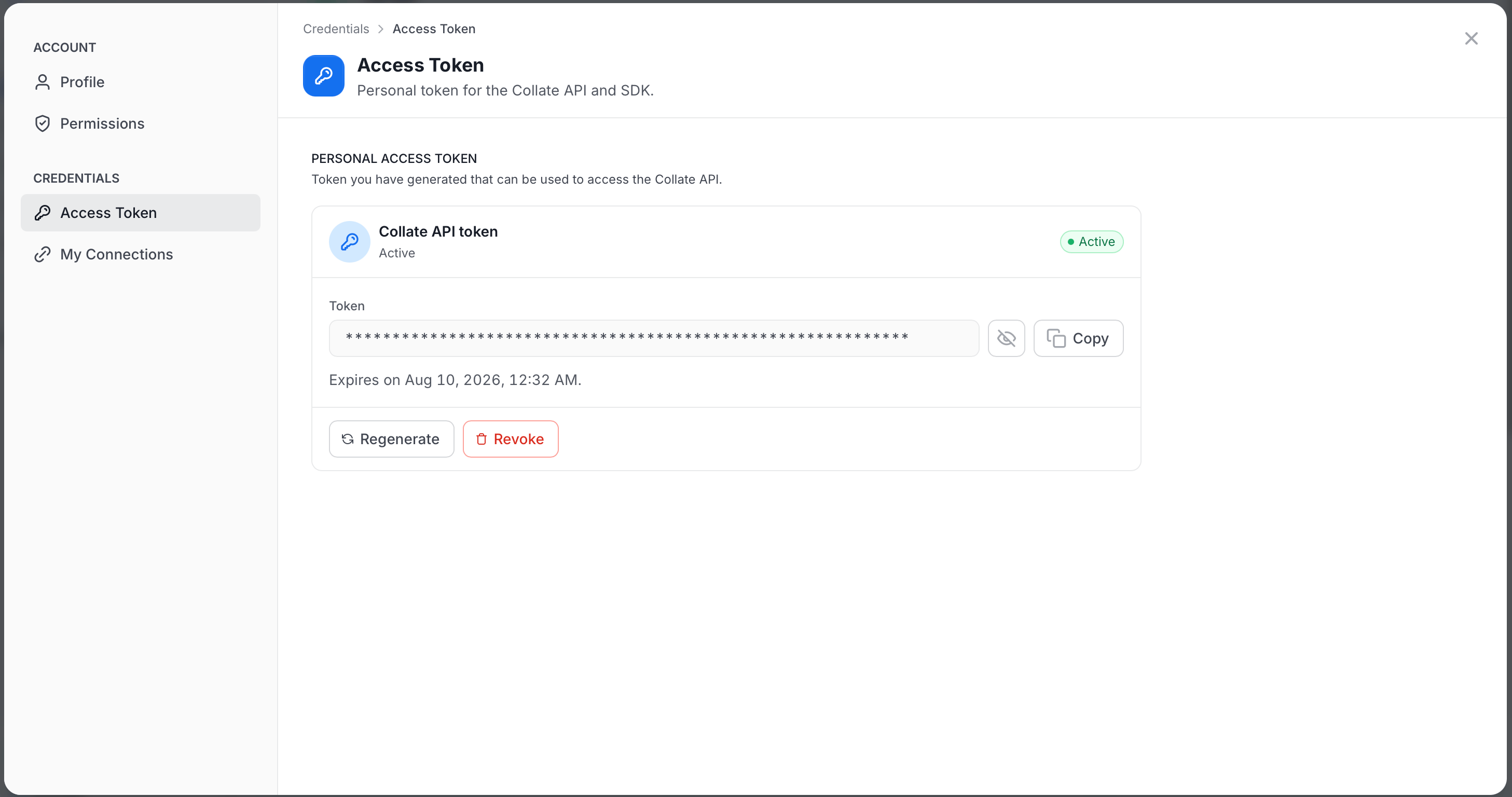
Note: Personal access tokens cannot be retrieved after creation. Store them securely immediately after generation.
Using the Token
Include the token in theAuthorization header of all API requests:
Examples
Token Example
Token Structure
Collate JWT tokens contain the following claims:
Example decoded token payload:
Authentication Errors
Error Response Format
Security Best Practices
- Use bot tokens for automation: Create dedicated bot accounts for each integration rather than using personal tokens.
- Rotate tokens regularly: Set expiration dates on personal access tokens and rotate bot tokens periodically.
- Apply least privilege: Assign only the minimum required roles to bots and service accounts.
- Store tokens securely: Use environment variables or secret managers. Never commit tokens to source control.
- Monitor token usage: Review audit logs to track API usage and detect anomalies.
Environment Variables
For convenience, you can configure authentication using environment variables:SSO Integration
Collate supports SSO authentication providers for the UI. For API access, you still need to use JWT tokens, but users authenticated via SSO can generate personal access tokens from their profile. Supported SSO providers:- Okta
- Azure AD
- Auth0
- Custom OIDC
- SAML
- LDAP
SSO Configuration
Configure Single Sign-On for your organization