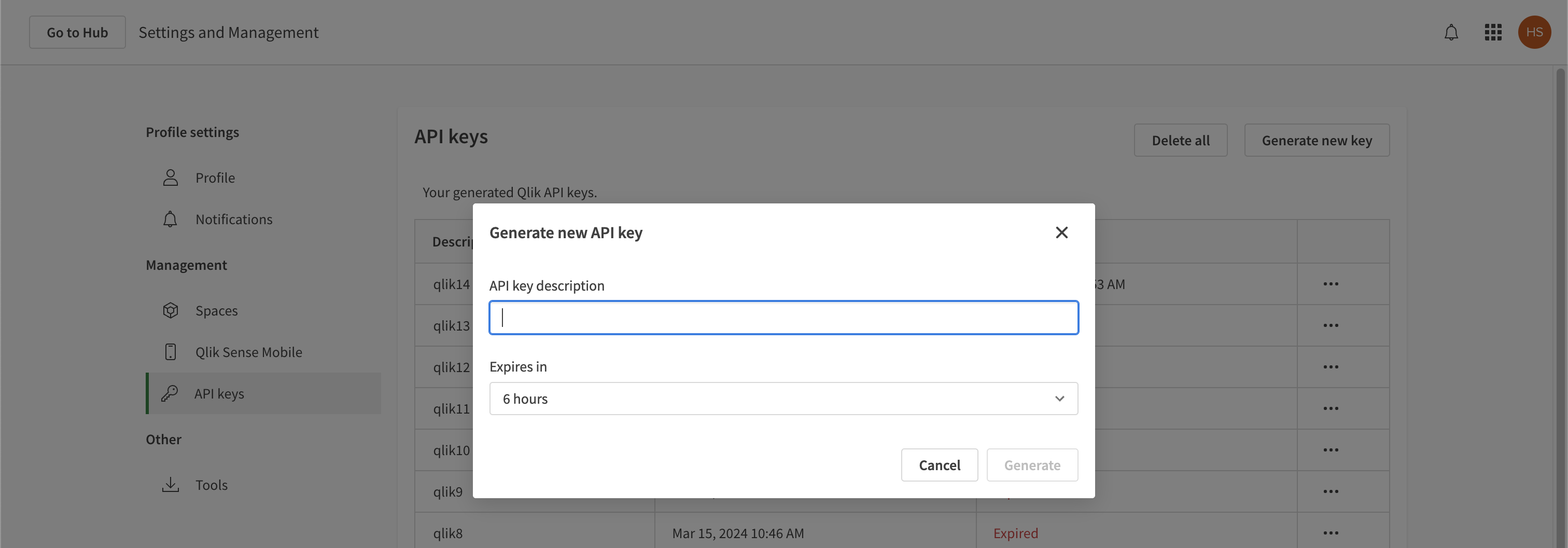
How to Generate an API Key
Collate uses REST APIs to communicate with Qlik Cloud and fetch relevant metadata, and connecting to these APIs require authentication token as described in these docs. This document explains how to generate this token so that Collate can communicate with Qlik Cloud.Step 1: Open Qlik Cloud Management Console (QMC)
Open your Qlik Cloud Management Console (QMC) and navigate to API Keys section.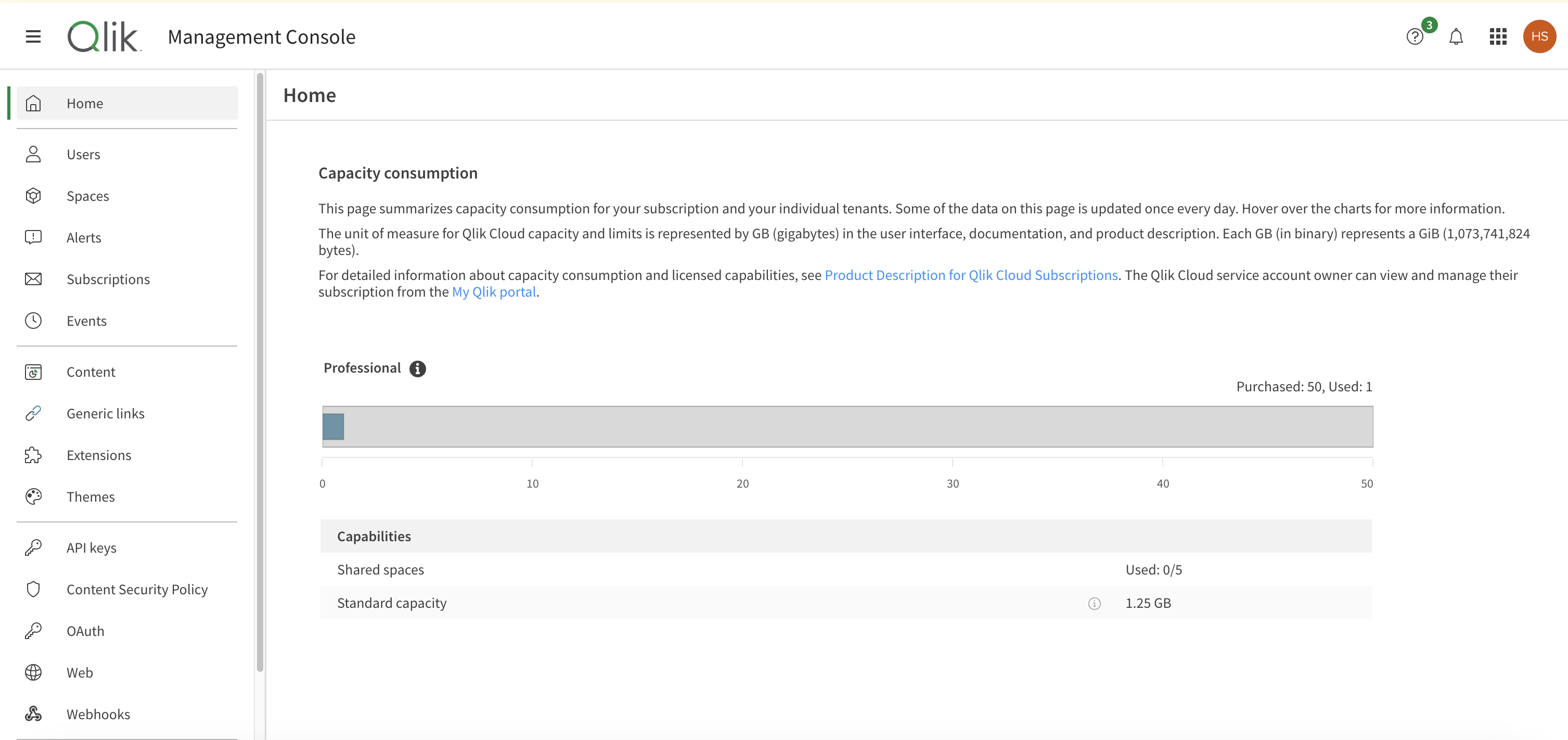
Step 2: Provide Name and Generate API Key
- Provide name for the API key you will generate.
- Select Expire in time. It will revoke the API in selected time duration.
- Select Generate. Copy the key and keep it somewhere safe.
Note: This key is generated only once. Keep it in a secure location.