
Dashboard Services
This is the supported list of connectors for Dashboard Services:
Domo

PROD

Grafana
BETA

Hex
BETA

Lightdash
PROD

Looker
PROD

Metabase
PROD

MicroStrategy
PROD

Mode
PROD

Omni
BETA

PowerBI
PROD
PowerBI Report Server
PROD

Qlik Cloud
PROD

Qlik Sense
PROD

QuickSight
PROD

Redash
PROD

Rill
PROD

SAP S/4HANA
BETA

Sigma
PROD

SSRS
PROD

Superset
PROD

Tableau
PROD

ThoughtSpot
BETA
Configure Metadata Agent and Schedule Ingestion
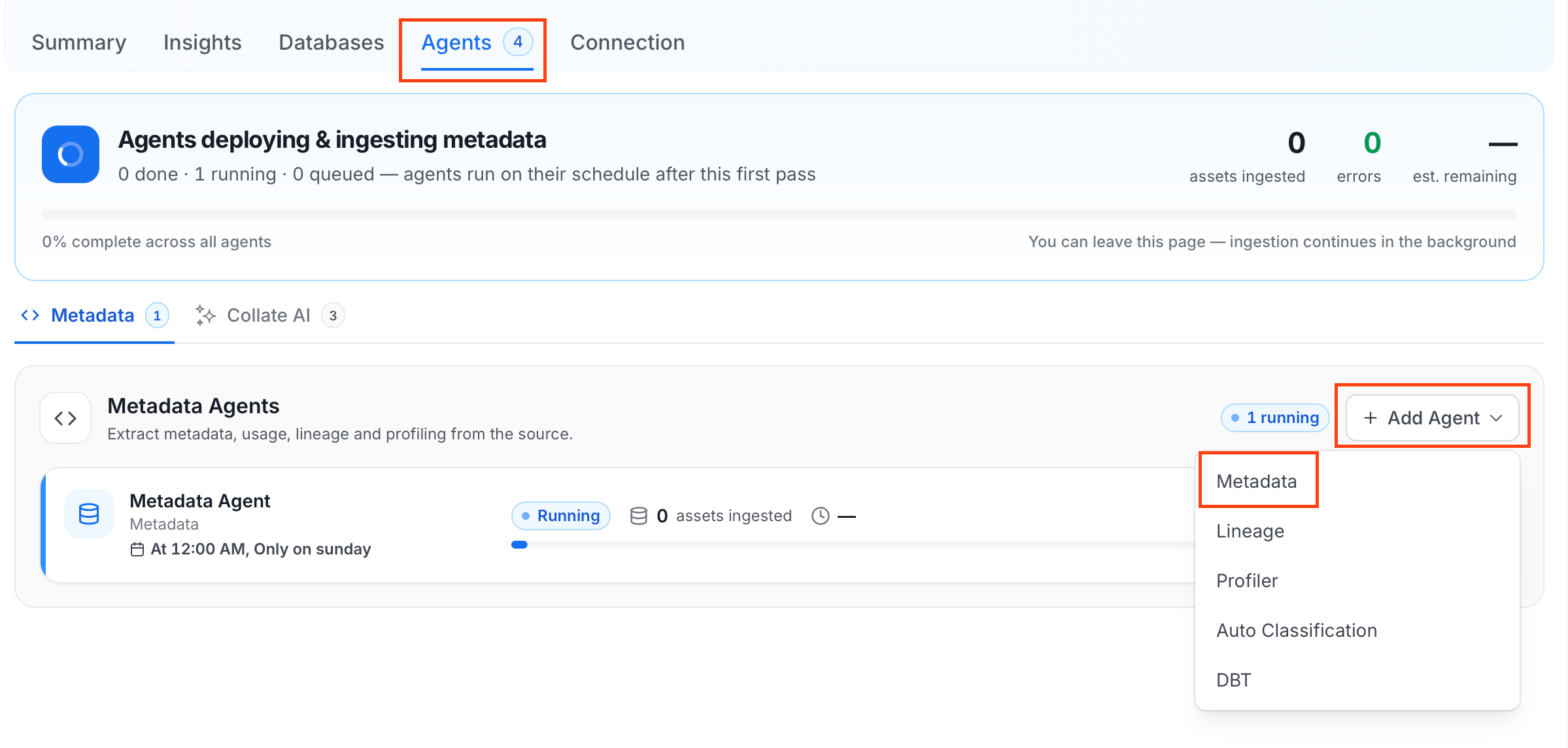
The Metadata Agent extracts dashboards, charts, data models, and other structural metadata from your source and keeps your Collate catalog in sync. It powers discovery, lineage, and governance across your data assets. When you click Create & Deploy, Collate automatically deploys a Metadata Agent for this service and triggers the first ingestion run. View its status and run history from the Agents tab on the service detail page. To configure the additional Metadata Agent and schedule ingestion, follow these steps:- In the left navigation, click Connections and select your service.
- Click the Agents tab.
-
Click Add Agent and select Metadata from the dropdown.
-
On the Configure Ingestion page, do the following and click Next.
-
Name this Ingestion: Enter a unique, recognizable name for this ingestion pipeline.

-
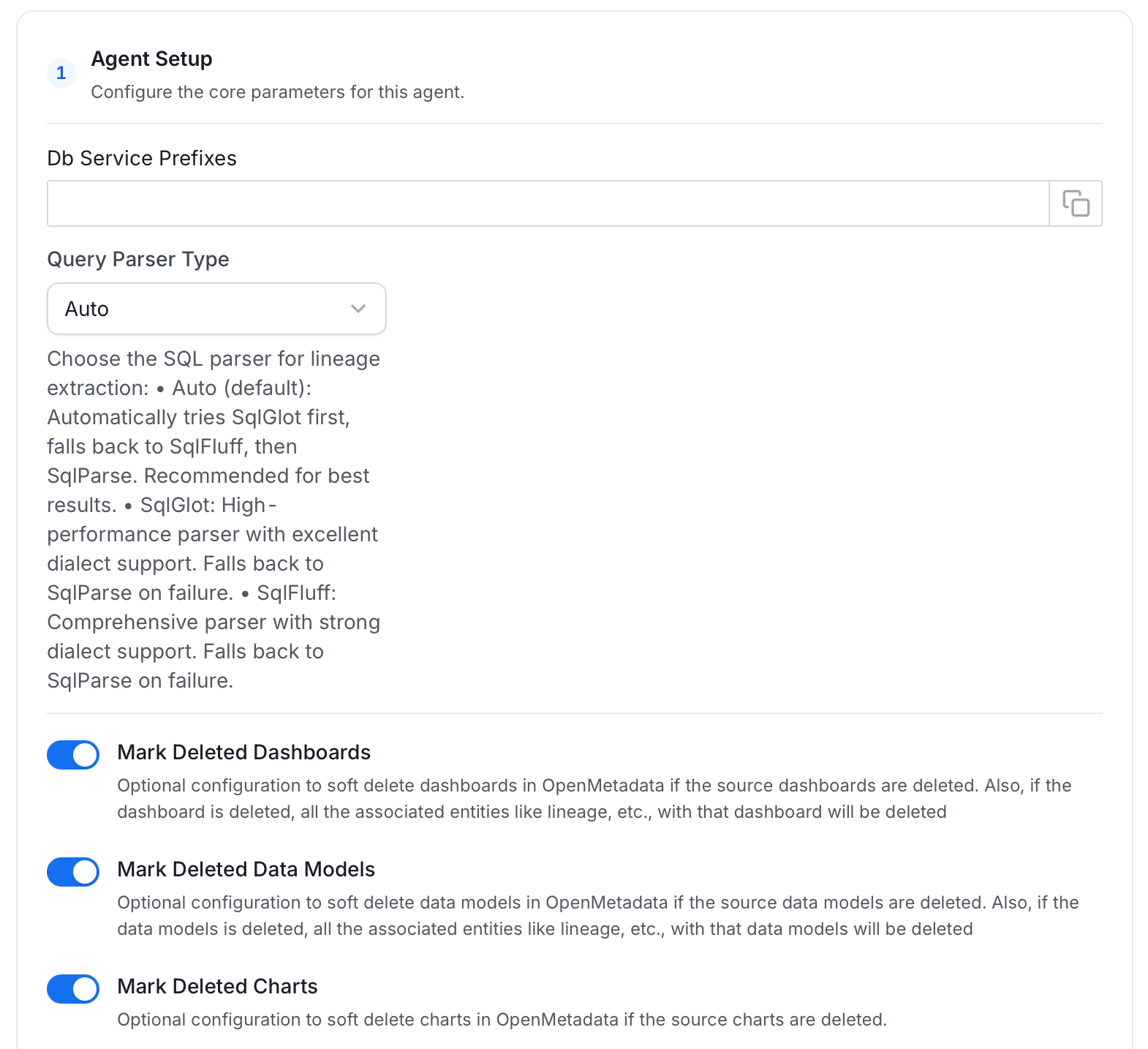
Agent Setup: Configure ingestion parameters. The following fields are available:
-
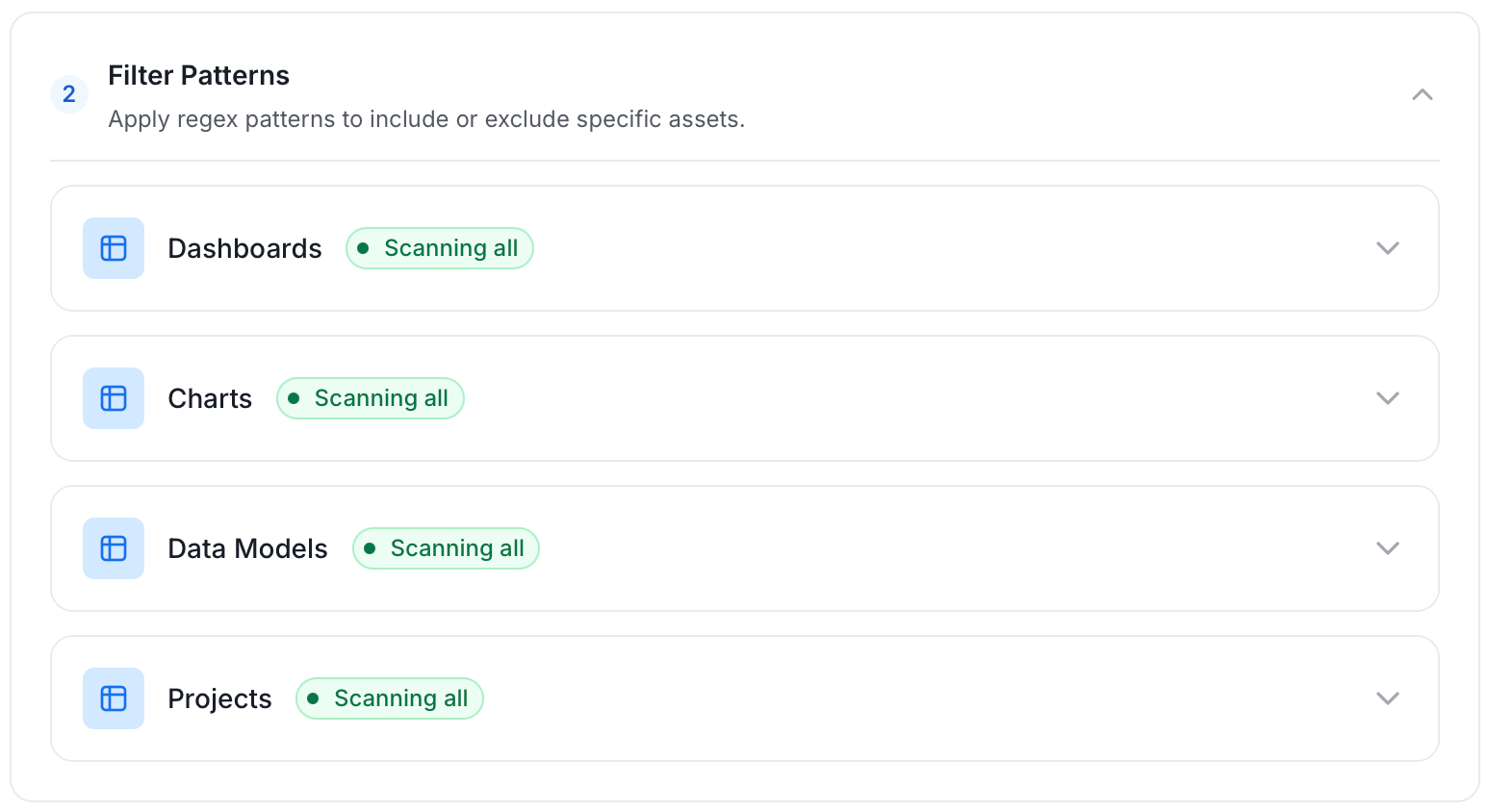
Filter Patterns: Apply include or exclude rules to scope which dashboards, charts, data models, and projects this agent ingests. These follow the same filter options described in Step 5.
-
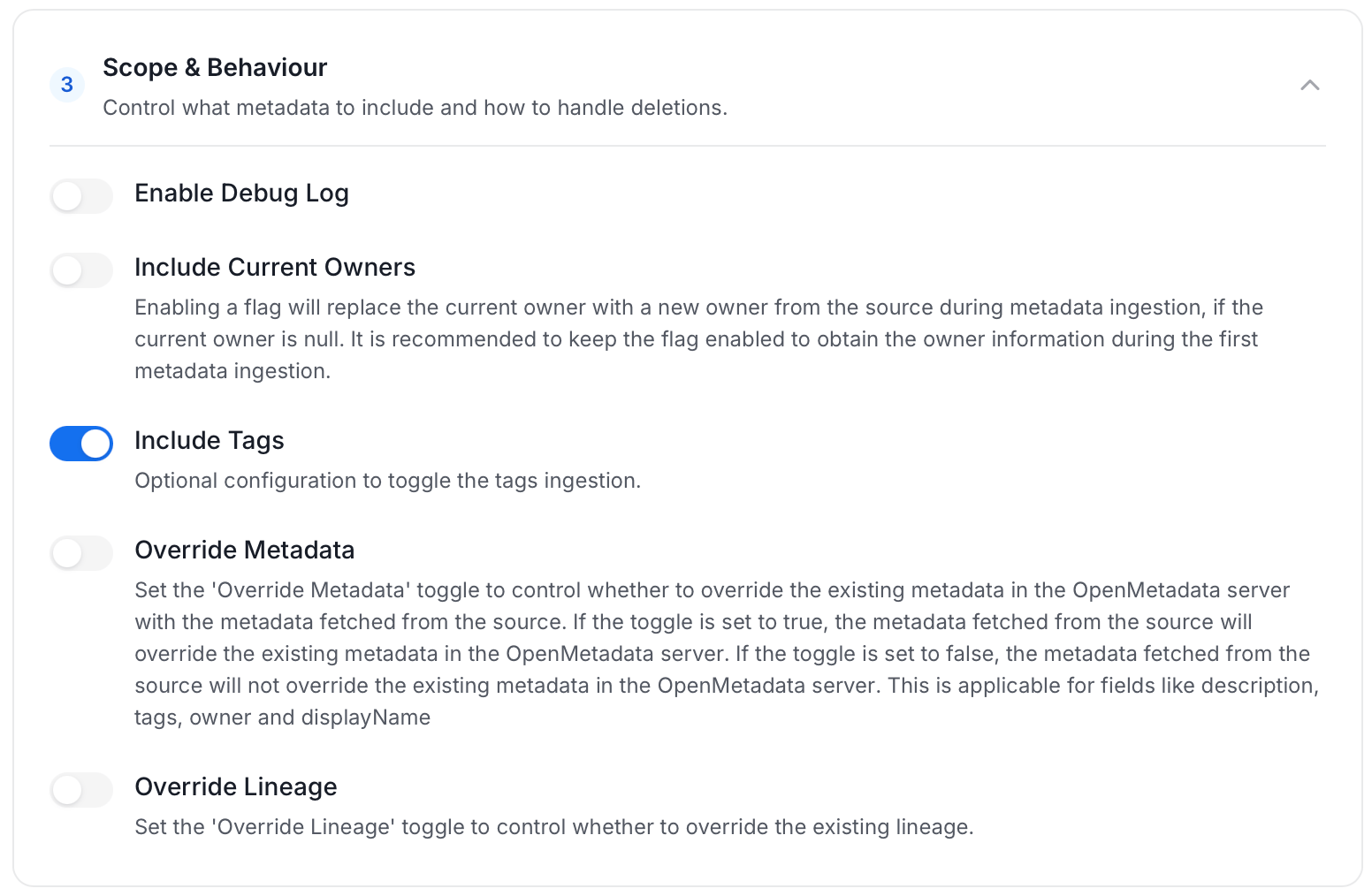
Scope & Behaviour: Control what metadata to include and how to handle deletions. Toggle each option on or off based on your needs:
-
Name this Ingestion: Enter a unique, recognizable name for this ingestion pipeline.
-
On the Schedule Interval page, set when the agent runs:
- Schedule: Choose a preset interval (Hourly, Daily, Weekly, Monthly) or enter a custom cron expression.
- On-Demand: No automatic schedule; trigger the agent manually when needed.
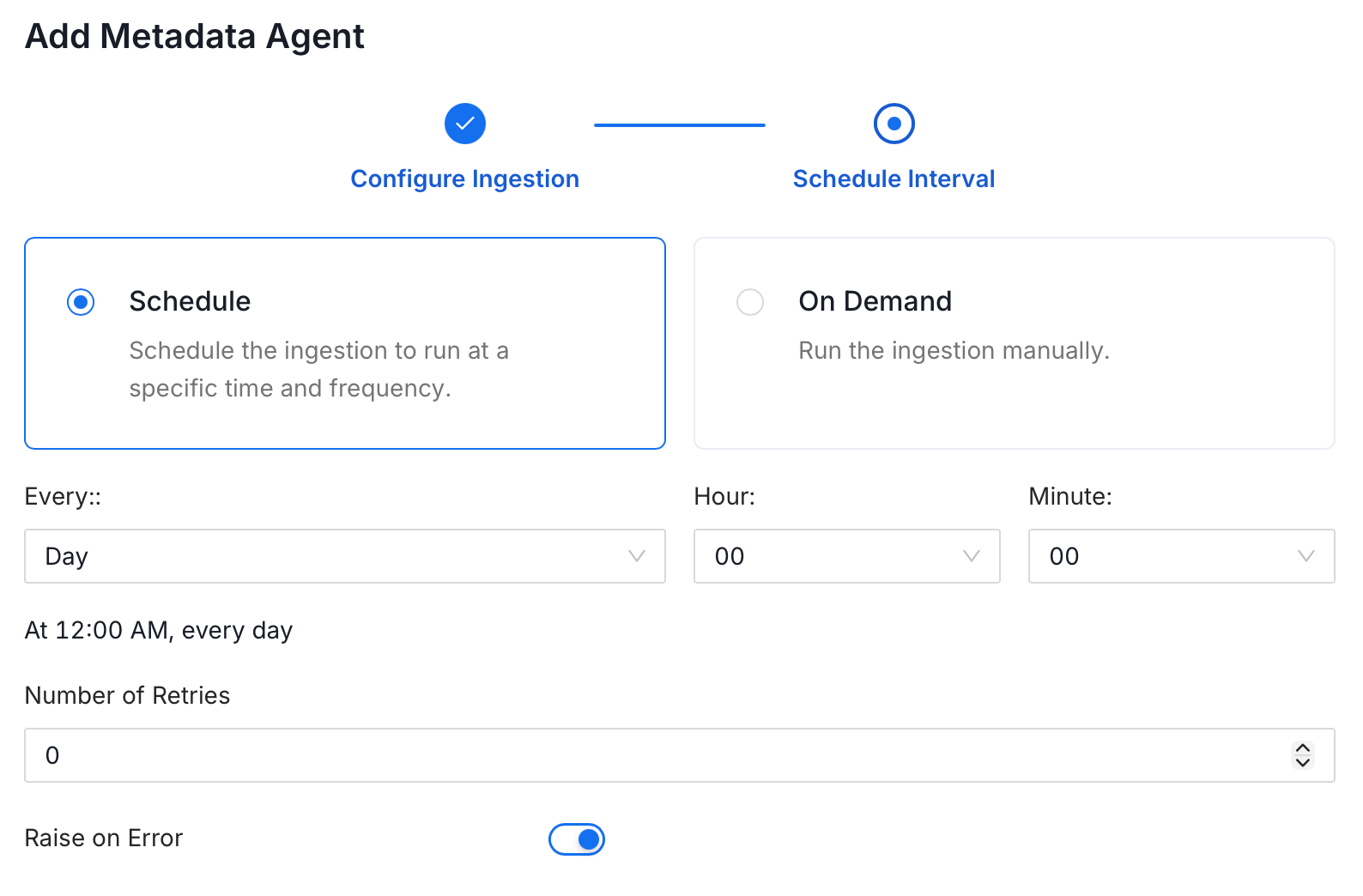
- Click Add to deploy the agent.