
Set Up Anomaly Detection
Follow these steps to configure anomaly detection for a data asset.Step 1: Create a Test from the UI
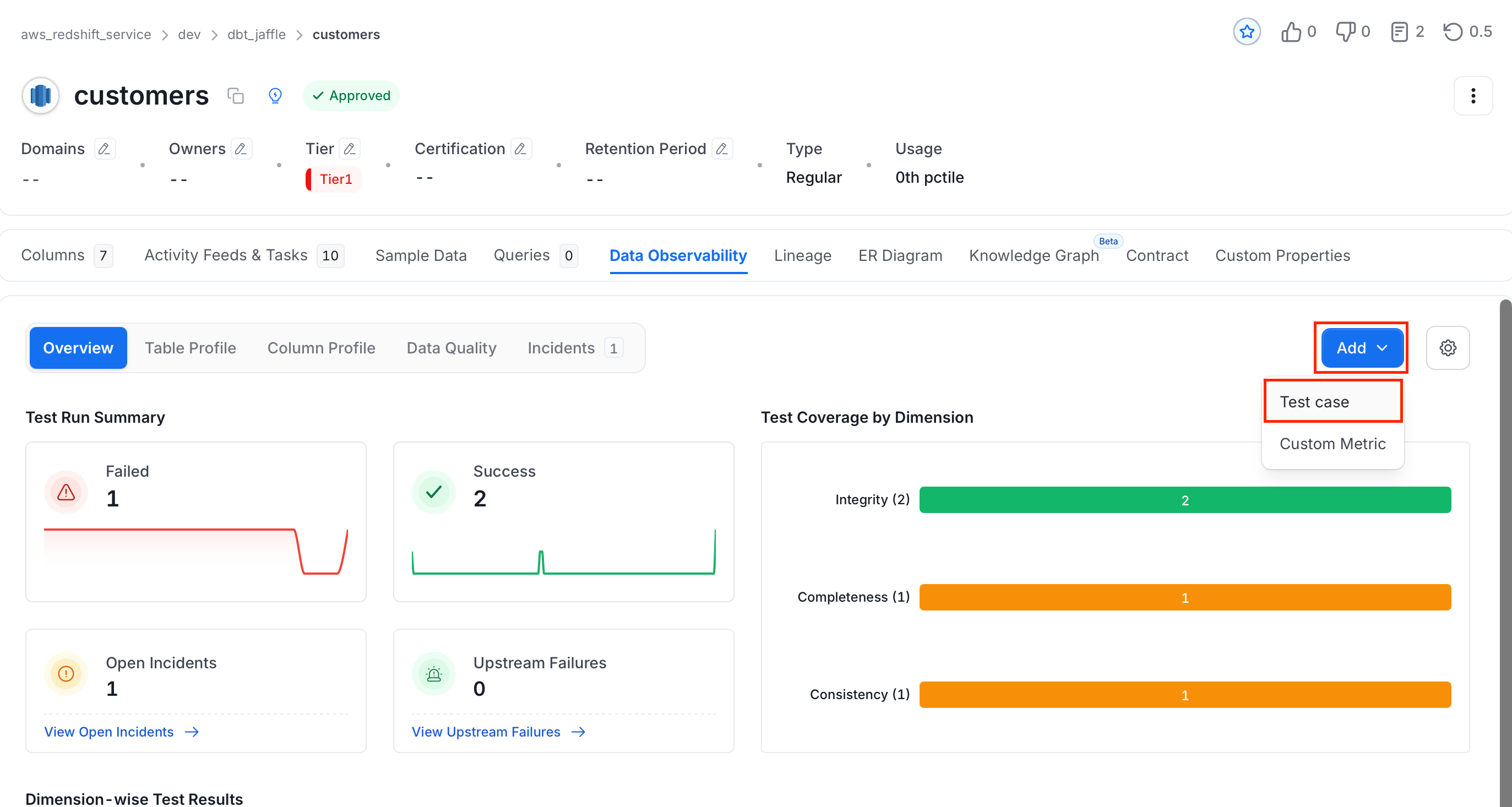
- On the Explore Assets page, find and select the data asset.
- Navigate to the Data Observability tab and click Add > Test Case.
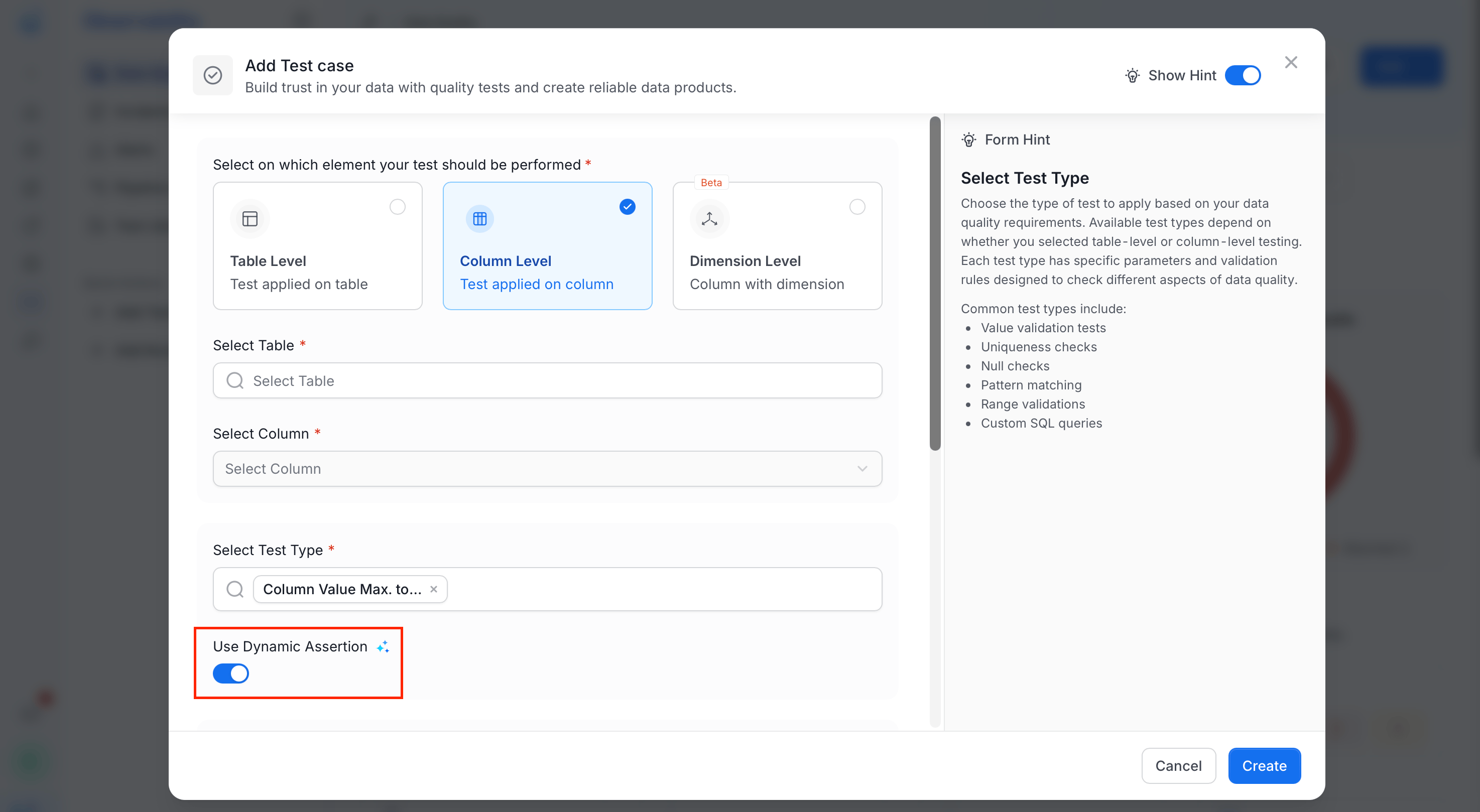
- Define your test parameters. Create a static test (for example, “no null values” or “data should not exceed a certain range”) or configure dynamic assertions to let the system learn from the data.
Step 2: Configure Manual Tests
For more controlled monitoring, set up manual thresholds (for example, sales should not exceed a maximum value of 100). This provides specific control over data validation criteria.Step 3: Enable Dynamic Assertions
- For data that naturally fluctuates or evolves, enable Dynamic Assertions. Collate will start profiling your data regularly to learn its normal behavior.
- Over time (for example, five weeks), the system will establish expected value ranges and detect any deviations from these patterns.
Step 4: Monitor Incidents
After configuring tests, monitor for incidents triggered by anomalies detected in the system. Investigate significant spikes, drops, or unusual behaviors in the data, which may indicate system errors, backend failures, or unexpected external factors.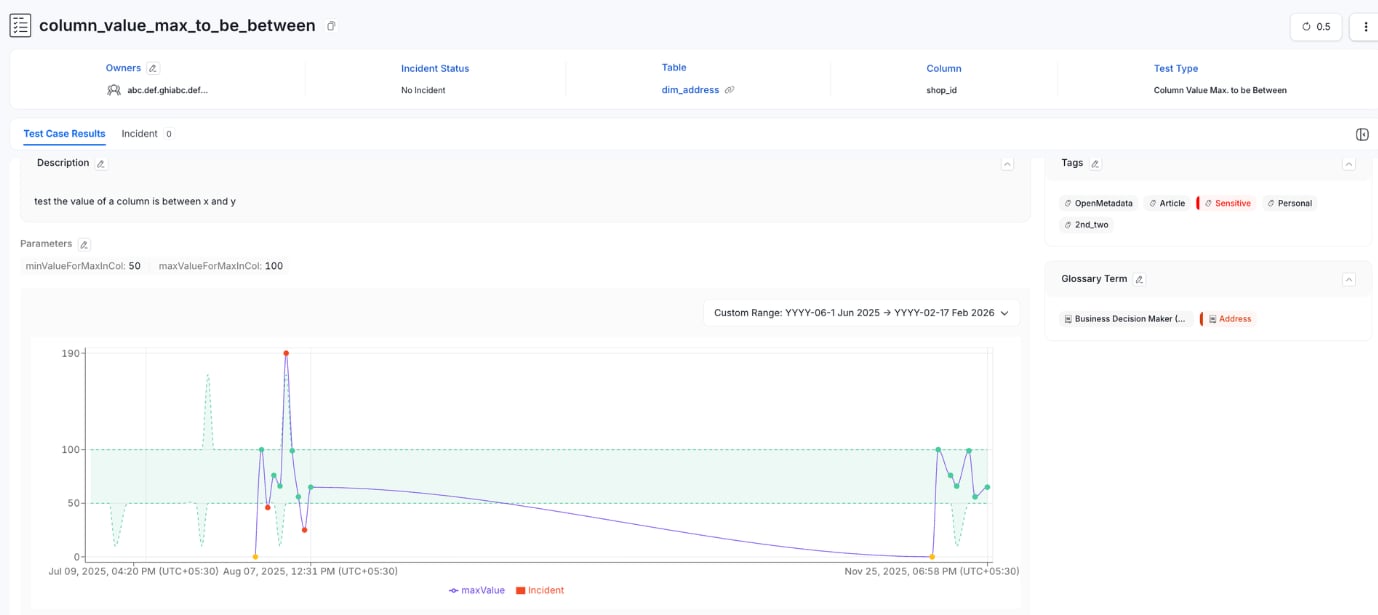
Best Practices
- Use Static Assertions for Simple Rules: For basic data validation, such as preventing null values or enforcing a minimum threshold, static assertions are effective and straightforward to configure.
- Use Dynamic Assertions for Evolving Data: When dealing with datasets that naturally fluctuate (for example, sales or user activity), dynamic assertions can save time and ensure incidents are only triggered when significant anomalies occur.
- Regularly Review Incidents: Review incidents generated by anomaly detection to identify and address data quality issues promptly.
- Combine Manual and Dynamic Methods: For datasets with well-defined boundaries and evolving characteristics, combining manual thresholds and dynamic assertions provides comprehensive anomaly detection coverage.